No-Code Automations: Developer Lifecycle for Zapier, Make, n8n
Still editing Zaps live with no version control, review, or rollback? That"s a recipe for disaster. Here"s how you bring real developer best practices–versioning, testing, rollback, and observability–to your no-code automations before they blow up.
Georg Singer··18 min read
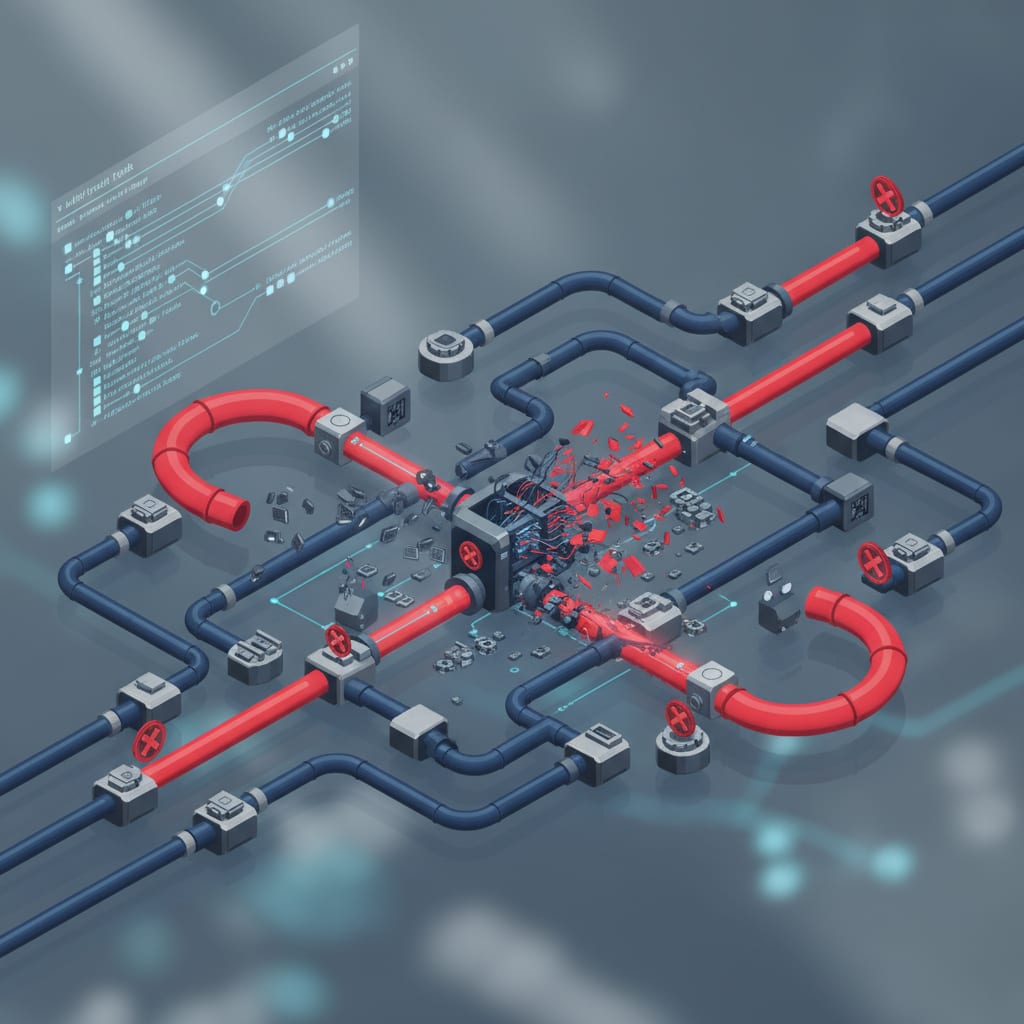
How to Treat Your No-Code Automations Like Real Code – The Developer Lifecycle for Zapier, Make & n8n
You changed a Zap this morning. Right in production. No diff. No review. No rollback plan. Just hit "Update" and hoped for the best.
If that feels familiar, you"re not alone.
Most teams build and update automations–Zaps, Make scenarios, n8n workflows–like sticky notes, not like code. Direct changes in the browser, no documentation, no audit trail.
And as long as nothing breaks, nobody asks questions.
Quick reality check:
- No native version control in Zapier or Make. Every change overwrites the last. No diff, no history.
- According to Gartner (2025), as cited by Composio, a staggering 65% of all automations are built without any governance at all–just 35% follow a structured process. That means most teams are flying blind from day one.
- Silent failures are deadlier than hard errors. No alert, no error log, no warning. You only spot the damage days later–if you"re lucky.
- The heartbeat pattern takes just 45 minutes to set up and catches the most common silent failures before they do real damage.
- For fewer than 10 non-critical workflows, a full-blown dev lifecycle is overkill. But if your automations move money or touch customer data, you can"t afford not to have one.
Why Your Zaps Aren"t Real Production Systems–Yet
Let"s start with an uncomfortable truth: Most teams treat automations like throwaway notes, not software. They"re built in-browser, changed on the fly, and left undocumented.
As long as things "work," nobody thinks twice.
But the problem doesn"t start when a workflow fails. It starts when a workflow fails and you have no clue what changed, when, or how to roll back.
Here"s the nightmare scenario: An employee leaves. They built 23 Zaps over the past 18 months–CRM syncs, lead routing, invoicing. The Zaps run. But nobody knows how they run.
Suddenly, one fails. Sound like a horror story? It"s actually business as usual.
As one developer put it in a migration post-mortem:
"When the original creator leaves, they take a non-reconstructable system with them. Knowledge stays siloed and never gets transferred to the team."
That"s automation sprawl at its purest: 5 tidy Zaps multiply into 40 tangled, undocumented workflows. You now have shadow IT built on Zaps–automations outside any official process, growing until nobody has the full picture. The first person to leave takes the system"s understanding with them.
The Difference Between "It Works" and "It"s Production-Ready"
"It works" is just an observation. "Production-ready" is a standard.
Think about your application code: CI/CD, Git review, staging environments–these are baseline requirements. For automations? They"re usually missing.
A real production system offers:
- Version control (who changed what, when)
- Staging (no direct changes live)
- Rollback (back to last working version in <10 minutes)
- Observability (you know what"s happening, even without explicit errors)
- Governance (clear ownership, documented process)
Out of the box, a Zap gives you none of these. And that"s not Zapier"s fault–it"s the absence of a workflow lifecycle.
There"s a debate brewing in the community:
"Zapier is a productivity tool for individuals. n8n is infrastructure for organizations."
On Reddit: "Zapier is not automation. It"s glue. Real automation starts when your system makes decisions." (r/automation)
For teams with under 5 non-critical workflows, that"s harsh. But if you"re running 30+ Zaps in production? It"s the truth.
Dev Lifecycle for No-Code Automations means adopting the same best practices from software development–versioning, testing, staging, rollback, observability–for your Zaps, Make, or n8n workflows. It"s the difference between "this might work" and "this won"t break production at 3 a.m."
Now that you know why you need a dev lifecycle, let"s get specific about what it actually looks like for no-code automation.
What "Dev Lifecycle for Automations" Actually Means
Let"s break down the five pillars of a dev lifecycle for automations. You don"t need them all on day one–but knowing which to prioritize can save you weeks of headaches (and thousands in firefighting costs).
The Five Pillars: Versioning, Testing, Staging, Rollback, Observability
1. Versioning: Every change to a workflow is tracked in Git (or at least in a versioned export). You see who changed what–and why.
2. Testing: Workflows are run with controlled test data before going live. That means no risk to production data.
3. Staging: Changes first hit a test environment, not production. In no-code, that usually means duplicated workflows with test webhooks and credentials.
4. Rollback: If something breaks, you restore the last working version–both the workflow itself and the data it touched–in under 10 minutes.
5. Governance: Consistent naming, clear ownership, quarterly audits. No more automation sprawl or ghost logins.
Don"t try to implement all five at once. Start with versioning. Then add observability. Next, tackle rollback. Only after those are solid do you bring in staging and governance.
Here"s a table to guide your priorities and estimate setup time:
| Pillar | Solo (1P) | Small Team (2–5P) | Growing Team (6–20P) | Dev Team (20P+) |
|---|---|---|---|---|
| Versioning | Optional (2h) | 🟡 Recommended (4h) | 🟢 Mandatory (4h) | 🟢 Mandatory (4h) |
| Testing | Optional (1h) | 🟡 Recommended (3h) | 🟢 Mandatory (6h) | 🟢 Mandatory (8h) |
| Staging | 🔴 Overkill | Optional (4h) | 🟡 Recommended (8h) | 🟢 Mandatory (12h) |
| Rollback | Optional (2h) | 🟡 Recommended (3h) | 🟢 Mandatory (4h) | 🟢 Mandatory (4h) |
| Observability | Optional (2h) | 🟢 Mandatory (3h) | 🟢 Mandatory (4h) | 🟢 Mandatory (8h) |
Setup time in hours for first implementation. 🟢 Mandatory / 🟡 Recommended / 🔴 Overkill
According to Gartner (2025), via Composio, 65% of automations are built without any governance. That"s not starting from scratch–it"s starting from a deficit.
A Reddit user summed up the pain: "I automated 70% of my workflow. It broke more than it helped. Here"s what actually works."
(r/buildinpublic)
The teams that succeed don"t have perfect tools. They have a process.
Now, let"s dive into each pillar–starting with versioning.
Pillar 1: Versioning–How to Put Your Workflows in Git (Zapier, Make, n8n)
No English article out there gives you real, step-by-step Git versioning for Zapier or Make. Let"s change that.
How Do You Version Control Zapier Zaps with Git?
Zapier doesn"t offer a native Git export. Their "Version History" (added in 2022) isn"t a real rollback–hotly debated in the community:
"What"s the point of Version History if I can"t actually roll back?" The answer: not much. Zapier lists past versions but won"t let you restore them.
Here"s the API workaround: Export all Zaps as JSON and commit them to Git.
#!/bin/bash
## zapier-export.sh
## Exports all Zaps as JSON and commits to Git

ZAPIER_API_KEY="your_api_key"
EXPORT_DIR="./zap-exports"
DATE=$(date +%Y-%m-%d)

mkdir -p "$EXPORT_DIR"

## Fetch all Zap IDs
ZAP_IDS=$(curl -s -H "X-API-Key: $ZAPIER_API_KEY" \
  "https://api.zapier.com/v1/zaps" | jq -r '.objects[].id')

for ZAP_ID in $ZAP_IDS; do
  curl -s -H "X-API-Key: $ZAPIER_API_KEY" \
  "https://api.zapier.com/v1/zaps/$ZAP_ID" \
  > "$EXPORT_DIR/zap-$ZAP_ID.json"
done

git add "$EXPORT_DIR"
git commit -m "chore: Zap export $DATE"
⚠️ Important: Never commit API keys or OAuth tokens to Git. Always
.gitignorefiles like*.credentials.jsonor anything with_secretsin the name. Leaking secrets is a bigger disaster than missing version control.
Make: Blueprint Export and Folder Structure
Make (formerly Integromat) lets you export scenarios as JSON blueprints–perfect for Git.
Recommended folder structure:
make-blueprints/
├── crm/
│ ├── lead-routing-v1.json
│ └── contact-sync-v2.json
├── billing/
│ └── invoice-trigger-v1.json
└── README.md # Owner, trigger, last change
Attach a commit message standard to every blueprint file: feat(crm): Added Slack notification to lead-routing
You"ll always know what changed, where, and why.
n8n: Native Git Integration–Step by Step
n8n is the clear winner here. Since version 1.x, you get built-in Git integration–no manual exports, no scripts, no hacks.
Just go to Settings → Version Control, connect your repo, pick a branch, and push changes right from the UI.
For teams already using Git, this alone is a reason to consider n8n. n8n closed a $55M Series B in 2024 and now offers managed cloud–so self-hosting isn"t a must anymore.
If your team already uses Git and you have more than 10 critical workflows, n8n"s native Git integration is reason enough for a deep evaluation. Typical migration time from Zapier to n8n is 2–4 weeks (manual, no auto-import). Not a weekend project, but very doable.
Now that you"ve got your automations versioned, how do you make sure they don"t break when you change them? Let"s talk about testing.
Pillar 2: Testing–How to Test Workflows Without Risking Production Data
Imagine you push a change live, and suddenly your CRM is filled with 400 duplicate leads. That"s what happens without a testing strategy.
Test Triggers Instead of Live Data
The rule is simple: Never run a workflow with real production data until it"s been tested with controlled test data.
In Zapier, use "Test Trigger" with custom test data. Set up a test webhook URL that returns the same valid test data each time. It takes two hours to set up–but can save you from a retry loop flooding your CRM.
In Make, use "Manual Run" with a test bundle. Define your test data once and save it in the scenario.
The Idempotency Rule: Why Every Workflow Must Be Safe to Run Twice
Here"s a concept missing from almost every no-code guide in English or German: idempotency.
Idempotency means a workflow produces the same correct outcome, no matter how many times you run it. An idempotent workflow won"t create duplicate CRM entries, invoices, or Slack alerts if triggered twice. It"s the foundation for safe rollbacks and error-free retries.
Idempotency makes your workflows stateless by design: each run starts from the same baseline, regardless of what happened before.
Practically: Any workflow step that writes data must check first if that data already exists. "Create contact" becomes "Create contact only if no contact with this email exists."
You can also add a dead letter queue (DLQ): failed executions aren"t lost, they"re queued for retry after you fix the issue. In Make: enable "Incomplete Executions." In n8n: define an error workflow that logs failed items to a database.
A Reddit user captured the pain of not having this: "CRITICAL BUG: Data between steps is empty/lost. All troubleshooting has failed."
(r/zapier)
That"s not a Zapier bug. That"s missing error lifecycle management. What happens next?
"Zapier"s garbage support." (r/zapier)
If you"re relying on support instead of process, you"re already in trouble.
Testing helps prevent disasters–but what if something does go wrong? That"s where rollback comes in.
SwiftRun automates repetitive workflows with AI agents – so your team can focus on what matters.
Pillar 3: Rollback–What to Do When a Bad Workflow Goes Live
Here"s where most teams stumble: Rollback isn"t just about reverting the workflow definition. It"s also about fixing the data.
Zapier had 36 incidents in 90 days (StatusGator, March 2026), with median downtime of 2h 26min. So the question isn"t if you"ll need a rollback, but when.
A. Rolling Back the Workflow Definition
This is the easy part–if you"ve implemented versioning. Just commit the old version from Git and import it.
- n8n:
git checkout - Make: Blueprint import
- Zapier: Export the old JSON and rebuild the Zap manually
This is where Zapier shows its limits for real dev workflows.
B. Rolling Back the Data–The Saga Pattern for No-Code
Here"s the hard–and often forgotten–part: fixing data that was wrongly created.
If a workflow writes 200 bad CRM records, restoring the old workflow doesn"t help. You need to compensate–undo the data changes.
Enter the Saga Pattern, borrowed from distributed systems: For every step that writes data, define an "undo" step if things go wrong.
Workflow: Lead Qualification
Step 1: Create CRM entry → Undo: Delete CRM entry
Step 2: Send Slack alert → Undo: Send correction message
Step 3: Trigger invoice → Undo: Cancel invoice
It takes 30 minutes to plan, but can save you hours cleaning up after a mistake.
In my experience: The Saga Pattern sounds like heavy enterprise overhead. It"s not. Start with your most critical workflow. Which step writes data you can"t easily fix? Start there.
⚠️ Rollback-Ready Checklist: Before every deployment:
- Is there a current Git version of the workflow?
- Were changes validated with test data?
- Do you know exactly what data this workflow writes?
- Is there a compensation step for every data-writing action?
- Is there a dedicated Slack channel or alert if this workflow fails?
The Saga and compensation pattern for no-code is barely described in German, and in English only in AWS/DevOps circles or for n8n. But the concept applies to any automation platform.
Catching errors is great–but what if errors don"t show up as failures at all? That"s the real danger: silent failures.
Pillar 4: Observability–Catching Silent Failures Before They Cost You
Most teams overlook observability. But this is where you get the highest return on investment (ROI).
What Is a Silent Failure?
Silent failure: An automation error that triggers no error message. The workflow reports success–but the result is wrong or incomplete.
A classic example: Your CRM sync skips 200 contacts because of an API limit, but Zapier still reports "Success." You find out days later–if ever.
A user in the GoHighLevel forum summed it up: "Why do my tools NEVER talk to each other? Leads disappearing again…"
(r/GoHighLevelForum)
The answer is almost always a silent failure.
Hard failures stop your workflow cold. Silent failures let it limp along, corrupting data without a trace.
Level 1: Turn On Native Logs and Email Alerts
At a bare minimum:
Zapier: Activate email alerts for failed Zaps (Settings → Notifications). Audit logs are only available on Enterprise–no structured logging, no traces, no threshold alerts in standard plans.
Most teams don"t have structured logs. A common symptom:
"Zapier constantly disconnecting" (r/zapier)
Connection drops that don"t trigger errors are silent failures in disguise.
Make: Enable "Incomplete Executions" (Scenario → Settings → Allow storing incomplete executions). Every failed run is logged and can be retried manually or automatically.
Level 2: The Heartbeat Pattern
A simple solution that takes just 45 minutes to implement–and detects the most common silent failures.
How it works:
- Last step in every critical workflow: write a row (timestamp + workflow ID) to Google Sheets.
- Separate monitoring workflow runs hourly, checking if the last entry is recent enough.
- If not, send a Slack alert to the owner.
The Heartbeat Pattern is the highest-ROI observability tactic for teams without a monitoring budget.
Level 3: n8n with Prometheus and Grafana
If you already have monitoring infrastructure: n8n exposes a /metrics endpoint for Prometheus. You can visualize execution times, error rates, and task counts in Grafana.
Details in the n8n Observability Guide–this goes far beyond what Zapier or Make can do natively.
A full observability stack for automations covers three layers:
- Logging: What happened?
- Metrics: How often, how long, how many errors?
- Tracing: Which steps, in what order?
n8n is the only major no-code platform supporting all three natively or via integration.
Silent failures are preventable–but only if you set up the right signals. Now, let"s talk about stopping automation sprawl before it kills your clarity–and your compliance.
Pillar 5: Governance–Stopping Automation Sprawl Before It Starts
"My automated workflows keep failing. Are we doing too much with Zapier?" That"s how one Reddit user described the tipping point when automation sprawl gets out of control. (r/Emailmarketing)
The answer is usually the same: No governance, no ownership, no audit.
Automation sprawl–the unchecked growth of workflows nobody fully understands or owns–isn"t a technical problem. It"s an organizational one.
Naming Convention for Zapier and Make
Copy this template verbatim:
[TEAM]-[TRIGGER]-[ACTION]-[VERSION]

Examples:
SALES-newlead-crm-create-v2
OPS-invoice-paid-slack-notify-v1
MARKETING-form-submit-segment-tag-v3
This instantly tells you: which team, what triggers the workflow, what does it do, what version is running.
Ownership Rule: Every Workflow Has a Named Owner
No workflow without an owner. Sounds obvious. It isn"t.
The tipping point isn"t just the number of workflows. It"s when nobody knows what a Zap does–or who"s responsible for fixing it.
The ghost login problem: When an employee leaves, their Zaps keep running using their logins and tokens. That"s not just an operational risk–it"s a GDPR nightmare.
A full audit trail–who changed what, when–isn"t optional for compliance audits. Transferring ownership in Zapier is error-prone and, according to the community, "doesn"t always work right."
⚠️ Critical: Your offboarding checklist must include Zapier/Make/n8n: List all active workflows, transfer ownership, revoke OAuth tokens for the departing user.
The 30-Minute Quarterly Audit
Once per quarter, 30 minutes, set in stone:
- Which workflows are active–do you still need them?
- Who is the named owner of each active workflow?
- Which workflows had zero executions in the last 30 days?
- What"s your current task usage–any outliers?
- Are there duplicate workflows that could be consolidated?
The automation cemetery–dead workflows nobody deletes–wastes money and hides security risks.
Zapier auto-disables Zaps after a 95% failure rate in 7 days. The Team plan has a 24-hour grace period–failed CRM writes can still run silently in that window. A quarterly audit finds these "zombie" workflows before they cause damage.
Governance keeps your automations lean, compliant, and less likely to backfire. But is a full dev lifecycle always worth it? Let"s get real about where to draw the line.
When Is the Effort Not Worth It? An Honest Counterpoint
Let"s be clear: Not every team needs all five pillars. Anyone saying otherwise is selling you complexity, not solutions.
Decision Matrix: When Does a Dev Lifecycle Make Sense?
| Criteria | No Dev Lifecycle Needed | Partial Adoption | Full Implementation |
|---|---|---|---|
| Workflow Count | < 10 | 10–30 | > 30 |
| Criticality | Low (notifications) | Medium (CRM updates) | High (payments, customer data) |
| Team Size | 1 person | 2–5 people | > 5 people |
| Staff Turnover | Low | Medium | High |
| Compliance/GDPR | Not relevant | Somewhat relevant | Critical |
If a workflow moves money, writes customer data, or runs more than once a day, it belongs in the dev lifecycle. Everything else is optional. Start with the three workflows that would do the most damage if they silently failed.
A common objection: "n8n self-hosted is free, isn"t it?" That"s true for software cost. But according to adopt.ai, n8n self-hosted can run up to $300,000/year for enterprise–once you count infrastructure, maintenance, and DevOps staff.
That"s not an argument against n8n–but you need to count the true cost before going self-hosted.
On the flip side: 100,000 tasks/month on Zapier costs $10,000–14,000/year. n8n self-hosted: $600–3,000/year (infrastructure only).
A client documented by ThatAPICompany saw their Zapier bill jump from £400 to £1,200 in a month–no warning. After migrating to n8n self-hosted (on AWS): £40/month. That"s a 30× difference.
So before you pick a platform, ask: Which matches your operational muscle?
Platform Comparison: What"s Built-In, What Needs Workarounds?
| Pillar | Zapier | Make | n8n |
|---|---|---|---|
| Versioning | ❌ No native export, API hack | 🟡 Blueprint export (manual) | ✅ Native Git integration |
| Testing | 🟡 Test triggers, manual data | 🟡 Manual test bundle | ✅ Workflow tests with fixtures |
| Staging | ❌ No separate environment | 🟡 Duplicate scenario (manual) | ✅ Staging by Git branch |
| Rollback | ❌ Version history ≠ rollback | 🟡 Blueprint import (manual) | ✅ Git revert |
| Observability | ❌ Audit log (Enterprise only) | 🟡 Incomplete executions | ✅ /metrics endpoint (Prometheus) |
| Governance (RBAC) | 🟡 Basic permissions | 🟡 Team roles | ✅ Granular RBAC |
| Price (10k tasks/ops/mo) | ~€560/mo | ~€29/mo | from €0 (+infra) |
Price sources: ColdIQ – Expect a 20× price gap between Make and Zapier at at the same volume. n8n self-hosted: infrastructure costs vary.
For teams outgrowing Zapier or Make–who don"t want to build DevOps muscle–tools like SwiftRun.ai offer built-in Git versioning, staging, and observability. No DIY, no bolt-on hacks.
The Bottom Line: Automations Are Production Systems–Start Treating Them That Way
The developer lifecycle for automations isn"t a new concept. It"s just software engineering hygiene–applied to systems we used to treat as "just workflows."
But they aren"t "just workflows." They run your business. Move money. Handle customer data. Control processes your team counts on daily.
The only real question: Will you implement a dev lifecycle before or after your first silent failure corrupts customer data for three days, unnoticed?
And when the workflow silently fails at 3 a.m.– Who"s responsible?
Ready to speed up your no-code automation development? Check out SwiftRun.ai to streamline your Zapier, Make, and n8n workflows and stop reinventing the wheel.
Sources: n8nlab.io · ColdIQ · ThatAPICompany · StatusGator · Composio/Gartner · adopt.ai · Latenode · Autonoly · Zapier Log Streams · n8n Observability Guide
Keep going: How to Build CI/CD for Your Automation Workflows–Just Like Real Software Development
no-code dev lifecyclezapier version controlgit automation workflowssilent failures automationrollback no-codeworkflow observabilityautomation governance
Related Articles

Automation & DevOps
Silent Failures: The Silent Danger in Automation
Zapier says everything is fine. No alerts, no red banners. But your CRM is missing 200 leads–and it"s been four days. Find out what silent failures are, why they're so much riskier than visible errors, and how to catch them before your customers do.
Apr 18, 2026·17 min read·Georg Singer

Automation & DevOps
Zapier Costs Explode When Scaling: How to Stop It
Why Do My Zapier Costs Explode When I Scale – And How Do I Stop It?
Apr 18, 2026·10 min read·Georg Singer
Automation & DevOps
Automation Sprawl: Stop Losing Workflow Control
47 active Zaps, but you only recognize 8. Three are running under an ex-employee"s account, quietly writing to your CRM. That"s automation sprawl–no tool warns you, but it"s costing you time, money, and control. Here"s how to stop the chaos before it snowballs.
Apr 17, 2026·14 min read·Georg Singer