AI Content: Keep Your Brand Voice Consistent
A simple prompt isn"t enough. If you want your content to sound like you–and not every other AI-powered brand–you need to embed Brand Voice as a system layer in every step of your pipeline. Here"s how you do it right.
Georg Singer··17 min read
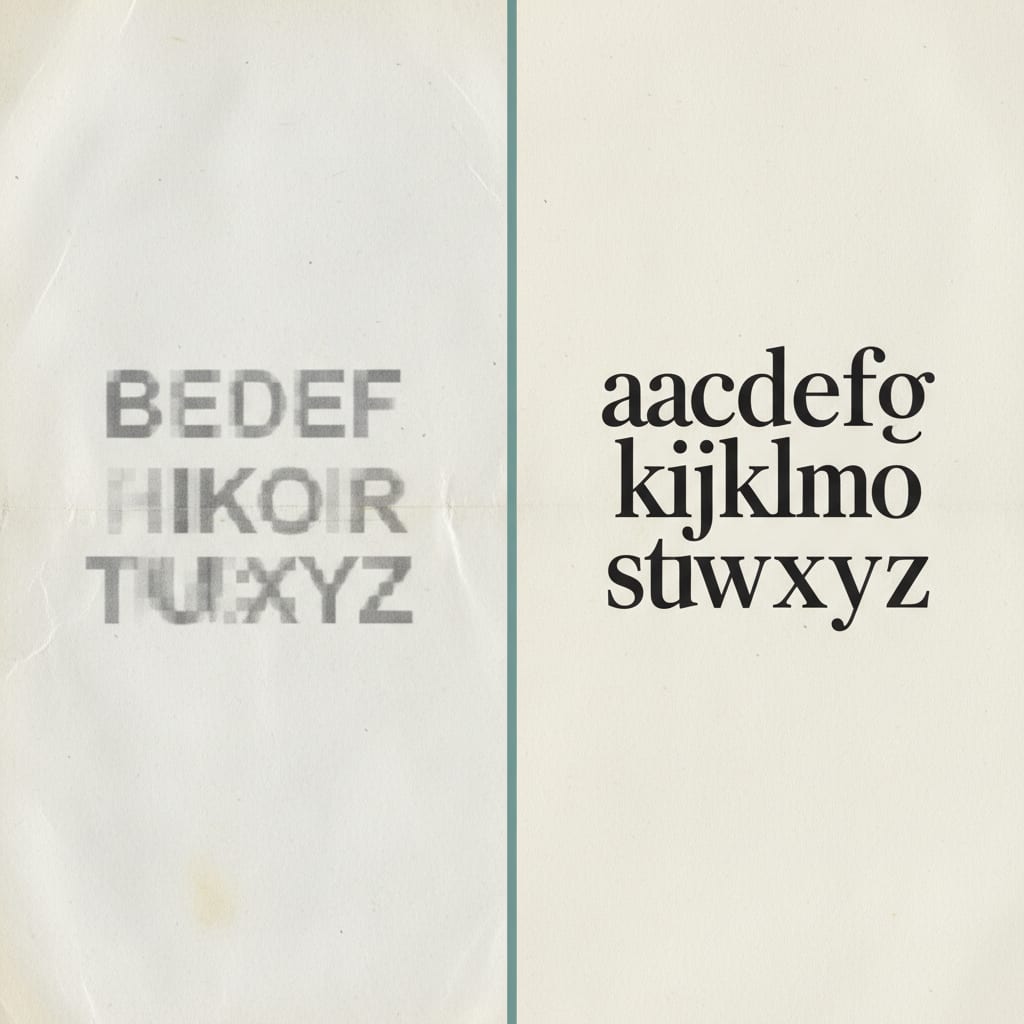
You gave your AI agent clear instructions: "Write in a relaxed, direct way. No buzzwords." What did you get back? A neat, well-structured article–so generic it could have come from any competitor, or from your own tool three months ago.
Eight articles a month roll out the door, but your content ROI is flat. Why? Because article 7 and article 14 sound exactly the same–and neither sound like you.
If you"ve ever wondered why your content starts off strong and then, piece by piece, loses that unmistakable "you" factor, you"ve already run into the real problem: Brand Voice isn"t a sentence in a prompt. It"s a layer that needs to run through your entire pipeline.
So, how do you keep your voice intact–even as you scale up with AI? Let"s break it down, step by step.
Quick Takeaways: Why Brand Voice Drifts in AI Workflows
A single prompt reminder quickly loses its power. After just two agent handoffs, the voice context is essentially gone. This means that even with clear initial instructions, subsequent stages of your AI content pipeline can dilute your brand's unique tone.
Text pairs, specifically "On-Tone" and "Off-Tone" examples, are far more effective than abstract adjective lists for teaching AI. AI models learn best from concrete examples rather than general descriptors. Furthermore, long Brand Voice documents often lose their impact when they exceed approximately 2,000 tokens, suggesting that focus and conciseness are more important than exhaustive completeness.
With the right pipeline in place, a significant portion of your content–only 15–20%–will require human review. Finally, addressing formality, such as the distinction between "you" and "your team," is critical in B2B content. AI will not naturally grasp these nuances unless they are explicitly defined.
That"s the cheat sheet. Now, let"s dig into why your prompt isn"t working–and what to do instead.
Why Your Prompt Isn"t Enough: The "Voice Drift" Problem
Picture this: Your first AI-generated article sounds just right. By article 5, it"s still on-brand–mostly. By article 10, someone on your team flags an off-tone section. By article 15, your CEO is asking, "Why does everything sound the same?"
That"s Voice Drift. It"s the gradual loss of your brand"s unique tone in a multi-agent AI pipeline. And it doesn"t happen because of a bug or some AI limitation. It"s literally how the architecture works.
Here"s why: Language models are trained on billions of texts. By default, they output the statistical average–the "middle-of-the-road" of everything they"ve ever seen. A one-off prompt like "Write in our brand style" is about as effective as a Post-it note on a steel beam. It just can"t fight the weight of all that average.
Let"s look at a typical pipeline: Research → Brief → Draft → Critique.
The tone guideline goes into the first prompt. The Research Agent spits out facts–no tone. The Brief Agent synthesizes those facts–tone is further diluted. The Writer Agent gets a bland brief and delivers a bland article.
After two handoffs, any brand voice you had is gone.
Don"t just take my word for it. Here"s how @corsaren summed it up on X:
"Tried it. Didn"t work. Spreadsheets are undefeated, sorry nerds." –@corsaren, X 2025,362 https://x.com/corsaren/status/2031577841456865589
If you treat Brand Voice as a prompt tweak, you"ll quickly find your output sounds generic–and you"ll have no idea which articles actually convert. Vanity metrics like pageviews and shares won"t tell you the real story. Content performance starts with memorability.
Can you spot the difference?
Prompt-Only Version: "Our new integration depth makes it easier for teams to automate their content workflows and improve quality at the same time."
Pipeline-Layer Version: "Now you can automate your entire content workflow–without having to jump in every third time because the AI forgot your tone. Again."
Same message. One feels like a press release. The other is unmistakably you.
According to the Content Marketing Institute"s B2B Content Marketing Trends Research 2025 (source), the share of marketers not using AI tools for blog content plummeted from 65% in 2023 to under 5% in 2025. Companies with solid content measurement are growing their content budgets 36% faster.
Everyone"s got access to the same models, the same defaults, the same outputs. Brand Voice is your last real differentiator. And you can systematize it.
Ready to see how? Let"s start at the foundation.
Step 1: Build a Brand Voice Document–Not Just a Style Guide No One Reads
Let"s be honest: A Brand Voice doc for AI is a totally different beast than your old human style guide. Adjectives don"t help a language model. "Authentic, approachable, direct"–those are descriptions, not instructions. AI learns from examples.
The AirOps analysis of the On-Tone/Off-Tone method found that concrete text pairs make the difference. Oddly, you"ll find almost no German (or English!) articles showing how to actually do this.
Meanwhile, the Martech landscape has exploded: 15,384 Martech solutions exist today–a 100x increase since 2011 (Chiefmartec, 2025). Almost every AI content tool uses the same language models with the same defaults. That means Brand Voice is the only thing they can"t copy–unless you make it easy for them by not building yours.
The 15+ On-Tone / Off-Tone Method
For every tone trait, grab at least one pair of examples from your own content. On-Tone is how you want to sound. Off-Tone is what you want to avoid.
On-Tone / Off-Tone Method: A technique for creating machine-readable Brand Voice docs. For each tone trait, you provide both a "right" (On-Tone) and a "wrong" (Off-Tone) example. AI learns far better from examples than from descriptions.
Example for a B2B SaaS Content Team:
| Trait | Off-Tone Example | On-Tone Example |
|---|---|---|
| Directness | "It is recommended to first evaluate the workflow." | "Check out the workflow before you buy the tool." |
| Avoid Passive | "It must be ensured that…" | "Make sure that…" |
| No Buzzwords | "AI-powered synergy effects optimize your content ops." | "The AI handles export. You make the decisions." |
Fifteen such pairs from your best work are more useful than a dozen adjective lists.
The 5 Must-Haves for a Machine-Readable Brand Voice Doc
Template:
(1) Character Sketch (3 sentences): > We write for content managers making daily, high-pressure decisions. Our tone is collegial, not academic. We call out problems directly, no hedging.
(2) On-Tone Examples: > [15+ pairs from your own content–each with an On-Tone and Off-Tone version]
(3) Off-Tone Examples: > [Texts you explicitly want to avoid–including why]
(4) Forbidden Phrases with Substitutes: > – "It is important to note" → "Note that"
– "Within the scope of" → "In" or direct phrasing – "Implementing solution approaches" → "Solve the problem" – "State-of-the-Art" → Name a concrete feature
(5) Persona Statement: > "We sound like an experienced editor at [Industry Magazine]–no patience for filler, never making the reader feel they"re reading PR."
That last part, the persona statement, is gold. "We sound like an experienced editor at [Industry Magazine], no time for filler"–that"s way more actionable for an AI than any trait list.
Time investment: Expect 3–4 hours to build a full doc with 15+ example pairs. Don"t rush it; you"ll quickly spot gaps in your old style guide–places where the theory doesn"t match your best work. That"s valuable feedback.
Common mistake: Don"t just recycle your human style guide. It"s for people. For AI, you need examples, not backstory.
Now that you"ve got a machine-friendly Brand Voice doc, it"s time to make sure it actually shapes your content–everywhere.
Step 2: Make Brand Voice a System Layer–Not a Prompt Add-On
A Brand Voice doc sitting in your drive is useless if it"s just another appendix. Here"s where most teams trip up: They don"t embed Brand Voice as a system layer in their AI stack. That"s why their tone still drifts–or collapses entirely under volume.
A Brand Voice Layer means your tone rules are hardwired into the system prompt for every stage of your pipeline. Not tacked on at the end. Not as a one-off reminder. It"s always on, always active, and never overwritten.
According to industry surveys (madlitics, 2025), 78% of marketing tools run in silos, and 60% fail to connect their data stacks. The same goes for voice: If each pipeline stage operates in isolation, your tone will break. A pipeline without a Voice Layer is just a tone-of-voice silo.
System Prompt vs. User Prompt: Where Brand Voice Belongs
Here"s the critical distinction:
- System Prompt: Always active, can"t be overwritten, defines the agent"s character.
- User Prompt: Context-dependent, can be replaced by later instructions, only delivers the task input.
Brand Voice belongs in the system prompt–never as a last-line afterthought.
SYSTEM PROMPT – Research Agent:
[Full Brand Voice Document]

Your task: Research the following questions. Structure the results so that the next Writer Agent can work directly with them–without losing any tone context.
Pipeline Architecture: What It Looks Like in Practice
Source URL / Briefing
  ↓
[Research Agent] ← Brand Voice Doc in System Prompt
  ↓
[Brief Agent] ← Brand Voice Doc in System Prompt
  ↓
[Writer Agent] ← Brand Voice Doc in System Prompt
  ↓
[Critique Agent] ← Brand Voice Doc in System Prompt
  ↓
Human Gate (only for exceptions)
  ↓
Publish
The Brand Voice doc is injected into every step. Why? Because even the Research Agent makes choices about which facts to highlight and how to phrase them. If those decisions are made without your voice context, the material handed down is already off-track.
⚠️ Heads up: If your Brand Voice doc gets too long (over 2,000 tokens), its influence drops sharply. Context windows are limited. Focus on your 15 strongest example pairs, the persona statement, and your forbidden list. Cut everything the AI would get right anyway.
Don"t treat the Brand Voice doc like a prompt. Treat it like infrastructure. It should be as reliable as a database connection–always loaded, never optional.
Integration time: 1–2 hours to set this up in your pipeline, depending on your stack.
You"ve set the foundation and plugged Brand Voice into every step. But now you need a guard at the gate–someone (or something) who spots those inevitable drifts before they go live.
SwiftRun automates repetitive workflows with AI agents – so your team can focus on what matters.
Step 3: Put a Critique Agent in Charge of Tone–Your Brand Voice Guardian
Here"s a trap most teams fall into: They expect the Writer Agent to check its own work for tone. But that"s like editing your own novel–you miss things.
A dedicated Critique Agent focused solely on Brand Voice is a game changer. This isn"t a generic quality check. It"s a laser-focused review of tone, not correctness, not SEO, not readability. If you think an "all-in-one" QA agent is more efficient, think again: Specialists beat generalists, every time.
What a Voice Critique Agent Checks–and What It Ignores
It checks:
- Does the writing match the persona statement?
- Are there forbidden phrases from the ban list?
- What"s the ratio of active to passive voice?
- Are there buzzwords the doc says to avoid?
- Is the form of address ("you" vs. "your team") consistent throughout?
It does NOT check:
- Factual accuracy
- SEO optimization
- Readability metrics
- Source citations
Biggest mistake: Don"t overload your Critique Agent with extra jobs. Our own pipeline tests show that agents focused only on tone catch off-brand moments far more reliably–because their context isn"t split between fact-checking and SEO.
Scoring System: On-Tone / Neutral / Off-Tone
Each section gets one of three ratings:
- On-Tone – Good to go, matches the Brand Voice doc.
- Neutral – Needs work, not a clear miss but not a hit either.
- Off-Tone – Needs revision; specific deviation flagged.
The agent doesn"t just flag problems–it proposes rewrites for every Off-Tone section.
Real-World Example:
Before Critique Agent: "When implementing an AI-driven content pipeline, it is important that companies take a systematic approach to achieve optimal results."
After Critique Agent (Rated Off-Tone): "Suggestion: "An AI content pipeline only works if your setup is systematic. Half-hearted implementation delivers half-hearted results.""
The first is corporate speak. The second feels like someone who"s read too many flavorless tech articles.
Other German-language sources like Wortwunderkammer (https://wortwunderkammer.com/2025/03/04/brand-voice-mit-ki-bewahren-so-bleibt-deine-marke-einzigartig/) talk about Brand Voice in AI pipelines–but never show real On-Tone/Off-Tone examples. That"s what makes this approach different.
Let"s put it all together. Here"s how the three main approaches stack up:
| Metric | Prompt-Only | Voice Layer | Voice Layer + Critique Agent |
|---|---|---|---|
| Voice consistency over 20 articles | low – drifts by article 5 | medium – stable, but no feedback loop | high – deviations flagged and fixed |
| Editorial effort per article | low at first, rises with drift | medium (one-time setup, then stable) | medium (setup + critique config) |
| Human gate rate | 80–100% | 30–50% | 15–20% |
| Scalability | none – breaks at volume | limited – works without feedback | full – scales with every iteration |
The jump from Voice Layer to Voice Layer + Critique Agent is a massive efficiency win. Human review rates get slashed, and you finally get content that can scale without losing your signature tone.
Step 4: Set the Human Gate at the Right Spot–Not Too Early, Not Too Late
Here"s where productivity dies: Teams build an automated content pipeline, then manually approve every article. That"s not a pipeline–it"s just an expensive assistant.
The point of the first three steps is that you only step in when there"s a real issue. In our experience, that"s about 15–20% of articles. The other 80–85% go straight to publishing. No manual approval, no bottleneck.
From the trenches: Most teams set the human gate too early–right after the draft, before critique runs. That means a human is checking tone on every article, even though the AI can do it faster and more reliably. Manual review should be the escalation protocol, not the default.
5 Triggers That Should Activate a Human Gate
- Critique Agent flags more than 2 Off-Tone sections in one article
- The topic is brand-new–not in your Brand Voice training set
- Content touches sensitive areas: crisis comms, pricing, company positioning
- The article"s target audience is a big shift (e.g., C-level, not specialists)
- The Brand Voice doc was updated since the last article–the Critique Agent only knows the current version
Checklists like this actually drive change. When @coreyganim commented on a similar workflow guide on X:
"Outstanding post. Here"s today"s implementation checklist: Phase 0: Connect tools... Solve your biggest workflow pain points first." –@coreyganim, X 2025 https://x.com/coreyganim/status/2029148164838555874
Teams that use manual reporting spend 15 hours/week pulling data and only 5 hours analyzing it (Dataslayer, 2025). Automation flips that ratio. Same goes for Brand Voice reviews: Manual checks burn time that could go into making your content better.
And here"s the kicker: The Human Gate isn"t just for QC. Every Off-Tone fix you make by hand should go back into your Brand Voice doc. That way, your system gets better every time–no extra effort needed.
Mini Case Study: How a B2B SaaS Team Stopped Voice Drift for Good
The scenario: A 3-person content team at a (name withheld) B2B SaaS company in HR tech. March–April 2025. Goal: 8 AI-powered articles per month. After article 4, the CEO said, "Everything sounds the same. This isn"t us."
What went wrong: Brand Voice was just a one-liner in the Writer Agent"s prompt: "Write directly, no buzzwords, for HR managers." Research and Brief Agents had no voice context. The Writer Agent got bland briefs and produced bland articles.
How they fixed it:
- Built a Brand Voice doc: 22 text pairs from the 4 articles that got shared at industry conferences–not the whole archive, just the "this sounds like us" pieces. Persona statement, banned phrases with 14 alternatives. Time spent: 3.5 hours.
- Embedded the Voice Layer everywhere: The doc now lives in the system prompt for Research, Brief, Writer, and Critique Agents. Not as an add-on, as the primary instruction.
- Critique Agent focused only on tone: No SEO, no fact-checking–just On/Neutral/Off-Tone with suggestions.
6-week result: Human gate needed in only 18% of articles. Production jumped from 4 to 7 articles/month. Team consensus: "This finally sounds like us again."
Here"s the acid test: Can you pick an article from your pipeline out of a lineup of competitor pieces–without seeing the byline? If not, your voice layer isn"t strong enough yet.
Ready to ensure your AI content always sounds like your brand? SwiftRun.ai helps you embed your Brand Voice as a system layer across your entire AI writing pipeline. Start free – no credit card required.
FAQ: Your Top Brand Voice Pipeline Questions, Answered
How long does it take to build a Brand Voice doc for AI agents?
Set aside 3–4 hours for the doc itself, including at least 15 example pairs from your own content. Integrating it as a system prompt layer in an existing pipeline takes another 1–2 hours. Testing your first Critique Agent on real articles? One full workday. Total: 2 days for a working Voice Pipeline. (No German article gives numbers–now you have them. These are ballpark figures, not a guarantee.)
Do I really need a Brand Voice doc–or will a long prompt do?
Here"s the honest answer: If you"re only producing 3–4 articles/month, on easy topics, and you"re not running a multi-step pipeline, you might get by with a long prompt. But once you"re using multiple agents, running a real pipeline, or aiming to scale, the document is the only way to keep your tone from drifting after article 10. The tipping point: 5+ articles/month from automation means you need a Brand Voice doc as a system layer–no debate.
What if my Brand Voice doc is too big for the context window?
Once you cross about 2,000 tokens, impact drops off fast–that"s based on our own pipeline tests, not a third-party study. If your doc is too big: Distill it. Keep your 15 best example pairs, the persona statement, and your top 10 banned phrases. Everything else–backstory, explanations, context–goes in a separate reference file for humans, not machines.
⚠️ Warning: Don"t fall into the "longer is better" trap. More isn"t more. Focus beats completeness.
Does this work with German texts and German AI models?
Yes–with one caveat. English-language Brand Voice methods don"t copy-paste 1:1. German has its own quirks:
- Formality: "you" vs. "Du" isn"t just style. It"s a mission-critical Brand Voice decision for B2B. Your Brand Voice doc must spell this out, including exceptions (e.g., social vs. blog vs. newsletter).
- Sentence complexity: German loves nesting clauses. Set explicit rules: e.g., "one subordinate clause max per main sentence in explanatory sections."
- Compound words: AI agents may stack German compounds. If your brand voice avoids these–"Content-Pipeline-Optimierungs-Framework" vs. "Framework zur Optimierung Ihrer Content-Pipeline"–show it in your Off-Tone examples.
English-first models like Claude or GPT-4 can write solid German–but they need more explicit guidance on these nuances.
What does Brand Voice have to do with content performance?
Directly: Articles that sound like you get shared more, linked more, and recommended by loyal readers. That boosts return visitor rates and cuts bounce–both key signals GA4 uses as proxies for content quality. Most importantly: If all your content has the same, unmistakable tone, you can finally spot which articles drive real leads and which just get vanity metrics like pageviews. Brand Voice isn"t just aesthetics–it"s the foundation for measurable content performance.
Here"s your next action step: Open your three best articles from the past year. In each, find a sentence that "sounds like you" and one that "sounds like anyone." Those are your first On-Tone and Off-Tone pairs. Three articles, six pairs–your Brand Voice doc starts in 20 minutes.
Ready to ensure your AI-generated content sounds just like you? Try SwiftRun.ai and keep your brand voice perfectly consistent across every piece.
brand voice AIconsistent AI contentbrand voice AI pipelineAI content tonecritique agent brand voicebrand voice document template
Related Articles

Content Marketing
Google AI Penalty: What To Do
Organic traffic dropped overnight after using AI content? Wait before deleting everything. Most teams act too fast–and make it worse. Here"s how to diagnose, audit, and recover step by step.
Jun 27, 2026·14 min read·Georg Singer

Content Marketing
AI Content Automation: Hidden Risks for Your Team
Full AI automation doesn't save you time – it just moves the risk. Busting five myths that could cost your content team dearly, plus what actually works if you want scalable, high-quality content.
Jun 27, 2026·13 min read·Georg Singer

Content Marketing
Retrieval-Augmented Generation: Stopping AI Hallucinations?
RAG can cut AI hallucinations by up to 70%–but it won"t wipe them out. Here"s what every content team needs to know about RAG"s new error class before a made-up stat lands you on Google"s front page.
Jun 20, 2026·16 min read·Georg Singer