3 Levels of Automation: Power Up Content Team (No Coding)
Content teams lose 14.5 hours a week to manual work. Here"s how to reclaim that time–without writing a single line of code. You"ll go from first automated task to a fully autonomous AI agent in just 8 weeks.
Georg Singer··20 min read
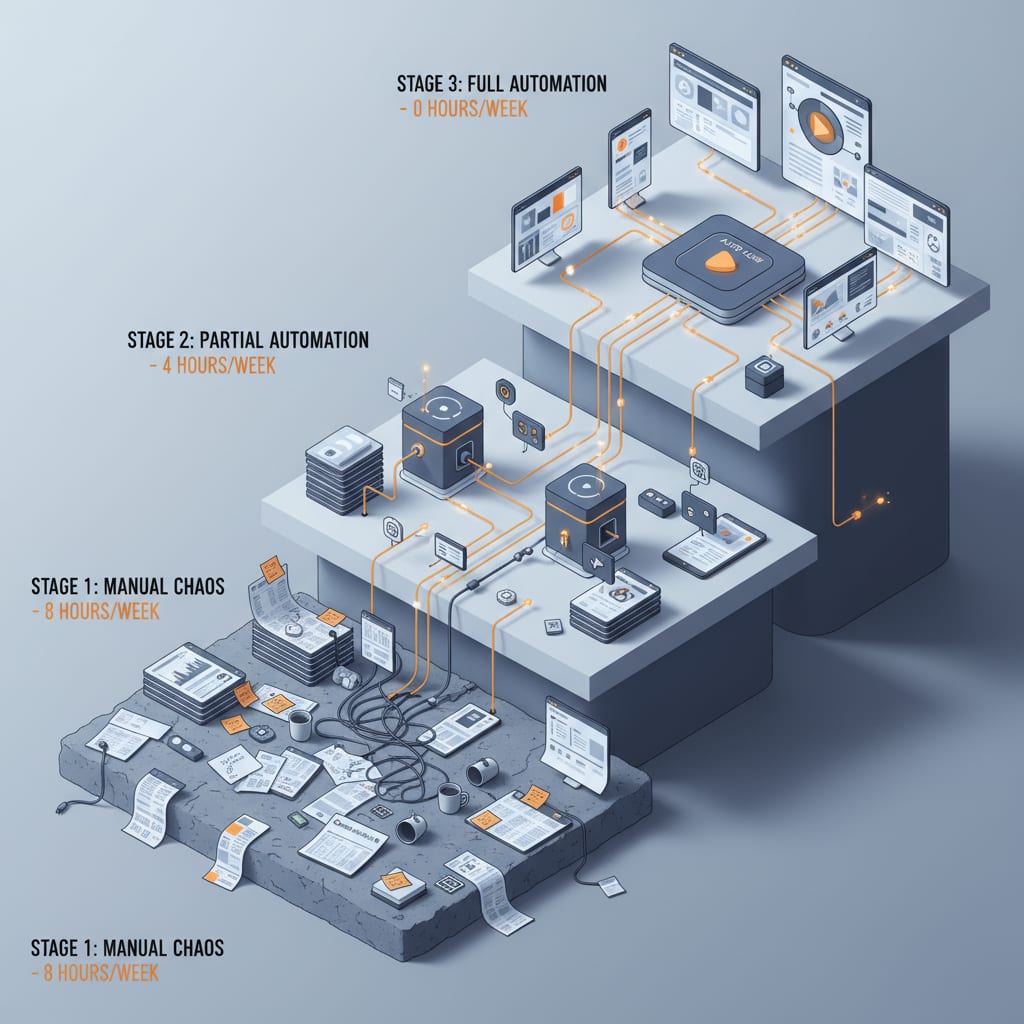
You just finished a killer blog post. But you"re not done–not even close. Now it needs to be repurposed into a LinkedIn post, turned into a newsletter teaser, and uploaded to your CMS. Three tasks, each eating up 20 to 30 minutes of your time. The same steps. Over and over. Every single month.
Here"s the punchline: The only difference between teams still doing this manually and those who"ve automated it isn"t coding skills. It"s where they decide to start.
Where You"ll Be After This Article
By the time you reach the end, you"ll know exactly which automation stage your team is at–and what your next move should be. Not just any step–the right one.
You"ll get the full breakdown on the Three-Level Automation Model for content teams:
- Level 1 – Single Task Automation (Zapier/Make): Launch your first workflow in an afternoon. Save 2–3 hours every week. No tech background needed.
- Level 2 – Chained Workflows (n8n): When basic automations aren"t enough. Save 5–8 hours per week. Visual editor, still zero code.
- Level 3 – Autonomous AI Agents: Your workflow starts thinking for itself. Save 10–15 hours weekly–though the setup takes a day or two.
A Treasure Data global survey conducted in 2024 with over 600 marketing professionals found that content teams spend an average of 14.5 hours a week on manual processes and data wrangling. This is nearly two full workdays–time that could be dedicated to strategy, analysis, or even a well-deserved lunch break. If you start with Level 1 automation today, you could be running Level 3 in just 8 weeks.
Ready to see how fast you can close that gap?
Why Waiting Until 2026 to Automate Is a Trap
Think you can afford to wait? Here"s a reality check: According to the Adobe Digital Trends Report 2026, the share of marketers not using AI tools for blog content dropped dramatically from 65% in 2023 to just 5% today. The market has already shifted.
If you"re still holding off, you"re not waiting for the right moment–you"re falling behind.
The Automation Gap Is Widening–Fast
Teams that have embraced workflows are already delivering more output with the same headcount. That"s not a prediction. It"s just math.
If your competitor recaptures 8 hours a week that you"re still losing to manual tasks, by year"s end they"re 400+ hours ahead. That"s an entire quarter"s worth of work you"ll never catch up on–not because they"re smarter, but because they"re automated.
Meanwhile, the tools you"re juggling have exploded. There are 15,384 martech solutions today–a 100x increase since 2011. The more tools you add, the more manual coordination you"re forced to do. That"s not a bug, it"s the system.
Here"s how @WorkflowWhisper put it on X:
"I built 31 n8n workflows this month that replace the most overpriced SaaS tools businesses pay for."
–@WorkflowWhisper
Over 550 people reacted to that post. This isn"t a one-off. It"s a movement.
What "Waiting" Costs in Cold, Hard Hours
Let"s do the math:
3 people × 14.5 hours × 52 weeks = 2,262 hours per year
That"s more than a full-time year–just gone, split across your team. Hours that could be spent on strategy, research, or high-impact creative work. These aren"t abstract losses. They"re the hours you don"t have to analyze which content actually brings in leads.
Teams stuck in manual reporting know how much traffic each post gets–but not which ones convert. That"s what I call the Manual Reporting Tax: time poured into shuffling data instead of building value. No one on your team voted for that tax. But you"re paying it every week.
Because the automation gap is growing exponentially, teams starting Level 1 today will produce measurably more–without sacrificing quality–over the next 12 months. If you hesitate, you won"t catch up. You"ll fall further behind.
So why not close the gap before it becomes a chasm?
The Three-Level Automation Model: From Single Tasks to AI Agents
Let"s zoom out for a second. Here"s the big picture: All three automation levels require zero coding skills. The difference isn"t technical–it"s the complexity of logic you can handle.
Let"s look at what this means in practice, using the humble blog post as our example. Same starting point, three different levels of automation:
Blog post finished
  │
  ▼
┌─────────────────────────────────────────────┐
│ LEVEL 1 – Tool (Zapier / Make) │
│ Single task: Create LinkedIn post │
│ No code · Drag & Drop · ~2–3h saved/week │
└─────────────────────────────────────────────┘
  │
  ▼
┌─────────────────────────────────────────────┐
│ LEVEL 2 – Workflow (n8n) │
│ Research + Briefing + Distribution chained │
│ Visual logic · Conditions · ~5–8h/week │
└─────────────────────────────────────────────┘
  │
  ▼
┌─────────────────────────────────────────────┐
│ LEVEL 3 – Agent (LangChain, n8n AI-Agents) │
│ Analyzes · Writes · Critiques · Rewrites │
│ Decision logic · Tool calls · ~10–15h/week │
└─────────────────────────────────────────────┘
What does this mean for your team? Each level builds on the last–you ramp up automation and recover more time with every step.
According to Dataslayer / Glean 2025, teams mired in manual processes spend 15 hours a week just pulling data–and only 5 hours actually analyzing it. Once they automate, those numbers flip. That"s the real win: not less work, just better work.
Automation (Levels 1–2) follows fixed rules: "If X happens, do Y." An AI agent (Level 3) makes decisions on the fly: it researches, evaluates quality, picks the best result, and escalates only when it"s unsure. Agents can interact with tools–workflows can"t.
But let"s not get ahead of ourselves. Ready to see how to start–without a single line of code?
Level 1: Automate Single Tasks–No GitHub Account Required
Which automation tools work for non-coders in content teams?
If you"re new to automation, Zapier and Make (formerly Integromat) are your go-to platforms. Both offer drag-and-drop workflow builders, with hundreds of pre-built integrations for your CMS, social platforms, and AI tools. Zapier is easier for beginners, while Make offers more flexibility for complex flows. Best of all? Both have solid free plans.
What Zapier and Make Do–And What They Don"t
No code here means exactly that: no GitHub, no API setup, no custom webhooks. You get a visual editor with triggers and actions. You choose: "When [trigger], then [action]."
It"s as simple as it sounds–and that"s intentional. Level 1 isn"t built for complex dependencies. It"s for tasks that always run the same way: same input, same output, every single time. Like: blog post finished → create LinkedIn post. Every. Single. Time.
Concrete Example: Blog Post → LinkedIn Teaser, No Sweat
Here"s a real Level 1 workflow a three-person content team built in a single afternoon:
- Trigger: RSS feed from your blog–each time a new post goes live, the workflow kicks off.
- Action 1: Pass the article URL and title to an AI prompt (using Zapier"s AI actions or Make with a Claude module).
- Action 2: The prompt generates three LinkedIn teaser variants, each in a different tone (factual, provocative, question-driven).
- Action 3: These variants are sent as drafts to Buffer–ready for manual review.
The result? You"ve just slashed 25 minutes of manual work down to a 3-minute review. Those saved 22 minutes go straight into analyzing content performance–instead of more reporting. For a team publishing four articles a week, that"s 2–3 hours clawed back every week, or about 100 hours a year. And that"s just from automating this single workflow.
⚠️ Heads up: Don"t jump to auto-publish at Level 1. Always include a manual review step–even if your workflow runs smoothly. AI mistakes scale fast. What sounds off once, sounds off twenty times. Use Buffer drafts, a Notion doc, or even an email–just make sure a human gives the final nod before publishing.
The Most Common Level 1 Mistake: Botched Triggers
@corsaren summed up a common frustration on X:
"Tried this. Didn"t work. Spreadsheets are GOATed, sorry nerds."
–@corsaren
Sound familiar? This reaction almost always comes from someone who set up their trigger wrong–or tried to automate the wrong process–not from someone automation couldn"t help.
The #1 trigger fail? The workflow fires too early or too late. RSS feeds can lag. Always test your workflow with manual sample data before letting it loose. It takes 10 minutes and could be the difference between a first workflow and a last one.
According to MechaBee, 3 out of 4 marketing team members experience workplace burnout by 2025/2026, with repetitive manual tasks identified as a major culprit. Level 1 automation won"t fix everything–but it will kill off the dumbest, most mind-numbing chores. That"s not just a win–it"s the only smart place to start.
Now that you"ve got the basics down, let"s talk about when you"ll need more than just single-task automation.
SwiftRun automates repetitive workflows with AI agents – so your team can focus on what matters.
Level 2: Chained Workflows–When One Step Isn"t Enough
Picture this: Your Level 1 automations keep breaking. Why? Because tasks now depend on each other. If Step 2"s output affects Step 3, or you need to check quality scores before moving on, Zapier just can"t keep up. Enter n8n.
When does it make sense to move from Zapier/Make to n8n?
You"re ready to level up if:
- Your workflows have more than 3–4 interdependent steps
- Mistakes in one step should impact the next
- You need to add decision logic (if-this-then-that, branching)
For simple "Post A when B happens" tasks, Zapier is still your best friend. For anything trickier, n8n is where you go pro.
What n8n Brings to the Table
n8n is a visual "node editor"–still code-free, but now with true logic. You can:
- Add conditions: "If the quality score is below 80, stop."
- Build loops: "For every article in this list, do X."
- Define error paths: "If Step 3 fails, ping me on Slack."
Dataslayer"s blog nailed what manual content ops feels like:
"The old workflow: Open Ahrefs, export keywords, paste into a doc, open GA4, grab traffic numbers, copy... Every task started with 20 minutes of tool-hopping before actual work could begin." (Dataslayer Blog 2025)
n8n solves this pain: it doesn"t just connect tools, it automates the entire journey from input to output, smashing the data silos that keep your stack fragmented.
Concrete Example: Research → Briefing → Distribution in One Flow
Here"s a real Level 2 workflow:
- Trigger: Enter a URL for a new topic or competitor"s article.
- Node 1: Scraper pulls main content from the URL.
- Node 2: AI analyzes and creates three social post variants.
- Node 3: Tone-check node scores each variant against set criteria.
- Condition: Only variants scoring above 80 move forward.
- Node 4: Approved variants are sent as Buffer drafts, with a Slack alert to the team.
Before: Five browser tabs open. Copy-paste between tools. Manual prompt for ChatGPT. Manually judging quality. Manually filling Buffer. Manually pinging a colleague. Forty-five minutes–per article.
After: Drop the URL in n8n. Four minutes later, Slack pings you with ready-to-review drafts–already scored for quality. Five minutes to review. Done.
Here"s the kicker: 78% of marketing tools operate in silos by 2025. Stack fragmentation is the real villain, not the tools themselves. 60% of teams fail to connect their data stack at all. House of Martech found that companies with 20+ tools spend 40% of their martech budget just on integration. n8n isn"t another tool–it"s the layer that finally ties your stack together, giving you a single source of truth.
Are You Ready for Level 2? (Quick Self-Test)
Ask yourself:
- Have you had a Level 1 workflow running reliably for at least 4 weeks?
- Do your Zapier flows break because Step X"s output drives Step Y"s input?
- Do you need to add logic like "Only forward if quality is high enough"?
Answer "yes" to two out of three? You"re ready for Level 2.
Typical time saved at Level 2: 5–8 hours per week. This is where content ops becomes a real discipline–not just shaving time off tasks, but reimagining entire processes.
But what if you want your workflow to actually think for itself?
Level 3: AI Agents–When Your Workflow Starts Thinking
Level 3 isn"t just "more workflow." It"s a whole new category. If you want to dig into what sets AI agents apart, check out this foundational explanation.
AI Agent (Content Marketing): A software system that can independently make decisions, call external tools, and complete multi-step tasks without manual intervention. In content marketing, this means the agent researches, writes, assesses quality, and triggers rewrites if needed–without sticking to a rigid script.
The leap from Level 2 to Level 3 is huge. A workflow follows a pre-defined path. An agent picks its own path, based on what it discovers along the way.
What Can an Agent Do That a Workflow Can"t?
Here"s how @codyschneiderxx put it on X, talking about SEO automation:
"I can"t express to you how stupidly powerful Claude code is for SEO when you make .env file containing your API keys... avoiding rate limits and pagination."
–@codyschneiderxx
This is Level 3 in a nutshell: not just using tools, but orchestrating multiple tools, making decisions, and handling errors on the fly. This is AI maturity–no developers needed.
What can agents do that workflows can"t?
- Memory: They remember previous articles, avoid repeats, and adapt to your audience.
- Tool Use: They call search, scrapers, grammar checks, and any other API needed for the job.
- Decision Logic: They rate quality themselves and decide if a rewrite is needed–without human intervention.
Concrete Example: From URL to Finished Article–No Human Needed (Until It Matters)
Here"s how a real Level 3 pipeline might look, as implemented by SwiftRun.ai:
Enter URL
  │
  ▼
Agent scrapes page → analyzes product and target audience
  │
  ▼
Research module → finds gaps in competitor content
  │
  ▼
Brief generator → outputs a structured brief with keywords and angles
  │
  ▼
Writer agent → drafts the first version
  │
  ▼
Critique agent → scores quality (0–100)
  │
  ├── Score <70 → automatic rewrite (back to writer)
  │
  └── Score ≥70 → moves to manual review
  │
  ▼
  Human-Review-Gate
  (Tone, Positioning, Final Approval)
When Humans Still Matter–And When They Get in the Way
A Human-Review-Gate is a planned manual checkpoint inside an automated pipeline–where a human checks quality before moving forward. This isn"t a sign of failed automation. It"s a smart quality control layer that prevents AI mistakes from scaling out of control.
You still need people for: tone checks (does this sound like us?), strategic positioning (does it say what we want?), and–always–final approval before publishing.
But humans slow things down when stuck in every intermediate step. If you pause agents after each node for manual checks, you kill your efficiency. The art of Level 3 is picking the right moments for human review, not automating everything blindly.
Reality check: Level 3 requires 1–2 days of setup and multiple rounds of prompt tuning. There"s no one-click shortcut. But the payoff is real–10–15 hours saved per week for a 3–5 person team. The initial investment is worth it, but you have to go in with your eyes open.
Dataslayer / Glean 2025 found that teams using automated workflows spend 5 hours on data collection and 15 hours on analysis. Manual teams do the opposite. At Level 3, the same logic applies across your entire content operation.
Ready to figure out where your team fits?
Decision Matrix: Which Automation Level Should You Start With?
If I could go back three years, this is the framework I wish I"d had. Five criteria, three levels, clear recommendations. (Yes, I started with an Excel checklist too.)
| Criteria | 🟢 Level 1 | 🟡 Level 2 | 🔴 Level 3 |
|---|---|---|---|
| Technical background | None needed–open Zapier now | Basic logic (if-then)–no code, but process mindset | Ready for prompt engineering, 1–2 days setup |
| Repetitive tasks/week | Less than 5 hours | 5–15 hours, tasks depend on each other | Over 15 hours–full manual production |
| Team size | 1–3 people, few processes | 3–10 people, complex workflows | 5–30 people, content ops is its own team |
| Setup budget | $0–$50/month (Zapier/Make free plan) | $50–$200/month (n8n Cloud or self-hosted) | $200+/month plus initial setup time |
| Error tolerance | High–always manual review | Medium–error paths, careful setup | Low–critique agent checks, tuning needed |
Quick Self-Test: 5 Questions, Straight Answers
- Ever built a Zapier workflow that ran for more than two weeks without breaking? (No → Start with Level 1)
- Do you have tasks where Step A"s output determines Step B"s input? (Yes → Level 2)
- Spending more than 10 hours a week on repetitive content tasks? (Yes → Level 2 or 3)
- Would your team treat a 1–2 day setup as an investment? (Yes → Level 3 is realistic)
- Has anyone on your team built an n8n or Make flow with more than 5 nodes? (Yes → Ready for Level 2)
A 2026 Reddit survey found that 62% of marketers can"t measure content ROI–usually because their processes are too fragmented. That"s classic Level 0: no process clarity, no automation framework, no baseline for AI review.
It comes down to three things: technical background (Level 1 needs none), hours lost to repetitive tasks (under 5: Level 1; 5–15: Level 2; over 15: Level 3), and setup budget (Level 1: free–$50/month; Level 2: $50–$200; Level 3: $200+ plus setup time).
Why not skip straight to Level 3? Because if you haven"t mapped your manual process at Level 1, you won"t know what to automate at Level 3. Agents amplify processes–if your process is fuzzy, your agent will do fuzzy work. Level 1 forces process clarity. That"s its real value–not just the 2–3 hours saved.
A Level 3 agent doesn"t just give you time back–it gives you the data foundation to finally measure content ROI: which articles actually generate leads, which top-of-funnel pieces trigger conversions. That"s the difference between reclaimed capacity and reporting busywork that just disappears.
If you"re curious how a full Level 3 pipeline works in real life, SwiftRun.ai walks you through a live example–from URL to finished article–no dev skills required.
From Zero to Level 3 in 8 Weeks: A Realistic Timeline
Sounds ambitious, right? It is–but it"s doable. Here"s how you get there.
Weeks 1–2: Build and Stabilize Level 1
Time investment: 4–6 hours to set up, then 30 minutes weekly review
Open a Zapier account. Build a single workflow: RSS feed → AI prompt → Buffer draft. Watch it for a week. Find and fix errors. Adjust triggers. By the end of week 2, your workflow should run smoothly–no intervention needed.
Remember: repetitive tasks are a top burnout driver in marketing teams. 3 in 4 team members face workplace burnout by 2025/2026, with routine work as the #1 culprit. Week 1 tackles exactly that.
Expected result: 2–3 hours saved weekly, mostly on social content adaptation.
Weeks 3–4: Document and Expand Processes
Time investment: 2–3 hours to document, 1 more workflow
Now, build a second workflow–maybe turning blog posts into newsletter teasers. In parallel, list all your repetitive content tasks. Which ones always run the same? Which depend on each other? This list is the foundation for Level 2.
Expected result: 3–4 hours saved per week. Plus, real process clarity.
Weeks 5–6: Set Up Level 2–n8n and Your First Chained Workflow
Time investment: 6–8 hours setup, including troubleshooting
Sign up for n8n Cloud (no need to self-host yet). Build your first chained workflow: URL input → scraper → AI → quality scoring → conditional logic → output as draft. Don"t expect perfection on Day 1. That"s normal.
Remember: 15,384 martech tools exist, according to Chiefmartec. n8n connects the ones you already have–no need to buy another.
Expected result: 5–6 hours saved per week, once the workflow is stable.
Weeks 7–8: Prepare for Level 3 and Test Your First Agent
Time investment: 1–2 days for setup and prompt tuning
Evaluate an agent framework (n8n AI-Agents, LangChain). Build your first agent with a clear scope–don"t try to automate everything at once. For example, start with competitor research. Define and implement a Human-Review-Gate.
Teams at Level 3 spend just 5 hours per week collecting data, compared to 15 for manual teams (Dataslayer / Glean 2025). That"s the measurable ROI from this two-day investment.
Expected result: 8–12 hours saved per week–with room to grow as you optimize prompts.
My experience: If you treat this as a rigid project, you"ll get stuck. If you see it as an ongoing learning process–and accept that week 3 might turn into week 5–you"ll make it. The teams that stick with automation aren"t the ones with the perfect first workflow. They"re the ones who treat early failures as lessons, not proof that it "doesn"t work."
The Three Most Common Mistakes When Getting Started–And How to Avoid Them
Yes, I made all three. In this order.
Mistake 1: Starting at Level 3 Because It Sounds Cool
Scenario: You read about AI agents, build a massive 20-node n8n workflow to write, distribute, and optimize articles. Two days in, it crashes because a prompt changed–and you have no idea which step broke.
Why? If you don"t know your manual process inside-out, you can"t automate it. Document first–on paper, in Notion, wherever–then automate. Level 1 forces this process thinking. Level 3 doesn"t. That"s Level 1"s secret superpower.
Mistake 2: Auto-Publishing Without a Review Step
Some tools pitch fully automatic publishing. Technically, it works. But what happens when the AI picks the wrong tone for the moment–or gets a fact wrong?
A single off-message manual post is a mistake. The same mistake repeated across 200 automated posts? Now it"s a reputation crisis. This isn"t hypothetical–it"s negligence at scale. Even at Level 3, always review before publishing. The Human-Review-Gate isn"t a sign of failed automation. It"s your smartest safety net.
Mistake 3: Automating the Wrong Process
@corsaren"s X post sums this up:
"Tried this. Didn"t work. Spreadsheets are GOATed, sorry nerds."
We"ve all been there. This usually happens when you try to automate the wrong process, or jump in without understanding your workflow–not because automation itself is useless.
@MisterMarket0 makes the valid counterpoint:
"Would bet my net worth... Spreadsheets are a better form factor."
That"s not ignorance–it"s a legit argument for teams with a single, working process. Automation only pays off once you hit a minimum threshold of repetitive tasks. If you write three blog posts a year, you don"t need a workflow.
Automate what you hate most first–not what"s most complex. The biggest time wins are often in dumb, simple tasks. Before automating your complex research workflow, start with "article finished → Slack alert + Buffer draft." Forty-five minutes to set up, twenty minutes saved weekly. Simple. Reliable. Plus, you"ll finally understand triggers–a must-have for building more advanced flows.
According to CMI B2B Content Marketing Research 2025, 58% of content marketers cite lack of internal resources as their #1 challenge. Automation only fixes that if you pick the right process. The right process is the one you repeat most, and that requires the least decision-making.
What Now?
Three levels, one clear model, five self-test questions, and an 8-week plan.
If you"re at Level 0 today: Open Zapier or Make. Build the simplest workflow you can imagine–not the most impressive. The smallest. Once it works, you"ll trust it. Then build the next one.
If you"re stuck at Level 1: Take the self-test again. If you answer "yes" to two out of three, n8n is your next step. The learning curve is smaller than it looks–if you can handle Zapier, you can learn n8n.
If you"re already at Level 2: Here"s how to design a full content pipeline–research to publish–with solid prompt structures and a critique loop that scales quality, without skipping human review.
The only difference between teams still doing this manually and those who aren"t? Not coding skills. Just the first afternoon.
Keep reading: How to Build a Fully Automated Content Pipeline–From Research to Publishing
Keep reading: SwiftRun vs. Make.com vs. Zapier: When You Need Real AI Agents Instead of Workflow Automation
Related Articles:
- How Reliable Is AI-Generated Content? Hallucinations, Quality, and Real Risks Explained
- How to Convince Your Boss to Invest in AI Automation for Content Marketing
- How to Introduce AI Automation to Your Content Team–Without Sparking Resistance
Ready to unlock a super-powered content team without writing a single line of code? See how SwiftRun.ai can help you achieve that automation today!
AI automation content marketing no codeautomate content team without programmingZapier Make n8n content workflowsAI workflow content productionautomated content pipeline
Related Articles

Content Marketing
Google AI Penalty: What To Do
Organic traffic dropped overnight after using AI content? Wait before deleting everything. Most teams act too fast–and make it worse. Here"s how to diagnose, audit, and recover step by step.
Jun 27, 2026·14 min read·Georg Singer

Content Marketing
AI Content Automation: Hidden Risks for Your Team
Full AI automation doesn't save you time – it just moves the risk. Busting five myths that could cost your content team dearly, plus what actually works if you want scalable, high-quality content.
Jun 27, 2026·13 min read·Georg Singer

Content Marketing
Retrieval-Augmented Generation: Stopping AI Hallucinations?
RAG can cut AI hallucinations by up to 70%–but it won"t wipe them out. Here"s what every content team needs to know about RAG"s new error class before a made-up stat lands you on Google"s front page.
Jun 20, 2026·16 min read·Georg Singer