AI Pipelines: Reclaim Consulting Hours and Win
Consultants lose €1,440/month to unbillable work–12% of your time, just gone. AI pipelines fix that: no coding, no devs, in under 60 minutes. Here's how to reclaim your margin and scale your solo consulting business.
Georg Singer··14 min read

Let's be real: Your admin work is eating your margin alive. According to Freelancer-Kompass 2026, the average German freelancer's monthly income dropped from €8,432 to €6,653–a 21% plunge in just one year. This isn't because you're doing worse work, but due to mounting admin tasks.
You know the drill: it's Friday night, and a client wants a proposal by Monday morning. You open your browser, juggling four tabs–LinkedIn, a half-read whitepaper, two paragraphs drafted and discarded. Suddenly it's 7pm and you're still staring at page one. Four hours, totally unbillable.
And let's be honest–this isn't a rare exception.
That's not a research problem. It's a pipeline problem.
Here's the kicker: with an AI pipeline, you can win back those lost hours–no code, no developers, and ready in under 60 minutes. Let's see what that actually looks like, and how you can get started today.
Quick Takeaways: How AI Pipelines Rescue Your Billable Hours
Ever wonder how much time you're bleeding on work you can't bill? According to Freelancer-Kompass 2026, 59% of freelancers still handle admin totally manually. This means 12% of your working hours are unbillable, which at a day rate of €1,200, translates to about €1,440 a month simply vanishing into thin air.
But here's what changes with an AI pipeline:
AI pipelines aren't just a ChatGPT chat. They run without you, connect multiple data sources, and spit out finished results–while you sleep. You can launch your first pipeline in under an hour. No code, no developer, just your process in plain English. The biggest ROI comes from research (3–4 hours → 20 minutes) and proposal writing (4 hours → 45 minutes). Caution: Never feed confidential client data into cloud AI tools without a data processing agreement. Start with non-sensitive, routine tasks.
Now, let's unpack what an AI pipeline actually is–and, more importantly, what it isn't.
AI Pipelines for Consultants: Not Just Another Chatbot
Here's a fun stat: 85% of freelancers already use AI tools regularly (). So why do 66% say AI hasn't made a dent in their rates? It's not a fluke–it's a sign they're missing the point.
Most consultants treat AI tools like a fancy search bar. You ask ChatGPT a question, get an answer, and move on. That's not a bad start, but it's like hiring an assistant and only letting them answer trivia–not actually do any real work for you.
An AI pipeline is a set-it-and-forget-it workflow: a defined series of AI-powered steps that take an input and transform it into a finished output–all without you babysitting every stage. Unlike a chatbot, a pipeline runs in the background, linking multiple sources, models, or output formats.
ChatGPT vs. Pipelines: Why the Difference Is Night and Day
Picture this: ChatGPT is like a conversation partner. You ask, it answers. If you're not there, nothing happens.
A pipeline, on the other hand, is a virtual team member you train once–and it runs your process, end to end, whenever a trigger fires. You can be on another project, out for the weekend, or catching up on sleep. The pipeline keeps working.
Every pipeline needs just three ingredients:
Input (trigger or file) → AI processing steps (described in plain English) → Output (document, email, database entry)
Let's say you want to automate extracting client pain points from meeting transcripts to populate your proposal template. You define the steps once, and from then on, each transcript gets processed automatically–no manual touch needed.
Why ChatGPT Alone Can't Replace a Pipeline
ChatGPT is reactive. It gives you an answer only when you ask. Pipelines are proactive–they grab defined inputs, process them through a series of steps, and deliver ready-made outputs. ChatGPT won't run a process on its own; a pipeline will.
A recruiter on X explains it perfectly:
"If you want this job–pick a workflow. Explain the workflow: What are the inputs, what should the output look like, where's the data, how do you handle duplicates?" That's pipeline thinking.
Another important distinction:
An AI agent is a system that gets a goal and figures out which steps to take, adapting on the fly. In contrast, a pipeline always runs the same steps, every time. For consultants, agents shine when the workflow changes depending on the input–pipelines deliver maximum value for repeatable, well-defined tasks.
Using AI is good. Building pipelines with AI is how you actually scale. It's not just about being faster–it's about multiplying your capacity.
Now, let's see where you should (and shouldn't) use pipelines in your consulting work.
Which Consulting Tasks Can an AI Pipeline Automate (And Which Can't)?
Let's cut to the chase: If you can explain a task to someone in five minutes–inputs, steps, output–a pipeline can probably do it.
A Clockify study from 2025 found that nearly half of freelancers spend about 6 hours a week on non-billable admin. That's over 300 hours a year–and a huge chunk of that is ripe for automation.
But not every task is pipeline-ready. Here's a cheat sheet:
| Task | Pipeline-Ready? | Why |
|---|---|---|
| Market research on industry/topic | ✅ Yes | Repeatable, clearly defined output |
| Proposal structure from meeting notes | ✅ Yes | Clear input, predictable format |
| Client status updates | ✅ Yes | Same format, fresh data each time |
| Email classification by urgency | ✅ Yes | Simple rules, no judgment needed |
| Weekly report from time-tracking data | ✅ Yes | Structured input, set output |
| Strategic client recommendations | ❌ No | Needs 15 years" experience & judgment |
| Running client calls | ❌ No | Relationship, context, empathy required |
| Contract negotiation | ❌ No | Tactics, human nuance |
| Evaluating a new project idea | ❌ No | Implicit industry knowledge, can't be prompted |
| Political assessment at client | ❌ No | Experience-based, your edge |
Why are the last four so obviously "no"? Here's a story from an IT consultant on X:
"ERP project signed, delivered 100% of the agreed scope–client kept adding features. I did 40% extra work as goodwill. In the end, got a legal notice for "non-fulfillment."" A pipeline can't stop scope creep. You need human judgment for that.
And here's a freelancer's math on Reddit:
"Most freelancers price by dividing revenue by billed hours. But they don't track: unpaid revisions, proposals that didn't close, short calls that run long. If you charge €85/h, work 40 hours but bill only 25, your real rate is €30–€40/h."
That's revenue leakage. The good news? A lot of that is fixable with pipelines. The real high-value hours–where your experience matters–are yours to bill.
So, which tasks should you automate first? Let's start with the biggest time sink: research.
Step 1: The Research Pipeline–From Topic to Briefing in 20 Minutes
Picture this: you're prepping for a client proposal, and the hours just disappear. A widely-cited consulting breakdown shows the real time drains: 3 hours structuring your narrative, 2 hours formatting slides, 2 hours on data research, 3 hours revising after partner review. That's a full day gone–before you've produced a single insight.
How Does a Research Pipeline Work–No Coding Required?
Here's how you can set up a research pipeline, even if you can't code:
- You enter the topic and search criteria.
- An AI agent scours 3–5 reputable sources, summarizing each.
- The pipeline synthesizes these into a structured briefing document.
Modern AI agent platforms let you do this in plain English–no scripts, no code.
Let's break it down:
Topic + search parameters → AI agent scans 3–5 sources → Summary per source → Synthesis → Structured briefing doc
Before: 3–4 hours lost in browser tabs, half-written notes, a whitepaper you never finish.
After: You type, "Research current benchmarks for IT consulting rates in the DACH region, sources from 2024–2026, focus on mid-size clients." Twenty minutes later, a structured briefing with sources, key takeaways, and some context lands in your inbox. Ten minutes of review, and you're ready to go.
What You'll Need
Absolutely no coding skills. You just describe the process in plain English: what goes in, what steps should AI take, what should come out. That's it.
A developer summed up the direction on X:
"RIP Canva, Miro–Claude now builds interactive charts. "Here are my sales data. Build a pipeline visualization." "Turn this podcast analytics export into a shareable dashboard."" That's not sci-fi–that's now. And research pipelines are the easiest place to begin.
Start here. The output is "good enough" for a first pass, but obviously AI-generated–so you stay in control, without the grunt work.
But there's a catch: AI-generated research can hallucinate–making up sources, stats, or claims. That's not a reason to ditch pipelines. It's proof you need review as an explicit final step. After ten runs, you'll know exactly where your pipeline shines, and where to tighten up.
Ready to see where the next big savings are? Let's talk proposals.
SwiftRun automates repetitive workflows with AI agents – so your team can focus on what matters.
Step 2: The Proposal Pipeline–From Meeting Notes to Draft Proposal
Let's face it: writing proposals is one of the most expensive unbillable tasks you have. In enterprise, Flowcase reports 55–70% time savings when AI supports proposal creation. For solo consultants, it's rarely quantified–so let's put numbers on it.
What the Proposal Pipeline Actually Does
Before: 4 hours per proposal. Researching the client's industry, building structure, drafting copy, formatting, reviewing. Staring at a blank page isn't just annoying–it's costly.
After: Just type your meeting notes or upload a transcript. The pipeline automatically extracts:
- Client goal (what do they want to achieve?)
- Pain points (what's their biggest headache?)
- Budget signals (what hints did they drop?)
- Timeline (when do they need it?)
Then it fills out your proven proposal template and delivers a ready-to-review draft. No more blank documents. You refine, personalize, and send. 45 minutes instead of four hours.
The ROI Math: Real Numbers, Real Impact
Let's crunch the numbers:
According to Freelancer-Kompass 2026, 43% of freelancers lack steady project pipelines. This highlights the financial strain on solo consultants, making every saved hour crucial. If you save 3.5 hours per proposal, and you create 8 proposals a month, at a day rate of €150 (modeled with typical values), you could gain €4,200 in monthly potential.
That's not theoretical vacation time. That's real billable opportunity previously lost to proposal work. And with 43% of freelancers lacking steady project pipelines (), this isn't academic–it's the difference between surviving and thriving.
Here's the uncomfortable question you'll hear: "If AI writes the proposal in 20 minutes, why should I pay for four hours?" The answer: Outcome-based pricing. Clients aren't paying for the hours you spend structuring a proposal–they're paying for your judgment: Will the project succeed? What's it really worth? The pipeline drafts; you sign off. That's not a convenience argument–it's the strongest case for defending your rates.
What Still Needs the Human Touch
AI can structure and draft, but it can't decide if the project fits you, set the right price, or bring your client rapport. As someone put it on X:
"Upwork's full of €1,000–€5,000 jobs a bot could finish in hours." True–for commodity work. What AI can't do: spot the early signs of a client who'll run wild with scope creep.
Template tip: The more sample proposals you feed your pipeline, the better it gets. Upload your three best proposals from the past year as templates–the pipeline will learn your style.
The next step? Getting your first pipeline live, no dev skills needed.
Step 3: Launch Your First AI Pipeline–No Developers, No Code
Here's why this matters now: AI project listings in Germany surged from 159 (2023) to 1,091 (2025)–that's a 530% jump in three years. Consultants who master pipelines now are going to be first in line for these projects.
How to Start with AI Pipelines as a Non-Developer
Pick one task you repeat every week. On an AI agent platform, define:
- What comes in (input).
- What the AI should do (steps, in plain English).
- What comes out (output format).
You'll have your first pipeline up in under an hour–no code, no developer required. If you're juggling multiple clients, that's 3–5 hours back every week.
What You Can Build in Your First Hour
Just three decisions–that's all you need:
- Define input format: What triggers it? Email, transcript, keyword, file–be specific.
- Describe the AI steps: What should the AI do? In plain English–no JSON, no Python, no jargon. "Extract client goals and pain points" works.
- Set the output format: What should it deliver? Document, email draft, structured table–the clearer you are, the better the result.
Pick the task you did three times already this week. That's your first pipeline.
Common Pitfalls When Starting Out
- Mistake #1: Using ChatGPT as a pipeline. ChatGPT is a chat. Pipelines run even when you're asleep.
- Mistake #2: Perfectionism before launch. The biggest trap? Trying to make the pipeline perfect before you've run it once. A 70% draft in 20 minutes beats a perfect one in four hours. What's true for proposals is true for pipelines.
- Mistake #3: Overcomplicating the first workflow. Start simple: repeatable input, one or two AI steps, clear output. Complexity comes with experience.
Your first win? Monday morning, finding a finished research briefing in your inbox–auto-generated Sunday night. That changes what you expect from your own business, for good.
Data Privacy: What to Know Before Feeding AI Your Client Data
⚠️ Warning: Never put confidential client data–NDA content, company figures, personal info from active engagements–into cloud AI tools unless you have a data processing agreement (DPA) in place. This isn't a grey area. It's GDPR, full stop.
According to Workstorm Research (2025), 72% of freelancers and consultants still have to manually merge client reporting data from multiple sources–even when using AI tools. Only 4% say their reporting is fully sufficient. The problem isn't just compliance; it's data fragmentation. Merging data from five systems wastes hours, even before you get to GDPR issues.
Here's a pragmatic breakdown for most consultants:
- API access via a platform with DPA: Generally GDPR-compliant. If the platform contracts the AI API and you have a DPA, you can process client data securely.
- Direct input via web UIs (chatgpt.com, claude.ai): Often not GDPR-compliant for client data, since no DPA exists–even if technically possible.
For consultants under stricter confidentiality rules–tax, legal, or sensitive business mandates–self-hosted AI solutions (see "Self-hosted AI for GDPR-compliant consulting" in the source) are the only way to fully solve the problem: no data ever leaves your environment.
Best practice to start: Separate tasks by data sensitivity.
- Public market research, standard text formatting, or generic proposal structures? Cloud AI is fine.
- Client names, active project details, financials? Anonymize or use self-hosted.
Should you tell clients you're using AI pipelines? My view: yes, if it impacts the client deliverable directly. Otherwise–if it's internal (research, prep, reporting automation)–no need. You don't tell clients what time-tracking app you use. An internal research pipeline is no different.
Now you're set to automate safely. So, which pipelines should you build next?
What's Next? AI Pipelines That Deliver the Biggest Wins
Research and proposals are the on-ramp. Once you've nailed those, here's where solo consultants can go next:
- Automated client onboarding: Welcome emails, onboarding checklists, first status requests–set up once, it runs for every new client.
- Email classification: Pipeline sorts your incoming mail by urgency and type–no more digging through your inbox.
- Automated client reporting: Pipeline pulls from your time-tracking and merges data sources to create structured client reports. Agencies that automate reporting, according to the [Wayfront Agency Reporting Study] (plain text), gain an average of 137 billable hours per month.
Here's how one expert put it on X:
"A lot of agencies will quietly let go of their delivery teams and rebrand as strategy consultants. AI can run your ads–it can't tell you why your offer isn't working."
That's the shift. Pipelines handle the execution. You get paid for your judgment.
The hours you're losing to research and proposals? They're not gone. They're sitting in a pipeline–just waiting for you to switch it on.
Ready to automate your consulting tasks and reclaim billable hours? SwiftRun.ai offers pre-configured, GDPR-compliant AI pipelines that you can launch in under an hour, no coding required. Start your free trial today – no credit card needed.
Further reading: What exactly is an AI agent and how does it differ from a chatbot | [Difference between Make, Zapier, and an AI agent platform] (plain text) | [How to automate your entire consulting workflow–from lead gen to invoicing] (plain text)
Mehr zu diesem Thema:
ai pipeline for consultantsautomate proposalsreduce unbillable hoursfreelance consultant productivityconsulting workflow automation
Related Articles

Freelance Consultants
Stay Current: Expert Consulting Tips, Save Time
85% of freelancers use AI tools, but almost none have a system to turn that into billable expertise. If you're losing 40,000€+ a year in wasted knowledge work, here's how to fix it–in just 2 hours" setup.
Aug 5, 2026·14 min read·Georg Singer
Freelance Consultants
Connect AI to CRM in Under 60 Minutes
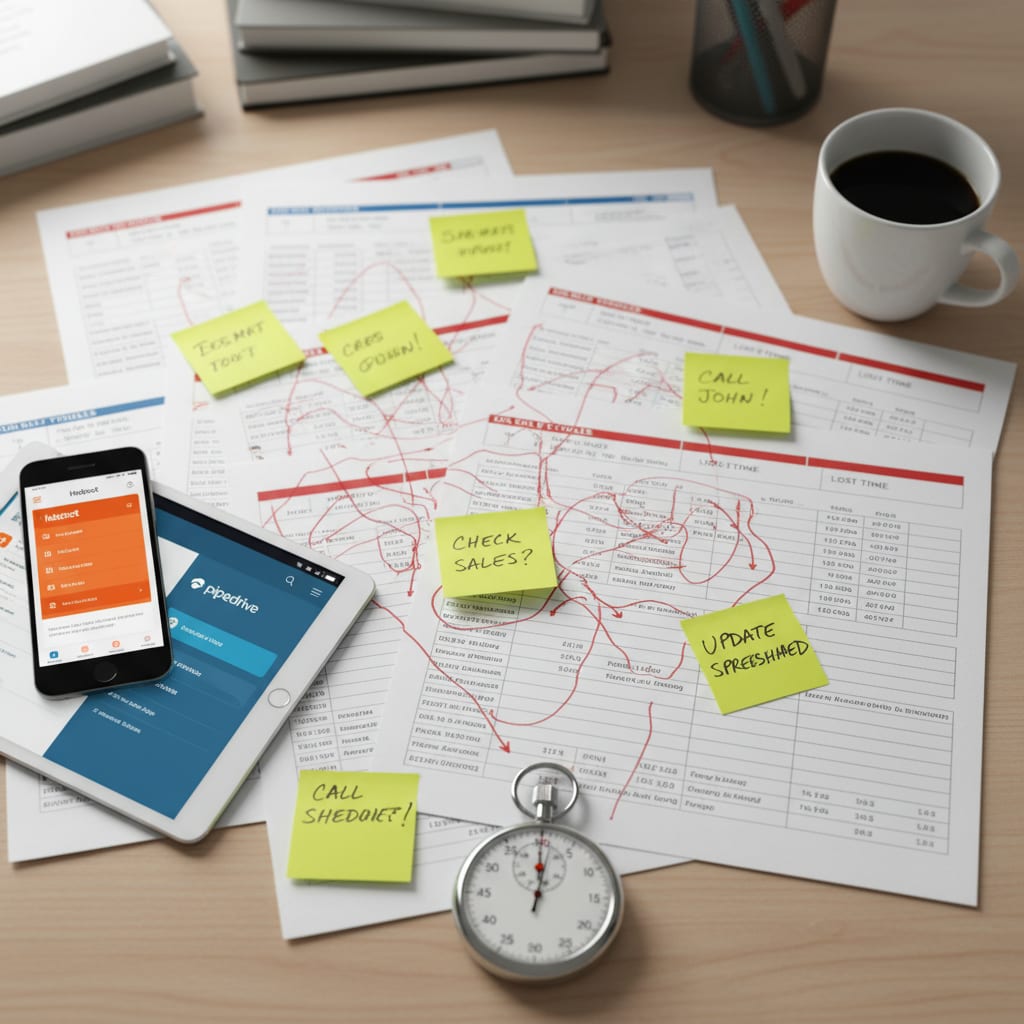
Still manually copying data between your CRM and email? 72% of freelancers are, even though linking HubSpot or Pipedrive to an AI platform takes less than 60 minutes–no developer needed. Here's how you can automate away hours of admin, stay GDPR-compliant, and scale smarter.
Aug 5, 2026·14 min read·Georg Singer

Freelance Consultants
How Often Should You Update Your AI Agent as a Consultant?
Is your AI agent quoting outdated prices or suggesting grants that no longer exist? This isn't a hallucination issue–it's a maintenance problem. Here's how to build an effortless update routine that keeps your agent's knowledge (and your reputation) sharp.
Aug 1, 2026·13 min read·Georg Singer