Why 70–80% of Sprint Retro Action Items Never Happen (And How You Can Finally Fix It)
Ever wonder why most sprint retro action items just collect dust? Discover the real reason your team isn’t improving—and the 5-step system that can triple your implementation rate. No more sticky-note graveyards; here’s how to make every retro count.
Georg Singer··15 min read

Why 70–80% of Sprint Retro Action Items Never Happen (And How You Can Finally Fix It)
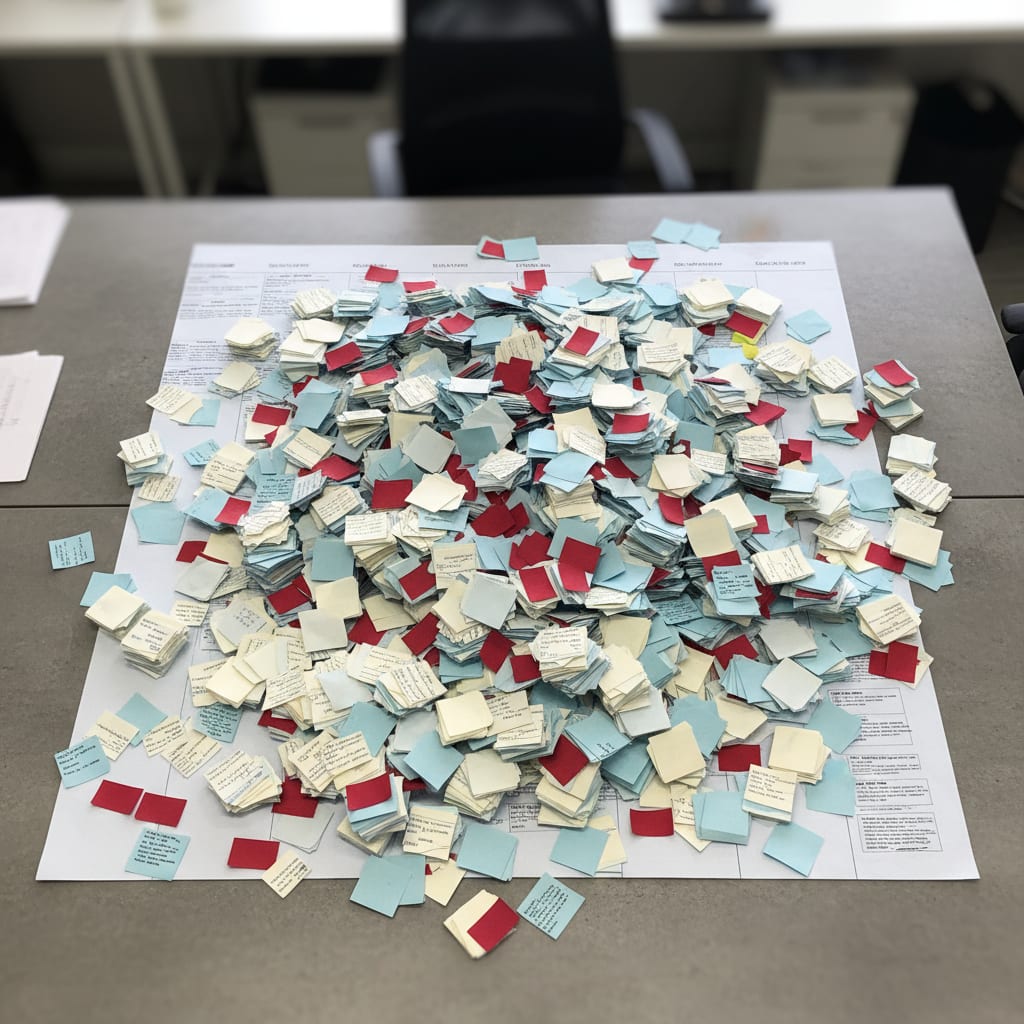
The "Retro Actions" Trello board stares back at you. 23 cards—one from Sprint 14, never moved, never finished. Nobody asks why. Next retro, the exact same issue pops up—same sticky, same handwriting, same person.
Sound familiar? If you’ve ever run an agile team, you’re probably nodding along. According to Scrum.org—and pretty much every PM who’s lived through back-to-back sprints—a whopping 70–80% of all retro action items just never get done.
But here’s the twist: It’s not for lack of discipline. It’s not because your team doesn’t care. It’s because everyone is using the same broken system.
Let’s dig into the real reason your retro action items die—and, more importantly, how you can finally break the cycle. If you’re tired of playing “retro roulette,” this is the guide you’ve been waiting for.
Key Takeaways: Why Most Retro Action Items Never Happen
You might think your team is uniquely struggling with retro follow-up—but you’re not alone. Here’s what the data shows:
- A staggering 70–80% of sprint retro action items go unimplemented (Scrum.org). That means almost every team is fighting the same invisible monster.
- It’s not about the retro format or team discipline. The real villain? The broken handoff between your retro and the sprint backlog.
- Action items die at the transition. They’re defined—but never actually integrated into the next sprint’s workflow.
- A truly effective system needs three things per action item: an owner, a deadline, and a sprint ticket. Miss any one, and you’re back at square one.
- AI to the rescue? Automated tools can spot recurring retro issues—something that’s nearly impossible to do by hand.
If your retros are starting to feel like Groundhog Day—same stickies, same complaints, same lack of change—you’re not alone. And it’s not a people problem. It’s a system problem.
Why Discipline Isn’t the Problem (Myth 1)
Ever catch yourself thinking, “If only our team had more discipline, this would work”? Time to let yourself off the hook.
If 70–80% of all teams struggle with unfinished action items, this isn’t about willpower. It’s a systemic defect. The real issue? The handoff between the retro and your actual workflow is broken.
Think about it: Retro action items are born in a flurry of end-of-sprint energy—often emotional, always verbal. But to survive, they need to live in a totally different world: your sprint backlog, Jira, Trello, Linear, you name it.
But here’s the catch: Who’s supposed to transfer them? By when? In what format? Most retro processes never answer these questions.
“The same problems appear sprint after sprint on sticky notes, from the same people, with no real improvement.”
— Scrum.org
Don’t blame your team. Fix the system.
Why Aren’t Retro Action Items Implemented, Even on Motivated Teams?
Because most teams have no reliable way to move action items out of the retro and into the sprint backlog. Without an owner, a deadline, and a ticket, action items get lost in limbo. This isn’t about individual discipline—it’s a structural gap. And until you fix the gap, you’ll keep seeing the same issues, week after week.
Ready to see why clever formats and SMART goals don’t save you? Let’s dive deeper.
Why a Better Retro Format Won’t Save You (Myth 2)
Here’s a common trap: You try a new retro format—Starfish, 4Ls, Mad/Sad/Glad, you name it—hoping it’ll finally make action items stick. But no matter how fun or different the format, your action items still die lonely deaths if you don’t have a follow-up process.
The truth? The format shapes the conversation quality, not the action rate. Implementation is 100% about what happens after the retro—not during.
According to EasyAgile, the real killer isn’t your format—it’s the lack of follow-through. Most teams dump action items into Trello or a similar tool, then never look back.
"Action items end up in Trello and are never looked at again."
— Scrum community, echoing a widespread pain
If you want real improvement, your retro output must become part of your next sprint—never just a side board. As Age of Product puts it: Move action items directly into the sprint planning artifact, not into yet another isolated board.
What Actually Matters After the Retro?
Changing up your retro template won’t fix the action item graveyard. The only thing that counts? How you move from “great idea” in the retro to “visible, tracked ticket” in your sprint workflow.
If you’re wondering why that’s so hard, the next section explains why clarity alone isn’t enough.
Why SMART Action Items Still Fail (Myth 3)
You’ve heard it a million times: “Be specific. Make it measurable. Set a deadline.” That’s the SMART model—Specific, Measurable, Achievable, Relevant, Time-bound.
But here’s the brutal truth: SMART is necessary, but not enough. Even the world’s clearest action item will rot if it never makes it into your sprint workflow.
What actually makes a retro action item actionable? It’s not just smart phrasing, but structural follow-through:
- Owner: Someone real—not "the team"
- Deadline: A clear date, inside the sprint context
- Backlog Ticket Link: So it’s tracked with everything else
- Check-in Point: A moment in the next sprint planning to review progress
- Measurable Definition of Done: So you know when it’s finished
PMI reports:
Less than 25% of retro action items are completed in the next sprint—even when well-formulated.
That means even clear, specific items still get lost without process.
Here’s another eye-opener: According to Echometer, teams without explicit owners implement only 10% of action items. Naming an owner doubles your chances. But making it a sprint ticket? That triples success rates.
What Makes a Retro Action Item Truly Implementable?
The magic formula is this: a named owner (not “the team”), a concrete deadline within the next sprint, a linked backlog ticket, a check-in point at the next sprint planning, and a clear definition of done. SMART is just the start. Integration is what makes it real.
Let’s bust another myth: leaving it all to the Scrum Master.
Why “The Scrum Master Handles It” Is a Trap (Myth 4)
Maybe you think you’re covered because you have a Scrum Master, or someone acting as one. But here’s the harsh reality: If your process depends on a person, not the system, it doesn’t scale.
In a lot of SaaS ops teams, there isn’t even a full-time Scrum Master. And even if there is, what happens when they’re out sick, on leave, or switch teams? Manual tracking breaks the moment the responsible person isn’t there.
Ownership isn’t the same as process. “Someone’s responsible” is not the same as “the system ensures it.”
Systemic fix:
Your retro isn’t over until every action item has a ticket number. Then, you don’t need someone to ‘make sure’ it happens—the system does.
Plaky finds:
75% of PMs say they’re asked to do too much with too few resources—manual retro tracking is the first thing to get dropped.
Scrum community feedback is clear: “Scrum Masters copy cards manually between boards, set deadlines by hand, run separate improvement boards.” That’s not just unsustainable—it’s a recipe for burnout.
SwiftRun automates repetitive workflows with AI agents – so your team can focus on what matters.
Why More Retros Don’t Fix the Problem (Myth 5)
It’s tempting to think, “If we just run retros more often, we’ll finally solve things.” But the data says otherwise.
Teams running weekly retros have the same implementation rate as those who do them monthly—if tracking is missing.
Here’s the paradox: The same topics keep coming back because they’re never really solved. More retros just make the repetition more obvious—they don’t fix it.
The real solution? Fewer retros with true follow-through beat more retros with none.
⚠️ Retro Fatigue:
When the same issues show up more than twice without progress, engagement tanks. Your team starts seeing retros as pointless busywork—a vicious cycle.
ProProfs reports: 50% of knowledge workers spend at least a day each month manually compiling project status. Without automation, every retro just adds to your reporting pile.
As Age of Product nails it:
"It’s not how often you do retros—it’s what you do with the output. One retro a quarter with real action beats twelve with none."
The Retro-to-Sprint Gap: Where Action Items Go to Die
Let’s get brutally honest. There’s a structural gap between your sprint retro and your next sprint planning. This is the black hole where action items vanish, never to be seen again.
The Retro-to-Sprint Gap is the disconnect between the end of your sprint retro and the beginning of your next sprint’s work. Retro boards and sprint backlogs usually live in totally separate systems—and rarely talk to each other.
The Retro-to-Sprint Gap is the structural break between the end of a sprint retro and the start of the next sprint planning. Action items are lost here if there is no systematic transfer. The gap exists because retro boards and sprint backlogs typically live in separate systems with no automatic handoff.
The Handoff Nobody Owns: The Bermuda Triangle of Agile Ops
Here’s how it goes, almost every time:
- Retro ends. Everyone’s energized and hopeful.
- Action items are scribbled on sticky notes or added to Trello.
- Someone’s supposed to transfer them into Jira, Linear, or the main backlog.
- Usually, nobody does. Or it’s half-done, missing context.
- When the next retro rolls around, the same issues resurface.
The core issue? Retro boards and sprint backlogs are separate. There’s no built-in, system-enforced transfer. The questions “Who moves it? When? How?” go unanswered. And so, nothing changes.
Before & After: Broken System vs. Minimal System
Let’s make this painfully clear. Here’s what the difference looks like:
| Dimension | Broken System (Red) | Minimal System (Green) |
|---|---|---|
| Ticket Timing | Asynchronous, "after the retro" | In the retro, live |
| Owner | "Team" or no one named | Explicit name |
| Deadline | "ASAP" or none | Sprint-end date |
| Check-In | None, or "maybe next retro" | Fixed check-in at next sprint planning |
| Implementation Rate | 10–20% | 60–80% |
Example:
- Broken flow: Retro → Trello card → Forgotten. Oldest card from Sprint 14, never touched.
- Minimal system: Retro → Sprint ticket created in session → Owner and deadline set → Check-in scheduled.
Concrete Example: What Changes When You Enforce the Ticket Rule
Before:
Retro: "Let’s improve code review timings."
Trello card: "Faster code reviews."
Next retro: Card still there, same issue raised.After:
Retro: "Let’s improve code review timings."
Sprint ticket created during retro: "Reduce code review cycle time to <48h," Owner: Maria, Deadline: Sprint 21 end.
Check-in scheduled: Next sprint planning, 5 minutes to report.
See the difference? The second approach turns ideas into real, trackable work.
Mini Case Study: The Power of Systematic Handover
One SaaS ops team, 7 people, 50–80 staff.
Six months of retro stagnation: The same issues circle endlessly, nothing improves.
Intervention:
Retro cannot end until every action item has a sprint ticket.
Result:
Implementation rate jumps from ~15% to ~65% in just three sprints. No extra tools, just a forced system handoff.
The lesson? Process beats willpower, every time.
The Only Process That Works: Step by Step
Here’s a battle-tested sequence you can steal today:
Retro session
  ↓
Action items formulated
  ↓
Owner named (not "team")
  ↓
Sprint ticket created (during retro)
  ↓
Sprint planning check-in (5 minutes each item)
  ↓
Done OR carry-over (max 2×)
  ↓
If 3×: escalate or remove with reason
Every step is about making sure nothing slips through the cracks. If you skip any, you’re back to square one.
How Bad Does It Get If You Don’t Fix the Gap?
Let’s do some quick math.
Suppose you have an 8-person ops team, generating 4 action items per sprint. With an 80% non-completion rate, that’s 32 unresolved structural issues per year—and those are just the ones you’re tracking. Over time, that adds up to a backlog of frustration, not progress.
But that’s not even the expensive part. By 2026, Gartner predicts 40% of enterprise apps will feature task-specific AI agents—including automated retro tracking and pattern detection across sprints. Manual tracking? Already obsolete.
EasyAgile’s analysis is crystal clear:
Teams that create action items as live sprint tickets (during retro) see a 3–4× higher implementation rate than those who do it after the fact.
The Minimal System: How to Actually Get Retro Action Items Done
So, how do you stop action item death forever? Every single action item needs these five elements, every time:
- Owner: A real name (not “the team”)
- Deadline: Sprint-end date (not “soon” or “ASAP”)
- Ticket number: In your backlog/sprint tool
- Definition of Done: One clear sentence, so there’s no ambiguity
- Check-in time: Fixed slot in the next sprint planning
Here’s how you visualize it:
- Owner: ________
- Deadline: ________
- Ticket #: ________
- DoD: ________
- Next Check-In: ________
If even one box is blank, you’re building a new graveyard for your action items.
The Carry-Over Rule: Prevent Zombie Action Items
You need a rule: A retro action item can be carried over a maximum of two sprints. On the third, you must either prioritize it (as a real ticket or Epic) or consciously kill it—with a reason.
Pushback:
“But what if the problem is complex and needs more time?”
Then it’s not an action item—it’s an Epic or a strategic project. Change the category, not the rule.
Carry-Over Rule: A team agreement defining how often a retro action item may be pushed to the next sprint before it must be prioritized or consciously dropped. Recommendation: max two sprints, then a real decision.
How Do I Make Sure Retro Action Items Actually Move to the Next Sprint?
The single most reliable way: Don’t end the retro until each item is a sprint ticket with owner and deadline—while still in the session. No “we’ll do it later.” Add the carry-over rule (max two sprints) and a fixed check-in at the next sprint planning.
Tool-Agnostic: This Works in Jira, Linear, Notion, or Even Google Sheets
The tool isn’t the problem.
You can do this in any system—as long as it enforces the checklist above. Don’t wait for the “perfect retro tool.”
Measure your success:
Track how many action items you complete versus how many you create per sprint. That’s your only real improvement KPI.
Asana says:
Knowledge workers estimate they could reclaim 4.9 hours per week with better processes. That’s over 6 workweeks a year.
Don’t let that time die in the retro gap.
Carry-Over Rule Recap: When to Transfer, When to Kill
If an item’s been carried over twice, it’s time for a decision—either prioritize it (make it a real project), or kill it with intent. This is how you kill “zombie topics” and break the retro fatigue spiral.
⚠️ Retro Fatigue Alert:
If the same issues show up more than twice with no progress, engagement drops off a cliff. People stop bringing up problems—they know nothing will happen. That’s how retros become just another pointless meeting.
Broken vs. Minimal Systems: Side-by-Side
| Dimension | Broken System (Status Quo) | Minimal System (What Works) |
|---|---|---|
| Ticket Timing | After retro (often forgotten) | In retro (live creation) |
| Owner | Team/no one | Named individual |
| Deadline | "Soon" or none | Sprint-end date |
| Check-In | None or ad hoc | Fixed, in sprint planning |
| Implementation | 10–20% | 60–80% |
When you see it side by side, the fix is obvious. But what about the counterarguments?
Common Objections (And Why They Don’t Hold Up)
“Isn’t psychological safety the real problem in retros?”
Yes, safety matters—a lot. But even if your team feels 100% safe raising issues, without a system for follow-through, nothing will change. You need both safety and process.
“Shouldn’t we use a dedicated retro tool?”
Every new tool is another place for things to fall through the cracks. Unless it’s fully integrated with your core workflow, you’re just creating a new version of the same problem.
“What if an action item really needs more than two sprints?”
Then it’s not an action item—it’s an Epic, a project, or a strategic initiative. Don’t dilute your action tracking with projects-in-disguise. Make a real ticket, or kill it.
Ready to Stop Manual Tracking and Start Winning?
Manual tracking of retro action items is a massive drain on your team’s energy—and a breeding ground for frustration. If your retros feel stuck in the retro-to-sprint gap, it’s time to streamline.
Want your retrospectives to finally lead to real improvements? SwiftRun.ai offers automated tracking and analysis of your retro action items. It flags recurring issues before they spiral. Start free—no credit card required.
Key Concepts, Explained
Throughout this article, you’ve seen some technical terms. Here’s what they mean—so you can explain them to your PM friends (or that skeptical CTO):
- Retro-to-Sprint Gap: The structural disconnect between your sprint retro and your next sprint planning. It’s where action items get lost if you don’t have a systematic transfer. This gap exists because retro boards and sprint backlogs usually live in separate systems.
- Action Item (Retrospective): A concrete improvement task defined during a sprint retro. For it to be actionable, you need a named owner, a sprint-context deadline, a linked backlog ticket, and a fixed check-in point at the next sprint planning.
- Carry-Over Rule: A team agreement on how often a retro action item can be pushed to the next sprint before it must be either prioritized or consciously dropped. Recommended: max two sprints, then a real decision.
You don’t need more motivation.
You don’t need a new retro template.
You need a minimal system that closes the gap—every single time.
Ready to finally bridge that retro-to-sprint gap and boost your team’s efficiency? Discover how SwiftRun.ai can streamline your retrospectives—and make “action item graveyards” a thing of the past.
Related Articles

Operations & PM Teams
GTM Misalignment: How to Spot Early Warning Signs in SaaS
GTM misalignment is the #1 reason B2B SaaS companies miss revenue targets, according to Forrester (2025). But Ops PMs see the signals first. Here"s how to recognize, diagnose, and act before the problem hits your bottom line.
Jun 12, 2026·14 min read·Georg Singer

Operations & PM Teams
WIP Limits: Why Ops Teams Ignore Them at Their Peril
23 tasks 'In Progress', only one finished. That"s not bad luck–it"s Little"s Law in action. Here"s why WIP limits are the most important (and ignored) concept for Ops teams drowning in SaaS tools.
Jun 11, 2026·12 min read·Georg Singer
Operations & PM Teams
How to Fix Product and Sales Alignment in SaaS–Without New Tools
Product and Sales misalignment is the #1 reason SaaS revenue targets fail–according to Forrester. It"s a system problem, not a people problem. Here"s a four-part framework to sync Product and GTM, boost adoption, and eliminate wasted launches. No new tools required.
Jun 10, 2026·13 min read·Georg Singer