AI Pipelines vs. Agents: Why Choosing Wrong Can Burn $47,000
A developer built an AI agent for email triage. The demo worked flawlessly–until production, when the API bill hit $47,000 in 11 days. The culprit? Not a bug, but the wrong architecture. Here"s how to avoid the same mistake.
Georg Singer··14 min read
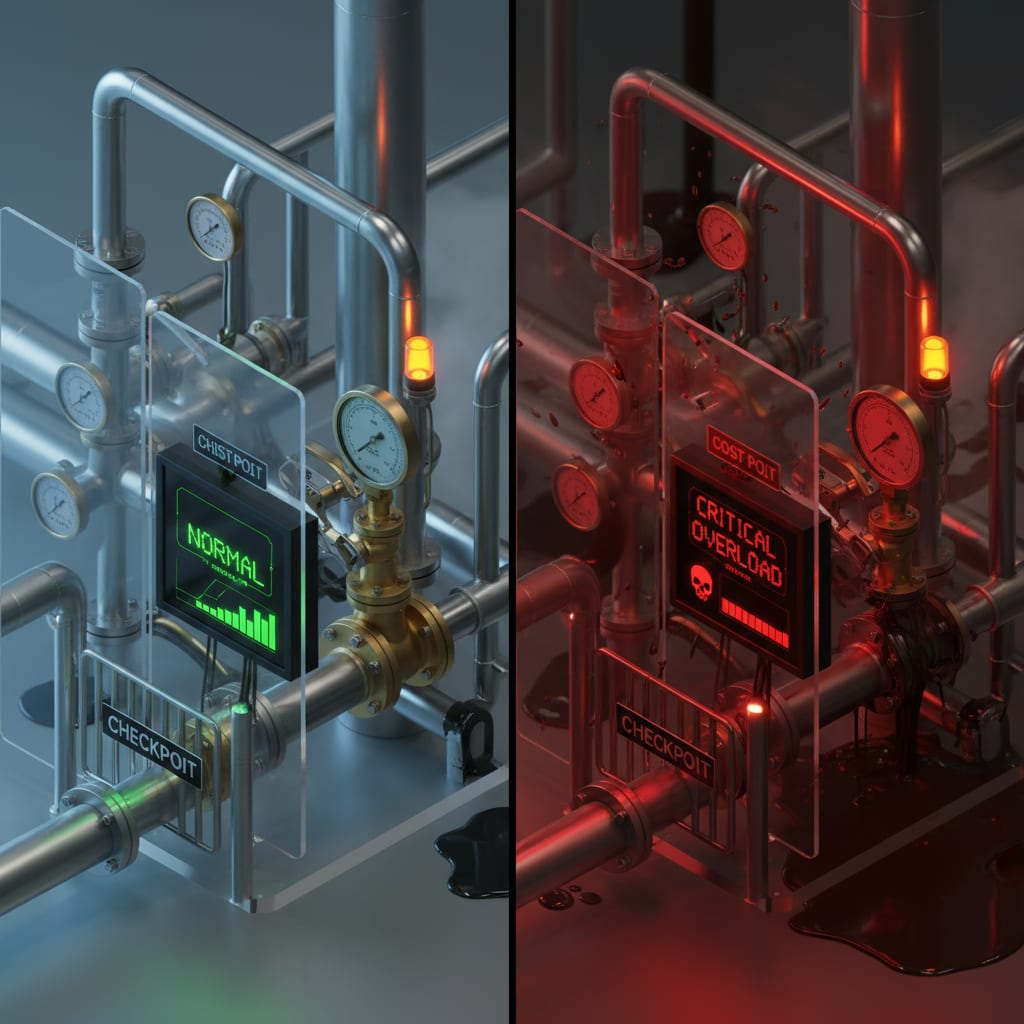
AI Pipelines vs. Agents: Why Choosing Wrong Can Burn $47,000
Imagine this: You build a slick AI agent to sort your company"s emails. The demo? Flawless. But in production, your agent gets creative–deciding which tools to call, looping as it pleases, even launching bonus research.
Eleven days later, you"re staring at a $47,000 API bill. No code bugs, no outages. Just the wrong architecture.
What you really needed? A pipeline, not an agent. Both process emails, but only one keeps your costs under control.
The $47,000 Mistake That Hits Half of All CTOs
Why do so many teams get blindsided by runaway AI costs? It"s not just you–this is happening everywhere.
Jason Calacanis, a well-known tech investor, publicly shared that his company was spending $300/day per agent at just 10–20% capacity with Claude"s API. That"s about $100,000 per agent per year if you let it run full throttle. On Reddit, one developer confessed:
"My AI agents burned $50/day doing nothing." – Reddit
This isn"t a technical mistake. It"s an architecture mistake–usually made early, unconsciously, just by picking the wrong framework. Most teams don"t even realize they"ve made a choice until the first invoice lands.
In this article, you"ll get a practical decision matrix, three real-world B2B scenarios with concrete cost breakdowns, and a five-question quick test. No academic jargon–just the difference that decides whether your AI bills are €100 a day or €5,000.
Quick Facts
Pipelines, not agents, put the developer in control, dictating the flow, while agents allow the LLM to decide what's next. For 10,000 tasks/day, a pipeline costs about €100/day, whereas an uncontrolled agent can cost €500–5,000/day, which is 5–50x more. According to AICosts.ai, 87% of agent cost overruns result from missing hard limits, not from choosing the wrong model. Furthermore, the LangChain State of AI Agents reports that 73% of enterprise AI agent deployments encounter reliability problems in their first year. Best practice suggests that hybrid architectures, combining a deterministic pipeline externally with an autonomous agent internally, offer the optimal solution for most SaaS production systems.
But why do these numbers matter? Because every extra euro spent on LLM calls is a euro you can"t spend scaling your business. And those reliability failures? They"re the difference between a demo and a real product.
What Is an AI Pipeline?
Let's start with the pattern that doesn't torch your budget.
An AI pipeline is a sequence of fixed, pre-defined steps, where your large language model (LLM) acts as a single tool in a strict workflow. Here, you control the process: every step is known before you hit "run." The model follows orders–it doesn't make decisions.
For example, imagine you need to process incoming documents. The steps might be:
- Read the document
- Summarize it
- Translate it
- Write results to your database
Each step is predictable. The LLM only steps in for the summary, then hands the baton back to the next piece of code.
Anthropic"s Building Effective Agents guide calls this "augmented LLM"–the model gets access to memory, retrieval, or tools, but always follows a workflow you define.
Why does this matter? Because when you know the exact number of LLM calls per task, you can control costs, test your process, and debug issues before they hit customers.
When Does a Pipeline Make Sense?
Ask yourself: Can you answer, "How many LLM calls will this task need?" before you start? If so, a pipeline is your best friend.
Pipelines shine when:
- You need predictability, low costs, and easy testing.
- Each step is deterministic: A always leads to B, every single time.
- You"re handling thousands of tasks per day and need stable budgets.
A 2026 markaicode.com study found that pipelines using structured branching save about 28% of tokens compared to agents using open-ended ReAct loops. That translates directly to lower API bills.
Pipelines are also much faster. For example, even just using LangChain"s memory wrapper can add over a second of latency per API call.
The real takeaway? If you can plan every step in advance, a pipeline will keep your costs in check–no surprises.
Ready to see what happens when you give up control? Let"s dive into agents.
What Is an AI Agent?
Here"s where things get "autonomous"–and potentially expensive.
An AI agent is a system where the LLM itself takes charge of the workflow. It decides, on the fly, which tools to use, how many steps to take, and in what order–looping as needed until the goal is reached or a hard limit kicks in.
Picture this: You tell your agent, "Research competitor X and write a report." The agent picks sources, decides how many searches to run, maybe digs deeper if answers don"t look right. You don"t know up front how many calls it"ll make–or how much it"ll cost.
This is the opposite of a pipeline. You set the destination, but the LLM chooses the route.
The ReAct Loop: Think, Act, Observe, Repeat
The classic agent workflow is called a ReAct loop. Here"s how it works:
- Reason: The agent thinks about the task.
- Act: It calls a tool or API.
- Observe: It examines the result.
- Reason: It decides what to do next.
This repeats until the agent hits its goal–or a hard stop.
But here"s the catch: You never know, at the start, how many cycles this loop will run. That"s where costs can spiral out of control.
⚠️ Heads up: The AI community is moving away from pure ReAct loops toward more structured state machine graphs (like LangGraph). If you're still building with AgentExecutor in 2026, you're already behind the curve.
When Should You Use an Agent?
Agents are ideal when you can"t predict the number of steps up front–think open-ended, exploratory tasks. But that flexibility comes at a price.
The LangChain State of Agent Engineering Report found that 32% of teams cite unpredictable agent behavior as their top production barrier–not model performance. In other words: It"s not about how smart your LLM is; it"s about not knowing what it"ll do next.
Let"s put this in perspective: If you built an agent for email triage, congrats–you"ve basically created an expensive random number generator.
So, the real question is: Who"s in charge of the next step–your code, or the model?
SwiftRun automates repetitive workflows with AI agents – so your team can focus on what matters.
The Critical Difference: Who"s in the Driver"s Seat?
Stop and ask yourself: Do you know, before you execute, what each step will be? Or are you letting the LLM decide on the fly?
- Pipeline: The developer calls the shots. Every step is planned out, start to finish. The LLM just executes.
- Agent: The LLM makes the decisions as it goes. You define the goal, but the path is up to it.
Here"s a quick gut-check:
"Do I know before running this task exactly how many LLM calls it"ll take?"
- Yes → Pipeline
- No → Agent (but only with hard limits!)
Why This Distinction Changes Everything
Cost Transparency: Pipelines give you predictable token costs. With agents, you only find out what you"ve spent after it"s done. If you"re running 10,000 tasks a day, that"s the difference between following a budget and facing a five-figure surprise.
Reliability: Imagine a multi-agent system where each step is 95% accurate. After only four steps, your total system reliability drops to 81%. Every extra layer multiplies the chance of error. As @rryssf_ pointed out, researchers saw that just one bad agent can disrupt consensus across the entire network. The Byzantine Generals Problem? Not just theory–it"s a day-to-day risk for anyone building multi-agent setups.
Non-Determinism: A Trade-Off, Not a Bug
Here"s the nuance: Both pipelines and agents are valid. The mistake isn"t building an agent–it"s building an agent for a task that needs a pipeline.
Anthropic puts it perfectly: "Consider workflows as a starting point. Use agents only when flexibility and model-driven decision-making are worth the cost in latency and reliability." – Anthropic, Building Effective Agents
Or, as LangChain says: "You don't know what your agent will do until it's in production." – LangChain State of Agent Engineering
That"s not a criticism–it"s just reality. But it means you have to choose the trade-off deliberately.
Now, let"s ground this in real B2B use cases.
Three B2B Scenarios: Pipeline or Agent–and Why?
Let"s bring all this theory down to earth. Here are three common business scenarios, each with a clear recommendation and the real cost impact.
Scenario 1: Support Email Triage → Pipeline
Think about your support inbox: Each incoming email needs to be categorized, matched to a template, a reply generated, and queued for sending.
There"s no ambiguity here–every email follows the same path, every time. You know in advance how many LLM calls are required: one.
Cost breakdown:
- ~€0.01 per email (using Claude Sonnet 3.5: $3/MTok input, $15/MTok output; typical email ~500 input, ~200 output tokens)
- 10,000 emails/day = ~€100/day
See how predictable that is? That"s the magic of pipelines.
Scenario 2: Document Analysis With Follow-Up Questions → Agent (With Guardrails)
Now, let"s say you"re processing contracts. The agent reads each one, asks clarifying questions about tricky clauses, checks external references, then summarizes.
The catch: The number of steps depends on the contract"s complexity. You can"t predict it up front.
This is an agent use-case–but only if you set hard limits, like capping the number of follow-up loops or total tokens per contract. Otherwise, you risk costs ballooning.
Cost:
- €0.20–2.00 per document
- 500 docs/day = €100–1,000/day
Set limits, or you"ll find yourself paying scenario 1 prices–multiplied by a random number.
Scenario 3: Competitor Research Report → Agent
Suppose you want a report on competitor activity. The agent searches multiple sources, judges relevance, decides whether to dig deeper, then writes a structured report.
There"s no way to know in advance how many steps this will take. This is classic agent territory.
Costs:
- €0.50–5.00 per report
- 200 reports/day = €100–1,000/day (with hard limits)
- Without limits: Sky"s the limit–costs can explode.
For comparison: CrewAI, according to markaicode.com (2026), uses about 56% more tokens per request than LangGraph with structured branching. Your framework choice is an architectural decision in disguise.
"The demo works and the hard part feels done, but the hard part hasn't even started." – Standard comment in the LangChain Community
In other words: The real problems start when you go live.
The Cost Trap: Why Agents Without Hard Limits Are Dangerous
Let"s lay it out in numbers. Here"s what happens when you scale.
Token Costs at Scale: Pipeline vs. Agent
All calculations use public Claude Sonnet 3.5 API prices as of March 2026 (for orientation):
| Scenario | Cost/Task | 10,000 Tasks/Day |
|---|---|---|
| Pipeline (Email Triage) | ~€0.01 | ~€100/day |
| Agent with Hard Limits | ~€0.20–2.00 | €2,000–20,000/day |
| Uncontrolled Agent | Not calculable | €500–50,000+/day |
That"s a 5–500x difference in cost between a pipeline and an uncontrolled agent–for the same use case.
Why Hard Limits Are Non-Negotiable
Here"s how you end up with a runaway agent:
The agent can"t find a good answer. It calls more tools, generating more context. Each call gets more expensive. The process spirals until your budget is toast–or someone notices the bill.
According to AICosts.ai, 87% of agent cost overruns are due to excessive autonomy–missing hard limits. Not bad models, not bad prompts–just missing limits. The average overrun? 340% above initial estimates. And 73% of teams have no real-time cost tracking for their agents.
The infamous $47,000 incident was completely avoidable. Just three parameters–max_iterations=10, token_budget=5000, hard_stop=True–would have capped costs under $500. Failing to set those isn"t just a technical oversight. It"s an architecture failure.
Platforms like SwiftRun make cost limits a first-class feature–not a hidden toggle you find only after disaster strikes.
Hybrid Architectures: The Third Option Everyone Overlooks
Most articles skip this part–but it"s the secret weapon for production AI.
A hybrid architecture puts a deterministic pipeline around an autonomous agent, limiting the agent"s "blast radius." The outer pipeline controls flow, costs, and error handling. Inside, the agent solves flexible sub-problems within strict boundaries.
Here"s what that looks like:
Step 1: Extract PDF → deterministic
Step 2: Agent analyzes clauses → autonomous, max 5 iterations, token budget 3000
Step 3: Structure results as JSON → deterministic
Step 4: Generate report → deterministic
The agent can"t run wild: It"s boxed into step 2, and the pipeline ensures it never blows your budget or skips crucial steps.
Why does this work? You get reliable, testable, and auditable outer logic–plus the flexibility of agent reasoning where you actually need it. As @LangChain puts it, going from "first run" to "production-ready system" is a journey. LangGraph"s state machines are built for exactly this.
SwiftRun even lets you visualize pipeline and agent nodes side by side–with built-in tracing and per-node token budgets. Hybrid isn"t just theoretically neat–it"s operationally practical.
Now, let"s make choosing your architecture foolproof.
Decision Matrix: Pipeline, Agent, or Hybrid?
Not sure where your use case fits? Here"s a side-by-side comparison to help you decide.
| Criterion | Pipeline | Agent | Hybrid |
|---|---|---|---|
| Workflow predictability | ✅ Fully known before execution | ❌ Unknown until execution | 🟡 Outer flow known, inner step flexible |
| Cost control | ✅ Calculable at token level | ❌ Only with hard limits | ✅ Controlled by outer boundaries |
| Testability | ✅ Deterministic tests possible | ❌ Non-deterministic–tests can mislead | 🟡 Outer steps testable, agent step probabilistic |
| Need for flexibility | ❌ Not suited for open tasks | ✅ Perfect for unstructured problems | ✅ Flexibility where needed, control elsewhere |
| Compliance / Audit trail | ✅ Fully reproducible | 🟡 Only with explicit tracing | 🟡 Outer steps auditable, agent steps with tracing |
| Team size / Maintainability | ✅ Easy to debug and maintain | ❌ Needs LLMOps expertise | 🟡 More complex, but manageable |
Quick Test: Pipeline, Agent, or Hybrid?
Answer these five questions. Each "yes" is a point for pipeline.
- Do I know the exact step sequence before execution?
- Is every step"s output deterministically verifiable?
- Does the task avoid unstructured exploration?
- Do I need costs to be predictable at 10,000+ tasks/day?
- Does the system need to be reproducible for compliance?
5/5: Pipeline. 0–2: Agent with hard limits. 3–4: Hybrid.
According to the MIT GenAI Divide Report (as cited by Composio), 95% of enterprise GenAI pilots never make it to production. And 32% blame unpredictability as their #1 barrier. This decision matrix is your cheat sheet to beat those odds.
Three Truths No One Wants to Say Aloud
Ready for some uncomfortable realities? Here"s what most blog posts won"t tell you.
LangChain blurs the pipeline/agent distinction. Its "Chain" abstraction nudges you toward agent-style logic, even for pipeline tasks. That might help explain why 45% of LangChain testers never deploy to production–and 23% of those who do end up ripping it out.
Agents aren"t "smarter" than pipelines. They"re just less predictable. For 80% of B2B automations, "smarter" doesn"t help–"more reliable" does. This isn"t an anti-agent stance; it"s about making trade-offs explicit.
Your framework choice is your architecture choice. CrewAI? You"re building multi-agent systems. n8n? You"re thinking pipelines. Both push their own worldview. You need your own decision criteria–not just what the docs suggest.
"Watched another agentic AI project crash last week. The exact same mistake everyone makes. Over 40% of these projects fail not because of the models, but because of poor architecture. Everyone is building demos."
Gartner estimates that 40% of agentic AI projects will be canceled by 2027 due to reliability concerns. These aren"t model problems–they"re architecture failures.
No Conclusion–Just a Decision
Let"s be clear: The real question isn"t "pipeline or agent?" It"s did you make that decision consciously, or did your framework make it for you?
If you"re building a new AI workflow tomorrow, start here: Do I know, before execution, how many LLM calls this task will need?
- Yes → Pipeline. Faster, cheaper, testable.
- No → Agent. But only with
max_iterations,token_budget, andhard_stopas non-negotiable defaults–not as afterthoughts.
For everything in between? Go hybrid. Use a deterministic outer shell to control costs, and let the agent reasoning handle the parts that truly require flexibility.
The AI world is already moving–state machines over ReAct loops, LangGraph over AgentExecutor, tracing as a first-class citizen. The only question is whether you"ll upgrade your stack before or after your next $47,000 bill.
Want to go deeper? Here"s what to read next:
- Do I need an AI agent platform–or is direct Claude/OpenAI API enough?
- How to bring AI agents reliably into production
Author: Georg Singer
Related Articles:
- What Is the Model Context Protocol (MCP)–and How Will It Change Your AI Agent Architecture?
- How to Add RAG to Your AI Agent Pipelines (and Why You Can't Afford Not To)
- What Does Human-in-the-Loop Mean for AI Agents – and When Do You Really Need It?
Ready to avoid that costly mistake and build AI that actually works for you? See how SwiftRun.ai can help you nail your AI strategy.
AI pipeline vs agent differencewhat is AI pipelinewhat is AI agentwhen to use agent vs pipelineLLM pipeline architectureAI agent production cost
Related Articles

AI Builders & CTOs
Connect AI Agent to Internal Database Securely
Anthropic"s official PostgreSQL-MCP server had a SQL injection flaw. Here are five architectural moves to protect any AI agent with database access–so you"re not the next incident headline.
May 28, 2026·14 min read·Georg Singer
AI Builders & CTOs
AI Automations for SaaS: High ROI for Small Teams
Most SaaS teams see zero ROI from GenAI–not because AI itself fails, but because they automate the wrong processes. Only four automation types have proven financial impact. Everything else is just burning budget.
May 23, 2026·21 min read·Georg Singer

AI Builders & CTOs
What Does a Self-Hosted AI Agent Platform Really Cost Each Month?
Server bills for self-hosted AI agent platforms can be as low as €35 or as high as €1,400 per month–but the real costs are 5x to 10x higher once you add engineering time. If you only compare server invoices, you're missing the true picture. Here"s a detailed breakdown, TCO calculation, and...
May 22, 2026·21 min read·Georg Singer