Human-in-Loop Content Approval: Match Review to Risk
If you review every piece of AI-generated content by hand, you're slower than before automation. A 3-level gate system fixes this: targeted human checks, not universal hold-ups.
Georg Singer··15 min read
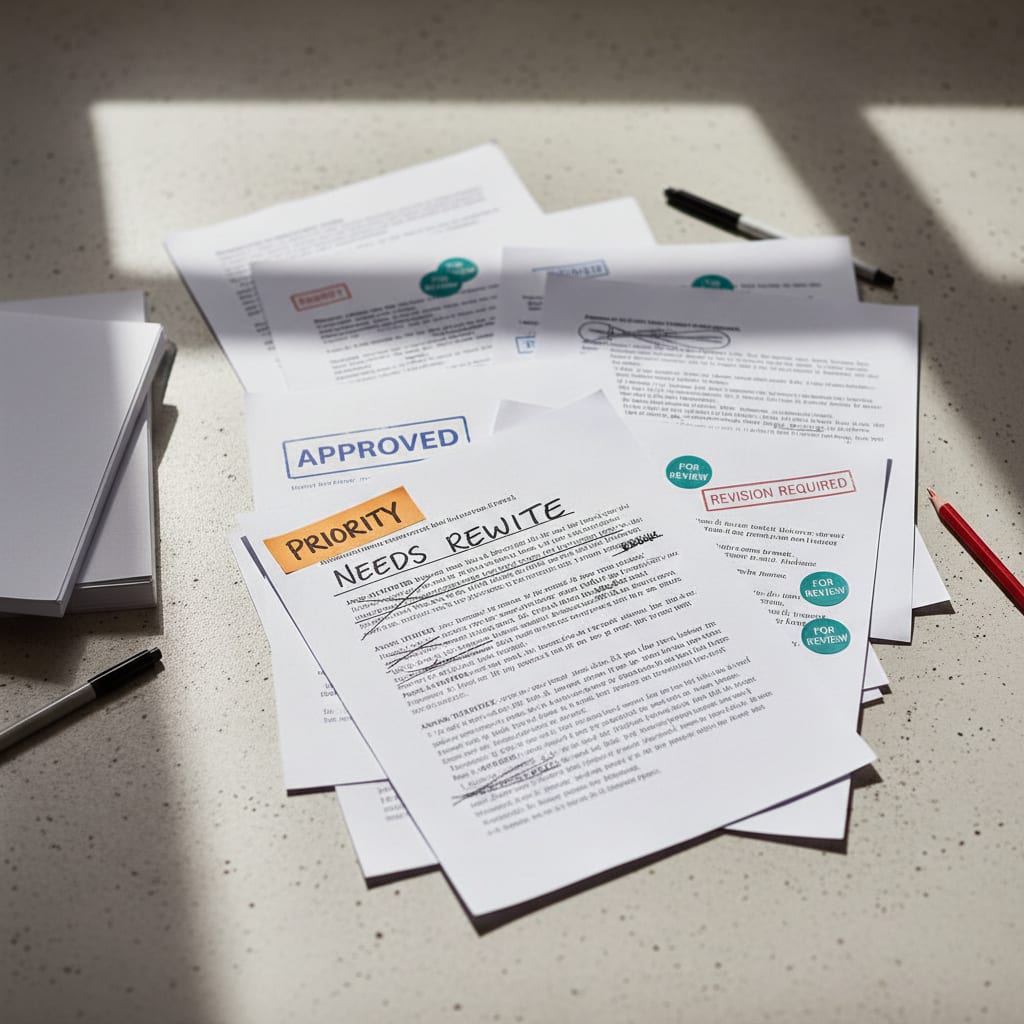
Your AI assistant just churned out 47 social posts, 8 newsletter variations, and 3 blog drafts–all waiting for your approval. You open the queue, stare at the mountain of content, and realize: if you read every single piece, you"ll spend more time than before you automated anything.
Sound familiar? You're not alone. While AI has scaled content production by a staggering 85% YoY across industries (CMI/suxeedo 2026), review capacity in most teams has barely budged. So congratulations–you"ve built an AI pipeline that"s actually slower than your old Google Doc workflow.
But here"s the kicker: This isn"t a problem with AI. It"s a problem with your gates.
Key Takeaways
Manual review of all AI output negates automation gains, as review overhead grows with content volume. For example, teams stuck in manual reporting spend 15 hours weekly pulling data versus only 5 hours analyzing it. A 3-risk-level gate system is crucial: Social/Meta content requires no gate, Blog/Newsletter content needs a soft gate (max 4 hours), and PR/Legal/CEO content demands a hard gate (max 24 hours). Critique agents can reduce manual review needs by 60–80%, but only if prompts are kept current. Review loops exceeding 4 hours indicate a governance issue, not an AI problem. Gate design (when to check) and review design (what to check) must be distinct to ensure workflow efficiency.
Now, let"s dig into why most teams get Human-in-the-Loop (HitL) approval wrong–and how you can fix it for good.
Why Most Teams Fumble Human-in-the-Loop From Day One
Ever wonder why content automation feels so... manual? Here"s why: Most teams either review way too much–or not nearly enough.
Picture this: your team treats every AI-generated text as if it could be a legal risk, so you read, comment, and circulate every piece. The result? You"re drowning in review cycles, with none of the speed promised by automation.
According to Dataslayer/Glean analysis, teams stuck in manual reporting spend 15 hours a week just pulling data–compared to 5 hours actually analyzing it. It's the same with content: without a gating system, review eats production alive.
But here"s the twist. Before automation, your freelancer would deliver one blog post, you"d read it, done. Now, AI delivers ten times the volume–and your review load grows tenfold, not the other way around.
The opposite problem pops up next. Once teams see the first 50 AI pieces are fine, they start silently dropping their checks. "It works!"–until that one press release goes out with wrong product info or a blog post misquotes a competitor.
As one user put it after a failed automation attempt:
"Tried that. Didn"t work. Spreadsheets are undefeated, sorry." – X/@corsaren, 1,362 engagements
That"s what happens when automation creates more work, not less.
It gets wilder on the other end. If you"ve ever built out 31 n8n workflows in a month, you know the pain:
"Built 31 n8n workflows this month replacing our priciest SaaS tools." – X/@WorkflowWhisper, 550 engagements
But without a layer of governance, it"s not the workflow that decides quality–it"s the lack of approval logic behind it.
Both extremes come from the same root cause: no system for classifying content risk. If you don"t know which content actually needs human judgment, you end up approving everything–or nothing.
Think about it like CI/CD pipelines in software. Not every commit gets a full review–only the risky ones do. A typo fix? Ship it. A database schema change? Full check. Most content ops teams don"t have this logic, and that"s costing you big.
Ready to fix it? Here"s how.
Step 1: Define Risk Levels–What Could Actually Go Wrong With This Content?
Let"s get real: If you don"t classify your content types, you"re assigning everything the same risk–by default.
Imagine running a food factory where gummy bears and baby food go through the same checks. Sounds ridiculous, right? It"s not about "quality"–it"s about risk management.
Content risk level means rating every content type along two axes:
- Factual risk: What"s the chance and impact of a factual error?
- Brand risk: What"s the damage if this content is off-brand or PR-sensitive?
How you rate each content type on these axes (low, medium, high) directly determines what kind of gate it needs.
Let"s make this concrete:
Risk Level 1 – Low risk: Social post variations, meta descriptions, internal summaries. Stable, brand-neutral. A bad social post? Annoying, but no big deal.
Risk Level 2 – Medium risk: Blog drafts, whitepapers, newsletters. Important for your brand or factually complex. Get something wrong here and you might lose trust–but probably not your brand reputation.
Risk Level 3 – High risk: Press releases, legal FAQs, CEO statements, external campaign claims. Mistakes here are public and could have legal consequences. The stakes are real.
Which Content Types Always Require a Human Approval Step?
Any content with high factual risk or direct external visibility–think press releases, legal FAQs, CEO statements, external campaign claims–always needs a human check. The same goes for whitepapers with major brand implications. Everything else? You can automate it, or send it to an async review queue, based on risk.
And here"s what"s wild: The share of marketers not using AI tools for blog content has dropped from 65% (2023) to just 5% (2026) (CMI B2B Content Marketing Trends Report 2025). As your volume explodes, so does your exposure–unless you classify your risk.
Common mistake: Classifying by format instead of risk. "All blog posts = Risk Level 2" sounds logical–but it"s wrong. An internal customer FAQ is nowhere near as risky as a public thought leadership piece, even if both are technically "blogs."
Now that you"ve sized up your content risks, let"s talk about the gates you"ll actually need.
Step 2: Assign Gate Types–What Happens at Each Approval Point?
Here"s where most teams get tripped up: Gate design (when to check content) and review design (what to check) are not the same. If you lump them together, you"ll end up with mismatched gates that slow everyone down.
Let"s break down the three gate types (with real-world triggers):
Gate Type A – No Gate (Fully Autonomous): Content flows through with zero human intervention. Only works if: (1) you have a critique agent filtering first, (2) content is template-driven, and (3) there"s after-the-fact monitoring. Perfect for your Risk Level 1 content.
Gate Type B – Soft Gate (Async Review): A critique agent runs its checks. The output lands in a review queue. A human reviews asynchronously–pipeline keeps flowing, no bottlenecks. This is your sweet spot for Risk Level 2 content. Set a 4-hour max.
Gate Type C – Hard Gate (Sync Stop): Pipeline grinds to a halt until a human gives explicit approval. Only justified for your highest-risk, high-visibility content–Risk Level 3. Set a 24-hour max.
What"s the Actual Difference Between a Soft Gate and a Hard Gate in an AI Content Pipeline?
A soft gate (Gate Type B) lets your pipeline keep moving–humans review asynchronously, ideally within four hours. A hard gate (Gate Type C) blocks everything until someone approves. You only need that for high-risk, high-stakes content.
Here"s how your workflow transforms:
Before (No Gate System):
- 47 pieces of content, all stuck in a manual review queue
- Avg. review time: 8–12 minutes per piece
- Weekly review load: 6–8 hours
- Bottleneck: everything waits for the content manager"s attention
- Bottom line: automation actually slows you down
After (With Gate System):
Out of 47 content pieces, 31 (Risk Level 1) flow through, checked by a critique agent. 14 (Risk Level 2) go to an async review queue with a Slack notification and a 4-hour window. 2 (Risk Level 3) hit a hard gate, requiring explicit sign-off. The weekly review load is reduced to 1.5–2 hours, resulting in 80% time saved with no drop in quality.
This isn"t theory–it"s how teams move from Version 1 to Version 2 of their content pipeline. And that shift usually happens in a single workshop afternoon–not months of dev time.
Teams without a gate system waste 40% of their Martech budget on manual coordination and integration (House of Martech). The same thing happens with review overhead. Don"t let your process eat your ROI.
Now let"s get into the secret weapon that makes this all possible: critique agents.
Step 3: Make a Critique Agent Your First Line of Defense
If you haven"t set up a critique agent yet, you"re burning reviewer time for no reason.
A critique agent is a specialized AI agent that automatically checks generated content for key quality criteria–factual consistency, brand voice, and over-optimized AI language–before a human reviewer gets involved. Think of it as an advanced filter, not a replacement for human judgment.
According to the CMI B2B Content Marketing Trends Report 2025, 58% of content marketers cite lack of internal resources as their #1 challenge. A critique agent multiplies your review capacity–without hiring more people. In SwiftRun"s implementation experience, properly tuned critique agents cut manual review by 60–80%–as long as your prompts stay up to date.
Here"s what a critique agent typically checks:
- Claims without sources (factual risk)
- Brand voice deviations (tone, language level, banned phrases)
- Over-optimized AI speak ("It"s important to note...", "In an increasingly...", "Let"s explore...")
- Internal consistency (contradictions within the same piece)
And what it doesn"t:
- Strategic fit–No AI agent can tell if this is the right content for your goals
- Tone nuances that require industry or customer context
- Legal risk–Only a human reviewer with context can spot this
For a deeper dive on where AI content goes off the rails (and why), check out: KI-Content-Qualität: Halluzinationen und reale Risiken (plain text source, no link).
When Does a Critique Agent Escalate Content Automatically?
A critique agent escalates if its confidence score falls below a certain threshold. That means: the soft gate becomes a hard stop, and someone gets a Slack ping. You can set thresholds per content type–a blog post with a score of 75 gets treated differently from a press release at 75.
⚠️ Heads up: The person managing your critique prompts (usually a prompt engineer or content ops lead) is just as important as the tool itself. If your critique prompts aren"t updated when your brand voice or product positioning changes, you"re at risk. Outdated prompts are worse than none at all–they give false positives with total confidence.
A critique agent is like spell-check, but for facts and brand tone. It catches the obvious errors–so your expensive human reviewers can focus on what matters. But no spell-check can tell you if a piece is strategically smart. That"s still your job.
Now that your AI filter is in place, let"s fix the human part of your review loop.
SwiftRun automates repetitive workflows with AI agents – so your team can focus on what matters.
Step 4: Design Your Human Review Workflow–for People, Not Just for the AI
Here"s the ugly truth: People are terrible reviewers when they lack context. Without enough info, they nitpick details instead of making the big strategic calls.
This isn"t a focus problem–it"s a system design flaw.
Three out of four marketers report burnout (MechaBee, 2025/2026). Endless, poorly scoped review tasks are a big part of why.
What every gate must provide for reviewers:
- What the critique agent already checked (and its score)
- What wasn"t checked–so humans know where to focus
- The exact decision needed (approve / reject / comment)
- A deadline (date and time)
An async review pattern that just works: Slack notification with content preview, critique agent score, and two buttons: Approve / Request Changes. No login. No extra workflow tool. No hunting for the right tab. The reviewer makes the call right in their flow.
Sounds simple, right? And yet, most teams blow it on execution. One X user nailed the pain:
"Here"s today"s implementation checklist: Phase 0 – Connect tools, Phase 1 – Build workflows, Phase 2 – Spot your biggest workflow weaknesses." – X/@coreyganim, 720 engagements
The checklist exists–but without a governance layer, it"s just busywork.
⚠️ Warning: More than 2 approvers per content type is a recipe for pipeline gridlock. If three people must sign off on every blog post, your pipeline slows to a crawl–no matter if it"s AI or freelancers writing. Automation exposes bad governance. It doesn"t fix it.
How Long Should a Content Approval Loop Take?
Any review loop that drags on over 4 hours is not an AI issue–it"s a governance problem. The usual culprits:
- Too many approvers
- Missing review context
- No deadline enforcement
If you want to diagnose your review loop bottlenecks, ask yourself:
- Are there too many approvers?
- Is review context missing?
- Is there no deadline enforcement?
Mini-case study: A B2B SaaS team of 8 had three people approving every blog post. Average review time was 11 hours. After switching to one responsible person per content type, structured critique agent reports at every gate, and a 4-hour deadline, review time dropped to 2.5 hours. No loss in quality–just better governance.
Ready to put it all together? Here"s your decision matrix–and the backbone of your new content process.
The Big Picture: Decision Matrix–Content Type → Risk Level → Gate Type
This is your full decision matrix. It doubles as a quality audit trail: who approved what, when, with which critique agent score. Over time, this data helps you refine your gates–start lean, optimize with real numbers.
Just 21% of marketers can accurately measure content ROI (Digital Applied (2026)). Lack of gate documentation is a major culprit–without a quality audit trail, there"s no way to track attribution.
| Content Type | Factual Risk | Brand Risk | Risk Level | Gate Type | Responsible | Max Review Time |
|---|---|---|---|---|---|---|
| Social post variations | Low | Low | Level 1 | No Gate | – | – |
| Meta descriptions | Low | Low | Level 1 | No Gate | – | – |
| Internal summaries | Low | Low | Level 1 | No Gate | – | – |
| Blog articles | Medium | Medium | Level 2 | Soft Gate | Content Manager | 4 hours |
| Newsletters | Medium | Medium | Level 2 | Soft Gate | Content Manager | 4 hours |
| Whitepapers | Medium | High | Level 2 | Soft Gate | Content Manager + Reviewer | 8 hours |
| Press releases | High | High | Level 3 | Hard Gate | PR Manager + Exec | 24 hours |
| Legal FAQs | High | High | Level 3 | Hard Gate | Legal + Subject Matter Expert | 24 hours |
| CEO statements | High | High | Level 3 | Hard Gate | CEO"s Assistant + Exec | 24 hours |
Three sample pipeline flows:
Blog Post: Research → Brief → Draft (AI) → Critique Agent (auto, Score ≥80) → Soft Gate 4h → Publish
Newsletter: Template → AI Personalization → Critique Agent (auto, Score ≥85) → No Gate → Send
Press Release: Draft (AI/Human) → Critique Agent (auto) → Hard Gate → PR Manager Approval → Publish
Next up: let"s look at the most expensive mistakes teams make with their Human-in-the-Loop setup–so you can avoid them.
The 3 Most Expensive Mistakes in HitL Content Approval
Mistake 1: One-Size-Fits-All Gates for Every Content Type Apply a universal "soft gate" to every piece of content and you"ll clog your pipeline. Over-engineering is real–if your social post variations have to sit through a 4-hour review, you"re losing capacity daily with no quality upside.
According to Treasure Data (global survey), marketing teams spend 14.5 hours per week on data management. Undocumented review processes multiply this pain with every new team member.
Mistake 2: Treating the Critique Agent as Your Only Quality Control Some teams dream of fully automated, human-free pipelines–and for Level 1 content, that"s great. But try applying that to Level 2 or 3 content and you"re in trouble. Critique agents only catch what they"re trained for. They"ll flag brand voice deviations based on what you tell them–but they"ll never know if a competitor just launched a similar campaign, making your text sound like a copycat. Strategic judgment is always human. Always.
Mistake 3: Not Documenting Your Gate Logic This is the mistake that"ll cost you at your next team handoff. If your gate system lives only in one person"s head, it falls apart the moment they go on vacation. Gate design, risk classification, and review responsibilities must live in a doc everyone can access and update. It"s not optional.
Personal experience: Our first version had 7 approval steps for every content type. The result was a pipeline slower than before we had AI. The second version had just 2 gate types, assigned by risk level, resulting in 80% time savings with no loss of quality. The switch took a single workshop–no devs, no new tools.
What To Do Next
Your gate system is "done" when you have three things:
- A list of all your content types, each with its risk level
- A gate type assigned to each content type
- A critique agent running before every gate
Set aside 90 minutes. Take your most common content type–probably social posts or blog drafts–and define the full gate for just that one: assess its risk level, assign the gate type, write the critique prompt, name the responsible reviewer, and set a deadline. Everything else can wait.
If you"re using SwiftRun.ai, you can set this up in your pipeline config–no code needed. Assign gate types per content, set Slack notifications, control escalation when the critique agent flags issues. Want to see a real-world gate config? There"s a documented example there.
Your next step for true quality assurance: add your brand voice as a reference layer in the AI pipeline. Because a critique agent without an up-to-date brand voice doc is like spell-check without a dictionary.
Now you"ve got the framework–risk levels, gates, critique agent, and a human review loop that actually works. The result? Faster, safer, and smarter content ops. Go build your pipeline–and never get slowed down by AI again.
Ready to streamline your content approval process and stop getting bogged down by manual reviews? SwiftRun.ai helps you automate your content pipeline with intelligent gates and critique agents. Start free – no credit card required.
Related Articles:
human-in-the-loopai content pipelinecontent quality reviewcontent risk levelscritique agentcontent marketing approval
Related Articles
Content Marketing
Google AI Penalty: What To Do
Organic traffic dropped overnight after using AI content? Wait before deleting everything. Most teams act too fast–and make it worse. Here"s how to diagnose, audit, and recover step by step.
Jun 27, 2026·14 min read·Georg Singer

Content Marketing
AI Content Automation: Hidden Risks for Your Team
Full AI automation doesn't save you time – it just moves the risk. Busting five myths that could cost your content team dearly, plus what actually works if you want scalable, high-quality content.
Jun 27, 2026·13 min read·Georg Singer

Content Marketing
Retrieval-Augmented Generation: Stopping AI Hallucinations?
RAG can cut AI hallucinations by up to 70%–but it won"t wipe them out. Here"s what every content team needs to know about RAG"s new error class before a made-up stat lands you on Google"s front page.
Jun 20, 2026·16 min read·Georg Singer