AI for Performance Marketing Tasks: What Can You Automate?
Which Performance Marketing Agency Tasks Can You Realistically Automate With AI?
Georg Singer··18 min read

Which Performance Marketing Agency Tasks Can You Realistically Automate With AI?
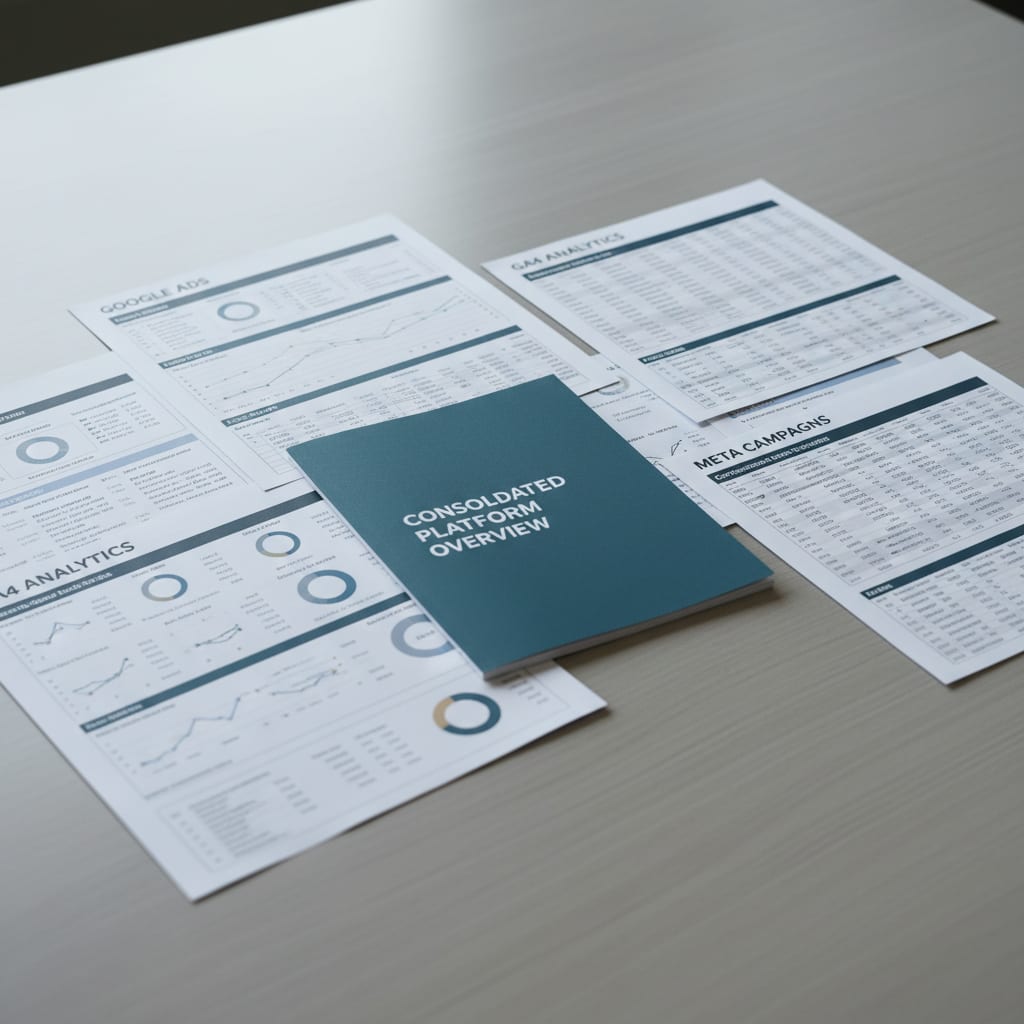
It's Monday, 8:30 AM. Before you touch your first campaign, you're already juggling Google Ads, Meta Ads Manager, GA4, LinkedIn Campaign Manager, and Looker Studio – all just to create a single client report. Multiply that by 15 clients and, according to AgencyAnalytics, you"ll spend 2.5 to 5 hours per report manually.
Automate it? All reports done in 45 minutes – yet over 70% of German agencies are still doing this the slow, manual way.
In this guide, you'll learn the three key areas in performance marketing where AI automation delivers the biggest ROI–and where automation can actually backfire. No buzzwords, just hard data, actionable workflow tips, and a real-world implementation checklist.
Key Takeaways
- Automating client reporting can slash the time spent from 2.5-5 hours per client to just 45 minutes for all clients combined.
- Around 78% of teams still spend over 21% of their time on manual grunt work like data cleanup and system reconciliation.
- 56% of agencies cite inefficient processes as their #1 headache, and Martech tools are only leveraged to 33% of their capacity.
- For an agency with 15 clients, automated reporting can save €2,400–4,800 every month by freeing up 30–60 hours of work.
- German agencies must be vigilant about GDPR, ensuring tool providers are EU-based or have robust DPAs to avoid significant fines.
Why AI Only Saves Your Agency 5 Hours a Week (So Far)
On average, AI only saves performance marketing agencies about 5.2 hours per week. That"s a lot less than most of us hoped. In fact, 78% of teams still spend over 21% of their time on manual grunt work like data cleanup and system reconciliation, according to the State of Performance Marketing 2026 report.
So what's going wrong? The problem isn"t the AI tools themselves, but rather choosing the wrong tasks to automate. Many agencies unfortunately throw AI at creative or strategic work–like ad copy or campaign strategy–areas where AI just isn"t sophisticated enough yet.
AI truly excels at speeding up processes, rather than replacing human judgment for creative or strategic decisions.
"Agency owners: how much time does your team spend on client reporting monthly? Is it still a painful process?"
– Reddit r/DigitalMarketing
More tools don't necessarily mean more productivity. Over the last year, the average number of tools per agency shot up by a staggering 131%, yet overall productivity has remained flat. You know the pain: constant tool-hopping, endless copy-pasteing, and frustrating data silos.
True AI automation in performance marketing agencies means leveraging AI-powered tools to handle repetitive, rule-based tasks without constant human input–think automated report creation, anomaly detection, and standardized client communications.
Why Is AI Saving So Little Time in Agencies?
Most agencies deploy AI where human intelligence and creativity truly shine: strategy, creative writing, and pitch decks. The real return on investment comes from automating repetitive, time-consuming processes: reporting, anomaly alerts, and status updates. Strategy and ad copy, however, are best left to your talented team.
The Automation Matrix: What"s Worth Automating and What"s Not
Picture an automation matrix with three distinct zones. This framework is designed to help you decide which tasks to fully automate, which to partially automate, and which to keep 100% human-driven:
Zone 1: Full Automation (High Effort, No Judgment Needed)
Tasks like report creation, anomaly detection, budget alerts, and templated status emails fall squarely into this category. These are perfect candidates for automation since the input and output are clear, standardized, and predictable. For instance, once you've set up automated reporting, the system can run efficiently without your constant intervention.
Zone 2: Partial Automation (AI Preps, Human Decides)
In this zone, AI can serve as a valuable assistant, preparing information for you, but the final decision rests with a human. This applies to tasks such as keyword research (where AI suggests options, but you prioritize), generating ad copy variants, or drafting PMax asset groups. Think of AI as your capable assistant, not a replacement for your expertise.
Zone 3: Don"t Automate (Trust, Strategy, Relationships)
Tasks involving crisis calls, tailored attribution advice, contract negotiations, and pitch strategy absolutely demand a human touch. These activities are all about building trust, understanding context, and navigating nuance.
Warning: Never blindly hand over reporting responsibilities to AI. Always review outputs thoroughly before sending them to clients.
"I spent $1,847 to test 6 AI marketing tools and here're my results"
– Reddit r/digital_marketing
The Three-Zone Automation Model:
- Zone 1: Fully automatable (e.g., Reporting, Alerts)
- Zone 2: Partially automatable (AI prepares data, human makes the final decision)
- Zone 3: Not automatable (e.g., Crises, Strategy, Trust-based interactions)
Data from sources like WhatConverts indicates that 56% of agencies cite inefficient processes as their #1 headache, and Gartner CMO Survey 2024 reveals that Martech tools are only leveraged to 33% of their capacity. The core issue isn't the tools themselves, but the underlying processes that often hinder their effective use.
So, Which Performance Marketing Tasks Are Ripe for AI Automation?
You can fully automate report creation, budget anomaly alerts, standard status update emails, and keyword performance summaries. Tasks that are partially automatable include ad copy suggestions, generating keyword lists, and drafting campaign structures. Critically, you should avoid automating crisis calls, pitch strategy development, and personalized attribution recommendations, as these require human judgment and a personal touch.
Reporting Automation: Where 80% of the ROI Hides
The Old Way: Manual Reporting (And What It Really Costs)
You're familiar with the routine: For each client, you log into 4–5 different platforms, download the relevant data, painstakingly build slides, write a summary narrative, and then package it all as a PDF. This process can easily consume 2.5–5 hours per client.
For an agency managing 15 clients, this translates to approximately 45 hours per month dedicated solely to reporting. This reporting overhead–which represents the percentage of your team's work time consumed by reporting alone–often sits at 20–25%, a significant drain on both time and financial resources.
The New Way: Automated Reporting, By The Numbers
With the implementation of automation, you can drastically slash reporting time down to a mere 45 minutes for all clients combined. Tools like Looker Studio paired with Supermetrics (often under €100/month), AgencyAnalytics (ranging from €100–300), or comprehensive all-in-one platforms (above €300) can achieve this efficiency.
According to AgencyAnalytics Benchmarks 2025, 78% of agencies that embrace automation deliver all their reports in under 45 minutes.
"You can't add 10 new clients if your reporting process is manual – each new client adds another layer of complexity."
– Industry insider
Clients are quick to notice the difference, too. Data suggests that 42.86% of clients are dissatisfied with their reports, and this dissatisfaction stems not always from performance issues, but from poor communication and a lack of clear, actionable insights.
The ROI Breakdown: When Does Automation Pay Off?
Let's consider a sample calculation to illustrate the financial benefits:
| Clients | Manual Reporting (hrs/mo) | Automated (hrs/mo) | Opportunity Cost (manual, €80/hr) | Tool Cost (monthly) |
|---|---|---|---|---|
| 5 | 15 | 2 | €1,200 | €50–150 |
| 15 | 45 | 3 | €3,600 | €150–400 |
| 30 | 90 | 6 | €7,200 | €300–700 |
Even with just 5 clients, investing in a reporting tool quickly proves its worth. For an agency managing 15 clients, the monthly savings from automation are equivalent to the salary of nearly half a team member.
GDPR Warning: It is crucial to check which tools you are using and where your data is stored. Many US-based tools can pose significant risks for German (and broader EU) agencies, as detailed further in the GDPR section below.
How Much Time Does Reporting Automation Actually Save?
With an agency managing 15 clients, automated reporting can save you anywhere from 30 to 60 hours per month. Valued at an average rate of €80 per hour, this translates to €2,400 to €4,800 in monthly savings–funds that can be strategically reinvested into actual campaign optimization or new client acquisition efforts.
Anomaly Detection & Budget Control: AI as Your Early Warning System
What PMax and Advantage+ Don"t Tell You–And Why That"s Dangerous
A significant pain point for many is that 62% of PPC pros cite black-box platforms as their #1 headache, according to the State of PPC 2026 report. Platforms like PMax, for instance, offer no channel-level reporting by default–leaving you in the dark about whether your results are truly coming from YouTube, Search, Display, or Shopping.
Furthermore, clients may see 30–50% fewer conversions in their dashboards than are actually occurring. The critical question then becomes: who is going to explain these discrepancies?
How Automated Alerts Help You Dodge Client Crisis Calls
Automated anomaly detection continuously monitors for critical issues, such as sudden budget spikes, significant CTR drops, and changes in quality scores–checking these hourly. Here"s a breakdown of what the system flags:
- Spend Spike: If daily spend exceeds 120% of the allocated budget, an instant alert is triggered, followed by an automatic email to the client and the account manager.
- CTR Dips: A notification is sent to the relevant channel lead to investigate.
- Conversion Gap: The AI identifies that a substantial portion (around 30%) of conversions are not appearing in the dashboard and flags this for your attention–before your client even notices.
Picture this: Manual monitoring might mean you only check for issues once a day. AI, however, checks every hour, eliminating the possibility of three-day-old surprises.
Mini-case: Agency A discovers a PMax budget spike after three days, resulting in €1,400 wasted and an unhappy client. Agency B, utilizing automated alerts, reacts to an anomaly within two hours, ensuring the client remains satisfied.
Automated anomaly detection isn't a luxury–it's the essential foundation for proactive client communication. And that proactive approach is arguably the most significant lever for client retention you have.
How Do You Monitor PMax & Meta Advantage+ Even When They"re Black Boxes?
The key is to set up automated anomaly alerts. These provide hourly checks for spend deviations, CTR drops, and conversion gaps, operating independently of what the platform itself reports. By doing this, critical issues are flagged before the client is even aware of them.
SwiftRun automates repetitive workflows with AI agents – so your team can focus on what matters.
Automating Client Communication: Templates That Don"t Sound Like Templates
Which Client Emails Can AI Safely Handle?
Managing client expectations is widely identified as the #1 challenge for agencies, contributing to a 49% churn rate for PPC agencies. Most clients don"t leave due to poor performance; rather, they depart because they feel uninformed or out of the loop. Here are types of communications that are ideal for automation:
- Learning phase updates (typically sent during the first 1–2 weeks after a campaign launch)
- Budget-almost-maxed alerts
- Monthly performance recaps (especially when campaign performance is stable)
- Standard answers to frequently asked questions
Three Templates: Learning Phase, Good Month, Technical Glitch
Learning Phase Email Subject: "[Campaign Name] is in Learning Phase – What"s Next?" Body: "Hi [Client], your campaign [Campaign Name] is currently in the learning phase. The budget of [Budget] will be used for testing over the next 7 days. Key KPIs we're monitoring include: [KPIs]. We"ll update you with initial results next week."
Good Month – Budget Recommendation Subject: "Your Campaign Is Beating Expectations – Next Steps?" Body: "Hello [Client], your campaign [Campaign Name] is significantly outperforming the initial plan. We're seeing a [KPI] increase of [Percentage]. Our recommendation is to increase the budget by 20% to maximize these strong results."
Technical Issue Subject: "Temporary Tracking Issue for [Campaign Name]" Body: "Quick heads-up: On [Date], there was a brief technical tracking glitch affecting [Campaign Name]. Our AI monitoring system detected it promptly, and corrective steps have been implemented. No significant data loss is expected. We will notify you once everything is confirmed as stable again."
Red Line: What You Should Never Automate
Crisis calls, explanations for poor performance, contract negotiations, and individual attribution discussions are all tasks that require human judgment and empathy.
"How do you manage client expectations?"
– Reddit r/PPC
Pro tip for automated client emails: Instead of just "AI-personalizing," focus on structured humanity. The goal is for the email to sound as if your account manager wrote it, without actually consuming their valuable time.
So, Which Client Communications Can Agencies Automate?
Tasks suitable for automation include: learning phase updates, budget alerts, monthly recaps (for stable accounts), and handling standard FAQs. Crucially, do not automate: crisis discussions, explaining poor performance periods, or attribution debates–these require a nuanced human approach.
A Realistic AI Tech Stack for Agencies with 5–20 People
The core philosophy for building your tech stack should be fewer tools, deeper integration. Avoid simply adding another application to an already crowded pile.
Layer 1: Data Aggregation (All Sources, One Place)
This layer involves connecting to essential data sources such as Google Ads API, GA4 API, and Meta API. You can either manage these connections yourself, which requires significant time and technical expertise, or leverage connector tools like Supermetrics or Funnel.io.
Layer 2: Analysis & Anomaly Detection
This is where AI truly shines. It involves setting up automated rules to detect issues like budget spikes, CTR drops, and conversion gaps. Additionally, AI-powered summaries can be generated for each client account, providing concise overviews of performance.
Layer 3: Output Automation (Reports, Alerts, Emails)
This final layer focuses on delivering insights. It includes using report generators such as Looker Studio, AgencyAnalytics, or Whatagraph. Simultaneously, an alert system can be configured to deliver notifications via email, Slack, or Teams. Finally, leveraging email templates (like those provided earlier) ensures consistent and efficient client communication.
Here's a cost comparison table to help you evaluate options:
| Clients | In-house Build (Setup + Monthly) | Reporting Tool (e.g. AgencyAnalytics) | All-in-One (SwiftRun) | Time Saved per Month | Break-Even (Months) |
|---|---|---|---|---|---|
| 5 | 120 hrs setup + €50/mo | €100–150/mo | €150/mo | 10–15 hrs | 2–3 |
| 15 | 240 hrs setup + €150/mo | €200–400/mo | €400/mo | 40–60 hrs | 1–2 |
| 30 | 400 hrs setup + €300/mo | €500–700/mo | €700/mo | 90–110 hrs | <1 |
"Anyone else seeing 'AI MarTech' roles emerging where one person handles multiple marketing functions?"
– Reddit r/Agent_SEO
The overarching goal is to establish the shortest path from raw data to a usable client report. If your current workflow requires five different tools just to reach that point, you're likely just shifting the problem around rather than solving it.
What Tech Stack Does a Small Performance Agency Need for AI Automation?
For a small performance agency, the essential tech stack comprises three key layers: data aggregation (via APIs), analysis automation (using anomaly detection rules and AI summaries), and output automation (for reports, alerts, and emails). For an agency managing around 15 clients, the estimated monthly cost typically ranges from €150 to €400, and often, a single integrated tool can fulfill these requirements.
Free trial: > SwiftRun connects Google Ads and GA4 via OAuth and creates your first client report in under 60 seconds–no setup, no credit card required.
Try it now and see your first automated report instantly.
GDPR Pitfalls in AI Automation for German (and EU) Agencies
A significant concern for DACH agencies is that many US-based automation tools process data on US servers, presenting a genuine risk. Client data, even aggregated data from GA4, can be considered personal data and therefore requires a Data Processing Agreement (DPA).
What Data Shouldn"t Go Through US-Based Tools?
Any data that can be traced back to individuals–even if it's presented as "just" anonymized IDs–falls under this scrutiny. Key factors to verify include the server location, the availability of a DPA, and the tool's data deletion policies. Ensuring data is processed on EU servers or has explicit GDPR compliance is non-negotiable.
GDPR-Compliant Automation Setup: Your Checklist
To ensure compliance, follow this checklist:
- Check server location: Is the data processed within the EU?
- Sign a DPA: Ensure you have a Data Processing Agreement with every tool provider that handles client data.
- Document data deletion periods: Understand and record how long data is retained.
- Data minimization: Only aggregate the data you absolutely need for your reports.
- Before adding a new tool: Always consult with your data protection officer.
Warning: GDPR violations can result in fines up to 4% of your global annual revenue. No reporting tool, however efficient, is worth risking such penalties.
What Should German Agencies Check for GDPR-Compliant AI Automation?
For German agencies, critical checks for GDPR-compliant AI automation include verifying the server location (must be in the EU), ensuring a signed DPA is in place with your tool provider, and understanding the data deletion periods. Operating without a proper DPA when using US-based tools for client data places your agency in a legally precarious position.
Your 4-Week Roadmap to an Automated Agency
Week 1: Audit–Where"s Your Time Really Going?
The first step is to conduct a thorough audit. Implement time tracking for everyone on your team to understand precisely which tasks consume the most time. Simultaneously, perform a tool audit to identify which applications are genuinely being used and which are simply gathering digital dust.
Week 2: Set Up Reporting Automation
Begin with a pilot project. Select one client to test your new reporting automation setup. Deploy your chosen reporting tool, build a test report, and crucially, gather feedback from that client to refine the process.
Week 3: Alerts & Client Communication
Define the parameters for your automated alerts. Specify alert rules such as budget thresholds and acceptable CTR dips. Concurrently, develop your standardized email templates (as outlined earlier in the article) for consistent client communication.
Week 4: Measure & Scale
The final week focuses on evaluation and expansion. Measure the time saved by comparing your pre- and post-automation workflows. Gradually roll out the automation to more clients as you gain confidence and refine your processes.
"If you are a full-time PPC freelancer, how many active clients or campaigns do you manage and what's your monthly revenue?"
– Reddit r/PPC
The biggest mistake to avoid is attempting to automate everything at once. Start with a pilot client, gather concrete data on time savings, and then strategically scale up your automation efforts.
How Long Does It Take to Switch a Performance Agency to AI Automation?
With a structured 4-week plan, you can have reporting automation functional for your first client by the end of week two. You can realistically expect to see a positive ROI within 6–8 weeks, after which point you will be consistently saving more time and resources than you invested in the setup.
Free trial: > SwiftRun connects Google Ads and GA4 via OAuth and builds your first client report in under 60 seconds–no setup, no credit card.
Try it now and see the difference for yourself.
FAQ: Top 3 Questions on AI Automation in Agencies
1. Does AI Automation Actually Lower Client Churn?
Yes, but its effectiveness is directly tied to proactive communication. The cited 49% churn rate for PPC agencies is frequently attributed to poor communication rather than subpar performance. Automated, yet personalized, updates and alerts ensure clients remain informed–effectively shielding your agency from the constant need to justify every action.
2. Does Automation Make Agencies Replaceable?
Partially, but primarily if your agency focuses solely on process execution. Automating routine tasks like reporting and alerts frees up your team to concentrate on higher-value activities such as strategic planning, rigorous testing, and delivering tangible client impact. If your agency's core offering is merely dashboard reading, in-house teams or self-service platforms will eventually surpass you.
3. What If an Automated Report Has Errors?
You remain ultimately responsible for the accuracy of client reports. Automated reports that bypass human review carry inherent risks. Always verify that your data sources align correctly–and be prepared to address any discrepancies or questions that arise when numbers don't add up. Automation is not an abdication of critical thinking.
Controversies and Hard Truths
- A concerning 20% of clients are actively planning to replace their agencies with AI tools. Automate smartly, or you risk training your own obsolescence.
- Does automation devalue your expertise? If platforms like PMax automate many campaign management tasks, clients will shift their focus from paying for button-pushing to valuing analysis, strategic insight, and genuine contextual understanding.
- In-house vs. agency dynamics: In-house PPC teams are growing at a faster rate than agencies. Embracing automation is no longer optional; it's mandatory if you intend to remain competitive.
- AI quality is paramount: Garbage in, garbage out. Bad data leads to bad reports, which can expose your agency to significant liability. Automation offers no excuse to cease critical thinking and data validation.
- Beware of pseudo-automation: Many tools market themselves as "AI-powered" but are essentially sophisticated macros. Thoroughly test every solution to discern what genuinely automates tasks versus what is merely marketing hype.
Ready for the next step? Try automated reporting in your agency for free–no setup, no risk.
Further Reading & Sources:
- State of PPC 2026 (n=1,306)
- AgencyAnalytics Benchmarks 2025
- State of Performance Marketing 2026
- 49% Churn Rate for PPC Agencies
- Gartner CMO Survey 2024
Related Articles:
- How to Automate Client Reporting for Agencies: From 100 Hours to 2 Hours a Month
- How to Automate Agency Reporting with AI Agents and Save Hours Every Week
- Retainer vs. Outcome-Based Pricing: Which Model Actually Makes Your Performance Agency More Profitable?
Ready to reclaim your time and boost your marketing efforts? See how SwiftRun.ai can help you automate those time-consuming performance marketing tasks today!
Related Articles
Performance Marketing Agencies
Automate Client Reporting: 100 Hours to 2 Hours Monthly
Drowning in manual reports? Discover how performance marketing agencies can slash reporting time from 100 to 2 hours a month for 20 clients–without sacrificing accuracy, context, or compliance. See real stats, smart workflows, and tool comparisons.
Apr 8, 2026·16 min read·Georg Singer

Performance Marketing Agencies
Meta Advantage+ versus Manual: Drive E-Commerce Results 2025
Meta Advantage+ can burn through 30% of your ad spend on small budgets – but with a simple decision matrix, you can claw back 20% margin and deliver better results. See the numbers, templates, and actionable checklist for 2025.
Apr 7, 2026·15 min read·Georg Singer

Performance Marketing Agencies
Agency Secrets to Max Performance: Unboxing the Black Box
62% of PPC pros say the biggest headache with Performance Max is a lack of transparency. Here"s how you can actually take control–5 levers Google leaves open, a 20-minute weekly audit SOP that stops brand cannibalization, and reporting tricks that cut your admin time in half.
Apr 7, 2026·22 min read·Georg Singer