Automate Client Reporting: 100 Hours to 2 Hours Monthly
Drowning in manual reports? Discover how performance marketing agencies can slash reporting time from 100 to 2 hours a month for 20 clients–without sacrificing accuracy, context, or compliance. See real stats, smart workflows, and tool comparisons.
Georg Singer··16 min read
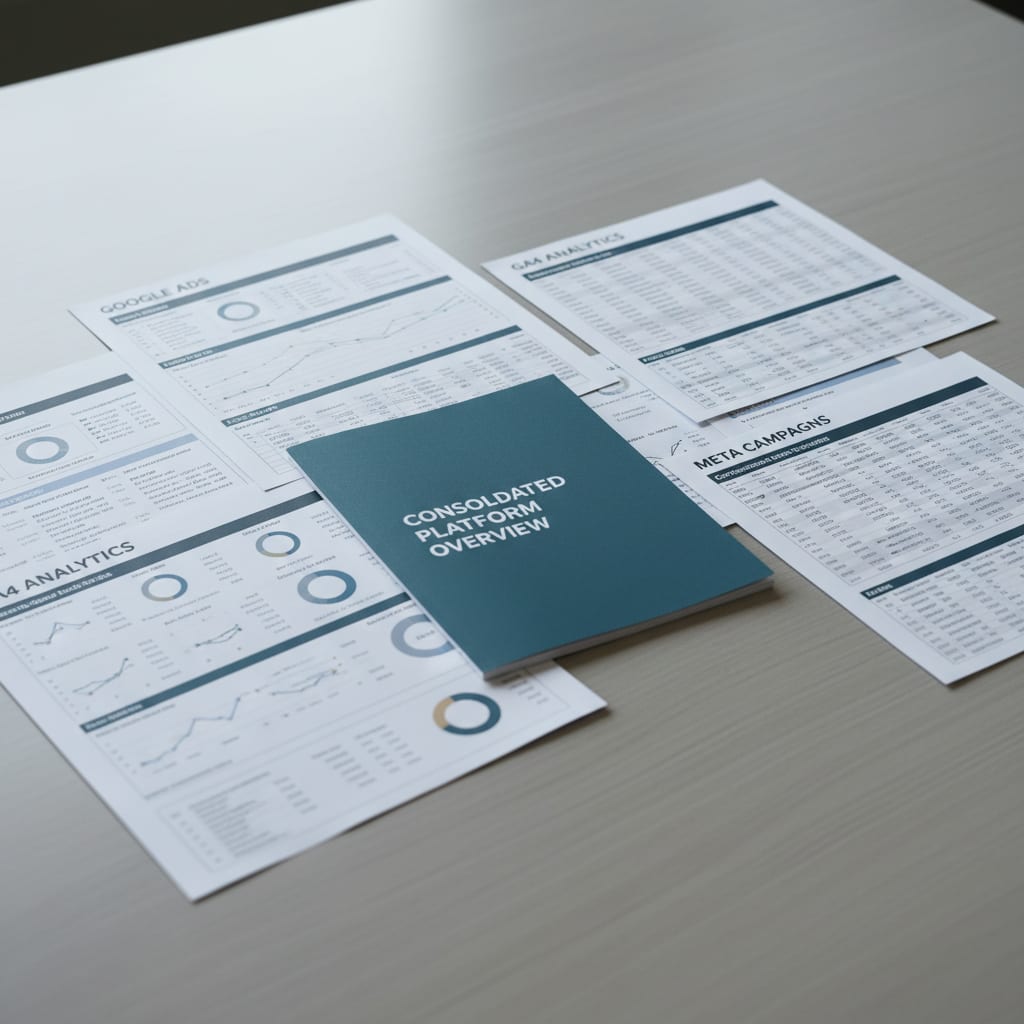
Friday night, 6:30 PM. Your account manager is juggling five browser tabs–Google Ads, Meta Business Manager, GA4, LinkedIn Campaign Manager, Search Console–just to build a report for one client. Now, imagine repeating that for 19 more.
It's not just a pain; it's a silent leak in your agency's profit margin.
According to AgencyAnalytics Marketing Agency Benchmarks 2025, agencies without automation spend 2.5 to 5 hours per client report. This is just for copying and pasting, not for real analysis. Do the math for 20 clients: up to 100 hours a month. These are hours you can't bill and can't use for growth.
This isn't just about efficiency; it's a systematic margin killer.
Key Takeaways
Performance marketing agencies can reduce monthly reporting time for 20 clients from 100 hours to just 2 hours. Manual reporting can cost agencies up to €67,200 annually due to lost capacity, with reporting overhead consuming 15–25% of total working time. Discrepancies in how platforms like Google Ads, Meta, and LinkedIn count conversions lead to an "attribution gap," potentially inflating performance by 30–50% in manual reports.
Many Martech tools are underutilized, with Gartner reporting they are used at only 33% capacity, highlighting the need for the right tool, not just more tools. GDPR compliance is crucial, with EU-based reporting tools and signed data processing agreements (DPAs) eliminating significant legal risks.
The Hard Numbers: Why Manual Reporting Is Costing You More Than You Think
Ever wondered why your agency's profits aren't where they should be? It's probably not your conversion rate–it's your reporting overhead.
Reporting overhead is the chunk of your team's time spent on administrative reporting tasks that can't be billed to clients. Industry benchmarks suggest this accounts for 15–25% of total working time. If this figure goes above 20%, your margins bleed directly.
Now, let's put some numbers to the pain. A 20-client performance agency working manually loses 50–100 hours every month just merging data from Google Ads, Meta, GA4, and other platforms. That's 600–1,200 hours a year–time that's neither billable nor strategic.
Here"s how it breaks down: 3.5 hours per report × 20 clients × 12 months = 840 hours per year. At an internal hourly rate of €80, that's €67,200 of lost capacity every year.
This isn't written off as a loss–it's quietly filed under "admin" where nobody notices. But it hurts your bottom line all the same. Now, consider this: 40–47% of agencies don"t even track all billable hours (AgencyAnalytics Benchmarks 2025). The reporting overhead gobbles up as much as 20% of your work time, completely off the radar.
If you never isolate this line item, you"ll never fix the leak.
The Hidden Hours: What Time Trackers Don"t Show
You log "2 hours to build report" in your time tracker. But what about the 20 minutes spent hunting for a LinkedIn password–set up by the last intern? Or the 15 minutes wasted exporting a CSV from Meta because the API token expired? Or the back-and-forth with a client asking why Google Ads shows 47 conversions but their CRM only lists 31?
On Reddit, one agency owner summed it up:
"How much time does your team spend on client reporting each month? Is it really still a painful process?" – r/DigitalMarketing, 76 upvotes
Most responses? They massively underestimate the true time cost–until they actually measure it.
The Overhead Multiplier: Why Every New Client Makes It Worse
Adding a new client sounds like linear growth. In reality, it's exponential pain. Each client brings new logins, new templates, and new handover rituals–more complexity in every direction. It's not just more work; it's a multiplier effect that compounds with every client you add.
Here's a concrete example: an agency with 15 clients switches from manual to automated reporting. In just the first year, they claw back 500+ hours. That"s half a full-time role–reclaimed from the reporting grind and redirected into strategy.
So, if you think the pain stops at your current workload, think again. The next client doesn't just add more work–they quadruple your headaches. Let"s see where the data chaos really starts.
Five Platforms, One Report: The Real Data Minefield
Picture this: you're building a report, pulling numbers from Google Ads, Meta, LinkedIn, GA4, and Search Console. But the totals never match up with what the platforms show. Why?
Every ad platform counts conversions differently. Google Ads uses a 30-day last-click window; Meta is at 7 days (click) plus 1 day (view); LinkedIn stretches up to 30 days. If you just add these numbers together, you"ll inflate performance by 30–50%–purely due to double-counting.
That's the attribution gap–and it means that any manual report is structurally unreliable from day one.
Google Ads and GA4: The "Natural Pair" That Isn"t
At first glance, Google Ads and GA4 seem like they"d sync perfectly. But they don"t. Google Ads tracks conversions inside its own interface, and GA4 does it in analytics–each using a different model.
Add Performance Max to the mix, and things get trickier. PMax campaigns don"t provide channel-level reporting by default. You have no way to see if a win came from YouTube, Search, Display, or Shopping. It"s a total black box.
And you"re not alone–62% of PPC pros say this lack of transparency is now their number one challenge in paid search (State of PPC 2026, PPCChief).
Meta Ads: Shrinking Windows, Growing Confusion
Meta used to give you a 28-day attribution window. Now it"s just 7 days (click) and 1 day (view). Comparing old reports to new means comparing apples to oranges.
Then there"s Meta Advantage+, where campaign control is increasingly automated, and granular breakdowns–by audience, placement, etc.–are getting harder to access. The attribution gap between what Meta shows and your real revenue can reach 30–50% (DemandScience State of Performance Marketing 2026).
Clients see fewer conversions in Meta dashboards than actually happened. Cue the classic email: "Why does the campaign look good, but sales aren"t rising?" That question lands on your account manager"s desk–and leads to hours of manual detective work instead of a clear, documented answer in the report.
LinkedIn Ads: API Nightmares and Data Gaps
If you manage B2B clients with LinkedIn budgets, you know the pain: LinkedIn"s API is flaky, with missing data, delays, and weird inconsistencies. No tool fully fixes it.
This doesn"t mean automation is impossible for LinkedIn–but it does mean you need a dedicated validation step for this platform in any multi-client reporting setup. Anyone selling a fully automated LinkedIn reporting pipeline is overpromising.
Bridging the Attribution Gap for Clients
The attribution gap, in plain English, is when different platforms use their own rules to credit conversions–so when you sum up data across channels, you get double-counting.
Agencies that explain this proactively in their reports–perhaps with a short "Why your numbers look like this" section–see much less client churn due to data mistrust. 53% of advertisers struggle with fragmented data silos, and only 28% of CMOs trust their own numbers (DemandScience State of Performance Marketing 2026).
If your report names this problem, you build trust instead of raising more questions. Now, if the data mess is that deep, you"re probably wondering: "Is there a tool that actually solves it?" Let"s compare.
Tool Showdown: Which Reporting Platform Fits Your Agency?
Here's a reality check: The number of agencies using 10+ tools shot up by 131% in a year (WhatConverts), but productivity didn"t budge. According to the Gartner CMO Survey 2024/2025, Martech tools are now used at just 33% capacity–down from 58% in 2020 (Gartner CMO Survey 2024/2025).
Throwing more tools at the problem doesn't help. The right one, properly set up, does.
Cost Comparison Table: 5 Reporting Tools for 15 Clients (March 2026)
| Tool | Price/Month | Setup Time | EU Servers | Data Processing Agreement | LinkedIn Data Quality | AI Analysis |
|---|---|---|---|---|---|---|
| Looker Studio | €0 | 3–5 days | No (Google Cloud US) | Yes (Google BAA) | Medium | No |
| AgencyAnalytics | ~$179 | 1–2 days | No (Canada/US) | On Request | Good | Limited |
| Swydo | ~$149 | 0.5–1 day | Yes (EU) | Yes | Medium | No |
| Supermetrics + Looker | ~$99–299 | 2–4 days | No (US/FI) | Yes | Medium | No |
| SwiftRun.ai | Free start | <1 hour | Yes (EU) | Yes | Medium | Yes |
Looker Studio: "Free" Isn"t Really Free
Looker Studio is the tool every agency tries–and most eventually abandon. Sure, it"s free. Until the first client onboarding takes three days. Or the BigQuery connector acts up. Or a new intern breaks the template and nobody remembers how it worked.
Personal take: I"ve watched agencies invest three months perfecting a Looker Studio template–only for the client to ask, "Can I get this as a PDF?" Start with "done," not "perfect." Setup, data cleaning, and maintenance eat up 3–5 days per client template. It"s not free software–it"s technical debt paid in your team"s hours.
AgencyAnalytics: The North American Giant
AgencyAnalytics works great–if you"re an English-speaking agency. The platform is designed for North America: pricing, support hours, and privacy approach all reflect that. For a 10-person agency in Munich serving German SMBs, it"s a poor fit. There"s no default GDPR setup, no EU servers, and the required data processing agreement is only provided on request.
Swydo: Clean Reports, But Lacks Insight
Swydo delivers tidy, EU-compliant reports. The catch? No smart analysis layer. The report shows numbers, but doesn"t interpret them. You"ll still need to do monthly manual data checks, which chips away at your time savings.
Hot take: No tool replaces your account manager. Automation is for data collection and formatting–not for strategy or interpretation. Anyone claiming otherwise is selling you a fantasy.
Now that you"ve seen the tool landscape, let"s get hands-on. How do you actually set up automated reporting for your clients–without losing your mind?
Step-by-Step: Setting Up Automated Client Reporting for 10–20 Clients
Let"s make this concrete: you want to automate reporting for 20 clients. Here"s your roadmap in four phases:
- Connect your platforms via OAuth (secure, delegated logins)
- Build a master template by client type
- Set up scheduled PDF delivery
- Run a quality check and feedback loop in month two
Total one-time effort: 2–3 days. Ongoing: less than 2 hours per month.
Automated client reporting means automatically fetching, consolidating, and formatting ad data from multiple platforms into a finished client report–no manual logins, no copy-paste, no data cleanup. Automation covers data aggregation and delivery, not the strategic commentary.
Phase 1 (Day 1): Connect Platforms and Finalize Data Access
Start here–don"t even look at templates yet. Most mistakes happen by skipping this step.
- Set up OAuth connections for Google Ads, GA4, and Meta.
- Double-check permissions: not every account manager has admin rights for all clients.
- For LinkedIn, note that you"ll need separate manual validation.
- Plan CSV exports as a backup, but never as your main data source.
Phase 1 Checklist:
- Google Ads OAuth integration active and tested
- GA4 property access for all clients
- Meta Business Manager: system user created (not personal accounts)
- LinkedIn: Conversion data can be checked manually
- Document data delays (Meta: 3 days, LinkedIn: up to 7 days)
Once your access is rock solid, you"re ready for the next step.
Phase 2 (Day 2–3): Build a Master Template, Then Scale
Don"t reinvent the wheel for every client. Build one master template for all, then create variations only by client type: E-commerce, Lead Gen, B2B with LinkedIn, etc.
If you make a custom template for every client, you"re multiplying your own overhead.
Multi-client reporting is a workflow where one template or process covers several clients, not dozens of custom setups. It"s scalable from five clients–and absolutely necessary at 15 or more.
What should your master template include?
- KPI summary (impressions, clicks, spend, conversions, ROAS)
- Channel breakdown (where possible; call out PMax limitations)
- Attribution notice (briefly explains window/model differences)
- Anomaly markers (highlight metrics that swing >20% from previous month)
Once this is set, scaling becomes painless.
Phase 3 (Week 2): Set Up Automated Report Delivery
Schedule PDF exports for the 1st of each month, 7:00 AM. This technical bit takes about 30 minutes.
But don"t overlook the accompanying email. An automated report sent with a generic, contextless message triggers more mistrust than no report at all. Here"s a template that actually works:
Monthly Report Email Template
Subject: Performance Report [Client Name] – [Month Year]
Good morning [Contact Name],
Attached you"ll find your performance report for [Month]. Here"s what stands out:
Notably: [One sentence on the biggest anomaly or change].
Happy to discuss further in our next call on [Date].
Best regards, [Account Manager Name]
Your account manager should write this in five minutes–after reviewing the auto-generated report, never before.
Phase 4 (Month 2): Quality Control and Feedback Loop
Automation solves your data headache. But it doesn"t fix interpretation.
In the second month, check which reports trigger client questions. These are the ones that need a clearer attribution explanation or more precise anomaly markers. Tweak your template–once, for all clients.
According to WhatConverts, 56% of agencies cite inefficient processes as their #1 challenge, while 43% struggle with rising costs and shrinking margins (WhatConverts). Most agencies skip this quality loop, and that"s why so many automation projects fizzle out after three months.
SwiftRun automates repetitive workflows with AI agents – so your team can focus on what matters.
SwiftRun.ai: Ready-to-Go Reports in 60 Seconds–No Setup Required
This won"t replace your account manager"s strategic insights–but it does take a process that used to eat 3.5 hours and shrink it to under an hour. The real win isn"t just the tool–it"s the time your team can now spend on strategy calls instead of manual data wrangling.
GDPR-Ready Reporting: What Every Agency Needs to Know
Let"s talk risk. Can you process client data through US-based reporting tools? Only with a proper data processing agreement (DPA) and a legal basis for cross-border transfers (like EU Standard Contractual Clauses). If you"re missing either, both agency and client are on the hook. EU-based tools with explicit DPAs eliminate this risk completely.
Many English-language reporting tools store data on US servers. Without a signed DPA and EU-compliant privacy notice, you"re not just risking theory: 57% of DACH marketing leaders say server-side tagging and GDPR-compliant tracking are top priorities for 2026 (BVDW). Enforcement is getting stricter every year.
⚠️ If a client asks, "Where is my data stored?"–you must have an answer. "In the cloud" doesn"t cut it. "We haven"t checked" is a fast track to lost business.
DPA with Your Reporting Tool: Non-Negotiable
GDPR Compliance Checklist:
- Documented EU server location
- Signed data processing agreement (DPA)
- Data deletion policy (on request, after contract ends)
- Up-to-date subprocessor list
- EU Standard Contractual Clauses for any US data transfers
More than 70% of small German agencies still run reports manually (Meddow.de), largely because there isn"t a GDPR-compliant, affordable all-in-one solution for 5–20 person agencies in the DACH market. But that doesn"t make the liability go away.
Here"s a tip most consultants won"t tell you: The DPA protects both you and your client. Send it proactively when rolling out a new tool, and you"ll look more professional than 90% of your competitors.
The Time ROI Calculator: What Automation Really Delivers
When does reporting automation pay off for a 10-client agency?
Say each report takes 3 hours per client, per month: that"s 360 hours a year. At an internal rate of €70/hour, you"re losing €25,200 of capacity. Automation setup? A one-time hit of 8–16 hours–paid back in the very first month.
The math is simple, but few agencies actually run it.
Formula: (hours per report × clients × 12 months) × internal hourly rate = annual lost capacity
One-time setup: 8–16 hours × internal rate
Break-even: setup cost ÷ monthly time saved = months to payback
Three honest scenarios:
| Scenario | Clients | Hours/Report | Hours/Year / € | Setup Time | Break-Even |
|---|---|---|---|---|---|
| Small Agency | 5 | 2 h | 120 h / €9,600 | 8–12 h | Month 1–2 |
| Mid-Size Agency | 15 | 3.5 h | 630 h / €50,400 | 12–16 h | Month 1 |
| Growing Agency | 30 | 5 h | 1,800 h / €144,000 | 16–24 h | Week 2 |
The big-league result? For an agency with 30 clients, that's €144,000 a year lost to reporting. That"s almost two full-time salaries–gone, not because your team is slow, but because your process is broken.
Agencies that cut overhead from 30% to 25% boost profit by 25% at the same revenue (AgencyAnalytics Benchmarks 2025). That"s arithmetic, not theory.
And don"t forget: PPC churn rate is 49%, the highest in any agency discipline (Focus Digital). Bad reporting is consistently one of the top reasons clients leave. The time you free up with automation isn"t just capacity–it"s reinvested into retention.
Before & After: What a Reporting Workflow Feels Like With Automation
Before: Tuesday, 9:00 AM
Account manager opens Google Ads. Exports CSV. Opens Meta. Exports again. Checks GA4. Opens last month"s Excel template. Begins manual number transfer. Notices conversion numbers don"t match. Sends Slack to senior consultant. Waits. Builds PowerPoint. Sends for internal review. Sends to client. Takes 3.5 hours. Client replies: "Why does Meta show 47 conversions, but Google Analytics only 31?"
After: First of the month, 7:03 AM
System generates the report, auto-emails the client. Account manager reviews anomaly highlights at 9:00 AM in 15 minutes. Adds a comment about last week"s seasonality. Confirms send. Total time: 20 minutes.
The key? Your account manager still has a job–now focused on prep for strategy calls, campaign analysis, and client relationships. Not copy-paste.
Real example: A 12-person agency in Munich slashed reporting from 3.5 hours to 40 minutes per client–using one master template and OAuth connections instead of CSVs. The time saved went to monthly strategy calls. Two clients increased their retainers, not because performance improved, but because they felt more strategic attention.
Remember: 42.86% of clients are unhappy with agency reports (AgencyAnalytics). Not because the campaigns underperform–but because the reports are poorly presented. An automated bad report is still a bad report. Automation saves time on data merging. Your strategic commentary is what clients truly value–and what"s been buried under a mountain of admin.
What Next?
You"ve got two choices.
Option A: You nod along with this article, but next Tuesday your account manager opens five tabs and dives back into the grind.
Option B: You carve out two hours this afternoon. Connect Google Ads and GA4 via OAuth. Build a master template. Set up automated delivery. Everything else can wait.
Remember, 85% of teams spend more than half their time fixing problems–not launching new campaigns (DemandScience State of Performance Marketing 2026). Every hour wasted on reporting is an hour you"re not using to drive the results clients actually pay for: better performance, not prettier spreadsheets.
The setup cost? One-time. The time savings? Every single month. Run the numbers–you"ll be glad you did.
Ready to reclaim your team's valuable time and boost agency profits? SwiftRun.ai offers instant, GDPR-ready reports. Start free – no credit card required.
reporting automation agencyautomated client reportingagency reporting toollooker studio alternativemulti-client reporting
Related Articles

Performance Marketing Agencies
AI for Performance Marketing Tasks: What Can You Automate?
Which Performance Marketing Agency Tasks Can You Realistically Automate With AI?
Apr 8, 2026·18 min read·Georg Singer

Performance Marketing Agencies
Meta Advantage+ versus Manual: Drive E-Commerce Results 2025
Meta Advantage+ can burn through 30% of your ad spend on small budgets – but with a simple decision matrix, you can claw back 20% margin and deliver better results. See the numbers, templates, and actionable checklist for 2025.
Apr 7, 2026·15 min read·Georg Singer

Performance Marketing Agencies
Agency Secrets to Max Performance: Unboxing the Black Box
62% of PPC pros say the biggest headache with Performance Max is a lack of transparency. Here"s how you can actually take control–5 levers Google leaves open, a 20-minute weekly audit SOP that stops brand cannibalization, and reporting tricks that cut your admin time in half.
Apr 7, 2026·22 min read·Georg Singer