How Do You Really Know If Your AI Agents Outperform Humans?
Your dashboard is green, but your customers are fuming. Silent AI failures slip past traditional monitoring–until complaints hit. Discover the 4-level evaluation framework every production team needs to catch quality drops before they cost you.
Georg Singer··14 min read
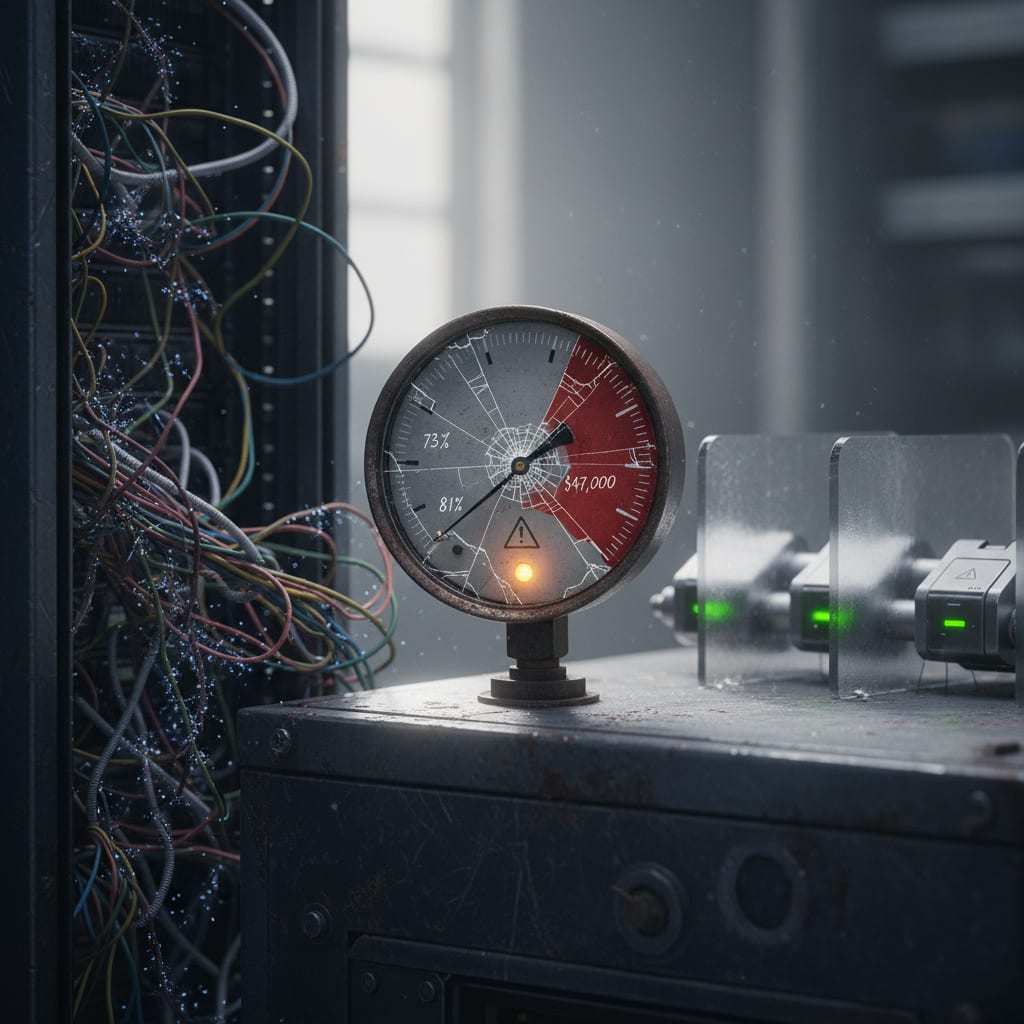
Your monitoring says everything"s fine–no errors, normal response times, system healthy.
But then your biggest client calls and says the AI agent has been sending out invoices with the wrong addresses for three straight days. You dig into the logs. No exceptions. No red flags. The agent responded as expected–just with the wrong answer.
That"s silent quality degradation in action. And it"s not just you: according to the LangChain State of Agent Engineering Survey (n=1,340, Nov–Dec 2025), 32% of teams name quality–not cost, not performance–as their #1 production challenge.
TL;DR: What Every AI Team Misses
- HTTP 200 is NOT a quality signal. The most common failure mode in production is silent quality degradation–and your standard APM tools will never catch it.
- Observability ≠ measurement. 89% of teams have some form of observability, but only 52% run actual evals. That gap is the #1 reason quality issues go unnoticed. (LangChain Survey 2025)
- You need four layers of measurement: Task completion, output quality (LLM-as-judge), business outcome correlation, and cost-per-correct-output. Miss one, and your picture is wrong.
- Cascading math is brutal: Even at 95% accuracy per stage, a 4-stage multi-agent pipeline drops to 81% reliability. That"s not a bug–it"s systemic. (Galileo / O'Reilly)
- METR warning: Experienced devs using AI tools took 19% longer than without–but believed they were 20% faster. That"s a 39-point perception gap. (METR, July 2025)
Now let"s get practical–why does quality fail silently, and how do you measure if your AI agents are truly outperforming humans?
Why "Everything Green" on Your Dashboard Means Nothing
Ever had your monitoring dashboard light up green across the board–while customers are furious? You"re not alone.
Why Availability Monitoring Fails for AI
Traditional monitoring asks just two questions: Did the service respond? How fast? For most APIs, that"s enough–a database query works or throws an error, nothing in between.
AI agents are a different beast. They always return an answer. Whether it"s right, relevant, or even safe? Your HTTP status code won"t tell you.
Your APM tool (Datadog, New Relic–pick your favorite) sees a successful request. It doesn"t care if the output is total nonsense–or, worse, misleading and dangerous.
Silent quality degradation is exactly this: The agent replies HTTP 200, no errors, normal latency–but the content is wrong, useless, or even risky. Standard monitoring can"t see it. The damage is still very real.
One user summed it up perfectly on X:
"We"ve watched AI agents fail in production–here are 6 ways they break without ever throwing an error." (X, AI Observability Discussion)
And the replies? Everyone agreeing: "Yup, that"s our exact problem."
Three Failure Types Your Tools Can"t See
So what kind of silent failures are lurking in your AI outputs? Here"s what slips through the cracks every day:
Factually wrong: The agent hallucinates numbers, addresses, product specs–no error, just wrong facts. In 2024, 47% of enterprise AI users made at least one key business decision based on hallucinated content. Global losses from AI hallucinations that year? $67.4 billion.
That"s not just a technical problem. That"s a boardroom-level risk.
Contextually off: The agent gives a generic answer that"s technically correct, but totally useless–or even harmful–in this specific situation. The customer gets what looks like a "good" response, but it doesn"t solve their actual need.
Stylistically unacceptable: The output breaks your tone of voice, fails compliance, or ignores internal standards. No error thrown, but now you"ve got a regulatory headache.
The result? Most teams only discover these issues from random manual spot checks–or, worse, angry customer complaints and lost deals. Your dashboard stays green. Your customers leave.
Now, if standard monitoring can"t catch real quality breakdowns, how do you even know if your AI agents are better than your human staff?
"Better Than a Human" – What Does That Actually Mean?
Picture this: Your CEO asks, "Are these AI agents actually outperforming our people?"
But… what does "better" mean? And how do you measure it?
Four Competing Dimensions–And Why You Can"t Pick Just One
"Better than a human" isn"t one number. Speed, quality, consistency, and cost can all point in different directions. If you measure just one, you"re guaranteed to fool yourself (and your board).
Let"s break it down:
Speed: AI almost always wins here. But honestly? It"s the least important metric–because it"s the easiest to measure, and the most overhyped in every ROI deck.
Quality: This is where things get tricky. Quality is context-dependent–what counts as "good" for an email classifier is totally different than for a contract summarizer. Generic "accuracy" numbers are meaningless without a clear task definition.
Consistency: This is AI"s secret weapon–but hardly anyone measures it. Humans show 15–25% variance on identical tasks (depending on mood, time of day, and experience). Well-configured AI agents can get that below 5% in deterministic settings. That"s a real, measurable edge–if you actually track it.
Cost: The AI bill is never what you think. More on that shortly.
A quick look at these four tells you: Measuring only speed, or only cost, without also tracking quality and consistency, is a recipe for disaster.
Why CTOs Consistently Overestimate AI–and the Costly Results
Here"s a stat that should make you pause: The METR study from July 2025 found that experienced developers using AI tools actually took 19% longer to complete tasks–but believed they were 20% faster. That"s a whopping 39-point gap between perception and reality.
What does that mean for you? If you deploy agents without a solid baseline comparison against human outputs, you have no idea if you"re actually faster, better, or cheaper–or just feeling like you are.
Or, as one CTO put it on X:
"Your dashboard says everything is fine. Your customers are angry. You didn"t fail. Your monitoring failed." (X, AI Production Failure Discussion)
If you"re not measuring against a real human baseline, you"re flying blind.
So, if real quality isn"t visible to your tools, and "better than human" is a moving target, how do you set up a measurement system that actually works?
The Four-Level Eval Framework: How Real Teams Measure AI Quality
Let"s get tactical. If you want to know–not guess–how your AI agents stack up, you need an eval pipeline: an automated, multi-layered test system that checks every deployment against the gold standard.
What Is an Eval Pipeline, Really?
An eval pipeline is like automated unit testing for AI. Every time you deploy your agent, the pipeline checks its outputs against a hand-crafted "golden dataset" of validated answers. If quality drops below your threshold, the deploy gets blocked.
This is not a nice-to-have. It"s the only way to keep non-deterministic AI systems from silently drifting into disaster.
Here"s what you need–all four layers:
Level 1: Task Completion Rate (Binary)
Did the agent finish the task? Yes or no. This is the bare minimum. But beware–a model that always replies with something plausible will score 100% here, even if it"s always wrong.
Task completion without real quality is just measuring hustle, not value.
Level 2: Output Quality via LLM-as-Judge
LLM-as-judge means using a second language model to evaluate your agent"s output against predefined criteria or your golden dataset.
Let"s be real–doesn"t this sound circular? An LLM grading another LLM? It can be, if your "judge" model is just giving gut reactions. But if you give it clear, measurable criteria–for example, "Does the answer contain the correct invoice address? Is the tone formal? Are required fields present?"–LLM-as-judge becomes a scalable way to automate quality checks.
Manual reviews are still essential for edge cases. But for day-to-day production, this is the only way to keep up.
Level 3: Business Outcome Correlation
Here"s where the rubber meets the road: Did the agent actually deliver the downstream business result?
Think: Email answered → Ticket closed → Customer happy.
This is the metric that really matters–but it"s also the hardest to track, because you need to stitch together data from multiple systems. Still, it"s the one proof your agent is creating real-world value–not just passing technical tests.
Level 4: Cost per Correct Output
This is the killer metric that almost no observability tools track by default: total cost (tokens + infrastructure + monitoring) divided by the number of quality-approved outputs.
Jason Calacanis shared that his company was spending $300/day per agent via Claude"s API–at only 10–20% capacity. That"s nearly $100,000/year per agent.
Here"s the nasty math: If your agent is 80% accurate, every correct output costs you 25% more than your raw bill suggests. So at $100,000/year in operating costs, you"re really paying $125,000 per year for usable outputs.
This adjustment is missing from most ROI analyses–and it"s where your "AI savings" often vanish.
SwiftRun.ai bakes eval pipelines, LLM-as-judge, and per-stage quality tracking right into their platform architecture–not as an afterthought. Curious what that looks like in action? Request a demo
Now that you know what to measure, let"s dig into how to actually build these evals into your workflow–without drowning your team in manual reviews.
SwiftRun automates repetitive workflows with AI agents – so your team can focus on what matters.
Making Quality Measurement Automatic: Evals Meet CI/CD
Imagine every deploy running an instant, automated battery of real-world tests–catching silent failures before they ever reach your customers.
That"s not science fiction. It"s how modern AI teams build trust at scale.
The Baseline Test: Start With Real Human Outputs
Here"s the most common (and fatal) mistake: Teams build their golden datasets using the same model they want to evaluate. That"s a logical dead end–no wonder the agent "passes" every test.
You need human-validated outputs. Here"s how:
- Select 100 representative tasks.
- Have your best human operator complete them.
- Document the outputs and quality criteria in detail.
That"s your baseline. From here on, every AI output gets compared against this standard–not against itself.
LangChain gets it:
"Shipping agents to production is hard. Traditional software is deterministic–agents rely on non-deterministic models. The goal is to take an agent from first run to production-ready through iterative cycles of improvement." (LangChain Academy, 2025)
Notice the key word: iterative. Evals aren"t a one-and-done. They"re continuous.
Regression Testing for AI Outputs: What Needs to Happen Every Deploy
Every time you push a new model or prompt, you need to:
- Run the agent on your golden dataset.
- Check that it meets your minimum score threshold.
- Block the deploy if it falls short.
But there"s a hidden danger here: prompt drift from silent model updates by providers. OpenAI, Anthropic, Google–they all update models behind the scenes, often without changing version numbers. A prompt that works today might behave differently next month, even if you haven"t changed a thing.
Pinning model versions isn"t optional–it"s survival.
On X, @hasantoxr wrote about LangWatch:
"Someone just released the missing layer for AI agents… Most teams deploying AI agents have zero regression testing." (X)
According to LangChain"s survey, 89% of teams have some form of observability, but only 52% run actual evals. It"s observability theater–your dashboard glows green while customers churn.
Which Evaluation Tools Are Actually Worth Your Time?
You have choices–but none are magic bullets.
LangSmith: Ideal for LangChain/LangGraph stacks. Integrates well, but it"s a bolt-on–no production controls built in. And, surprisingly, 23% of teams using LangChain in production have since dropped it, often because its abstractions hinder debugging more than they help. (LangChain State of Agent Engineering)
Langfuse: Open-source, self-hosted alternative. More control, more setup. Perfect if you want zero vendor lock-in.
Braintrust: For custom eval pipelines where standard workflows don"t fit. Steeper learning curve, but the most flexible option.
The bottom line: These tools are just layers on your existing architecture. If your core system isn"t production-ready, no tool will save you.
So you"ve got your evals running–but what if you"re chaining multiple AI agents together? That"s where the real math gets ugly.
The Cascade Trap: Why Multi-Agent Systems Fail More Than You Think
Sure, each agent in your pipeline is 95% accurate. But when you chain them together, things unravel–fast.
Why 95% Per Stage Still Means 1 in 5 Failures
Here"s the uncomfortable math most CTOs skip in their multi-agent demos:
| Stages | Accuracy per Stage | Overall Reliability |
|---|---|---|
| 1 | 95% | 95.0% |
| 2 | 95% | 90.3% |
| 3 | 95% | 85.7% |
| 4 | 95% | 81.5% |
| 5 | 95% | 77.4% |
A 4-stage multi-agent system at 95% per stage delivers the wrong result in 18.5% of runs–that"s not a bug, it"s math. It"s been documented in real-world systems by Galileo and O"Reilly.
Errors multiply. Single-agent evals just don"t cut it for multi-agent setups.
How to Track Quality Across Multi-Agent Pipelines
One weak agent can bring down your whole network.
On X, @rryssf_ shared:
"Researchers planted a single bad actor in a group of LLM agents. The whole network failed to reach consensus. It"s the Byzantine Generals Problem… The practical implication is ugly for anyone building multi-agent systems." (X)
Per-stage quality tracking is non-negotiable. You need to measure quality at each stage, not just at the final output. Without this, you"ll never spot where your pipeline starts to fall apart.
LangGraph"s structured branching approach makes per-stage quality checks much easier–and dramatically improves pipeline predictability. ReAct loops are fine for prototyping, but in production, they"re a nightmare to debug and even harder to evaluate.
Let"s tie this together: How do you actually benchmark your AI agents vs. your best humans?
The Gold Standard: Benchmarking Your AI Agents Against Humans
Here"s how to do it right–no shortcuts, no "AI vs. AI" apples-to-oranges.
Building a Fair Human Baseline
- Pick 100 representative tasks from your real workflow.
- Have your best human operator complete them.
- Spell out detailed quality criteria for each output.
- This becomes your golden dataset.
Then, run your AI agent on exactly the same tasks. Compare across the four dimensions: speed, accuracy, consistency, and cost.
It"s a one-time investment up front, but it"s the only way to bridge the dangerous gap between perception and reality. Without it, you"re just guessing.
The Three Metrics That Really Decide: Accuracy, Consistency, Cost
Here"s how a top-tier human stacks up against a well-tuned AI agent:
| Dimension | Human (typical) | AI Agent (well configured) | Winner | Measured how? |
|---|---|---|---|---|
| Speed | Baseline | 5–50× faster | AI | Latency measurement |
| Accuracy | 85–95%* | 75–92%* | Context | LLM-as-judge vs. golden data |
| Consistency Score | 75–85% (15–25% var.) | 95–98% (<5% var.) | AI | Variance on identical inputs |
| Cost per Task | Staff cost | Token + infra | AI (usually) | Cost per correct output |
| Scalability | Linear (more staff) | Nearly linear (token cost) | AI | Cost at 10× volume |
*Task-dependent–numbers without defined task type are meaningless.
The ROI threshold: AI is worth it long term if your cost per correct output is under 60–70% of the human equivalent. Above that, you"re just paying for the illusion of automation.
One thing teams often miss: Consistency score is where AI really shines on well-defined tasks. Humans are human–distraction, fatigue, or mood swings can mean 20% of your outputs degrade. That"s not a criticism–it"s biology. A well-built AI agent beats that, but only if you track it explicitly.
So, you"re convinced. But how do you put this all into practice, without burning weeks building infrastructure instead of shipping features?
Where to Go Next: Making AI Quality Measurement Work for You
If you"re asking, "How do I actually set this up?"–you"re asking the right question.
Integrating evals into CI/CD, calibrating LLM-as-judge against defined criteria, and building per-stage quality tracking for multi-agent pipelines are not easy tasks. Rolling your own can take weeks–time you could be spending on the agent itself.
For a deep dive into cost tradeoffs, see: AI Agent ROI Calculation. Want to understand why most AI agent business cases are flawed? Search for "Business Case for AI Agents" in the same source. For handling hallucinations in complex pipelines, check out: How to Prevent Hallucinations in Production.
Remember: The goal isn"t a perfect dashboard. The goal is to catch quality problems before your key account calls.
Recommended Reading:
- What does it really cost to run an AI agent in production–and when does the math work out?
- How do you build AI automations that don"t start hallucinating on day three?
Ready to ensure your AI agents deliver real value, not just more dashboard green lights? SwiftRun.ai provides robust AI agent quality monitoring and evaluation, helping you catch silent failures before they impact your business. Start free – no credit card required.
Ask yourself: Are your AI agents truly outperforming your humans–or just passing for "good enough" until the next silent failure costs you a client?
Now you know how to find out–before it"s too late.
Related Articles:
- What Is the Model Context Protocol (MCP)–and How Will It Change Your AI Agent Architecture?
- How to Make AI Agents Production-Ready in Slack & Teams: Avoiding Cost Disasters, Building Security, and Scaling with Confidence
- How to Set AI Agent Permissions and Access Controls in the Enterprise (Without Getting Burned)
Ready to see if your AI is truly hitting it out of the park compared to humans? Head over to SwiftRun.ai to start uncovering those performance advantages today!
AI agent quality measurementAI production monitoringLLM eval pipelinesilent quality degradation AIAI agent accuracy
Related Articles
AI Builders & CTOs
Connect AI Agent to Internal Database Securely
Anthropic"s official PostgreSQL-MCP server had a SQL injection flaw. Here are five architectural moves to protect any AI agent with database access–so you"re not the next incident headline.
May 28, 2026·14 min read·Georg Singer
AI Builders & CTOs
AI Automations for SaaS: High ROI for Small Teams
Most SaaS teams see zero ROI from GenAI–not because AI itself fails, but because they automate the wrong processes. Only four automation types have proven financial impact. Everything else is just burning budget.
May 23, 2026·21 min read·Georg Singer
AI Builders & CTOs
What Does a Self-Hosted AI Agent Platform Really Cost Each Month?
Server bills for self-hosted AI agent platforms can be as low as €35 or as high as €1,400 per month–but the real costs are 5x to 10x higher once you add engineering time. If you only compare server invoices, you're missing the true picture. Here"s a detailed breakdown, TCO calculation, and...
May 22, 2026·21 min read·Georg Singer