Zapier Offboarding: What Happens to Your Zaps When an Employee Leaves
Your employee's gone, but their Zaps are still running–on their OAuth token. That 'ghost login' problem is real, GDPR-relevant, and totally fixable in 30 minutes–if you know what to do. Here"s how to prevent silent data leaks, broken automations, and compliance headaches.
Georg Singer··16 min read
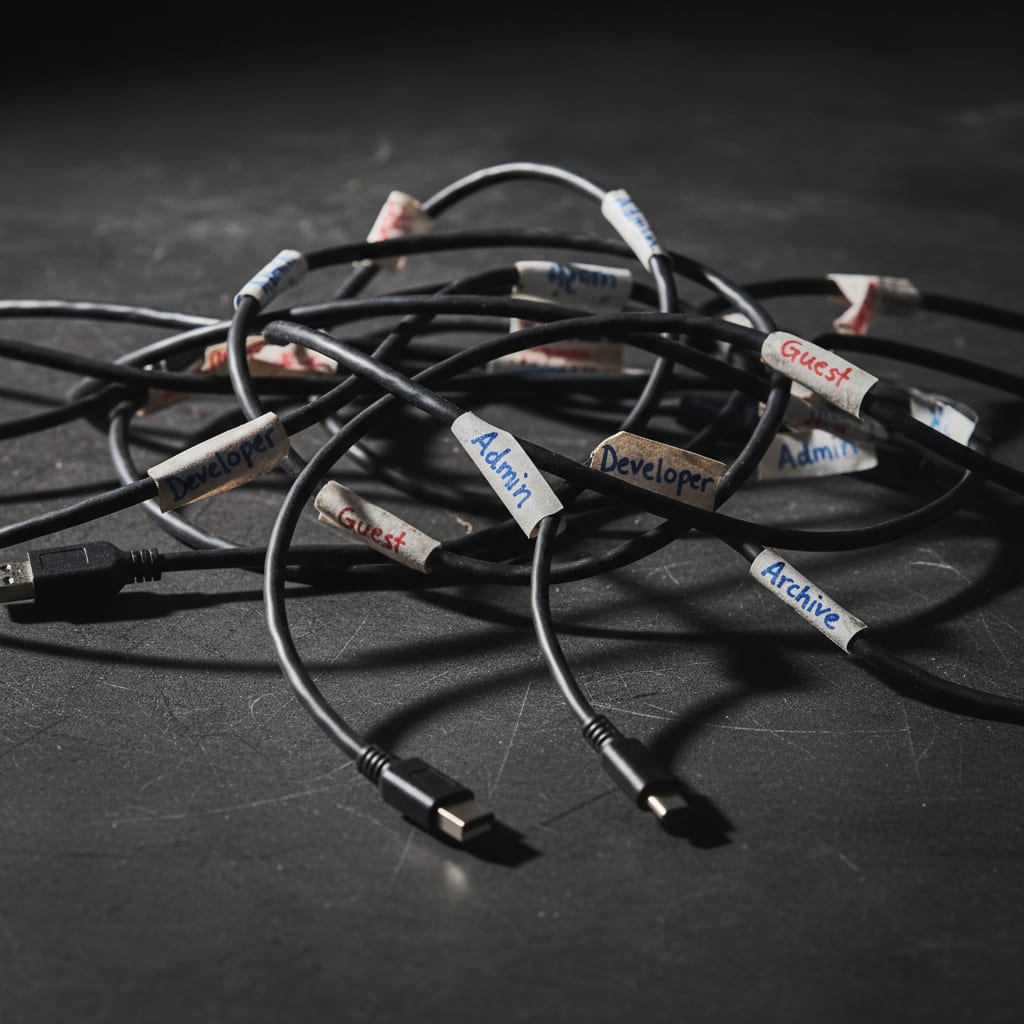
Max Example just clocked out for the last time. Three years on the team, 47 Zaps built–CRM syncs, lead routing, invoice automation. IT shut down his Google account this morning. But guess what? All those Zaps are still running.
Why? Because Zapier"s connection to HubSpot is tied to Max"s personal HubSpot login. That login was never part of the standard offboarding checklist. Welcome to the ghost login problem–where ex-employees" automations keep running silently, often for weeks, with their credentials.
In This Guide:
- Deactivating a Google/Microsoft account ≠ shutting down Zapier automations–OAuth tokens live on
- Transferring Zap ownership changes webhook URLs, breaking external integrations unless you update them
- Active OAuth tokens tied to ex-employees may be a GDPR reportable incident (Article 33, 72-hour window)
- Make.com"s organization structure reduces ghost login risk–but only if you set up org-connections from day one
- Prevention: 30 minutes. Cleanup after someone leaves: 8–12 hours–and a lot more stress
The Ghost Login Trap: Why IT Offboarding Doesn"t Kill Zapier Access
Picture this: Your employee"s gone, IT revokes their Google or Microsoft account, and you assume all their app access is gone too.
But here"s the catch–Zapier"s OAuth tokens don"t care if IT has disabled the user"s SSO account. Those tokens are stored (encrypted) on Zapier"s servers, completely separate from your corporate identity system. Unless you explicitly revoke the OAuth token in the target app (like HubSpot, Gmail, Salesforce), Zapier keeps accessing data as if your ex-employee never left.
That"s the ghost login: automations running under the name of someone who"s already out the door. There"s no audit trail, no automatic alert, no review step. The only way to catch it? You have to know where to look.
"My tools never talk to each other. Leads disappearing again…"
– r/GoHighLevelForum, Reddit
Most folks blame broken integrations. But under the hood, it"s often an ownership mess: the OAuth credentials belong to someone who"s long gone. According to the Gartner Digital Worker Survey (2025), only about 35% of all AI automations are built by IT–the other 65% are spun up ad hoc, often with no oversight. That means most Zaps run under individual team members" accounts. If that person leaves, IT usually has no clue what automations are still running or which data is still accessible.
So, deactivating a Google account won"t protect you. Zapier connections keep humming along–sometimes for weeks. And the audit trail? Practically invisible.
Ready to see how deep this rabbit hole goes? Let"s talk about team accounts, ownership, and why your automations might be a ticking compliance bomb.
Zapier Team Plan vs. Personal Account: The Painful Difference You Discover Too Late
Here"s a scenario you might recognize: Your team starts out with Zapier personal accounts to save money. Everything"s great–until someone leaves.
Here"s what separates a Zapier personal account from a Team account when it comes to offboarding:
- With a personal account, admins have zero visibility into other users" Zaps. Offboarding requires that the employee actively cooperates before their last day. If they don"t, you"re flying blind.
- With a Team plan, admins can transfer ownership–but only for Zaps built in the shared workspace. Anything created in a personal workspace (even if it uses company credentials) is invisible and out of reach.
So, What Happens to Zaps in a Personal Account?
Short answer: Nothing.
No admin access. No way to transfer ownership. Your only hope is that the departing employee helps out–exports a list of active Zaps, and manually transfers ownership before they go. If you"re counting on this happening automatically, you"re setting yourself up for disappointment and risk.
What Team Plan Users Can (and Can"t) Do
The Zapier Team Plan (starting at ~$103/month) gives admins some real control–but only in the team workspace. Zaps outside that space, in personal areas, remain hidden. According to Zapier"s Help Center, admins can transfer ownership, but only for Zaps in the team workspace.
Need more control? The Enterprise Plan offers extended admin features–but at $799/month, it"s out of reach for most 15-person teams.
"Teams that start on personal Zapier accounts (because it"s cheaper) end up with 30 or 40 Zaps, and only realize–at their first employee departure–that they have zero visibility. This isn"t a Zapier bug; it"s a classic case of missing automation governance."
– Author"s experience
This is a textbook case of automation sprawl: undocumented workflows growing out of control, no one knowing what"s running or who owns what. And it gets expensive–fast.
A Redditor put it bluntly:
"Automated 70% of my workflow. It broke more than it helped. Here"s what actually works."
Ghost logins are the most expensive form of no-code technical debt: invisible, growing, and always linked to a real person. If you"re not tracking ownership from day one, you"re building up a mess that will take hours to untangle.
Now, let"s talk about the silent killer: webhooks.
⚠️ The Webhook Booby Trap: How Ownership Transfer Can Break Your Production Data
Think transferring Zap ownership is as simple as clicking a button? Not if you use webhooks.
When you transfer ownership of a Zap with a webhook trigger, the webhook URL changes. All external systems–your CRM, forms, shop plugins–sending data to the old URL will get a 404 error from now on. And Zapier doesn"t send an alert. That"s a silent failure: data just vanishes, and you won"t realize until someone goes looking.
⚠️ Heads up: Zapier webhook URLs are tied to the account. When you transfer ownership, the URL changes–no warning, no automated notification to external systems. Anything still pointing at the old URL is sending data into a black hole. Zapier won"t alert you. This isn"t a rare edge case–it happens every time you transfer ownership of a Zap with a webhook trigger.
According to Autonoly, a Zap isn"t auto-paused until it fails 95% of the time over seven days (and on Team Plans, there"s a 24-hour grace period). That means you could be missing crucial CRM writes for days–without any notification, without a task history, and without knowing what"s broken.
This isn"t just theory. StatusGator reports that Zapier had 36 incidents in 90 days (as of March 2026), with a median outage of 2h 26min. During those windows, webhook data can be lost forever–no retry, no backfill, and no alert to affected users. "Zapier constantly disconnecting" is a recurring thread on Reddit, not a one-off problem.
One Redditor summed it up:
"My automated workflows are failing. Are we doing too much with Zapier?"
– r/Emailmarketing
Often, the issue isn"t overload–it"s a silent ownership transfer that invalidated a webhook URL.
The takeaway? Webhook URL invalidation is the most overlooked risk in Zapier offboarding. It"s not front and center in the Help Center. Nobody"s watching for it. And the errors are invisible–until it"s too late.
Let"s get practical. Here"s how to offboard right.
Step-by-Step: Zapier Offboarding When Someone Leaves
Think you can handle Zapier offboarding on the fly? Think again. Doing it after an employee is gone typically takes 8–12 hours–especially if you"re managing 3–5 connected systems and have to manually rebuild Zaps. With a solid process in place, it"s just 30 minutes.
Here"s how to make it painless.
1. Build a Zap Inventory (Do This Before Their Last Day)
Before: Nobody knows how many Zaps the person owns, which ones are business-critical, or what accounts they"re tied to.
After: You have a list of all active Zaps, with trigger types, app connections, and data flows–built with the departing employee"s help, before they"re gone.
- On Team Plan: Go to Zapier → Settings → Team → Member → "View Zaps" for a list of all Zaps in the shared workspace.
- On Personal Accounts: The employee must export a CSV or provide a manual list. It sounds basic, but it"s the only way without Enterprise access.
2. Identify and Document Webhook Triggers
For every Zap using a webhook trigger, document the current URL. List every external system sending data to that URL. After any transfer, you"ll need to update every integration. Skipping this step is asking for silent data loss.
3. Transfer Ownership (Team Plan) or Rebuild Zaps (Personal Account)
- On Team Plan: Use the Zapier Bulk Transfer Guide to move Zaps in bulk. But heads up–OAuth credentials don"t transfer automatically. You"ll need to re-authorize every connection.
- On Personal Accounts: Rebuild Zaps manually under the new account. It"s tedious, but it"s the only safe option.
4. Revoke OAuth Connections in Connected Apps
This is where most teams get bogged down–not because it"s hard, but because nobody knows which app credentials are still live. And this doesn"t happen in Zapier–you have to do it in each connected app.
- HubSpot: Settings → Integrations → Connected Apps
- Salesforce: Setup → Connected Apps OAuth Usage
- Gmail: Google Account → Security → Third-party apps
Just revoking in Zapier isn"t enough–the token stays active until you explicitly delete it in the target app.
5. Set Up New Connections Under a Company Account
For all Zaps that now run under a different owner, re-authorize connections–ideally with a dedicated service account owned by the business, not a person.
After the transfer, monitor all Zaps for 24 hours–especially those with webhook triggers. Test every critical Zap for idempotency (no duplicates on rerun). After an ownership change, this can be assumed.
SwiftRun automates repetitive workflows with AI agents – so your team can focus on what matters.
How Offboarding Works on Make.com: Is It Really Better?
So, what happens if you"re using Make.com instead of Zapier? Does it solve the ghost login problem?
In theory, yes. Make.com scenarios are linked to the organization, not the individual user–which structurally reduces ghost login risk. But there"s a catch: external app connections can still be user-bound, unless you set them up as org-connections from the start.
Offboarding in Make.com means: deactivate the user, audit all their personal connections, and transfer or rebuild as needed.
If your team followed best practices during setup, Make makes life easier. Scenarios belong to the organization. Disable a user, and the scenarios keep running–under org control.
But if you let team members create personal connections, you"re right back where you started. And in real life, most teams don"t distinguish between org- and personal connections until it"s too late.
Here"s how they compare:
| Zapier Personal Account | Zapier Team Plan | Make.com Organization | |
|---|---|---|---|
| Admin Overview | ✗ None | ✓ Team workspace | ✓ All scenarios |
| Ownership Transfer | ✗ Needs user help | ✓ Admin can do | ✓ Org-owned |
| Webhook URL Change | ✓ Yes–breaks systems | ✓ Yes | ✓ Yes |
| OAuth Management | User-bound | User-bound | User/org-bound |
| RBAC Capability | ✗ None | Limited | ✓ Role-based |
| Offboarding Effort | 🔴 High | 🟡 Medium | 🟢 Low (if org-conns) |
On price: Make.com is around $29/month for 10,000 operations. Zapier"s the same volume is about $600/month–a 20× difference (see this cost breakdown). It"s a big reason teams hesitate to migrate, even when governance is better on Make.
So, does Make.com solve ghost logins? Only if you set up org-connections from the very beginning. Otherwise, you"ll hit the same wall when someone leaves.
But what about the legal side? Let"s talk GDPR.
GDPR and Automation: Is an Ex-Employee Still Processing Personal Data?
You might wonder: Is it a GDPR violation if an ex-employee"s Zapier OAuth token is still accessing customer data?
Short answer: Potentially, yes. If a former employee still owns an OAuth token that lets Zapier pull or process personal data, you"ve got a GDPR access control problem (Article 32). If this triggers a data breach, you face a 72-hour reporting window under Article 33. In other words, Zapier offboarding isn"t just an IT task–it"s core to data protection compliance.
What Counts as Data Processing in Zapier?
Data processing under GDPR means any handling of personal data on behalf of the controller. If a Zap reads customer info from your CRM and pushes it into Google Sheets, that"s data processing–and carries the same deletion and access rights as a human employee.
If the Zap was built by an employee who"s now left, but their OAuth token is still live and pulling data? That"s not just a technical slip, it"s unauthorized access.
The Real Risk: Data Access After Termination
GDPR Article 32 requires that access rights are revoked "without undue delay." There"s no fixed deadline, but "immediately" is the consensus among regulators.
If a ghost login is pulling customer data–even passively, via automation–that"s an access control failure. If your company discovers it, Article 33 kicks in: 72 hours to notify your data protection authority. Penalties? Article 83(4) allows fines up to €10 million or 2% of global turnover, whichever is higher.
⚠️ Legal Grey Area: The reporting duty depends on whether personal data was actually accessed–not just whether it was potentially accessible. This isn"t fully settled in law. If you want to play it safe: involve your data protection officer, keep a timestamped offboarding log, and treat ghost logins as a reportable risk.
For context: In March 2025, Zapier reported a security incident where customer data was exposed in an internal repository. That"s a reminder that access security isn"t just your problem–it"s also an issue on the vendor side (read more). And since Zapier is US-based SaaS, self-hosting isn"t an option. That"s not a reason to avoid Zapier, but it is a reason to take access control seriously.
Ready to put process into action? Here"s your checklist.
Offboarding Checklist: What You Need Before an Employee"s Last Day
This isn"t just for IT. Add this checklist to your HR offboarding process–otherwise, it won"t get done. If it"s not in the standard workflow, it gets missed.
By the second-to-last day:
- Build a Zap inventory (employee: CSV export, or admin cooperation)
- Identify all Zaps with webhook triggers and document current URLs
- Mark critical Zaps (those touching production data: CRM, support, invoicing)
- Prep for ownership transfer (Team Plan: admin; Personal account: employee must transfer)
On the last day:
- Execute ownership transfer (bulk or manual)
- Update webhook URLs in all external systems (CRM, forms, shop)
- Revoke OAuth tokens in connected apps (HubSpot, Salesforce, Gmail–directly in the app)
- Set up new connections under company or service account
Within 48 hours after:
- Monitor all transferred Zaps–focus on webhook triggers
- Check error rates (task history)
- Document offboarding protocol with timestamp (for GDPR evidence)
For Make.com:
- Deactivate user (in org settings)
- Review all personal connections of the user
- Transfer personal connections to org-connection or another user
Here"s why this matters: According to the Zapier 2026 AI Transformation Trends Playbook, 65% of execs plan to hire an AI automation specialist by the end of 2026. That means robust offboarding processes for automation tools are about to become a core skill–not just an IT edge case.
Prevention: How to Build an Automation Stack That Survives Employee Turnover
Let"s be real–nobody wants to clean up a Zapier mess after someone leaves. Here"s how you make sure it never happens again.
Rule #1: Put all production-critical Zaps under a dedicated service account (like automation@company.com). Never use personal employee accounts. Add the Zapier Team Plan for admin visibility and review all Zap ownerships quarterly.
Service Accounts for Critical Zaps
This is the single most important step–and Zapier doesn"t highlight it. It"s a community-driven best practice, not a vendor recommendation.
Create a dedicated account: automation@company.com. This account isn"t tied to any one person. It doesn"t disappear when someone leaves. The password lives in your company"s password manager, not in an employee"s head.
All Zaps processing production data–CRM, support, invoicing–should run under this account. Period.
Set Ownership Rules From the Start
On the Zapier Team Plan: Build every Zap in the team workspace, not in personal spaces. Sounds obvious, but unless you make it a rule, people will forget.
Quarterly, review all active Zaps for ownership. Set a 30-minute routine. That"s it.
When Should You Switch to a Platform With Better Access Management?
If you"re a team of five or fewer, with under 20 Zaps, a service account plus Team Plan is enough. Once you hit the tipping point–20+ workflows, a team bigger than five–it"s time to look for a platform with real RBAC (Role-Based Access Control). That means you can manage workflow access at a granular level, not just by account.
Here"s what that looks like in practice: One client saw his Zapier bill jump from £400 to £1,200/month in a single month–no warning. After switching to n8n self-hosted on AWS: about £40/month (full breakdown). This isn"t an outlier–it"s the reality of task-based pricing models that spiral at scale.
Migrating from Zapier to a new platform typically takes 2–4 weeks and is manual–no automatic import (see analysis). Investing in solid governance upfront is cheaper than cleaning up later.
A Redditor nailed it:
"Zapier is not automation. It"s glue. Real automation starts when your system makes decisions."
– r/automation
Platforms like SwiftRun.ai, which have RBAC as a first-class feature, let you manage workflow access with an audit log. Offboarding is a one-click process: revoke all access, keep workflows running, and maintain a full audit trail.
Ready to ditch the offboarding stress and ensure your automations are secure? SwiftRun.ai provides robust RBAC and audit trails to manage your workflow access seamlessly. Start your free trial today–no credit card required.
Here"s the uncomfortable truth: Most teams don"t think about this until after Max is gone. After someone notices leads have been disappearing for two weeks. After someone in HubSpot sees an active OAuth app nobody can identify.
The ghost login problem is solvable. All you need is 30 minutes and a process. What you don"t need is another employee exit to learn the hard way.
Further reading:
How do you keep your automations GDPR-compliant when all your data flows through US servers? (see "Outgrowing Make, Zapier, n8n: AI Agents and SaaS Data Compliance" at https://composio.dev/content/outgrowing-make-zapier-n8n-ai-agents)
Further reading:
What is automation sprawl–and how do you keep your team from losing control of workflows? (see "Automated 70% of my workflow. It broke more than it helped." on r/buildinpublic)
Author: Georg Singer
Related Articles:
- AI Agent Orchestration vs. Traditional Workflow Automation: What's the Real Difference?
- What Is a Citizen Developer? Risks When Non-Tech Staff Automate Your Production Systems
- RBAC for Automation Workflows: Why 'Admin/Member' Isn't Real Access Control
Don't let departing team members leave your workflows in disarray; discover how SwiftRun.ai streamlines your Zapier offboarding process to ensure a smooth transition. Visit SwiftRun.ai to learn more and reclaim your automation peace of mind.
Zapier offboardingZapier ownership transferGhost login ZapierMake.com offboardingGDPR data access employees
Related Articles

Automation & DevOps
Silent Failures: The Silent Danger in Automation
Zapier says everything is fine. No alerts, no red banners. But your CRM is missing 200 leads–and it"s been four days. Find out what silent failures are, why they're so much riskier than visible errors, and how to catch them before your customers do.
Apr 18, 2026·17 min read·Georg Singer

Automation & DevOps
Zapier Costs Explode When Scaling: How to Stop It
Why Do My Zapier Costs Explode When I Scale – And How Do I Stop It?
Apr 18, 2026·10 min read·Georg Singer

Automation & DevOps
No-Code Automations: Developer Lifecycle for Zapier, Make, n8n
Still editing Zaps live with no version control, review, or rollback? That"s a recipe for disaster. Here"s how you bring real developer best practices–versioning, testing, rollback, and observability–to your no-code automations before they blow up.
Apr 17, 2026·18 min read·Georg Singer