Link OKRs and Agile Sprints: No Extra Meetings
Most teams waste 40% of their strategic OKR potential because they never bridge the gap to sprints. Here"s how a 15-minute check in Sprint Planning can finally align your daily work with quarterly goals–no new meetings, no extra tools.
Georg Singer··16 min read
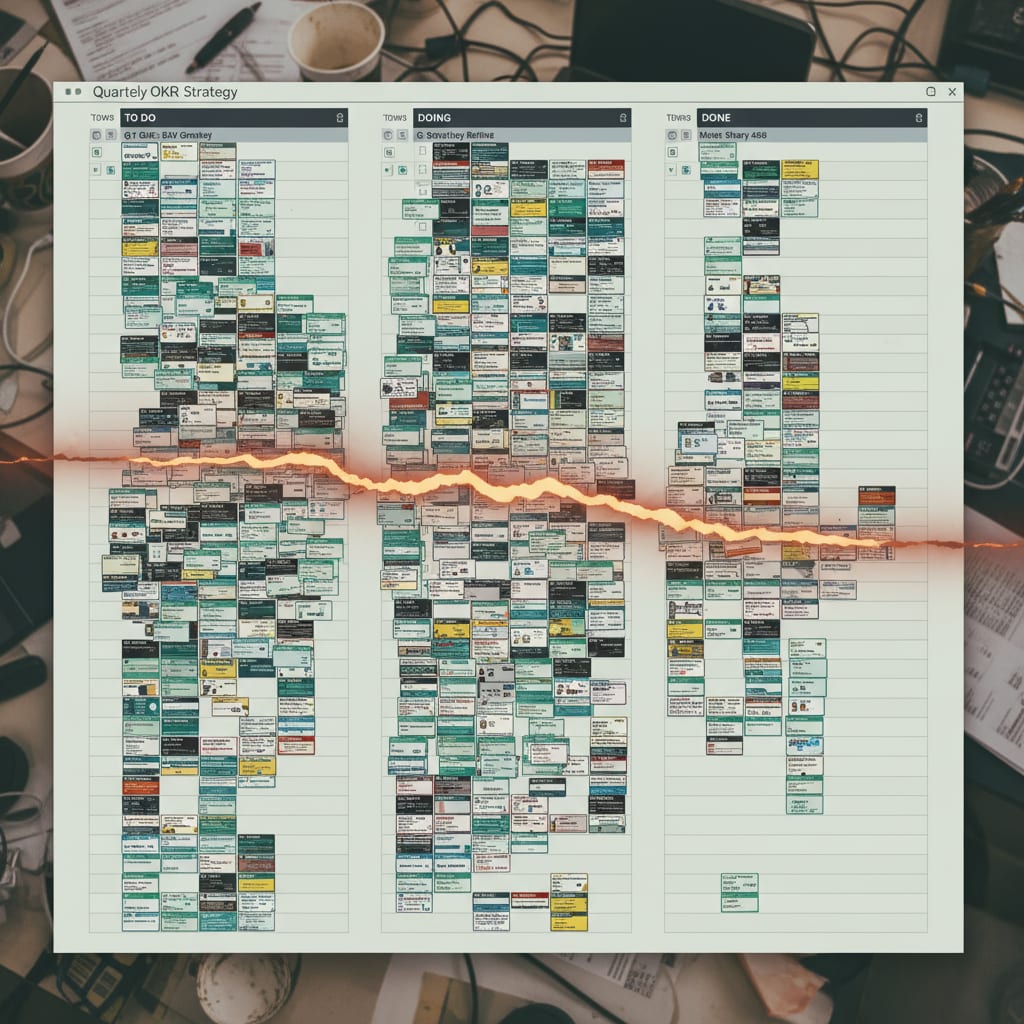
34 tickets and counting. Trello is bursting at the seams with 200 perfectly labeled cards… that nobody actually reads. Ask your team which ticket maps to which OKR, and you"ll get awkward silence.
Not because your team is failing–because nobody ever built the bridge between quarterly OKRs and daily sprint work. By quarter"s end, you"ll have burned through 80% of your sprint capacity… but only moved the needle 40% on your OKRs. Sound familiar? You"re not alone. This pattern repeats quarter after quarter.
But what if you could fix this–without more meetings, new software, or yet another process that nobody follows? This guide shows you exactly how to connect your quarterly strategy to your two-week sprints, using a simple process that fits right into your existing workflow.
By the end, you"ll have a method to show–in every sprint review–how much of your capacity is actually driving strategy. And you"ll be able to prove it to your leadership team, with real numbers.
Key Takeaways
- Most teams waste 40% of their strategic OKR potential due to a disconnect with sprint planning.
- A 15-minute check-in during Sprint Planning can align daily work with quarterly goals without extra meetings.
- Mapping Key Results to Initiatives, Epics, and then Sprint Tickets, with clear OKR labels, is crucial for visibility.
- Integrating a Confidence Update into Sprint Reviews and a brief mid-sprint OKR check can proactively address risks.
- Three common mistakes include using OKRs as sprint goals, overloading teams with too many OKRs, and tracking OKRs in separate tools.
Why Your Sprint Board Isn"t Moving the Needle (and Why Most OKRs Fail)
Ever feel like you"re running two companies at once–one chasing quarterly OKRs, the other just doing the work? That"s not your imagination. It"s the OKR-Sprint Gap in action.
OKR-Sprint Gap: The structural disconnect between quarterly strategic objectives (OKRs) and the day-to-day sprint work of an agile team. It happens when OKR planning cycles (usually 90 days) and sprint cycles (typically 2 weeks) run in parallel, with zero explicit mapping between them. The result? Teams are busy, but not strategic.
Let"s break it down: your Scrum sprints and OKR cycles operate on totally different rhythms. Six sprints per quarter sounds manageable… until you realize the systems never actually talk to each other.
Your sprint review measures velocity. Your OKR review tracks key result progress. But there"s no unified picture–just two meetings, two worlds, and a big empty space in between.
Sound familiar? It"s the same mistake teams make with retrospectives: A Substack analysis found 70–80% of retro action items never get implemented. Not because teams lack good ideas, but because there"s no mechanism to carry actions into the next sprint.
The OKR-Sprint Gap is just as fatal: you have strategic intent, but no operational anchor. And it"s not just you. This Reddit comment with 57 upvotes nails it:
"Feeling overwhelmed by our over-dependence on SaaS–we have OKRs, Sprints, Quarterly Reviews, Weekly Syncs. All running in parallel, but nothing actually connects."
OKRs without sprint linkage are just wish lists–not steering tools. The problem isn"t lack of commitment. It"s the absence of a real mapping system.
But here"s the good news: you can build that bridge. Let"s see how.
Step 1: Turn OKRs Into Sprint-Sized Units (So Work Actually Maps to Strategy)
Imagine trying to hit a quarterly revenue target by breaking it down into "do some work" tickets. That"s what most teams do–and it fails every time. Here"s why.
What"s the Real Difference Between a Key Result and a Sprint Ticket?
A Key Result isn"t a sprint goal. This is the most common–and most damaging–mistake when rolling out OKRs in agile teams. Get this wrong, and your whole OKR system is dead on arrival.
- Key Results describe measurable change by quarter"s end: "Increase Net Revenue Retention from 88% to 93%."
- Sprint tickets describe concrete, bite-sized deliverables: "Integrate churn warning alert into dashboard" (usually 1–3 days of work).
But there"s a missing middle layer. You need a translation chain:
Key Result → Initiative → Epic → Sprint Ticket → OKR Label
Here"s what that means in practice:
- The Key Result stays at the quarterly level–unchanged throughout the quarter.
- An Initiative spells out what needs to be built or changed to move the Key Result.
- An Epic groups all the development work for that Initiative.
- Sprint Tickets emerge from the Epic and get an OKR label.
And here"s the kicker: every Epic gets an OKR tag in your ticket system–visible to anyone browsing the backlog. Tickets with no OKR link? Explicitly mark them as "BAU" (Business as Usual) or "Ops".
Sounds simple, right? But the impact is huge: for the first time, you can actually see how much of your sprint capacity is powering strategy.
Let"s make it real:
Picture this: Your team has 34 tickets in the sprint, none with OKR mapping. You measure velocity, but have no clue what"s strategic. Quarter ends, and you"re shocked by poor key result progress–despite everyone working hard.
Now imagine this: The same 34 tickets. But 22 have OKR labels (spanning 3 key results), and 12 are marked as BAU. Instantly, your capacity split is visible: 65% strategic, 35% operational. Velocity is unchanged–but your strategic picture is transformed.
And the numbers back this up. The Asana Anatomy of Work Index reports that 60% of knowledge workers" time is lost to "work about work"–chasing status, switching apps, duplicating updates. OKR-sprint mapping makes visible how much of your time actually moves goals forward.
Practical rule: Never assign more than 3 OKRs per sprint team. Go above three, and your capacity fragments–delivery rate drops, and nobody knows what matters most. John Doerr"s "Measure What Matters" makes this clear: OKRs must be connected both ways–strategy to daily work, and back. This translation chain is your anchor.
Now that you"ve mapped your OKRs to tangible work, let"s see how to keep that connection alive as the sprint begins.
Step 2: Add a 15-Minute OKR Check to Sprint Planning (No Extra Meetings Needed)
You might be bracing for another meeting invite. Relax–you don"t need one. Here"s the magic: a simple 15-minute OKR check, built right into your existing Sprint Planning session.
How Do You Integrate OKRs Into Sprint Planning–Without More Meetings?
Your OKR check becomes the first 15 minutes of Sprint Planning. Three questions guide the conversation:
- Which Key Results matter this sprint? (Not every OKR needs attention every sprint–that"s fine.)
- Which backlog items directly drive those Key Results? (Now"s the time to check OKR labels and fill in the gaps.)
- What"s the capacity split between OKR work and BAU?
You don"t track this in yet another doc–it"s visible right on your board. That"s critical. If your OKR mapping lives outside your sprint system, it becomes "work about work" again.
Why do this before prioritizing the backlog? Because OKRs must inform your priorities, not the other way around. If you prioritize first, then check OKR alignment, you"re already upside-down.
Target split: Aim for 60–70% of tickets to be OKR-relevant, with 30–40% as BAU or technical debt. This isn"t rigid–some sprints are heavier on tech debt. But making the split explicit beats letting it happen by accident.
Here"s a practical checklist for your Sprint Planning OKR check:
- Are all OKR labels in the backlog up to date?
- Have you identified the Key Results for this sprint (max 3)?
- Are all relevant Epics tagged with an OKR?
- Is the capacity split planned (target: >60% OKR-relevant)?
- Are BAU tickets clearly marked as "Ops"?
- Did you review last sprint"s Confidence Score?
- Did you identify and escalate any blocked Key Results?
- Is the split visible on the board (not hidden in a doc)?
Don"t underestimate this: ProProfs Workflow Automation found that half of PMs spend at least a day a month just merging project status across tools. Splitting OKR tracking into another system isn"t a fix–it"s the problem.
Teams that weave OKR checks into existing meetings see much higher adoption than those that create standalone OKR meetings. That"s not just theory–I"ve seen it firsthand in multiple OKR rollouts.
Ready to align your Sprint Planning? Let"s make sure your sprint reviews actually surface strategic progress.
Step 3: Make Sprint Reviews Show Real OKR Progress (Not Just Velocity)
Sprint Review and OKR Review usually live in separate worlds. One tracks what got done–velocity, demos, done definitions. The other checks strategic progress. But most teams never connect the dots.
Here"s how to fix that: bring a Confidence Update into every Sprint Review.
How Does a Confidence Update Actually Work in a Sprint Review?
A Confidence Update is a quick, regular forecast on each Key Result–scored from 0–100% (or with a simple red/yellow/green). It doesn"t answer "what did we finish?" Instead, it asks: "Are we on track to hit this Key Result by quarter"s end?"
This isn"t some newfangled idea–Google"s OKR framework (see re:Work) bakes in weekly Confidence Scores on Key Results, not just end-of-quarter check-ins.
In practice: Spend about 3 minutes per Key Result:
- Give a Confidence Score (percent or traffic light)
- If Confidence drops: ask immediately–what needs to change next sprint?
- If Confidence rises: confirm the current course is right
⚠️ Common mistake: Treating Confidence Updates as extra reporting, done only at OKR Reviews. By then, it"s too late–operational corrections can"t happen mid-quarter.
The Confidence Update isn"t bureaucratic overhead. It"s the only tool that surfaces OKR risks mid-quarter–before it"s too late to act.
And it matters: According to Forrester"s 2025 forecast, product-to-market misalignment will be the #1 reason B2B SaaS companies miss revenue targets. This isn"t a "nice-to-have"–it"s a revenue protection tool.
Now, let"s keep your team from drifting off course during the sprint itself.
SwiftRun automates repetitive workflows with AI agents – so your team can focus on what matters.
Step 4: Mid-Sprint OKR Checks–Stay On Track, Avoid End-of-Quarter Panic
Sprints are short–just two weeks. Yet a lot can change fast. That"s why a quick mid-sprint OKR check is so powerful.
But don"t worry: this isn"t another standup, or another meeting no one wants.
How Do You Run a Mid-Sprint OKR Check Without Bogging Down the Team?
Just block off 10 minutes mid-sprint–ideally as part of an existing team touchpoint, or even an async note if that fits better.
Ask one question: "Are we still on track for the Key Result, or do we need to course-correct?"
Here"s how this plays out in the real world:
Imagine this scenario: It"s Sprint 4, middle of the quarter. Your infrastructure Epic for KR2 ("Reduce deployment time to under 8 minutes") gets blocked–the infra team can"t provide access to the CI/CD system this week. During the mid-sprint check, Confidence on KR2 drops from 75% to 50%.
Without this check, the sprint would end, you"d celebrate velocity, but KR2 would quietly go off-track–only to surprise you at quarter"s end. With the check, you spot the block, sync async with the infra lead, and schedule a priority discussion that same week. You just saved two weeks.
If no OKR-relevant tickets are in the sprint, skip the check. No bureaucracy for BAU-only sprints.
Communicate changes async: If Confidence on a Key Result shifts mid-sprint–maybe a blocker appears, or an assumption fails–just post a quick update: "Confidence on KR2 dropped from 75% to 50%. Reason: Dependency on infra team blocking Epic X. Next step: Priority discussion with infra lead this week."
And the numbers support this: The Asana Anatomy of Work Index reports that 25% of PMs are frustrated by always working reactively. The mid-sprint OKR check is your best tool to break that cycle. Proactive course correction mid-sprint beats the classic end-of-quarter scramble–every time.
You"ve now built a feedback loop that surfaces problems early. But what are the most common traps teams fall into? Let"s tackle those next.
The 3 Biggest Mistakes When Integrating OKRs with Sprints
You"re doing the work, mapping OKRs to tickets, running checks–so why does it still break? Here"s where most teams stumble.
Mistake 1: Using OKRs as Sprint Goals (They"re Not the Same!)
⚠️ Critical: An OKR is a quarterly strategic target–not a sprint goal. If you set "Increase Net Revenue Retention to 93%" as your sprint goal, you lose strategic context and muddle Scrum with OKR frameworks. Sprint goals are tactical (what are we delivering in two weeks?). OKRs are strategic (what are we changing this quarter?). Different levels, different purposes.
Mistake 2: Cramming Too Many OKRs Into One Sprint Team
More than three OKRs per sprint team? Your capacity fragments, delivery rate plummets, and coordination overhead skyrockets.
According to Plaky"s Project Management Statistics for 2026, 75% of project managers report being asked to do too much with too few resources. Too many concurrent OKRs is a direct driver of this overload–not the only cause, but a major one.
Mistake 3: Tracking OKRs in a Separate Tool (Hello, Context Switching)
OKRs in Confluence. Sprint tickets in Jira. Capacity in a spreadsheet. Now you"ve got three "truths" but zero clarity. Your stack might have 87 tools–but not one clear view of how much capacity actually hits strategy.
The data is brutal: SaaS ops teams (50–200 staff) use an average of 87 tools (saasoperations.com). 87% of companies report that this SaaS sprawl has a significant financial impact. 37% of organizations have no single source of truth (Profisee).
The result? PMs guess at capacity split–because the data is scattered across three systems.
And the productivity drain is real: Lokalise"s 2025 Tool Fatigue Report found that employees switch apps 33 times per day on average. Chronic context switching can kill up to 40% of productive work time. Tracking OKRs in a separate tool just adds to the pain.
The fix isn"t another tool–it"s a principle: OKR labels must live in the same system as your sprint tickets. Whether that"s Jira, Trello, Linear, or something else, is secondary. The OKR label has to be visible in the ticket context. If your Trello board has 200 cards that nobody reads, your problem isn"t Trello–it"s missing labels.
So how do you make this effortless? Let"s look at a tool that automates OKR capacity tracking–without adding another app.
Bonus: Automatically Calculate Your OKR Capacity Ratio with SwiftRun.ai
If you"ve ever manually counted OKR labels or calculated your capacity split, you know it"s just more "work about work." Here"s a smarter way.
SwiftRun.ai reads your ticket data right from your board–OKR labels, BAU markers, ticket status–and automatically calculates your OKR Capacity Ratio and Confidence Trend across sprints. The result? A Sprint Health Report that shows:
- How much capacity was actually used strategically
- Which Key Results are on track
- Where Confidence has dropped over the last three sprints
No exports, no copy-paste–just 60 seconds and you have actionable insights.
And it"s not another tool to manage. It"s the difference between a board that documents work and a system that explains what that work means for your strategy. Your data is already there–SwiftRun just makes it visible.
Now, let"s talk about measuring whether your integration is really working.
How to Measure If Your OKR-Sprint Integration Is Actually Working (3 Key Metrics)
You"ve mapped, labeled, checked, and tracked. But how do you know if your OKR-sprint integration is delivering results?
There are three metrics that tell the real story:
1. OKR Capacity Ratio
What is it? The percentage of sprint tickets tied to an active Key Result, out of your total sprint capacity. This number shows how much of your work is truly strategic versus just "keeping the lights on."
Target: Over 60% of tickets OKR-relevant. But here"s the shocker: most teams, when they first measure this, find it"s only 30–40%. That"s not a knock on your team–it"s a sign of the strategy-to-operation gap.
Let"s break it down: Suppose you"re an 8-person ops team. After meetings and BAU, 70% of sprint capacity is left for development: 4.8 person-days per sprint for strategic work. Across six sprints per quarter, that"s 28.8 person-days–measurable and, more importantly, visible to stakeholders. That"s not theoretical. It"s right there on your board–if you"re labeling consistently.
2. Confidence Trend (Per Key Result)
Don"t just look at static Confidence Scores. Track the trend across sprints. Is Confidence rising steadily? Or does it drop after Sprint 3, as BAU starts to dominate the backlog? The trend tells you whether your system works–or just looks good in kickoff meetings.
3. OKR Delivery Rate by Quarter"s End
After Sprint 4, which Key Results have Confidence above 70%? Did you actually deliver them by the end of the quarter? That"s your reality check. If teams miss Key Results despite 80% Confidence, either your translation chain is broken–or your Key Results were never realistic.
According to Asana, knowledge workers estimate they could reclaim 4.9 hours per week with better processes–over six workweeks per year. OKR-sprint alignment is one of the most direct levers, improving decision quality instead of just automating busywork.
The best part? You don"t need a new tracking system for these metrics–if your OKR labels live in your current board, these insights come as a byproduct of the process, not another reporting headache.
Your Next Step: Start Small, See Immediate Clarity
Ready to try this? Start with Step 1: open your next sprint backlog and manually mark each ticket as OKR-relevant or BAU. It"ll take just 20 minutes. But you"ll instantly see a picture most teams have never seen before.
Add the 15-minute OKR check to Sprint Planning on your next sprint. Layer in Confidence Updates by Sprint 3. The infrastructure isn"t complicated–the only reason it"s missing is that nobody ever took those 20 minutes to begin.
Want to go deeper?
- Learn how to systematically reduce BAU in your ops team: Capacity Planning for Agile Ops Teams (see Asana Anatomy of Work Index)
- Master stakeholder alignment in fast-growing SaaS teams: Stakeholder Alignment in SaaS Teams
- Ever wonder why Product Managers spend more time in meetings than on strategy? Why Product Managers Spend More Time on "Work About Work"
Keep reading:
- Why Product Managers Spend More Time on "Work About Work"
- Stakeholder Alignment in SaaS Teams
You don"t need another tool, another process, or another meeting. Just 20 minutes–and a new way of seeing your actual strategy at work.
Related Articles:
- Agentic AI in Project Management: What It Really Automates (and What It Never Will)
- How to Track Cycle Time and Velocity Manually (No Jira, No Add-ons, No Budget)
- Agentic AI vs Classic Automation: Why Rules Alone Won't Save Your Ops Team
Ready to align your OKRs with your Agile sprints without adding another meeting to your calendar? Check out SwiftRun.ai and see how you can achieve seamless alignment today!
okr sprint planning agile integrationokrs in sprintsagile okr frameworksprint capacity strategyconnect okr sprint goals
Related Articles

Operations & PM Teams
GTM Misalignment: How to Spot Early Warning Signs in SaaS
GTM misalignment is the #1 reason B2B SaaS companies miss revenue targets, according to Forrester (2025). But Ops PMs see the signals first. Here"s how to recognize, diagnose, and act before the problem hits your bottom line.
Jun 12, 2026·14 min read·Georg Singer

Operations & PM Teams
WIP Limits: Why Ops Teams Ignore Them at Their Peril
23 tasks 'In Progress', only one finished. That"s not bad luck–it"s Little"s Law in action. Here"s why WIP limits are the most important (and ignored) concept for Ops teams drowning in SaaS tools.
Jun 11, 2026·12 min read·Georg Singer
Operations & PM Teams
How to Fix Product and Sales Alignment in SaaS–Without New Tools
Product and Sales misalignment is the #1 reason SaaS revenue targets fail–according to Forrester. It"s a system problem, not a people problem. Here"s a four-part framework to sync Product and GTM, boost adoption, and eliminate wasted launches. No new tools required.
Jun 10, 2026·13 min read·Georg Singer