WIP Limits: Why Ops Teams Ignore Them at Their Peril
23 tasks 'In Progress', only one finished. That"s not bad luck–it"s Little"s Law in action. Here"s why WIP limits are the most important (and ignored) concept for Ops teams drowning in SaaS tools.
Georg Singer··12 min read

23 Tasks "In Progress"–One Done: Why WIP Limits Are the Secret Weapon Your Ops Team is Missing
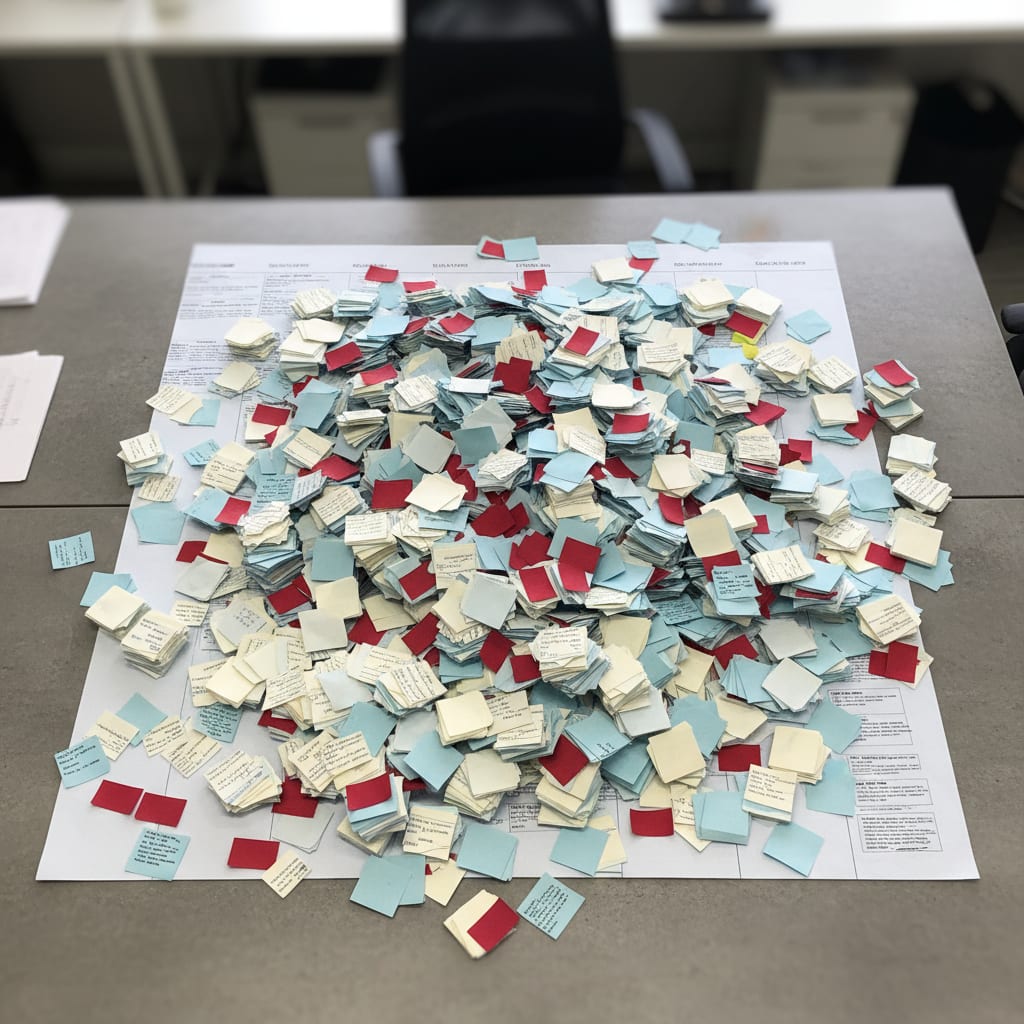
Imagine opening your team"s board and seeing 23 cards marked "In Progress." This week, you"ll finish… maybe one. Two if you"re lucky. Nobody"s slacking off–everyone"s busy, heads down, "crushing it." And yet, the output? Stuck in neutral.
Sound familiar? That"s not a weird one-off. It"s the predictable, mathematical outcome when your system runs without any WIP (Work in Progress) limit.
Most Ops teams have heard of WIP limits. Almost none actually use them. And when they get ditched, it"s almost always for one of four stubborn reasons. Spoiler: Every single one is dead wrong.
Key Takeaways
Ignoring WIP limits can lead to a potential yearly productivity loss of over €120,000 for an 8-person team. Setting a WIP limit can drop cycle time significantly; a team with a WIP limit of 9 experienced a drop from 12 days to 5–6 days for their tasks. 50% of Ops staff spend at least a day per month manually compiling project status, a burden WIP limits can significantly reduce. The recommended starting WIP limit is 1.5 times the number of team members, making a 6-person team start with a WIP limit of 9.
Myth #1: "More Tasks in Parallel = More Output!" (Nope. Welcome to Little"s Law.)
You"ve probably thought it: "If we do more at once, we"ll get more done, right?" It feels logical. It"s also dead wrong–and math proves it.
Before we get into the law behind it, quick challenge: Right now, how many cards are sitting under "In Progress" on your board? Count everything–tasks waiting three weeks for a review, that velocity-tracking ticket no one"s touched, "quick" stakeholder asks. That"s your real WIP.
Here"s what matters: WIP limit means setting a hard cap on that number. It"s the only lever you directly control for how fast your team delivers.
The Reality: In 1954, mathematician John Little proved what"s now called Little's Law:
Cycle Time = WIP ÷ Throughput
This isn"t a "best practice" or agile dogma. It"s a law–proven for any system with limited capacity. Think supermarket lines, or your 80-person SaaS Ops team. When WIP goes up and throughput doesn"t, every single task takes longer to finish. Handle 24 tasks at once instead of 8? Every card waits three times as long.
Why does "doing more at once" make everything slower?
The moment you pile on more parallel work, WIP shoots up. Little"s Law says cycle time rises accordingly–unless you magically get more people. Add to that the infamous "context switching" penalty: every time you jump between tasks, you"re losing up to 40% of your productive hours.
The result? Everything drags, and nothing gets done.
Let"s put a price tag on that:
Sample Calculation: Yearly Productivity Lost by Ignoring WIP Limits
8 people × 3 tasks each = WIP 24
Productivity lost to context switching: 40%
Fully-loaded knowledge worker cost (DACH): ~€33/hour
220 workdays × 8 hours

Loss: 8 × 0.40 × 8h × 220 × €33 ≈ €185,000/year
With WIP limit of 8 instead of 24: ≈ €62,000 loss
Difference: > €120,000/year
Based on the Lokalise Tool Fatigue Productivity Report 2025, which found chronic context switching slashes productivity by 40%. Salary figures from DACH labor market 2025.
According to Lokalise, your average ops person switches between apps 33 times a day. That"s not a laziness issue–it"s a structure failure. One Reddit Ops manager wrote:
"I feel totally overwhelmed by our SaaS dependency–12 projects running and still feels like nothing moves."
–r/SaaS, Score 57
So why does this myth stick around? Because a busy board looks productive. It"s packed, everyone"s hustling, nobody seems idle. But every task takes three times longer than it should. That"s not a people problem–it"s a system bug called context switching.
Now that you"ve seen the hidden cost of "more is better," let"s look at the next myth–maybe you think WIP limits are just for developers?
Myth #2: "WIP Limits Are for Developers–Ops Teams Can"t Use Them" (Think Again.)
Here"s the thing: Kanban wasn"t invented for software.
It started at Toyota, back in the 1950s, to manage mixed-task production lines–a world much closer to modern Ops than to 2-week sprints. Today, WIP limits get discussed mostly in developer circles. That"s a communications fail, not a conceptual one.
Can Ops teams use WIP limits–especially if you don"t run sprints?
Absolutely. In fact, Ops teams need WIP limits even more than Dev teams. Why? Because developers have sprints–a built-in WIP cap. Ops doesn"t. Every stakeholder ping? Straight to "In Progress." No WIP limit means parallel work grows without end, until your team is stuck.
Here"s the structural difference:
- Dev team: 10 tickets in a sprint = WIP capped at 10.
- Ops team, no limit: No cap. Every exec escalation or new stakeholder request starts instantly. Suddenly your Trello board has 200 "In Progress" cards. Signal-to-noise? Gone.
According to Plaky PM Statistics 2026, 75% of project managers say they"re asked to do too much with too few resources. That"s not ambition–it"s WIP growth running wild.
Now, average SaaS Ops teams (50–200 employees) use 87 different tools (SaaS Operations)–but not one of them shows if your WIP is killing your throughput. BetterCloud State of SaaS 2025 found 60% of IT teams are still drowning in manual tasks despite all those apps. More tools won"t solve your WIP problem. Only a limit will.
Let"s make it concrete:
A 6-person Ops team juggles 18 tasks at once. Every new request starts immediately. Cycle time? 12 days. Daily status updates are a must–nobody knows what"ll finish when. Stakeholder escalations pile up as deadlines slip. After implementing a WIP Limit (set to 9), new requests go into a queue. The team only starts when there"s capacity. Cycle time drops to 5–6 days. Stakeholder updates happen twice a week–because delivery dates are predictable. Escalations drop.
That"s Little"s Law in reverse: halve your WIP, halve your cycle time.
If you"re wondering whether WIP limits mean saying "no" to requests, that"s the next myth–let"s dig into why that"s a huge misunderstanding.
Myth #3: "A WIP Limit Means We Have to Reject Requests" (Nope. It Means Predictability.)
This is the pushback you"ll hear most often. It"s understandable–but it"s based on a fundamental misunderstanding.
The Real Story: A WIP limit doesn"t mean "we won"t do it." It means "we won"t start until we have capacity." That"s a massive difference–for your team, and for your stakeholders.
Do Ops teams have to say "no" when using WIP limits?
No. WIP limits don"t mean "we"re refusing work." They mean "we"ll start as soon as something finishes." Instead of starting everything at once (and delaying everything), you give clear, reliable start dates. The payoff? Predictable delivery–no more vague promises.
Here"s how it plays out:
No WIP limit: Stakeholder A escalates, card moves to "In Progress." Stakeholder B escalates, same. Now both tasks take twice as long. Both get daily "we"re working on it" updates–no real timeline. Stakeholder C escalates, rinse and repeat.
With WIP limit: Stakeholder B hears, "We"ll start as soon as Task X is done–probably Tuesday." That date is hit. Stakeholder A gets the same clarity. The team becomes more predictable and trust builds.
According to ProProfs Workflow Automation Statistics, 50% of Ops staff spend at least a day per month manually compiling project status. WIP limits slash this overhead–if you can give real delivery dates, you don"t need to update everyone daily. No more "I think we"re 70% done"–just actual cycle times.
From experience: The #1 objection is "Everything here is urgent." Maybe. But not everything is urgent at the same time. WIP limits force prioritization–otherwise, everything gets started, nothing finishes on time.
Here"s the real sticking point: WIP limits only work if you have an escalation protocol for when someone wants to break the limit. No protocol? The first "urgent" exec call and your limit is toast. More on that soon.
But first, maybe you"re thinking, "How do we even set the right WIP limit?" That"s up next.
SwiftRun automates repetitive workflows with AI agents – so your team can focus on what matters.
Myth #4: "Picking the Right WIP Limit Is Complicated" (Start Simple. Adjust Fast.)
Feeling stuck? Don"t overthink it–the right WIP limit is a starting point, not a final answer.
Here"s the simple rule for most Ops teams:
WIP limit = Team size × 1.5
So, a 5-person team? Start with WIP 7 or 8. Got 8 people? Try 12. Too much downtime? Raise it. Work stacking up before "In Progress"? Lower it. The limit isn"t sacred–it"s a sensor for capacity issues. If you"re always busting it, the problem is your system, not your discipline.
How do you calculate the right WIP limit for your Ops team?
Start with: WIP limit = number of team members × 1.5. A 6-person team? Start at 9. If your board is always under the limit, push it up. If cards pile up before "In Progress," bring it down. Consider separate limits for ad-hoc requests, projects, and routine tasks–they each have different capacity rhythms.
Asana"s Anatomy of Work Index found knowledge workers believe they could reclaim 4.9 hours/week with better processes–over 6 work weeks per year. WIP limits are your fastest lever to get that time back.
Decision Matrix: What"s the Right WIP Limit for Your Ops Team?
| Team Size | Ad-hoc Requests | Projects | Routine Tasks | Too High Warning | Too Low Warning |
|---|---|---|---|---|---|
| Small (3–5) | 2–3 | 3–4 | 1–2 | All slots always full, cycle time > 14 days | Team often waiting for new work |
| Medium (6–10) | 3–5 | 5–7 | 2–3 | Escalations daily, nothing finishes on time | >20% idle time on board |
| Large (11+) | 4–6 | 7–10 | 3–5 | Daily stakeholder updates needed, WIP never under limit | Frequent downtime, team waits for priorities |
Your WIP limit is the volume knob for your ops system: too low, your team twiddles thumbs; too high, context switching eats your capacity. The sweet spot? You"ll find it after 2–3 weeks of tracking–not in a spreadsheet.
Ready to see how WIP limits connect to flow metrics and why both matter? Let"s dive in.
The Link Between WIP Limits and Flow Metrics–And Why Ops Teams Can"t Ignore Either
Here"s the dirty secret: WIP is the only flow metric your team can directly control.
Flow metrics track how work moves through your system:
- WIP: How much is "in progress" right now
- Cycle Time: How long from start to finish
- Throughput: How many tasks you finish per time unit
Of these, WIP is the only one you can turn up or down directly. Cycle time and throughput change as a result. Want to measure velocity? Start by controlling your WIP.
What gets better when you set a WIP limit?
Lower WIP, and per Little"s Law, cycle time drops–work finishes faster. Suddenly, you can actually predict delivery dates. Context switching goes down. Throughput stabilizes–and for the first time, you can compare it meaningfully.
There"s a hidden win, too: Without a WIP limit, there"s no room for improvements. That"s why, according to Dejan Majkic / Scrum.org, 70–80% of all retrospective action items are never delivered–the infamous "retro-to-sprint gap." They go into the backlog, your next sprint starts with the same WIP of 24, and improvement work never gets done. The WIP limit is not just a delivery lever–it"s what makes improvement work possible.
The problem? Most PM tools don"t show flow metrics by default. Why Flow Metrics Are Missing in Most PM Tools is another story, but the result is the same: Ops teams don"t see the signals that matter most, so they rely on gut feel instead of data.
Introducing a WIP limit without tracking metrics is like dieting without a scale. The idea is good, but you"ll never know if it"s working. If you want to use flow metrics as your operational intelligence backbone, start with WIP–it"s the only knob you can actually turn.
Now, let"s get practical: How do you actually put WIP limits in place for your team?
How to Roll Out WIP Limits for Your Ops Team–A 3-Step, No-Nonsense Guide
Step 1: Measure Your Current WIP (Brace Yourself)
Count every task marked "In Progress"–across all projects, boards, and work types. Include everything that"s "ongoing," even if it"s hiding in emails, Slack threads, or personal lists.
The number will probably shock you. That"s not a team failure–it"s your baseline. Without it, you can"t improve.
Step 2: Set (and Broadcast) Your Limit
Don"t aim for the theoretical ideal. Set your limit at 30% below your current WIP. The team needs to work with it right away–not after a three-week reorg.
Tell your stakeholders, loudly and proudly: "Now we can give you reliable delivery dates–because we"re not starting everything at once."
Step 3: Create an Escalation Protocol for Exceptions
This is where WIP limits live or die. The concept never fails–the failure is always in not having a protocol for "urgent" exceptions.
The protocol is dead simple: "Which task are we deprioritizing so we can move this up?" If no one can (or wants to) answer, the new task waits. No protocol? The first executive call, your limit is history.
Asana reports 60% of knowledge worker time goes to "work about work"–status updates, app switching, duplicate effort. The escalation protocol cuts that overhead: Transparent prioritization means less time spent explaining yourself.
Launch Timeline
- Week 1: Measure WIP, set your limit, inform stakeholders
- Weeks 2–3: Pilot in one area, use escalation protocol actively
- Week 4: Review–compare cycle time before/after, adjust limit as needed
Try This Now: Get Your Real WIP Number
Open your board–Trello, Jira, Asana, it doesn"t matter. Count every "In Progress" card. Add anything else running in parallel, even if it"s unofficial. Divide that number by your team size.
Is the result higher than 1.5? You"ve got a measurable, solvable WIP problem–starting now.
That number isn"t a promise for your next sprint review. It"s a capacity decision–one that will impact cycle time, predictability, and stakeholder trust immediately. Teams who make this change deliver faster–not by working harder, but by not trying to do everything at once.
One number. Today. Everything else follows.
Ready to visualize your WIP and understand your team's true capacity? SwiftRun.ai provides real-time flow metrics, including your current WIP, with no complex setup. Start your free trial today.
Keep reading: How can I reduce context switching for my PM team?
Related Articles:
wip limitwork in progressoperations teamskanbanwip capops team throughputkanban wip limit setupwip limit calculationlittle's law kanban
Related Articles

Operations & PM Teams
GTM Misalignment: How to Spot Early Warning Signs in SaaS
GTM misalignment is the #1 reason B2B SaaS companies miss revenue targets, according to Forrester (2025). But Ops PMs see the signals first. Here"s how to recognize, diagnose, and act before the problem hits your bottom line.
Jun 12, 2026·14 min read·Georg Singer
Operations & PM Teams
How to Fix Product and Sales Alignment in SaaS–Without New Tools
Product and Sales misalignment is the #1 reason SaaS revenue targets fail–according to Forrester. It"s a system problem, not a people problem. Here"s a four-part framework to sync Product and GTM, boost adoption, and eliminate wasted launches. No new tools required.
Jun 10, 2026·13 min read·Georg Singer

Operations & PM Teams
Flow Metrics: Why PM Tools Fail and How to Fix It
Velocity, Cycle Time, WIP–why do your retros go in circles while Trello, Asana, and Monday leave you flying blind? Discover what flow metrics really are, why they're missing from most PM tools, and how to unlock them for your ops team.
Jun 10, 2026·12 min read·Georg Singer