Operational Intelligence: Why SaaS PMs Need It to Avoid Bad Calls
70–80% of retro action items never get done. It"s not your team"s fault–it"s your system. Here"s what Operational Intelligence means, why SaaS PM teams can"t live without it, and how to start (no new tools required).
Georg Singer··12 min read

"We"re completely overwhelmed by our dependence on SaaS tools."
–SaaS founder on Reddit, 57 upvotes, zero disagreement.
Let"s be honest: You"ve got Trello. You"ve got a retro board. You"ve got 87 different apps–and not a single clear answer to the same retro question that pops up every sprint.
It"s not a discipline problem. It"s a system problem. And there"s a name for it.
The TL;DR: Why Your SaaS PM Team Needs Operational Intelligence
Ever feel like your team spends more time chasing status updates or wrestling with tools than actually moving the product forward? You"re alone.
Here"s the uncomfortable reality behind SaaS project management:
- 60% of PM work hours are spent on "Work About Work"–that"s chasing statuses, jumping between apps, manually merging info. Only 27% of time goes to real, skilled work (Asana Anatomy of Work Index). Translation: For every hour of real PM work, you"re burning two on pure overhead.
- 70–80% of retro action items never get implemented. And it"s not laziness–it"s because no system bridges the gap between retro insights and sprint planning (Dejan Majkic / Scrum.org). So most improvements die before they start.
- Ops teams in SaaS use an average of 87 tools. Yet 87% say SaaS sprawl has moderate to severe financial impact (Spendflo). More tools, less clarity, more cost.
- Operational Intelligence isn"t just another dashboard. It"s an organizational capability: acting on real-time operational data (not just looking at charts).
- Getting started doesn"t mean buying yet another tool. It starts with three core questions and two weeks of real discipline.
What Exactly Is Operational Intelligence (OI)–And What Isn"t It?
Ever had that moment in a sprint review where you realize you"re flying blind? That"s what OI solves.
Operational Intelligence means your team can extract actionable insights from live operational data–like ticket cycle times, sprint velocity, or recurring retro patterns–in real time. Unlike Business Intelligence (which analyzes past quarters), OI is all about spotting signals right now, so you can act before things go off the rails.
Operational Intelligence is the organizational ability to make real-time decisions from live operational data. It"s not about looking back over quarters–it"s about seeing what"s happening right now and what"s coming next.
That might sound academic. It isn"t.
- Business Intelligence tells you: "Last quarter, we missed 12% of our deadlines."
- Operational Intelligence tells you: "Cycle time has jumped 40% since week three–if we don"t act, the next deadline"s toast."
Here"s the kicker: ProProfs Workflow Automation Statistics show half of PM teams spend at least a full day per month manually consolidating project status info. By the time those reports land, the chance to make a meaningful decision is already gone.
OI isn"t about dashboards. It"s about reducing decision latency. How long does it take your team to go from seeing a red flag (say, cycle time spiking) to deciding what to do (like pausing new scope)?
- With old-school reporting? Weeks.
- With OI? Hours–or less.
So, "better reporting" won"t save you. Neither will more dashboards or another Trello add-on. The real question is: What operational question should you be able to answer in under 60 seconds?
Why SaaS PM Teams Keep Making Blind Decisions
The 87-Tools Trap: Drowning in Data, Starving for Context
Let"s circle back to that Reddit founder:
"We"re completely overwhelmed by our dependence on SaaS tools."
(r/SaaS)
He"s not alone. According to saasoperations.com, ops teams in SaaS companies (50–200 headcount) juggle an average of 87 different apps. And it gets worse: employees switch between these apps 33 times a day, killing up to 40% of productive hours with endless context switching (Lokalise Tool Fatigue Productivity Report 2025).
But the real problem isn"t just the number of tools–it"s the mess underneath.
37% of companies have no "single source of truth" for their data (Profisee). That means your decisions are based on snippets: a Slack export here, a half-updated Trello board there, a sprint review based on memory, not data. Unsurprisingly, 87% of companies say SaaS sprawl hits their finances hard (Spendflo).
Here"s the paradox: The more tools you add, the less operational visibility you get. Each app optimizes for its own data–none give you the big picture you actually need for good PM decisions.
The Retro-to-Sprint Gap: Why "Action Items" Don"t Become Actions
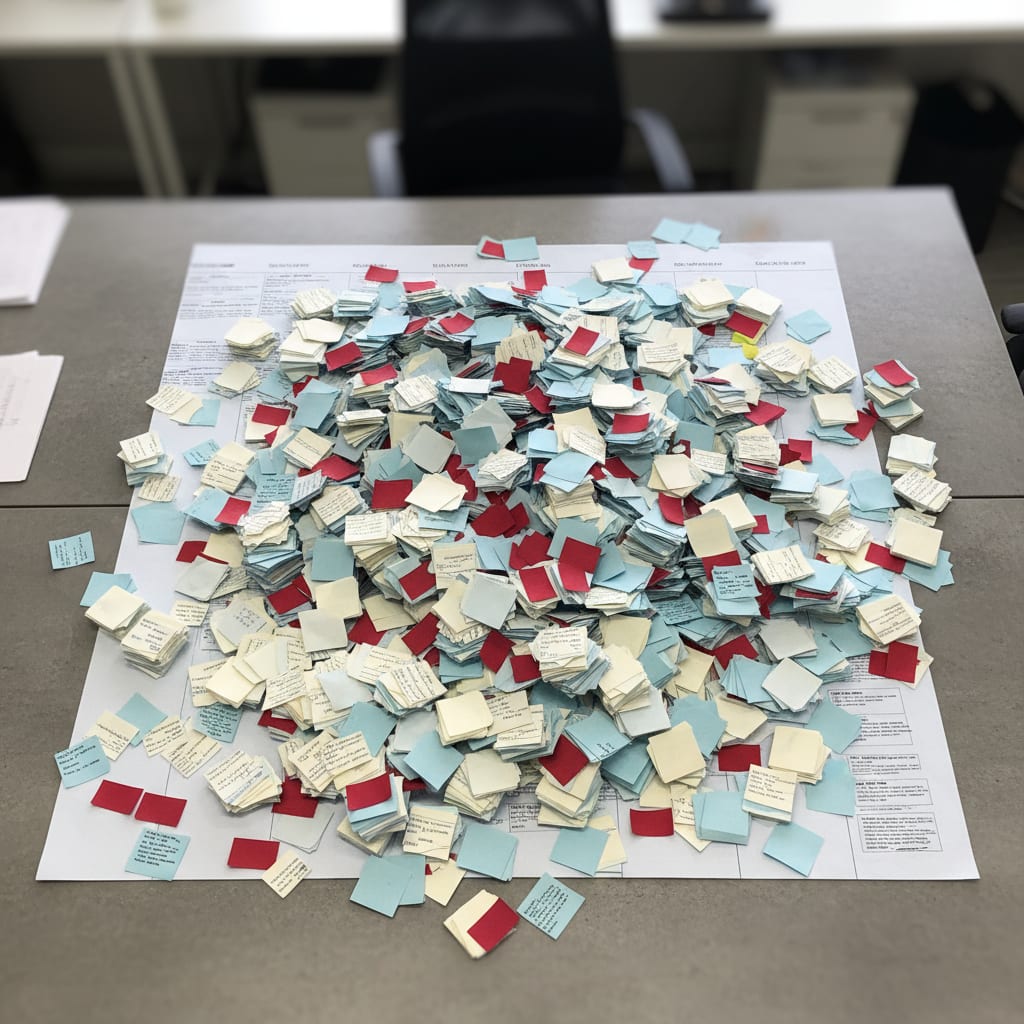
Let"s talk about a pain every PM knows: You identify an improvement in retro. Maybe you even put it on a Trello card. But next sprint? Same issue, new Post-it.
That"s the Retro-to-Sprint Gap–the disconnect between what you spot in retrospectives and what actually gets done next sprint. Data shows 70–80% of retro action items never get implemented (Dejan Majkic / Scrum.org).
Here"s how it plays out:
- The same problem pops up on Post-it #3. Then #11. Then #19.
- No one reads the old cards. Trello doesn"t show patterns across sprints.
- The scrum master tries to manually copy actions between boards–until they give up.
This isn"t a people problem. It"s a system failure. It"s what happens when there"s no OI–no connection between what gets noticed, what gets decided, and what actually happens afterward.
Work About Work: The Invisible Killer of Good Decisions
Now for the silent killer: "Work About Work." Asana"s Anatomy of Work Index found 60% of knowledge workers" time goes to status chasing, app-switching, double-work, and endless meetings. Only 27% is spent on actual skilled work.
Let"s make that real.
ROI Calculation: What "Work About Work" Costs Your Ops-PM Team
| Variable | Example Value |
|---|---|
| Team size | 10 |
| Annual work hours/person | 1,750 |
| % of time on Work About Work | 60% |
| Hourly wage | €46 (≈€80k/year salary) |
| Annual capacity lost | €483,000 |
So, a 10-person Ops-PM team burns €483,000 of annual capacity–before solving a single real problem–just keeping the machine moving. And it"s not getting better with more tools. BetterCloud"s State of SaaS 2025 reports 60% of IT teams still drown in manual tasks, despite ever-growing tool stacks. The gap isn"t laziness–it"s a lack of clear operational questions.
Now that you see how the status quo is failing, let"s drill into what actually makes Operational Intelligence work for PM teams.
The Three Dimensions of Operational Intelligence for PM Teams
Which Metrics Actually Matter for OI? What Should You Track?
Here"s the question: What operational signals should you actually care about? OI for PM teams boils down to three core dimensions:
- Flow Metrics–real, live signals like cycle time, velocity, and work-in-progress (WIP) that show how work is moving (or stalling) right now.
- Pattern Recognition–the ability to spot recurring issues across multiple sprints, not just within one.
- Documented Decision History–knowing which decisions were made, and on what data.
Together, these give you true operational visibility. Miss one, and you"re back to guessing.
Dimension 1: Flow Metrics That Actually Mean Something
What are flow metrics?
- Cycle Time: How long does it take a ticket to go from start to finish?
- Velocity: How much work does the team complete per sprint?
- WIP (Work in Progress): How many things are going at once?
These are your early warning system for overload and process breakdowns. Problem is, tools like Trello don"t surface these metrics natively. If no one tracks velocity, it"s just noise. Third-party tools might collect the data, but they don"t connect the dots for you. So, the setup burden falls on your team.
And here"s the trick: Velocity by itself means little. But if velocity stalls, cycle time climbs, and WIP explodes? That"s not inefficiency–it"s overload. That"s the difference between a data point and a decision basis.
Dimension 2: Recognizing Patterns–Before They Blow Up
Ever notice the same issue keeps coming back in retro? Is that just bad luck–or something systemic? Without tracking across sprints, you"ll never know. Spotting patterns is what separates teams that learn from their mistakes from those doomed to repeat them.
Dimension 3: Traceable Decisions–So You Can Learn
Ask your team: "Which decisions did we make, and what data did we base them on?" Chances are, most can"t answer. OI makes decisions audit-ready–so you can learn, improve, and avoid Groundhog Day.
The real difference between teams with OI and those without? Teams with OI ask, "What do our data say about this problem?" Teams without ask, "Who remembers what happened?" The first approach scales. The second is just luck.
Let"s see how this plays out in real PM team life.
SwiftRun automates repetitive workflows with AI agents – so your team can focus on what matters.
Before & After: How OI Transforms Your PM Team"s Day-to-Day
Scenario: Sprint Review
Before OI: You kick off with, "So, how was the sprint?" Forty-five minutes later, you"ve got vague "action items" nobody will follow. No one measured velocity. "Cycle time" is a foreign language. Blocked work? Purely based on who remembers what.
After OI: You see at a glance: cycle time"s up 35% over the last three sprints, WIP is over the team limit. You spend 20 minutes discussing just that. Outcome: "WIP limit is now 3 per person–no new tickets until we clear the stack." Data-driven, not gut-driven.
Scenario: Retrospective
Before OI: "Communication between engineering and CS is an issue again." Everyone nods, adds a Trello card. Next sprint? Same card. And again the sprint after.
After OI: The system shows: this issue came up four times in the last six sprints, twice as top priority. Retro starts with, "OK, this is the fourth time. What have we actually tried?" Surprise: all past actions targeted the engineering-to-CS handoff, but the real delays happened in requirements clarification. Turns out, you were solving the wrong problem all along.
What OI doesn"t do: Eliminate every bad decision. But it makes mistakes visible–and learnable.
Asana found knowledge workers believe they could reclaim 4.9 hours a week with better processes–that"s more than six workweeks per year. For a 10-person team, that"s 50 hours a week lost to status meetings, tool hopping, and manual consolidation.
⚠️ Important: OI is not about spotlighting "bad performers." It reveals systemic issues, not who"s to blame. Teams who use OI as a policing tool destroy the trust that OI needs to work.
Ready to make this real? Here"s how to actually implement Operational Intelligence–without creating a new tool mess.
How PM Teams Can Start with Operational Intelligence–No Extra Tool Bloat Required
How Do You Actually Bring OI Into Your PM Team?
It"s easier than you think. You don"t start by buying software. You start with three phases:
- Define three core operational questions your team should answer in under five minutes.
- Connect your existing data sources (Trello, retro notes, sprint data) to those questions–no new tools needed.
- Align your sprint reviews and retros around those questions. Tools follow the questions, not the other way around.
Most teams blow it by searching for an "OI tool" before they know what they need to ask. The result? Another dashboard nobody opens. OI is your decision operating system–not just another app.
Phase 1 (Week 1–2): Define Your Core Operational Questions
Don"t start with a tooling discussion. Start with this exercise: What are the three questions we, as a team, must be able to answer in under five minutes?
Here are examples that work in the real world:
- "Which teams are currently overloaded?"
- "Which retro topics have we ignored three times or more?"
- "Which decisions from last sprint haven"t been implemented yet?"
This takes an hour to define–but can change your team forever.
Phase 2 (Week 3–4): Connect Existing Data Sources
OI works with the data you already have: Trello boards, retro notes, sprint logs. You don"t need to gather new data–just connect what"s already there to your key questions. Often, Trello plus a structured tracking sheet is enough. No software shopping. No data engineering.
Phase 3 (From Week 5): Reframe Reviews and Retros Around OI
Align your sprint reviews and retros to the OI questions. Stop asking, "What did we do?" Start asking, "What do the data say?"
The project management software market is exploding–Mordor Intelligence projects it"ll grow from ~€9.03B in 2025 to ~€21.38B in 2031 (15.4% CAGR). But that"s not because you need more tools. It"s because the market has finally noticed the operational vacuum OI fills.
By end of 2026, Gartner predicts 40% of enterprise apps will have task-specific AI agents–up from less than 5% in 2025. This means OI will become even more practical: AI agents will read your Trello boards, spot patterns, and prep your retros for you.
SwiftRun.ai is already on it: It ingests Trello data via API, runs AI-powered pattern recognition, and delivers retro insights in 60 seconds–no need for another dashboard.
Do You Really Need OI–Or Is This Just Enterprise Overhead?
Is Operational Intelligence Overkill for Small SaaS Teams?
Let"s be honest–sometimes OI is too much. For teams under 8 people, with a stable product focus, formal OI can feel like overkill. If you only see recurring retro issues, PM decisions regularly escalate, or stakeholder updates take more than 30 minutes, OI is worth it. Otherwise, a weekly stand-up, a Trello board, and an attentive scrum master might be enough.
Here"s how to tell:
OI is too early if:
- There"s no stable sprint rhythm yet
- Roles and responsibilities aren"t clearly defined
- Data entry is inconsistent
OI is too late if:
- PM decisions keep escalating and you"re seeing go-to-market misalignment (Forrester says this is the top cause of missed B2B SaaS revenue goals by 2025)
- The same retro issues keep recurring, with no measurable improvement
- Stakeholder updates take over 30 minutes–and still rely on gut feel
Freshworks" Cost of Complexity Report 2025 found software complexity eats up 7% of company revenue–and 53% never see the expected ROI from their tools. That"s not a case for buying more apps. It"s a case for knowing what operational question a tool answers before you adopt it.
According to Plaky PM Statistics 2026, 75% of project managers say they"re asked to do too much with too little. OI won"t fix that overnight. But it does make the real resource drains visible.
So, the question isn"t: "Do we need OI?" It"s: "How much is the lack of OI costing us every month?"
OI won"t make a dysfunctional team agile. But it will show you exactly where things are broken–that"s its value, and its challenge.
Your Next Step
Take 45 minutes. Sit down with your team. Write down three core operational questions. Don"t ask which tools you need–ask what questions you want answered.
Now, open your Trello board. Odds are, the data you need is already there. It"s been hiding in plain sight.
SwiftRun.ai reads your Trello data and spots repeating retro patterns in under five minutes–no new tool bloat. Try it free.
operational intelligencesaas pmflow metricssprint retrospective analysisreduce work about work
Related Articles

Operations & PM Teams
GTM Misalignment: How to Spot Early Warning Signs in SaaS
GTM misalignment is the #1 reason B2B SaaS companies miss revenue targets, according to Forrester (2025). But Ops PMs see the signals first. Here"s how to recognize, diagnose, and act before the problem hits your bottom line.
Jun 12, 2026·14 min read·Georg Singer

Operations & PM Teams
WIP Limits: Why Ops Teams Ignore Them at Their Peril
23 tasks 'In Progress', only one finished. That"s not bad luck–it"s Little"s Law in action. Here"s why WIP limits are the most important (and ignored) concept for Ops teams drowning in SaaS tools.
Jun 11, 2026·12 min read·Georg Singer
Operations & PM Teams
How to Fix Product and Sales Alignment in SaaS–Without New Tools
Product and Sales misalignment is the #1 reason SaaS revenue targets fail–according to Forrester. It"s a system problem, not a people problem. Here"s a four-part framework to sync Product and GTM, boost adoption, and eliminate wasted launches. No new tools required.
Jun 10, 2026·13 min read·Georg Singer