PM Prioritization: Engineering Capacity for Multiple Teams
When two teams demand engineering resources at once, your spreadsheet won't save you. Here's a step-by-step, real-world script to navigate multi-team capacity clashes–complete with meeting templates, decision models, and tips to prevent these conflicts in the first place.
Georg Singer··15 min read
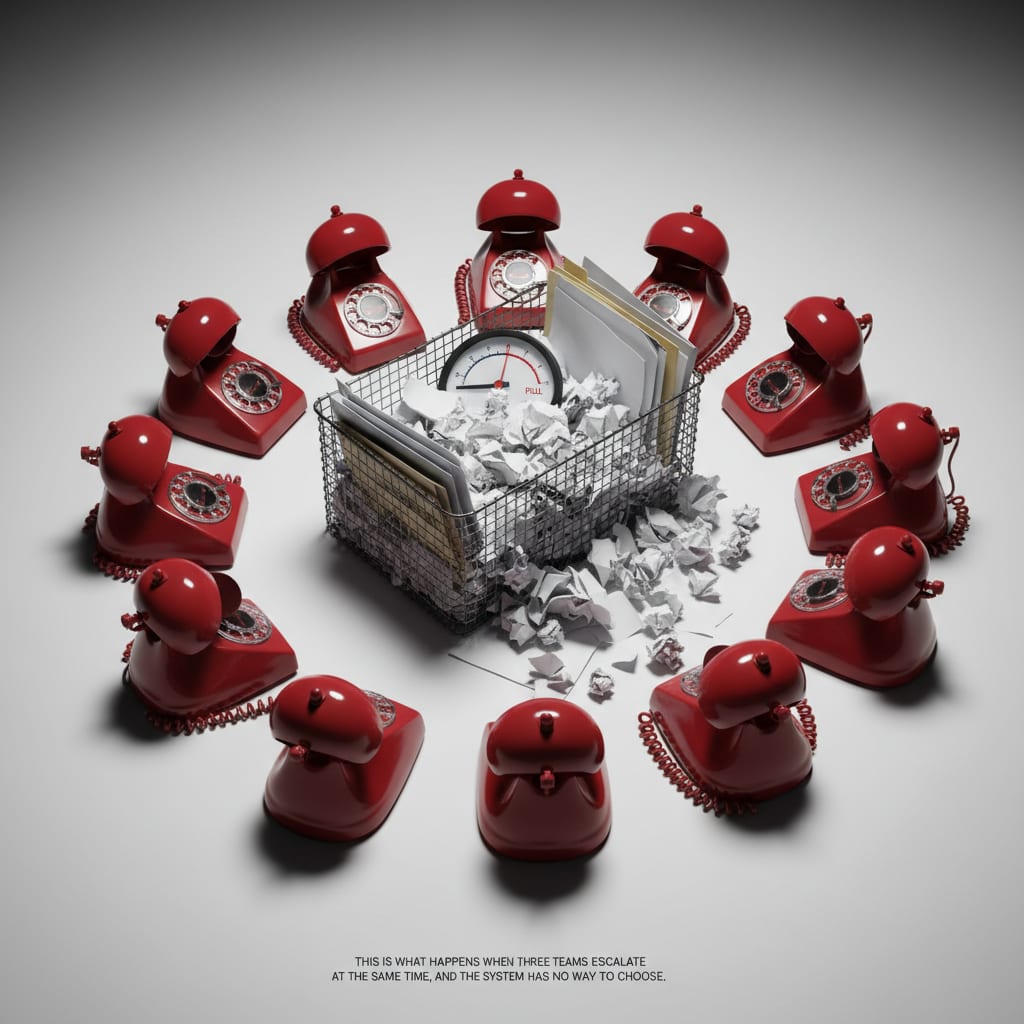
It"s 11 a.m. Two Slack messages hit you back-to-back. Team A: "We need this feature finished by the end of the sprint–otherwise, our launch is blocked." Team B: "If we don"t complete the infrastructure migration this week, we could face an outage." There"s only enough engineering bandwidth for one.
What do you do?
If your first move is to open your RICE spreadsheet, you"re already making the most common–and costly–mistake.
Let"s break down a proven process: four actionable steps, complete with word-for-word scripts you can use right now. Forget abstract frameworks and MBA jargon. By the end, you"ll have a decision model, a sample meeting script, an email template for saying "no" without losing trust, and a structural fix to stop this firefight from repeating every other sprint.
Key Takeaways
- When two teams escalate capacity needs simultaneously, prioritization frameworks like RICE often fail because the situation becomes a political negotiation rather than a purely mathematical one.
- The "Three-Zone Model" provides a pre-defined rulebook (Zone 1: Safety/Compliance/Outage Risk; Zone 2: Direct Revenue Impact with Hard Deadline; Zone 3: Everything Else) to triage engineering requests before conflicts arise.
- Holding a simultaneous meeting with both escalating teams ensures symmetrical information sharing and prevents mistrust caused by separate, asymmetric discussions.
- When communicating a "no," a PM must provide a clear reason linked to the agreed-upon model, a concrete timeline for revisiting the request, and an offer for a smaller scope to be considered.
- Escalating a capacity conflict requires presenting the business impact of both options, a clear recommendation, and the rationale for why leadership sign-off is needed, rather than simply stating teams are fighting.
Why Prioritization Frameworks Like RICE Fail When Two Teams Escalate at Once
Picture this: Two teams, both swearing their ask is urgent, but you only have the capacity for one. Most PMs think this is a prioritization problem.
But in reality? It"s a political negotiation.
Frameworks like RICE or MoSCoW assume you"re the sole decision-maker–and that everyone involved has agreed to trust the same criteria. The moment Team A and Team B escalate at once, that illusion falls apart. Now you"re facing two stakeholders, each convinced their pain is the real emergency.
I"ve spent three years crunching RICE scores for decisions that, in the end, were made in a one-on-one with the CTO. Honestly? The framework was just for show. The real question wasn"t "What"s more important?"–it was "Whose pain is more legitimate?" No formula can solve that.
And if you show up to a sprint review without hard numbers, you"ll lose the argument by default–simply because your update sounds like a gut feeling, not a data-driven call.
According to Plaky"s 2026 Project Management Statistics, 75% of PMs are asked to prioritize more work than there"s capacity for. That means three out of four of you are stuck in a system that guarantees someone"s disappointed–every single sprint.
And here"s the kicker: The team that escalates first usually wins. Once teams learn that, it"s game on.
Why do frameworks like RICE break down in multi-team conflicts?
Because they"re built on the assumption that you can prioritize unilaterally and everyone buys into your criteria. In reality, when multiple teams escalate, it"s not about the math–it"s about whose pain is viewed as legitimate. Whoever argues their RICE score higher "wins"–but the framework just pushes the conflict up a level, it doesn"t resolve it.
If you want to break this pattern, you need a process that"s political, not just mathematical.
Step 1: Define the Decision Criteria–Before Anyone Escalates
Ever noticed how hospital triage never starts after the crisis? That"s the thinking behind the "Three-Zone Model" for engineering capacity. You need rules before the fight starts–not after.
The Three-Zone Model for Engineering Capacity
This model borrows from ER triage–where decisions are made by rule, not by whoever shouts loudest.
- Zone 1 – Safety, Compliance, Outage Risk: Anything threatening system stability or regulatory requirements always comes first. No debate, no scoring. This is the one category where you, as PM, can say: "This isn"t up for discussion."
- Zone 2 – Direct Revenue Impact With Hard Deadline: Think of a launch that, if delayed, directly costs you money. Or a contract that"s canceled if a feature isn"t ready by a fixed date. The key: It"s quantifiable, time-bound, and has a clear business datapoint.
- Zone 3 – Everything Else: These are still important tasks, but they"re not urgent in the Zone 1 or 2 sense.
The Three-Zone Model is a pre-agreed rulebook that buckets requests into three clear priority levels: Zone 1 (safety/outage/compliance), Zone 2 (hard revenue impact + deadline), Zone 3 (everything else). By making the rule visible before the conflict, you avoid ad hoc horse-trading when things get heated.
Let"s make this even clearer with a real-world checklist.
How Do You Know If a Request Is Truly Urgent?
A model no one reads is useless. So: Pin these rules in your PM Slack channel, bring them up at your next capacity planning meeting, and bake them into your onboarding docs.
Here"s a checklist for genuine urgency:
- Is there a specific harm with a clear deadline? (Not "soon," but "we lose client X if it"s not done by Friday 5 p.m.")
- Is the damage quantifiable? (Not "this is blocking us," but "this will cost us €12,000 a month.")
- Is there truly no workaround that buys time? (A partial fix counts.)
- Was this flagged before the current sprint started?
If a team answers "yes" to all four, you"re looking at a real Zone 2 request. If they stall on question 2 or 3, it"s probably urgent-feeling–not factually urgent. The difference isn"t in the tone–it"s in the data.
According to ProProfs workflow stats, half of all project contributors spend at least one day per month just pulling together manual project status info. That"s a full day lost–because without a clear decision model, every new request turns into another negotiation.
Once your model is public, you"ve set the playing field–and now, when the next escalation hits, you won"t be caught flat-footed.
Step 2: The Capacity Meeting–A Script That Actually Works
Let"s be honest: Most PMs handle these situations in private, one-on-one conversations. It feels safer–less drama, more control. But this instinct is usually dead wrong.
Why Both Teams Need to Be in the Room–At the Same Time
When you hold separate discussions, you"re fueling information asymmetry. Team A doesn"t know what you told Team B. Team B interprets every question as a clue. When you finally make a call, the losing side feels blindsided–"We got turned down after our chat, with no idea why." That breeds mistrust.
Bringing both teams into the same meeting is straight out of the mediation playbook. Everyone hears the same information, at the same time, when the decision is made. It doesn"t create instant harmony, but it stops the post-hoc narrative rewrites.
According to Pendo"s PM study, PMs spend 50–70% of their working hours in meetings. Most of that is unstructured, conflict-heavy time. The following script? It takes 30 minutes, max.
Meeting Script: Kickoff, Data Gathering, Decision, Follow-Up
Kickoff–Don"t start with "Who"s more urgent?" Instead, say:
"I"ve invited both teams because I need to make a decision, and I want to see the data from both sides. Each team gets five minutes–please tell us, specifically, what we lose, in what timeframe, and with which data point, if your request isn"t prioritized."
Now, stay silent. No comments, no nodding, no reactions. Let each side hear the other out.
Data Gathering–After both teams present:
"I"m going to check your cases against our Three-Zone Model. Zone 1 always comes first. For Zone 2, I"ll decide based on the quantified business impact. If you"re both in Zone 2, I"ll use timing and scale of harm as the tiebreaker."
Notice the phrase "I"ll decide." Not "let"s discuss" or "I"ll try to find a compromise." You"re the decider.
Wrap-Up–Never promise a result in the meeting itself:
"I"ll make my decision by [specific date, time] and will communicate it in writing to both teams at the same time."
⚠️ Heads up: Saying "I"ll look into it" is the worst possible move–it signals indecision and invites both teams to escalate again. A date isn"t a promise–it"s a frame that shows you"re in control.
Let the process do the talking. If one team interrupts to say "But we"re more urgent," they lose credibility. You don"t need to call it out; the other team will notice.
Here"s the sequence:
Invite → Symmetrical Data Presentation → Zone Assignment → Decision Deadline → Written Follow-Up
With this, you"ve made the process fair–and you"ve set yourself up for the next step: communicating your decision without burning bridges.
SwiftRun automates repetitive workflows with AI agents – so your team can focus on what matters.
Step 3: Communicating the Decision–How to Say No Without Losing Trust
So, you"ve made the tough call. Now comes the real test: telling one team "not this sprint"–without shattering trust or morale.
How does a PM communicate a tough prioritization call without losing trust?
Every "no" needs three things: the reason (linked to the pre-agreed model, not your gut), a concrete timeline for when the topic will be revisited, and an olive branch (a genuine gesture). "No" without these is just rejection, not a decision.
This isn"t the end of the conversation. It"s the moment when trust is either built–or lost for good.
The "No, But" Email Template
"Hi [Team B],
I"ve decided to prioritize [Team A"s topic] in this sprint. The reason: [Zone 1 or Zone 2 datapoint, e.g. "outage risk directly impacting system stability" or "direct revenue impact of X € by [date]"].
Your request falls in Zone [2/3]–meaning it"s scheduled for Sprint [N+1], and I"ll make it first priority as soon as current capacity frees up. This isn"t a brush-off; it"s a concrete slot.
Here"s my proposal: let"s book 30 minutes this week to see if there"s a reduced scope that would cover your most critical need without using full capacity. Does [date] work?
[Your name]"
Before/After–Same Info, Different Trust Impact:
- Before (gut-level stakeholder update): "Sorry, we don"t have capacity for your topic this week. Can we revisit next week?"
- After (model-driven): "I"m prioritizing the infrastructure migration (Zone 1: outage risk) this week. Your feature launch is scheduled as top priority for Sprint N+1. I"ll confirm your slot by Friday at 2 p.m.–and let"s do a 30-minute chat to see if we can reduce scope in the meantime."
The difference between "Not now, because it"s a Zone 1 priority" and "Not now, because we"re out of resources" is subtle–but to a team that knows the model, it"s everything. The first is a system rule; the second sounds like an excuse.
Follow-Up Rhythm: Always check in–even if nothing has changed. "Quick update: Infra work"s on track; your sprint slot is confirmed for [date]." That one sentence stops the losing team from reading silence as a signal that you"ve forgotten them.
According to Asana"s Anatomy of Work study, knowledge workers could save 4.9 hours per week with better processes–that"s over six workweeks a year. The costliest time sink? Reactive, unclear communications. The "No, but" template takes ten minutes to write, but it spares you hours of follow-up haggling.
Step 4: When to Escalate–and How to Do It Without Losing Authority
When is it time to take the issue up the chain? And how do you do it without looking weak?
When should a PM escalate a capacity conflict?
Escalate if the decision has strategic impact (more than a quarter"s reach), if the teams are politically entrenched at the leadership level, or if the Three-Zone Model genuinely can"t deliver a clear answer. Decide yourself if the model gives you a clear zone.
Escalation isn"t failure. But escalation without structure is.
"Teams are fighting" is not an escalation briefing. Here"s what your VP or CTO actually needs from you:
- Business Impact of Both Options: What do we lose in scenario A vs. B? Be specific and quantify.
- Your Recommendation: Don"t say "I"m not sure." Say, "I recommend X because Y, but need leadership sign-off since Z is outside my scope."
- Why You Can"t Decide Alone: Is it a strategic dependency? Cross-team impact on quarterly goals? Or a genuine lack of clarity on business priorities?
According to Freshworks" 2025 Cost of Complexity Report, software complexity costs companies 7% of annual revenue on average. Unresolved capacity conflicts are a major culprit–they suck up time, slow decisions, and ripple across layers of the org.
And if your org already has sales-product misalignment, or you"re struggling with SaaS sprawl, the pain multiplies. 87% of companies say SaaS sprawl has a medium to severe financial impact–especially when the same work shows up in five different systems, but gets solved in none.
Decision Matrix: When to Use Which Approach
| Scenario | Recommended Approach | Pitfall | Time Required |
|---|---|---|---|
| 1 team escalates | Zone check, decide yourself | No model = ad hoc chaos | 30–60 min |
| 2 teams escalate at once | Simultaneous capacity meeting | Separate talks create bias | 60–90 min |
| Execs already involved | Structured escalation briefing | Escalate w/o recommendation | 2–3 hours |
| Recurring conflict | Monthly capacity alignment meeting | Treating symptoms, not root | 1× setup |
The structural fix for repeat conflicts? A monthly capacity alignment with all team leads. Not a status update, but an early-warning system: "In Sprint N+2, here"s where we see bandwidth crunches. Who"s planning what?" This 45-minute session can prevent most conflicts from even reaching the PM as a crisis.
And after every clash? Run a short retro–not on the decision, but on the model. Did the zone assignment work? What was missing?
Looking ahead, [Gartner predicts](https://www.gartner.com/en/newsroom/press-releases/2025-08-26-gartner-pr edicts-40-percent-of-enterprise-apps-will-feature-task-specific-ai-agents-by-2026-up-from-less-than-5-percent-in-2025) that by 2026, 40% of enterprise apps will include task-specific AI agents (up from less than 5% today). For capacity planning, that means: if you don"t already have decision rules, you"ll need them even more in an automated future. AI can"t replace logic–it needs it up front.
PMs who escalate with a structured briefing gain authority. PMs who escalate with just a problem statement lose it. If you bring a clear tradeoff and a recommendation, you make your exec"s job easier–and you raise your own profile in the process.
The Underlying System: Why These Conflicts Keep Happening
Here"s the secret most PMs won"t admit: Capacity visibility–a transparent, team-wide view of available engineering bandwidth per sprint–is the only real way to prevent these fights before they start.
When every team can see what"s available (and what"s already reserved), you stop accidental double-booking before it happens. That includes velocity data–if you don"t actually measure your team"s sprint velocity, you have zero insight into whether you even have the bandwidth you think you do.
The real problem isn"t malice or carelessness. It"s the lack of a shared data source. Team A plans their launch, clueless that Team B has already penciled in a migration for the same week. Both show up at your desk–because there"s no shared view.
"Feeling overwhelmed by our over-dependence on SaaS."
– Reddit r/SaaS, 57 upvotes
This isn"t rare. SaaS operations teams with 50–200 employees use an average of 87 tools. And 60% of IT teams say they"re still bogged down by manual tasks, even as their tool stack grows. But this isn"t really a tool problem–it"s a visibility problem. The data exists, scattered across Jira, Linear, your ticket system–it"s just not surfaced.
Here"s the simplest fix: a shared spreadsheet, publicly accessible, with each team"s sprint capacity. Rows = teams, columns = sprints, cells = available story points or dev days. Anyone, at any time, sees what"s available and what"s already booked. Not another Trello board everyone ignores–but a single source of truth that answers the question that currently costs you three hours of conflict with two minutes of checking.
According to ProProfs, half of managers spend at least a day each month cobbling together project status, while Asana pegs the potential savings at 4.9 hours per week with better processes. For an 8-person engineering team running two-week sprints with three competing teams, you"ll see 2–3 unplanned capacity conflicts a month. Each eats up 3–4 hours of your time–prep, meetings, decision, follow-up. That"s up to 12 hours a month wasted on avoidable firefights.
With real capacity visibility, you could cut that to 2–3 hours. Over a year? That"s more than two full workweeks rescued from the jaws of chaos.
Looking ahead, Gartner predicts that by 2026, 40% of enterprise apps will include task-specific AI agents (up from less than 5% today). For capacity planning, that means: if you don"t already have decision rules, you"ll need them even more in an automated future. AI can"t replace logic–it needs it up front.
Your concrete next step for today: Write down your version of the Three-Zone Model. Three short paragraphs. Pin it in your PM channel. Bring it up at your next standup–not as a new framework, but as the answer to the real question your team is already asking: "How will we decide next time?"
Ready to navigate engineering capacity clashes with confidence? SwiftRun.ai provides clear visibility into team bandwidth, preventing conflicts before they arise. Start free – no credit card required.
Related Articles:
- Why Do Product Managers Spend More Time on Meetings Than Strategy?
- Why Ops Team Automation Fails (Even When You Have All the Tools)
- Predictive Resource Allocation: What It Really Is–and Which PM Tools Actually Deliver
Sources:
- Plaky"s 2026 Project Management Statistics
- ProProfs workflow stats
- Pendo"s PM study
- Asana"s Anatomy of Work study
- Freshworks" 2025 Cost of Complexity Report
- Gartner predicts
- Reddit r/SaaS
- SaaS operations teams
- 60% of IT teams
pm engineering capacity prioritizationsharing engineering resourcesteam conflict prioritizationproduct manager capacity planningstakeholder escalation prioritization
Related Articles

Operations & PM Teams
GTM Misalignment: How to Spot Early Warning Signs in SaaS
GTM misalignment is the #1 reason B2B SaaS companies miss revenue targets, according to Forrester (2025). But Ops PMs see the signals first. Here"s how to recognize, diagnose, and act before the problem hits your bottom line.
Jun 12, 2026·14 min read·Georg Singer

Operations & PM Teams
WIP Limits: Why Ops Teams Ignore Them at Their Peril
23 tasks 'In Progress', only one finished. That"s not bad luck–it"s Little"s Law in action. Here"s why WIP limits are the most important (and ignored) concept for Ops teams drowning in SaaS tools.
Jun 11, 2026·12 min read·Georg Singer
Operations & PM Teams
How to Fix Product and Sales Alignment in SaaS–Without New Tools
Product and Sales misalignment is the #1 reason SaaS revenue targets fail–according to Forrester. It"s a system problem, not a people problem. Here"s a four-part framework to sync Product and GTM, boost adoption, and eliminate wasted launches. No new tools required.
Jun 10, 2026·13 min read·Georg Singer