AI-Powered PM Tools vs. Jira & Asana: What's Truly Different?
Jira and Asana just store what you type in. AI-powered project management tools actually analyze your team's reality. Here"s why classic tools fail Ops teams–and when switching makes sense.
Georg Singer··14 min read

Your Jira board is overflowing–340 open tickets, but only 40 actually matter. The rest? Backlog zombies that nobody wants to delete because maybe, just maybe, someone else will fix them someday.
Your last retrospective update was three sprints ago. And that Q2 project status? You copied it into PowerPoint last week, but your CFO will never read it.
Sound familiar? Don"t blame Jira. This is an architecture problem.
The Key Takeaways–And Why Most Teams Get Them Wrong
Ever feel like you spend more time explaining your work than actually doing it? You"re alone.
A significant portion of your workweek, specifically 60%, is dedicated to "Work About Work"–which includes chasing status updates, switching between applications, and manually merging reports. Only a mere 27% of this time is spent on actual, skill-based work, according to the Asana Anatomy of Work Index. This means you're losing almost two-thirds of your valuable time to unproductive tasks.
In contrast to Jira and Asana, which function as data vaults that only process manually entered information, AI-powered PM tools flip the script by analyzing what's already occurring within your team's workflow. Furthermore, a staggering 70–80% of retrospective action items go unaddressed because classic tools lack the capability to track these actions across sprints, as highlighted by Retro-to-Sprint Gap Analysis. Imagine the frustration of fixing the same issue week after week, indefinitely.
For an average 8-person Ops team, dedicating 12 hours per week to "Work About Work" at a rate of €65 per hour translates to a substantial €300,000 in lost productivity annually. This significant cost isn't a licensing issue; it represents a massive opportunity cost for your organization.
Ultimately, if you're part of a Dev-heavy Ops team, Jira might still be a suitable choice. The optimal tool choice hinges on your specific team profile, not on following the latest trends.
Why does this matter? Because most teams tend to focus solely on license fees, overlooking the true cost of their team's wasted working hours.
Why Jira and Asana"s Structure Is a Bad Fit for Most Ops Teams
Let"s be clear: Jira is a great tool–for the job it was designed to do. The problem isn"t the software. It"s the mismatch between how you work and how the tool thinks you work.
Jira"s Data Model: Story Points, Sprints, Velocity–But Not Your Reality
Jira assumes work is predictable, can be estimated, and fits neatly into sprints. Story Points measure feature complexity. Velocity tells you how much you ship per sprint. Burndown charts visualize progress against your sprint plan.
But here"s the kicker: Ops teams don"t work like this. You"re juggling vendor negotiations, handling ad-hoc requests from five departments, maintaining SLAs, prepping stakeholder updates, and re-prioritizing on the fly. Where do you put Story Points on a supplier request that arrives today and needs to be closed tomorrow? How do you fit that into a two-week sprint?
The model simply doesn"t fit. Jira was built for Scrum. Ops teams run on interruption logic.
But if Jira isn"t built for you, is Asana any better? Let"s find out.
Asana"s Data Model: Projects, Milestones, Portfolios–But Still Just Storage
Asana swaps sprints for project lists and milestones. But the core problem remains: data is stored, not analyzed. Both tools save what you type in. If you don"t enter it, it doesn"t exist.
Let"s talk about tool sprawl. The average Ops team in a 50-200 person SaaS company uses 87 different tools (saasoperations.com). Jira or Asana is just one–but the other 86 aren"t connected. No context. No overview.
According to BetterCloud State of SaaS 2025, 60% of IT teams still do tons of manual work, even as their tool stacks balloon. And Profisee reports that 37% of businesses have no single source of truth at all.
Here"s how one SaaS PM on Reddit put it:
"I feel overwhelmed by our reliance on too many SaaS tools–none of them talk to each other." – r/SaaS
This isn"t a discipline problem. It"s a system failure.
So if classic PM tools are failing you, what"s actually different about AI-driven project management?
What AI-Powered PM Tools Really Change–3 Core Differences
Let"s get specific. What do AI-PM tools actually do that Jira and Asana can"t?
AI-powered PM tool: A project management platform where AI isn"t just a bolt-on–it"s the core engine. It proactively analyzes ticket, meeting, and communication data, spots patterns, and escalates issues before you even ask. The difference isn"t about a new UI. It"s about flipping the data flow: analysis comes before storage.
Now, let"s break down the three game-changing differences.
1. Analysis Over Storage–Your Data Finally Works for You
Traditional tools only store what you enter. AI-PM tools connect to your meetings, emails, tickets, and calendar, and extract patterns automatically. You don"t need to add extra documentation. The system listens and learns as you work.
Is this just marketing hype? Not anymore. Today"s AI-PM tools integrate directly into your communication channels, picking up context right where it happens. What used to require hours of manual wrangling becomes structured, actionable insight.
According to the Freshworks Cost of Complexity Report 2025, software complexity now wastes 7% of annual revenue for companies on average. This report also found that 53% of companies never see the ROI they expected from their tool stack.
That"s not just lost money. It"s lost alignment, lost momentum, and lost sanity.
2. Proactive Escalation, Not Passive Dashboards
A Jira board shows you what"s inside. But it never tells you what really matters.
AI-powered PM tools spot trends you"d never catch manually. If the same issue pops up in three retrospectives, the system flags it–no human needs to compare boards. You get a proactive nudge: "This issue has appeared for the third time without resolution. Completion rate: 20%. Escalate? Yes/No."
That"s not a fancy feature–it"s a fundamental shift in how issues get surfaced. With AI, you"re not just recording what happened. You"re getting early warning signals before problems snowball.
And that leads to the next big unlock...
3. Retro Intelligence: No More Lost Action Items
Ever heard of the "Retro-to-Sprint Gap"? It"s the disconnect between what you discuss in retrospectives and what actually gets done in the next sprint. PMI and Scrum.org reveal a brutal stat: 70–80% of retro action items are never implemented–mostly because classic PM tools can"t track them across sprints.
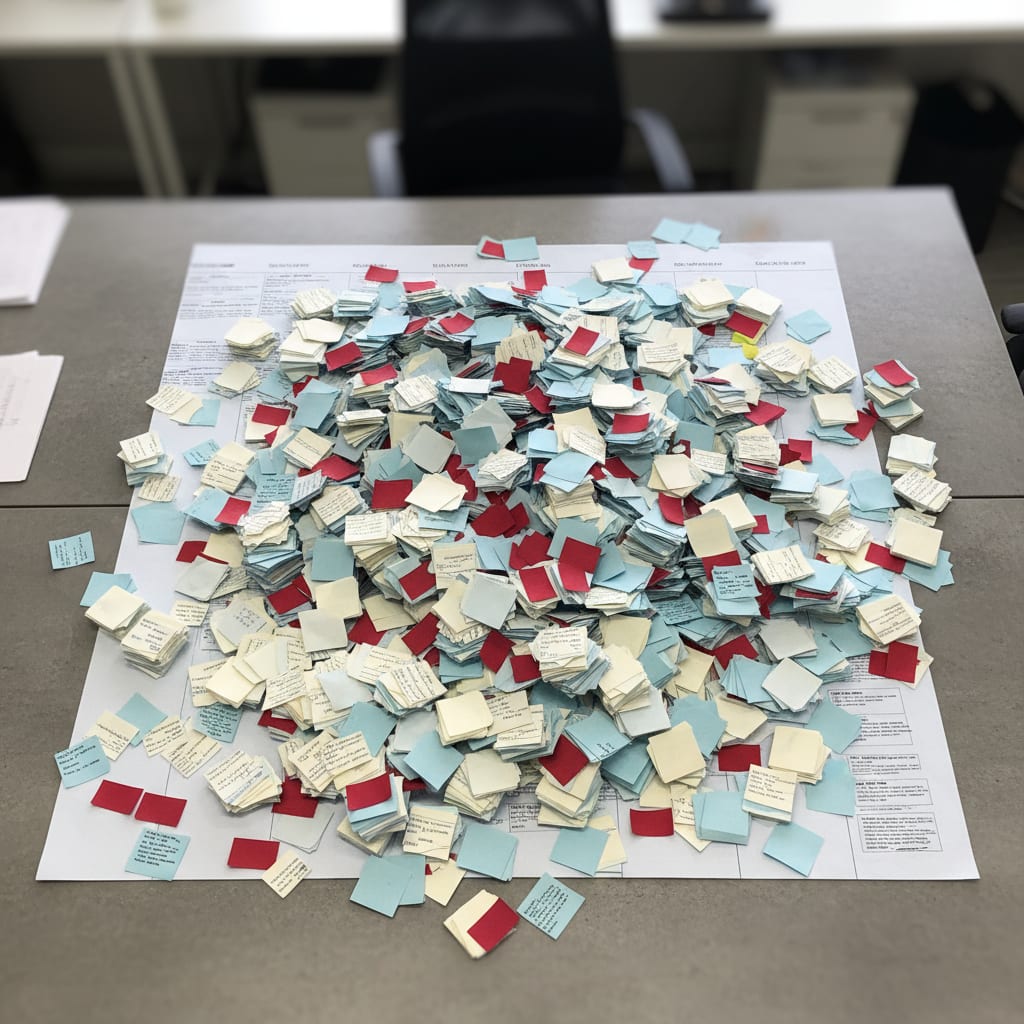
Here"s how it plays out: The same issues get scribbled on sticky notes, sprint after sprint, by the same people. Action items are dumped into Trello and never touched again.
AI-PM tools flip this. They automatically track action item completion across sprints. Recurring themes are flagged before your Scrum Master even notices–or, let"s be real, before they just get ignored again.
Thinking about adding a KI plugin to Jira? Here"s the catch: Jira Intelligence and Asana AI are just add-ons to storage systems. True AI-PM tools are built around the analysis layer from the ground up. Storage is secondary.
That"s the difference between AI as a feature and AI as an architecture.
According to Gartner (August 2025), 40% of enterprise apps will have AI agents by end of 2026–up from less than 5% in 2025. The tidal wave is already building. This isn"t a problem you can put off.
Comparison Table: What Each Tool Actually Delivers for Ops Teams
Let"s cut through the hype. Here"s a practical, no-BS comparison for real Ops-PM needs.
✓ = native support · △ = possible with effort · ✗ = not structurally supported
| Criteria | SwiftRun (AI-PM) | Jira | Asana | ClickUp |
|---|---|---|---|---|
| Retro-tracking across sprints | ✓ automatic | ✗ manual | ✗ manual | △ with plugin |
| Capacity planning | ✓ predictive | △ with config | △ with premium | △ manual |
| Stakeholder reporting | ✓ auto-generated | △ export + format | △ with portfolio | △ manual |
| Tool integration (existing stack) | ✓ reads context | △ Jira ecosystem | △ limited | △ many, but shallow |
| Ops team learning curve | △ 2–3 weeks | ✗ steep (Scrum logic) | ✓ low | △ medium |
Note: Jira and Asana are being rated here for a use case they weren"t built for. In pure Dev teams, many of these scores would flip. This matrix is about strengths and gaps for specific Ops requirements–not a generic leaderboard.
Now you know the differences. But what"s the real cost of sticking with the wrong tool?
SwiftRun automates repetitive workflows with AI agents – so your team can focus on what matters.
What"s the Real Cost of Using the Wrong PM Tool?
Most teams calculate PM tool ROI all wrong–they only count license costs, not the real price of lost productivity. The real question isn"t "How much does the new tool cost?" It"s: How much is your current setup costing you in lost productive hours every single month?
Let"s make this painfully clear.
Example: The Hidden Cost for an 8-Person Ops Team
Asana Anatomy of Work found that 60% of work hours go to "Work About Work." For an 8-person Ops team, let"s be conservative and say each person spends 12 hours a week on this, at a €65 hourly rate:
8 people × 12 hours/week × €65/hour × 48 weeks
= €299,520 annual overhead
Now, if better tooling can claw back just 20% of that time? That"s ~€60,000 in efficiency gains per year–enough to cover several years of premium tooling.
| Team size | WaW hours/week | Hourly rate | Annual overhead | 20% efficiency gain |
|---|---|---|---|---|
| 5 people | 12 h | €65 | ~€187,200 | ~€37,440 |
| 8 people | 12 h | €65 | ~€299,520 | ~€59,904 |
| 15 people | 12 h | €65 | ~€561,600 | ~€112,320 |
Knowledge workers themselves estimate they could win back 4.9 hours per week with better processes–over six full workweeks a year (Asana Anatomy of Work). For an 8-person team, one extra hour per person per week is enough to pay off most tool costs.
This isn"t an AI-tool sales pitch. It applies to any tool stack. According to the Spendflo / Nintex SaaS Sprawl Report, 87% of companies say SaaS sprawl has a moderate to severe financial impact. The numbers stack up–no matter what you use.
So, the next time someone asks "Can"t we just stick with the old system?"–show them this math.
Decision Matrix: Which Tool Fits Which Ops Team Profile?
Not every Ops team needs an AI-PM tool. Sometimes, Jira with the right tweaks is all you need–and that"s not an excuse, it"s a strategic choice.
Let"s break it down by scenario.
Scenario A: Dev-Adjacent Ops Team (Under 10 People, Tight Engineering Link)
If 80% of your work is tied to engineering tickets, Jira"s your anchor. The data model fits: sprints, story points, and velocity are meaningful when your output is software features. The "overhead" is justified by proximity to the Dev workflow.
🟢 Recommendation: Jira–with targeted configs for Ops workflows.
Scenario B: Standalone Ops Team (10–30 People, Many Internal Stakeholders)
If more than 30% of your work is internal coordination with little engineering tie-in, the model breaks down. You"re fielding requests, juggling ad-hoc priorities, and managing SLAs for other teams. Velocity stops being useful. Asana is simpler–but the core issue (analyzing vs. storing data) remains.
🟡 Recommendation: Asana or AI-PM Tool, depending on your reporting load. If stakeholder reporting costs you more than three hours per week, investing in an AI layer pays off.
Scenario C: Multi-Team Ops with Heavy Reporting (30+ People, Regular C-Level Reports)
If you"re coordinating across multiple teams and tools, and C-level reporting is frequent, manual status updates just don"t scale. ProProfs Workflow Automation Statistics show that 50% of teams spend at least one day per month manually consolidating project status info. That"s one day, per month, per person.
🔴 Recommendation: AI-PM Tool–manual merging isn"t a scalable process step.
⚠️ Heads up: Switching tools without clarifying your processes just recreates the problem–with a shinier logo. The most common mistake? Choosing based on features, not on the underlying data model. The real question isn"t "Does it have Gantt charts?" It"s: "Does its workflow model actually fit how we work?"
Ready to see how this plays out in the real world? Let"s look at before-and-after scenarios.
Before/After: 3 Real Scenarios from Ops-PM Life
According to the Lokalise Tool Fatigue Productivity Report 2025, employees switch between apps 33 times per day. Context switching destroys up to 40% of productive time. Here"s where it hurts the most.
Scenario: Retro Follow-Up, Week 3 After Sprint
Before: The Scrum Master opens three Trello boards, manually compares which action items from Sprint 14 made it into Sprint 15. That"s 40 minutes gone. The result? An incomplete picture–two cards were renamed, one was duplicated.
After: The AI tool automatically flags: "This topic has appeared in three retros. Completion rate: 20%. Escalate? Yes/No." 3 minutes to review, no manual digging.
Scenario: Stakeholder Update, Friday Afternoon
Before: 45 minutes spent copying info from Jira, Confluence, Slack, and a Google Sheet. By the time you send the report, it"s already outdated–three tickets changed since Monday.
After: Auto-generated report using your custom template. Review and send in 8 minutes. Always up-to-date, since data"s pulled live from each source.
Scenario: Q3 Capacity Planning
Before: You"ve got an Excel sheet with rough story point estimates, have to cross-check with the PTO calendar, then Slack all team leads for updates. Your "plan" is outdated three days after you finish.
After: The AI tool spots historical velocity patterns and warns you three weeks ahead of likely capacity crunches. No more guesswork–just real patterns from real data.
75% of project managers say they have too much work and not enough resources (Plaky PM Statistics 2026). These aren"t edge cases. This is the daily grind.
FAQ: The Most Common Questions When Comparing PM Tools
Can"t I Just Add AI Plugins to Jira?
You can bolt AI plugins onto Jira, but they only fix the surface–not the structure. AI-generated ticket summaries are useless if nobody keeps the tickets up to date. If your foundation is unstructured, AI just makes it messy faster.
How Long Does It Take to Roll Out an AI-PM Tool?
You"ll get initial configuration and insights in 2–3 weeks. The tech is easy–the real challenge is cultural adoption: getting teams to trust and act on AI-prioritized work. That takes 1–2 quarters. Underestimate this, and you"ll blame the process, not the tool.
Do We Need to Migrate Our Data from Jira?
No migration needed. Most AI-PM tools plug into Jira or Trello as an analysis layer–at least to start. Migration isn"t all-or-nothing. The pragmatic approach: run the AI tool on top of your stack first, then consider full migration if it adds value.
When Does It Make Sense to Switch from Jira to an AI-PM Tool?
Consider switching if: (1) More than 30% of Ops work isn"t engineering-related, (2) You"re doing regular manual stakeholder reporting, or (3) Retro actions systematically fall through the cracks. For Dev-heavy Ops teams, Jira is often still the best fit–the data model works, and switching creates more overhead than it saves.
Choose Your Tool by Data Model, Not Feature List
Jira and Asana aren"t going away. They"re great at the jobs they were made for. This article isn"t saying they"re bad–it"s showing you where their data model just doesn"t fit.
So, which problem are you really trying to solve?
If you want to track software development in a structured way, stick with Jira. If you"re losing time manually merging, prioritizing, and reporting on data that already exists, it"s time to ask if your architecture is built for your workflow.
The PM software market is growing from $9.76B (2025) to $23.09B (2031)–a 15.4% CAGR (Mordor Intelligence). The market isn"t growing because the old tools are getting worse. It"s because new use cases are emerging–ones the classic models simply weren"t built for.
Want a deeper dive? Check out Why Jira structurally fails internal Ops teams–a deeper analysis Or see How to make the business case for a PM tool switch
Want to see how SwiftRun.ai turns your existing Jira or Trello data into sprint insights–no migration required? Book a free 30-minute demo. No sales pitch, just answers.
Keep exploring: What is Agentic AI in project management–and what can it really automate? How to build a business case for switching PM tools as a CEO
Related Articles:
ai pm tool difference jira asana comparisonai project management tooljira alternative ops teamasana vs ai toolpm tool switch saas
Related Articles

Operations & PM Teams
GTM Misalignment: How to Spot Early Warning Signs in SaaS
GTM misalignment is the #1 reason B2B SaaS companies miss revenue targets, according to Forrester (2025). But Ops PMs see the signals first. Here"s how to recognize, diagnose, and act before the problem hits your bottom line.
Jun 12, 2026·14 min read·Georg Singer

Operations & PM Teams
WIP Limits: Why Ops Teams Ignore Them at Their Peril
23 tasks 'In Progress', only one finished. That"s not bad luck–it"s Little"s Law in action. Here"s why WIP limits are the most important (and ignored) concept for Ops teams drowning in SaaS tools.
Jun 11, 2026·12 min read·Georg Singer
Operations & PM Teams
How to Fix Product and Sales Alignment in SaaS–Without New Tools
Product and Sales misalignment is the #1 reason SaaS revenue targets fail–according to Forrester. It"s a system problem, not a people problem. Here"s a four-part framework to sync Product and GTM, boost adoption, and eliminate wasted launches. No new tools required.
Jun 10, 2026·13 min read·Georg Singer