Get Retro Action Items Done Next Sprint
Up to 80% of retrospective action items never make it into the sprint backlog–not because your team doesn't care, but because the process is broken. Here"s the 4-step, 18-minute system to finally close the retro-to-sprint gap and deliver real change.
Georg Singer··15 min read

Third sprint in a row. The same sticky note pops up: "Deployment process is unclear." Everyone nods. Someone writes it down as an action item. And once again... nothing actually changes.
Sound familiar? If you"ve ever found yourself wondering why your team"s best ideas seem to evaporate between retrospectives, you"re not alone. The data is brutal: 70–80% of all retro action items are never implemented (Dejan Majkic, Substack, 2024). That"s not a sign your team is lazy or uncommitted–in fact, the real problem is almost invisible.
It"s structural.
Between the moment your team agrees on an action in the retro and when that action actually gets prioritized in the sprint backlog, there"s a yawning gap. And unless you close it deliberately, most action items will die in the no-man"s land between "good intention" and "delivered result."
But the good news? You can fix this with a simple, ruthless process that adds just 18 minutes per sprint–and doesn"t require any tool changes. Whether you"re using Jira, Linear, Notion, or sticky notes, here"s how to finally make retro actions stick.
Quick Takeaways: > - Up to 80% of retro action items go nowhere–not due to discipline, but missing process structure (Majkic/Scrum.org)
- The way you transfer actions from retro to backlog is the single biggest lever: If it doesn"t become a real prioritized ticket, there"s an 80% chance it"ll be forgotten
- Retro Completion Rate: Over 70% is strong, under 30% is a red flag–here"s how to measure and hit real benchmarks
- The fix is 18 minutes per sprint: 10 min transfer, 5 min sprint planning checkpoint, 3 min review
- Commit to at most 3 retro actions per sprint–less and done beats more and forgotten
Why Retro Action Items Rarely Get Done
Why do your retro action items keep dying, even when everyone cares? Let"s get brutally honest: It"s not a motivation problem.
It"s a process design problem. The critical handoff–from the retro board to the sprint backlog–is usually missing. That"s why your well-intentioned action items get lost. In the heat of the retro, ideas flow and agreements happen. But unless those ideas survive the cold, hard prioritization of sprint planning, they"ll be buried under daily work.
Teams already spend 60% of their work time on "work about work"–chasing status updates, switching apps, duplicating efforts (Asana Anatomy of Work Index). Think about that: More than half your week is eaten up by process overhead, not progress. Retro actions aren"t extra admin–they"re your team"s chance to claw that time back and fix the root causes.
This missing bridge even has a name: The "Retro-to-Sprint Gap." It"s the silent killer of improvement.
Let"s break down the four main points where retro actions routinely die:
- No clear transfer moment: Actions leave the retro as vague intentions ("We should...") instead of concrete backlog tickets.
- No single owner with capacity: "The team" is not an owner. If everyone"s responsible, no one is.
- Sprint planning ignores retro items by default: After a long backlog grooming, retro actions get pushed aside or forgotten.
- Sprint review never checks if actions happened: Without a closing loop, there"s zero accountability.
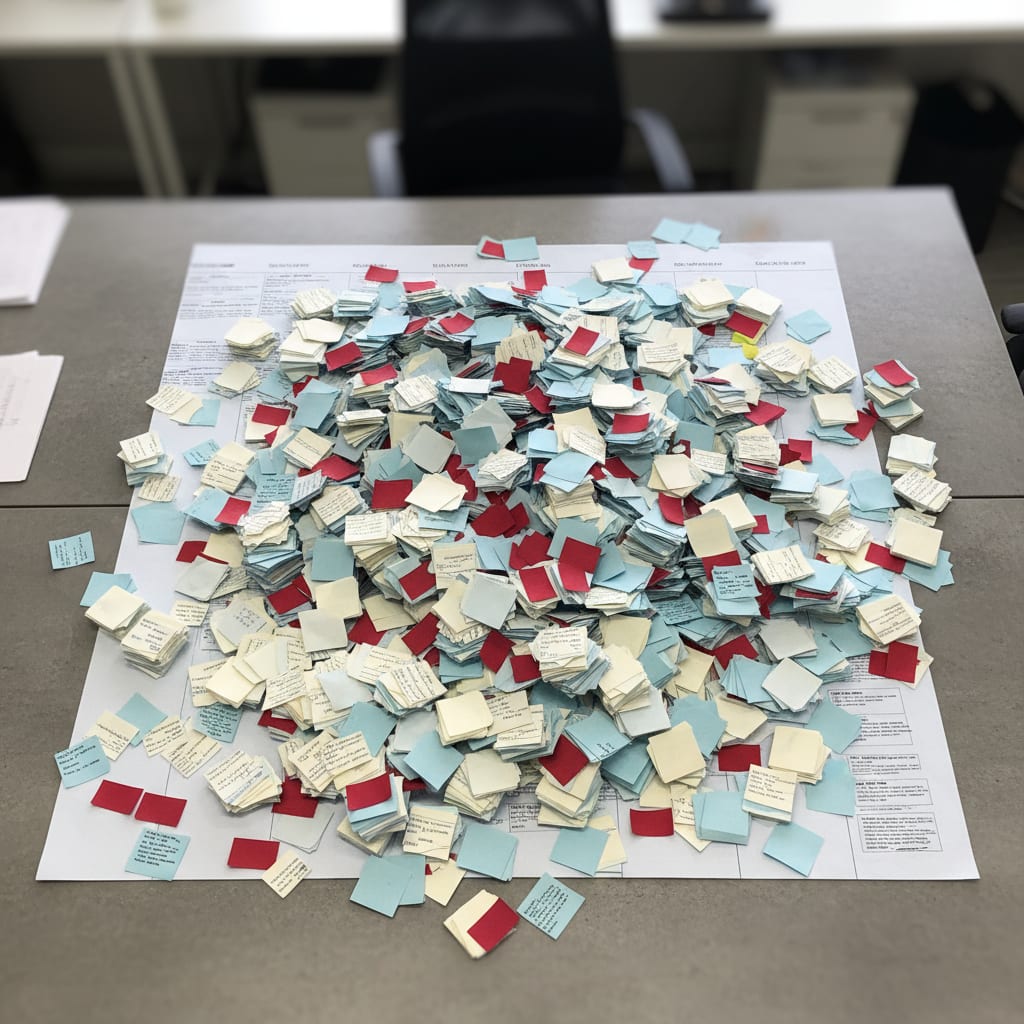
End result? You"ve now got a graveyard of sticky notes–an "archive" no one ever reads again.
And the kicker: There"s no natural channel from your Miro or Trello retro boards into your sprint backlog. No single source of truth. No overview, unless you manually cobble one together. That"s why the same issues resurface sprint after sprint. It"s not your team–it"s the invisible architecture.
The "Retro-to-Sprint Gap" is the structural break between the moment a team decides on an improvement in the retro and when that action actually enters the prioritized sprint backlog. This is the main reason 70–80% of retro actions never get done–not lack of motivation, but missing process structure.
Step 1: Define the Transfer Moment–The Last 10 Minutes of Your Retro
Picture this: The retro ends, everyone feels energized, but nothing actually reaches the backlog. How do you fix that?
Here"s the move: Reserve the last 10 minutes of every retro for the transfer. Right there, in the meeting, every action item gets created as a real ticket in your backlog tool–complete with a [RETRO] label, a single owner, a one-sentence "definition of done," and assignment to the next sprint. Commit to no more than 3 items per sprint. And if it doesn"t leave the retro as a ticket, odds are 80% or more it"ll never get done.
This might sound like a small tweak, but it"s everything. The last phase of your retro isn"t "define action items"–it"s "transfer actions into the system." Not a word game. This is the moment that turns ideas into reality.
Every action gets these four things immediately:
- Owner: One person (never "the team")
- Ticket in your existing backlog tool: Not a separate board
- Definition of Done (DoD): A single, clear sentence ("Done when [specific outcome]")–not "improved" or "discussed," but a state anyone can verify
- Sprint assignment: The next sprint, not "someday"
A "Retro ticket" is an action item that"s been transferred into your main backlog tool, with an owner, DoD, [RETRO] label, and sprint assignment. An "action item" on your retro board is just a good intention. Only as a ticket does it stand a real chance.
Ticket Templates You Can Steal
Here"s what clear retro tickets look like in practice:
Template 1: Process Improvement
Title: [RETRO] Document deployment process
Label: retro-action
Owner: @[Name]
DoD: Done when deployment runbook is in Confluence and reviewed by the team.
Sprint: Sprint [number]
Template 2: Communication Issue
Title: [RETRO] Pilot async standup format
Label: retro-action
Owner: @[Name]
DoD: Done when format has been tested once with the team and feedback collected.
Sprint: Sprint [number]
Template 3: Technical Debt
Title: [RETRO] Investigate staging environment stability
Label: retro-action
Owner: @[Name]
DoD: Done when root cause is identified and prioritized as a story in next sprint planning.
Sprint: Sprint [number]
The [RETRO] label in the title matters–a lot. It signals to everyone in sprint planning that this item didn"t arrive via the usual feature/bug flow. It"s a team agreement, not a product request.
Capacity Rule: Never commit to more than 3 retro actions per sprint. If your retro spits out 8 ideas, only 3 make it into the sprint. Less and done always beats more and forgotten.
And here"s the kicker: 50% of teams spend at least one day per month manually pulling together project status info (ProProfs Workflow Automation Report, 2024). Lack of structure at the point of origin is the root cause. A disciplined transfer moment solves exactly that.
Now that you know how to get actions into the backlog, let"s talk about what happens in sprint planning. Because if retro items always get buried at the bottom, you"re still stuck on square one.
Step 2: Add a Sprint Planning Checkpoint–5 Minutes That Change Everything
Ever noticed how retro items are always the last thing on the agenda–if they"re mentioned at all? Here"s how to flip that script.
Make retro actions the very first item on your sprint planning agenda. Before backlog refinement, before grooming, before anything else. The team decides up front: "These 3 items are in, these 2 will wait for Sprint X." No more passive forgetting–only active, transparent decisions. This one tweak typically doubles follow-through in real teams.
Let"s visualize the before and after:
Before: Retro items live somewhere in the backlog wilderness. Sprint planning starts with the most urgent feature requests. By the end, someone remembers the retro actions. They"re waved through or quietly skipped.
After: Sprint planning opens with: "Which retro actions are we taking into this sprint?" The team explicitly commits or pushes to a future sprint. Regular backlog work only starts afterwards.
It"s not about adding extra time–just 5 focused minutes. It"s about front-loading priority. What comes first gets done. What"s tacked on at the end gets lost.
"Feeling overwhelmed by our over-dependence on SaaS."
Here"s why this matters: Ops teams in SaaS companies with 50–200 staff use an average of 87 different tools (saasoperations.com). That means your retro actions are fighting for attention not just with feature requests, but with 86 other tool contexts–none of which have clear priority rules. If you don"t force retro items to the top, they"ll always lose to daily business.
And it gets worse. 75% of project managers say they have to do too much with too few resources (Plaky PM Statistics Report, 2026). In that environment, retro actions will always be out-competed unless you anchor them as agenda item #1.
What if there"s genuinely no capacity this sprint? That"s fine–but make it explicit: "We"re pushing this to Sprint 14 because we"re prepping for release." The team sees the tradeoff. It"s not a defeat–it"s transparent capacity management.
⚠️ Heads up: If you"re always deferring retro actions because of lack of capacity, that"s not a transfer problem–it"s a capacity problem that needs to be tackled in the retro itself. The checkpoint reveals this pattern, which can be uncomfortable at first–but it"s way better than letting the issue stay invisible.
Some Scrum Masters say tracking action items is their job, not the PM"s. In theory, that"s true–if you have a dedicated Scrum Master. In most SaaS teams under 100 people, you don"t. This system is built for that reality: It works without relying on a role you probably don"t have.
You"ve now got actions making it into the sprint plan. But how do you make sure they stay visible–and don"t just get quietly dropped? That"s where the sprint review comes in.
Step 3: The Sprint Review Loop–Accountability Without Micromanagement
Let"s be real: Most sprint reviews skip straight to demos and stakeholder feedback. Retro actions? Never mentioned again.
Change that with a simple tweak: Spend 3 minutes in every sprint review on retro actions. Ask three questions:
- "Which retro actions did we complete this sprint?"
- "Which didn"t get done, and why?"
- "Which are we carrying over?"
It sounds basic, but it"s not. This small dose of structured visibility changes everything. Owners know that in two weeks, they"ll be asked for an update. That"s not pressure–it"s just context and a gentle nudge toward real follow-through.
Teams using this checkpoint report their completion rates tripling over 6 sprints–from under 20% to over 60%. No new tools. No big workshops. Just a mini ritual that makes retro actions visible.
Mini-case study: An 8-person ops team at a German B2B SaaS (using Jira, 2-week sprints) adds this 3-question checkpoint to their sprint review. Before: Under 20% of retro actions delivered, with the same issues popping up for months. After 6 sprints: Over 60% completion. No new tools. Just structured visibility–3 minutes per sprint.
And here"s the punchline: 37% of companies have no single source of truth for project info (Profisee). When your retro actions are scattered across parallel boards no one checks, your sprint review lacks numbers–only gut feelings and scattered updates. The 3-minute checkpoint fixes that.
Key reminder: Not every unfinished action is a failure. Sometimes problems resolve on their own or were wrongly prioritized. The difference between "not done due to capacity" and "not done because it"s unclear" leads to different next steps. The review is not a blame game–it"s a learning loop.
Now you"re tracking and reviewing actions. But how do you know if your process is really working? That"s where measurement comes in. Let"s get numbers on the board.
SwiftRun automates repetitive workflows with AI agents – so your team can focus on what matters.
Step 4: Measure Your Completion Rate–The Only Metric That Matters
If you want improvement to stick, you need to measure it. Enter the Retro Completion Rate: (completed items ÷ committed items) × 100. If you"re above 70%, you"ve got a healthy system. Below 30%, something"s structurally broken.
Here"s how to actually measure it: Use a filter for your retro-action label in whatever tool you use (Jira, Linear, Notion). At the end of each sprint, count how many retro-labeled tickets are marked "Done" and how many aren"t.
Formula:
Retro Completion Rate = (completed retro items / committed retro items) × 100
Benchmarks:
| Rate | Assessment | Next Step |
|---|---|---|
| under 30% | Structural problem | Revisit transfer or capacity process |
| 30–60% | Needs improvement | Enforce sprint planning checkpoint |
| over 70% | Healthy system | Watch trend over 6 sprints |
This metric isn"t in any PM textbook–this is the first time it"s been operationalized with real benchmarks (based on Scrum.org data, Majkic analysis, and ops team observations).
Why is this so powerful? Because velocity you don"t measure, cycle time you don"t track, and WIP limits you don"t enforce all fade into background noise. Flow metrics aren"t native to Trello. But the retro completion rate is the one metric ops PMs can track themselves–no engineering dashboards required.
And keep your eye on the trend, not just the number. Is your rate rising over 6 sprints? Great–the system works. Stuck at 40%? Either you"re over-committing, or retro actions aren"t actually prioritized in the sprint.
Here"s the kicker: Knowledge workers believe they could reclaim 4.9 hours per week with better processes (Asana Anatomy of Work). That"s over 6 full work weeks a year. A working retro system isn"t just a "nice-to-have"–it gives you back capacity otherwise lost to workarounds and repeat meetings.
With all four steps in place, you"ve got a system that delivers real change. Let"s see what it looks like in practice–and how little extra time it actually takes.
The Full System: From Retro Board to Sprint in Under 18 Minutes Per Week
Here"s the complete flow:
Retro (last 10 min: transfer) → Backlog (tickets with label + owner) → Sprint Planning (checkpoint, 5 min) → Sprint (item has a slot) → Sprint Review (3 questions, 3 min) → Next retro (close the loop)
Time cost: 10 minutes in retro + 5 minutes in sprint planning + 3 minutes in sprint review = 18 minutes overhead per sprint. The payoff: Actions that actually get done.
If you"re thinking, "That"s too much process for a retro"–consider this: 18 minutes isn"t bureaucratic overkill. It"s the bare minimum to make sure the other 90 minutes of your retro weren"t wasted.
Here"s the hidden cost of not fixing this: The average employee switches between apps 33 times a day (Lokalise Productivity Report). Chronic context switching can destroy up to 40% of your productive time. A retro process built into your existing tool avoids more tool sprawl. The system comes to your data–not the other way around.
Which Setup Fits Your Team Size?
| Scenario | Team Size | Tool | Transfer Method | Tracking | Special Note |
|---|---|---|---|---|---|
| A – Small | Under 8 people | Notion, Linear | PM creates tickets, owner confirms live | Filtered view retro-action, manual carry-over at sprint end |
No epic needed–label is enough |
| B – Medium | 8–20 people | Jira | PM moderates transfer, owner self-assigns | Sprint board filter retro-action, checkpoints on calendar |
Epic "Retro-Actions" as structuring element |
| C – Multi-Team | 20+ people | Jira, enterprise | Owner per team, not per person | Monthly consolidated retro report | Escalate if same item appears 3× → team lead round instead of next retro |
What you don"t need: Another tool. EasyRetro, Retrium, and the like are great for running the meeting, but just add another silo. This system works with whatever tool you already have.
And looking ahead: By end of 2026, 40% of all enterprise apps will feature task-specific AI agents (Gartner). For now, the manual transfer moment is a bridge system–but a working bridge is vastly better than nothing.
SwiftRun.ai: Automated Retro Action Transfer
If you want to automate that manual transfer moment, tools like SwiftRun.ai can instantly move your retro action items into your sprint backlog–no more copy-pasting between retro board and ticket. The manual system costs you 18 minutes per sprint and doubles your completion rate. The automated version eliminates that manual step entirely. It"s worth seeing how this could work for your team.
Two Objections–and Why They Don"t Hold Up
"Isn"t this the Scrum Master"s job?" True, if you have a dedicated Scrum Master. But in most SaaS teams under 100 people, that role is rare or combined with others. This system is designed for that reality: No dependency on a role you probably don"t have.
"Too much process kills the retro vibe." There"s a grain of truth here: Retros that feel bureaucratic lose energy. But these last 10 minutes aren"t bureaucracy–they"re the moment the team gives teeth to its own decisions. That actually boosts retro energy, not saps it. For context: 60% of IT teams report excessive manual work, despite ever more tools (BetterCloud State of SaaS 2025). 18 minutes of structure is less than a typical status update block. Once you"ve seen retro actions actually land, you"ll never want to go back.
What Now?
Start with Step 1–the transfer moment. In your next retro, block out the last 10 minutes for this purpose. Announce it in your retro agenda. That"s all you need to get started.
Steps 2–4 can follow in your next two sprints. Begin measuring your retro completion rate with Sprint 1–not because you"ll hit great numbers overnight, but because you won"t know if you"re improving without a baseline.
If you want to learn more about tracking action items across multiple sprints, or how to plan capacity for ops teams, check out the resources at the end.
Further Reading:
- Why most retrospective actions never get implemented: dejanmajkic.substack.com/p/your-retro-action-items-are-about
- How to track retro action items across sprints: See "Retro Action Item Tracking" (plain text)
- What is capacity planning in agile ops, and how to implement it: See "Capacity Planning for Agile Ops Teams" (plain text)
Ready to stop repeating the same retro ideas? Time to make your next action item your first completed one.
Related Articles:
- Agentic AI in Project Management: What It Really Automates (and What It Never Will)
- Why Most PM Tools Fail at Flow Metrics–and What You Can Do About It
- How to Keep Stakeholder Alignment Alive in Rapidly Growing SaaS Teams
Ready to tackle those retro action items like a pro this sprint? Give SwiftRun.ai a spin and see how easily you can turn feedback into focused action.
retro action itemsimplement retro actionsretrospective follow-throughsprint planning retroretro-to-sprint gapsprint action itemsagile opssprint review checklist
Related Articles

Operations & PM Teams
GTM Misalignment: How to Spot Early Warning Signs in SaaS
GTM misalignment is the #1 reason B2B SaaS companies miss revenue targets, according to Forrester (2025). But Ops PMs see the signals first. Here"s how to recognize, diagnose, and act before the problem hits your bottom line.
Jun 12, 2026·14 min read·Georg Singer

Operations & PM Teams
WIP Limits: Why Ops Teams Ignore Them at Their Peril
23 tasks 'In Progress', only one finished. That"s not bad luck–it"s Little"s Law in action. Here"s why WIP limits are the most important (and ignored) concept for Ops teams drowning in SaaS tools.
Jun 11, 2026·12 min read·Georg Singer
Operations & PM Teams
How to Fix Product and Sales Alignment in SaaS–Without New Tools
Product and Sales misalignment is the #1 reason SaaS revenue targets fail–according to Forrester. It"s a system problem, not a people problem. Here"s a four-part framework to sync Product and GTM, boost adoption, and eliminate wasted launches. No new tools required.
Jun 10, 2026·13 min read·Georg Singer