Automate Manual PM Processes Without Overwhelming Your Team
60% of IT teams are drowning in manual work–even with dozens of tools. Why most automation fails, how to close the adoption gap in four weeks, and a practical plan to finally make automation stick in your PM team.
Georg Singer··15 min read
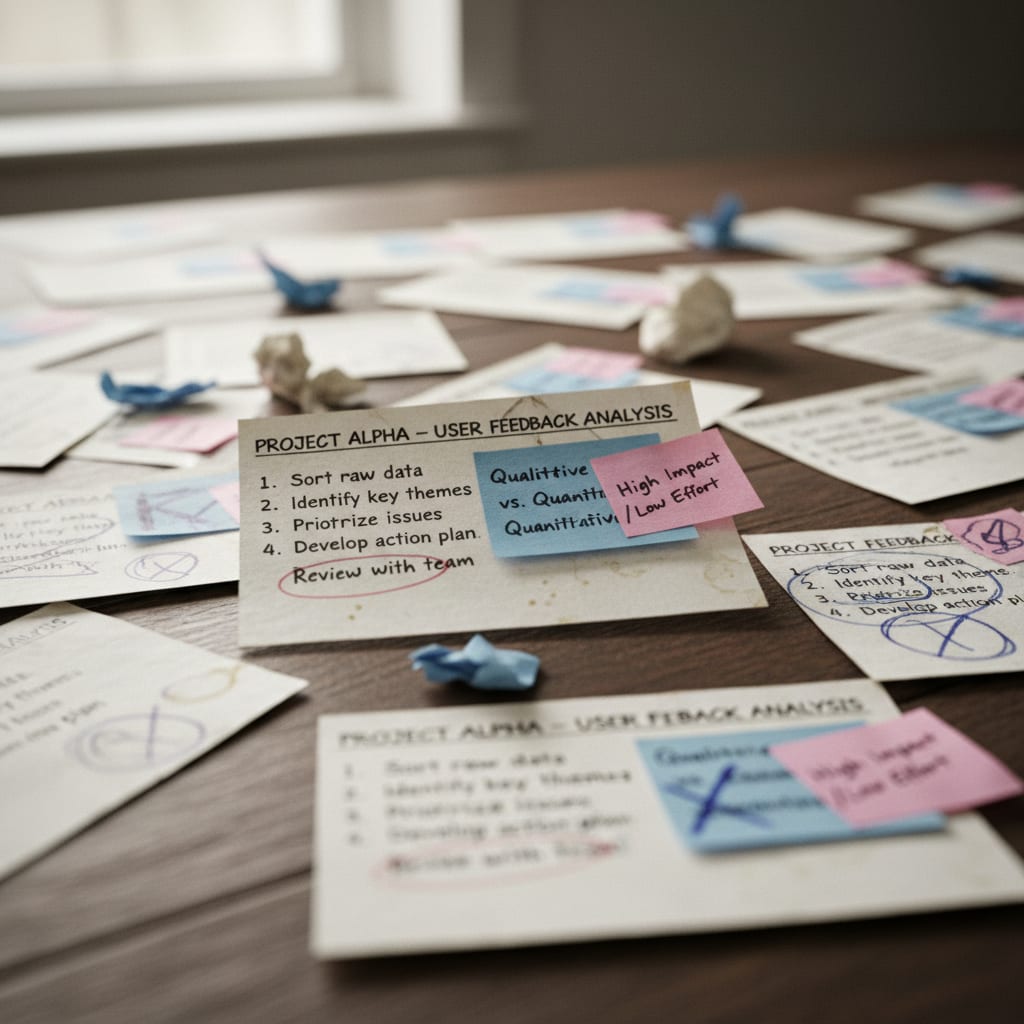
The meeting has dragged on for 40 minutes. You"re presenting a status report–a Frankenstein of three browser tabs, two exports, and a spreadsheet you stitched together yesterday afternoon. Here"s the kicker: three of your teammates did the exact same work, each in a slightly different format.
Someone finally asks the obvious: "Can"t we automate this?" Heads nod around the room.
Fast forward three months. The shiny new automation tool is live. But nobody"s using it.
Sound familiar? You"re not alone. This isn"t a people problem–it"s a structural one. And it has a name: the adoption gap.
That"s the critical window after your automation goes live, but before your team actually accepts it as the new normal. Most automations die right here–not because the tool sucks, but because there"s no concrete adoption plan.
Let"s break the cycle: Here"s a structured approach to keep your automations alive beyond week three. You"ll walk away with a four-week plan, a simple way to prioritize what to automate, and the confidence to leave risky processes untouched.
TL;DR: The Key Takeaways
According to BetterCloud (2025), 60% of IT teams still deal with excessive manual tasks–even as their tool stacks explode. This results in a significant number of hours lost to clicking and copying. Furthermore, 70–80% of retrospective action items are never acted on, highlighting that the gap between "let"s do it" and "it"s done" is structural, not personal. Asana data suggests that knowledge workers could reclaim 4.9 hours per week–over six workweeks per year–by fixing "work-about-work." It's important to remember that automating a broken process just breaks it faster, and the three-week adoption window is the make-or-break moment for any automation.
Why Automation Fails in Ops Teams–And What That Means for You
Imagine buying a fancy new tool, only to see it collect dust while your team goes back to old habits. Why does this happen again and again?
Because automation is treated as a technical problem, not a change management one.
The BetterCloud State of SaaS 2025 reveals a stark truth: even as tool stacks balloon, 60% of IT teams say manual work is still out of control. In SaaS companies with 50–200 employees, ops teams juggle an average of 87 different tools (saasoperations.com). More tools, more tabs, more chaos.
At first glance, that seems backwards. Shouldn"t more tools mean less work? Here"s the twist: rolling out a tool is not the same as rolling out a process. Most teams do the first, but nearly no one does the second.
A SaaS founder on Reddit nailed it:
"Feeling overwhelmed by our over-dependence on SaaS." – r/SaaS
Every new tool promises relief. But reality is messier. For weeks–or months–you"re stuck running two systems in parallel, waiting for one to die off. And in the meantime, your team"s workload actually increases.
⚠️ Heads up: Automating a broken process just breaks it faster. If your process is inconsistent or unclear, automation just multiplies the confusion at warp speed. That"s not progress.
So before you even touch a tool, let"s find out where your time is really going.
Step 1: Find Your Real Time Sinks–Before You Automate Anything
You"re probably wondering: Which PM processes are actually worth automating? Not everything is.
Here"s the trick: Run a three-day time audit, breaking your work into 15-minute slots. For each slot, categorize the activity as "real work," "coordination," or "work about work." (Work about work = everything you do to organize, update, or duplicate information, not the actual task itself.)
You"re looking for bottlenecks that are:
- Regular (they happen daily or weekly)
- Rule-based (clear if-this-then-that logic)
- Time-consuming
One-off, judgment-heavy tasks? Don"t automate those–they require human brains, not scripts.
That status report you cobbled together yesterday? That"s not a PM problem–it"s a process design failure. And it gets worse: 37% of companies don"t have a single source of truth (Profisee). If your data lives in three systems, no automation can save you. A single source of truth is the prerequisite for successful automation–not the result.
The problem is everywhere: 75% of project managers say they"re overloaded, trying to do too much with too little (Plaky PM Statistics 2026). So ask yourself: Is your workload really the work, or just wrangling the mess?
The 15-Minute Audit: Where Does Your Time Actually Go?
Let"s be honest: "Work about work" is the silent killer. It"s all the meta-tasks–compiling updates, switching between apps, duplicating info. The Asana Anatomy of Work Index found that these activities eat up 60% of knowledge workers" time. Only 27% goes to actual skilled work.
What does that mean for you? If you work 8 hours a day, 5 days a week, you"re probably spending nearly 5 hours just organizing your work–not actually doing it.
Here"s a simple audit checklist for three workdays:
- Log every activity in 15-minute blocks (calendars aren"t enough–note it live)
- Assign each activity: Real Work / Coordination / Work About Work
- Mark recurring activities (daily? weekly?)
- Mark rule-based activities (clear if-then logic?)
- At the end of day three: List your three biggest work-about-work time drains
- Check: Which are both recurring AND rule-based?
Those are your prime automation candidates.
Work About Work vs. Real PM Work–What"s the Difference?
Here"s the most common mistake: Teams automate the most visible annoyance, not the biggest time sink. The status report feels painful, but the real killer is the retro-to-sprint gap.
Dejan Majkic"s analysis (2024, based on Scrum.org data) found that 70–80% of retrospective action items are never implemented. They get logged in Trello, then promptly forgotten. If you don"t spot this in your audit, you risk automating the wrong problem.
Now that you know where your time is leaking, let"s see if your processes are even ready for automation.
Step 2: Assess Your Automation Readiness–Three Zones, Three Game Plans
Just because a process exists doesn"t mean you should automate it. Automation readiness–how stable and consistent a process is–is the make-or-break factor.
Think of it as three zones:
| Zone 1: Chaos | Zone 2: Consistency | Zone 3: Optimization | |
|---|---|---|---|
| What it looks like | Process exists, but everyone does it differently | Process is performed reliably by everyone | Automation is live, but adoption is low |
| Your next move | Standardize first, then automate | Ready to automate | Focus on change management, not new tools |
| Common pitfall | Automate before standardizing | Try to automate too many processes at once | Buy another tool instead of fixing adoption |
| Example | Sprint reviews in different formats | Weekly status update always same | Jira is running, but only 60% use it |
That messy Trello board no one reads? Zone 1. Sprint reviews with scattered data across three systems? Still Zone 1.
The ProProfs Workflow Automation Statistics show 50% of PMs spend at least a day per month manually merging project status info. If your process is consistent but slow, that"s classic Zone 2–ripe for automation.
But if three PMs build reports in three different formats, no tool will save you. Standardize first.
Once you"ve mapped your processes to these zones, you can prioritize what to automate–and what to leave alone for now.
Step 3: The Automation Sequence–What to Tackle First (And What to Avoid)
Now you know which processes are ripe for automation. But where should you actually start? Here"s the reality: Not all PM tasks are created equal.
The best early wins are:
- Status reporting
- Moving retro action items into the next sprint
- Recurring task reminders
These are heavy on work-about-work and light on judgment–the perfect automation formula.
Quick Wins: Top 3 High-Impact Automations
Quick Win 1: Automate Status Reporting
Your data already lives in Jira, Trello, or Notion. The grind is in exporting, reformatting, and emailing updates.
Before: Export from Jira, open last week"s spreadsheet, manually add three columns, copy Slack comments, format in PowerPoint, send via email. 90–120 minutes per week.
After: Automation pulls relevant data daily, fills a template, sends to your distribution list. Setup: 3 hours up front. Ongoing: 10 minutes per week for review.
Quick Win 2: Move Retro Action Items Into Sprints
That sticky note you"ve rewritten three times? The classic retro-to-sprint gap. Stop copying by hand. Automate the transfer of retro action items into next sprint tickets, with owner, deadline, and a link to the retro. Dejan Majkic"s analysis shows this closes the gap where 70–80% of actions vanish.
Quick Win 3: Recurring Task Reminders–No More Calendar Spam
Weekly tasks, monthly reviews, quarterly OKR check-ins–stop manually setting reminders. Automate ticket creation and assignment, with escalation if they"re not acted on.
What Not to Automate
The numbers are tempting: The Asana Anatomy of Work Index says knowledge workers could reclaim 4.9 hours per week through better processes. That"s more than six workweeks a year. But don"t get greedy.
Some tasks should never be automated:
- Escalating issues to your CTO isn"t automation–it"s communication.
- Prioritization decisions? Still human.
- Stakeholder updates during a crisis? No script can handle "it depends."
⚠️ Caution: Vendors love to promise "5-minute setup." But the setup isn"t the hard part–the next three weeks are. Without a solid adoption plan, you"ll end up with another dead tool. 87% of companies report that SaaS sprawl is a moderate to severe financial drain (Spendflo / Nintex SaaS Sprawl Report).
Ready for the trickiest part? Getting your team to actually use the new process.
SwiftRun automates repetitive workflows with AI agents – so your team can focus on what matters.
Step 4: Plan for Team Adoption–The Crucial Phase Everyone Skips
Here"s the million-dollar question: How do you get your team to actually use your new automation?
Simple: Have an explicit three-week adoption plan. Week one, run the new and old processes in parallel. Week two, switch off the old process. Week three, gather structured feedback.
Don"t fall for the training trap–running the first workflow together beats any training session.
Why "Training" Doesn"t Equal Adoption
A kickoff meeting might explain the tool, but it doesn"t change habits. There"s a world of difference between "holding a training" and "doing the first workflow together as a team."
The Lokalise Tool Fatigue Productivity Report 2025 found that employees switch between apps 33 times a day on average. All that context switching can kill up to 40% of productive time. So when you introduce a new tool, your team sees it as just another tab to juggle–unless you make the transition frictionless.
From my experience: The #1 reason adoption fails isn"t laziness–it"s lack of psychological safety. If the team doesn"t know that mistakes are normal (and even welcome) during a transition, they"ll cling to the old process–not out of stubbornness, but self-preservation.
The Three-Week Adoption Window: What Really Happens in 21 Days
Week 1 – Run Both Processes in Parallel: No one has to trust blindly–everyone can compare old and new. The goal isn"t a demo; it"s real work, done as a team.
Week 2 – Turn Off the Old Process: This is the hardest step. If you leave both options open, people will stick to what they know. That"s not resistance–it"s human nature.
Week 3 – Feedback and Fine-Tuning: Forget another training. Hold a 30-minute team session, asking one question: "At what step did you still do something manually, even though the new process should have handled it?" This surfaces the real adoption blockers–the ones dashboards won"t tell you.
Another reality check: Some team members may see automation as a threat. That"s understandable. But automation replaces coordination work, not judgment. You lose the 90 minutes spent compiling updates, but you keep the responsibility for interpreting the data and making decisions.
But does any of this actually work? Time to find out.
Step 5: Measure What Matters–Is Your Automation Really Delivering?
Forget activity dashboards. Track time saved–not just tool usage.
Vendors love to show you how many workflows were triggered. But the only metric that matters: How many minutes did your team save on work-about-work this week?
- Status report last month: 90 minutes.
- Four weeks later: 12 minutes of review.
- That"s your ROI–not a vanity metric.
You"ll need to measure this manually–no tool will hand it to you out of the box. Here are three metrics that count:
- Minutes spent on status reports (baseline vs. now)
- Number of manual data transfers per sprint
- Adoption rate after week three
High velocity that no one tracks, cycle time that"s only in your head–these are symptoms of the work-about-work problem, not causes.
The Freshworks Cost of Complexity Report 2025 shows 53% of companies never saw the ROI they expected from software. Complexity eats up an average of 7% of annual revenue. That"s not an argument against automation–but it"s a strong case for tracking whether it works.
And the clock is ticking. By the end of 2026, 40% of enterprise apps will feature task-specific AI agents–up from under 5% in 2025 (Gartner, August 2025). If you can"t close the adoption gap now, you won"t be ready for AI-driven automation in two years.
The Four-Week Roadmap: From "Idea" to "Team Actually Uses It"
Let"s get specific. Here"s how the math shakes out, using Asana"s 4.9 hours/week/person saved, an average PM hourly rate in DACH of €65 (range: €55–75), and 46 working weeks per year. This isn"t a guarantee–just a transparent calculation for orientation.
| Team Size | Annual Hours Saved | Projected Value |
|---|---|---|
| 5 PM roles | 1,127 hours | ~€73,000 |
| 15 PM roles | 3,381 hours | ~€220,000 |
| 30 PM roles | 6,762 hours | ~€440,000 |
Want to run the numbers for your team? The formula is simple:
Number of roles × 4.9 hours × 46 weeks × your hourly rate
Here"s how to put it into action:
Week 1: Audit and Process Selection
- Run a three-day time audit (15-minute slots, three categories)
- Pick ONE process to automate
- Assess automation readiness: Zone 1, 2, or 3?
- Set a target metric: What will you measure after four weeks?
Total time: about 2 hours of focused analysis.
⚠️ Warning: Start with more than one process, and you"ll create more chaos than you solve. Pick one. See it through. Only then move to the next.
Week 2: Setup and First Team Workflow
- Set up the tool (max half a day)
- Run the first workflow TOGETHER, as real work–not a demo
- Explicitly communicate psychological safety: mistakes are welcome
Total time: about 4 hours (setup + team session)
Week 3: Parallel Run and Friction Audit
- Run old and new processes in parallel
- Hold a "friction audit" with the team: Where are people still working manually?
- Implement quick fixes immediately–don"t defer to week 4
Total time: about 1 hour team session, 1 hour for tweaks
Week 4: Shut Down Old Process and First Measurement
- Actively switch off the old process
- Measure adoption rate: How many use the new process without reminders?
- Measure time saved compared to week 1 baseline
- Decide: Optimize current process or move to the next one?
Total time: about 1 hour for evaluation
Across four weeks, this plan takes roughly 8–10 hours. Against the 6+ workweeks a year you can reclaim, that"s a bet worth making.
Tool tip:
[SwiftRun.ai](https://swiftrun.ai) analyzes your Trello or Jira workflow in 60 seconds and identifies the three processes you can automate right now–no setup drag, no new silo.
Frequently Asked Questions
My team doesn"t have time for an adoption plan. Now what?
A structured adoption plan costs you about 3 hours in week 2–a team workflow run and a short briefing. A failed automation costs months: wasted setup, team frustration, and lost time when everyone drifts back to the old way. The real question isn"t whether you can afford the adoption plan–it"s whether you can afford to fail.
Which tools are best for PM automation?
It depends on your existing stack. If you"re already in Trello or Jira, start with their built-in automations before buying anything new. Zapier or Make are great for simple data transfers, but they move data–they don"t analyze it. For retro analytics and sprint reports, you need something that interprets, not just shuffles information. Remember: 53% of companies never saw the ROI they expected from software (Freshworks, 2025). The tool is rarely the problem.
What"s the most common mistake in first-time automation?
Picking the wrong process. Automating a Zone 1 process (inconsistent execution) just automates chaos. The second biggest mistake? Trying to automate too many processes at once. One process, all the way through. Then the next.
Want more?
- Why automation projects fail in ops teams: BetterCloud State of SaaS 2025
- Shadow processes that block real tool adoption: saasoperations.com
- How agentic AI will enable the next automation leap: Gartner, August 2025
Further reading: How to stop your team from building workarounds and shadow processes: saasoperations.com
Now you have the plan. The only question left: Will you run the experiment–or let another tool die in the adoption gap?
Related Articles:
- Why Do Product Managers Spend More Time on Meetings Than Strategy?
- AI-Powered PM Tools vs. Jira & Asana: What's Truly Different?
- Early Risk Detection in Project Management: What It Is, Why You Need It, and How to Actually Use It
Ready to ditch those manual PM headaches and actually give your team more breathing room? Check out SwiftRun.ai to see how easy it is to start automating your project management tasks today.
pm process automationteam adoption changeautomation change managementreduce manual pm workops team automationautomation fails team
Related Articles

Operations & PM Teams
GTM Misalignment: How to Spot Early Warning Signs in SaaS
GTM misalignment is the #1 reason B2B SaaS companies miss revenue targets, according to Forrester (2025). But Ops PMs see the signals first. Here"s how to recognize, diagnose, and act before the problem hits your bottom line.
Jun 12, 2026·14 min read·Georg Singer

Operations & PM Teams
WIP Limits: Why Ops Teams Ignore Them at Their Peril
23 tasks 'In Progress', only one finished. That"s not bad luck–it"s Little"s Law in action. Here"s why WIP limits are the most important (and ignored) concept for Ops teams drowning in SaaS tools.
Jun 11, 2026·12 min read·Georg Singer
Operations & PM Teams
How to Fix Product and Sales Alignment in SaaS–Without New Tools
Product and Sales misalignment is the #1 reason SaaS revenue targets fail–according to Forrester. It"s a system problem, not a people problem. Here"s a four-part framework to sync Product and GTM, boost adoption, and eliminate wasted launches. No new tools required.
Jun 10, 2026·13 min read·Georg Singer