Spot Recurring Sprint Retro Issues Without New Tools
Do the same sticky notes keep popping up in your team retros? Learn how to expose hidden patterns across sprints–using either a 15-minute tagging system or a single AI prompt. No extra tools. No more missed action items.
Georg Singer··14 min read

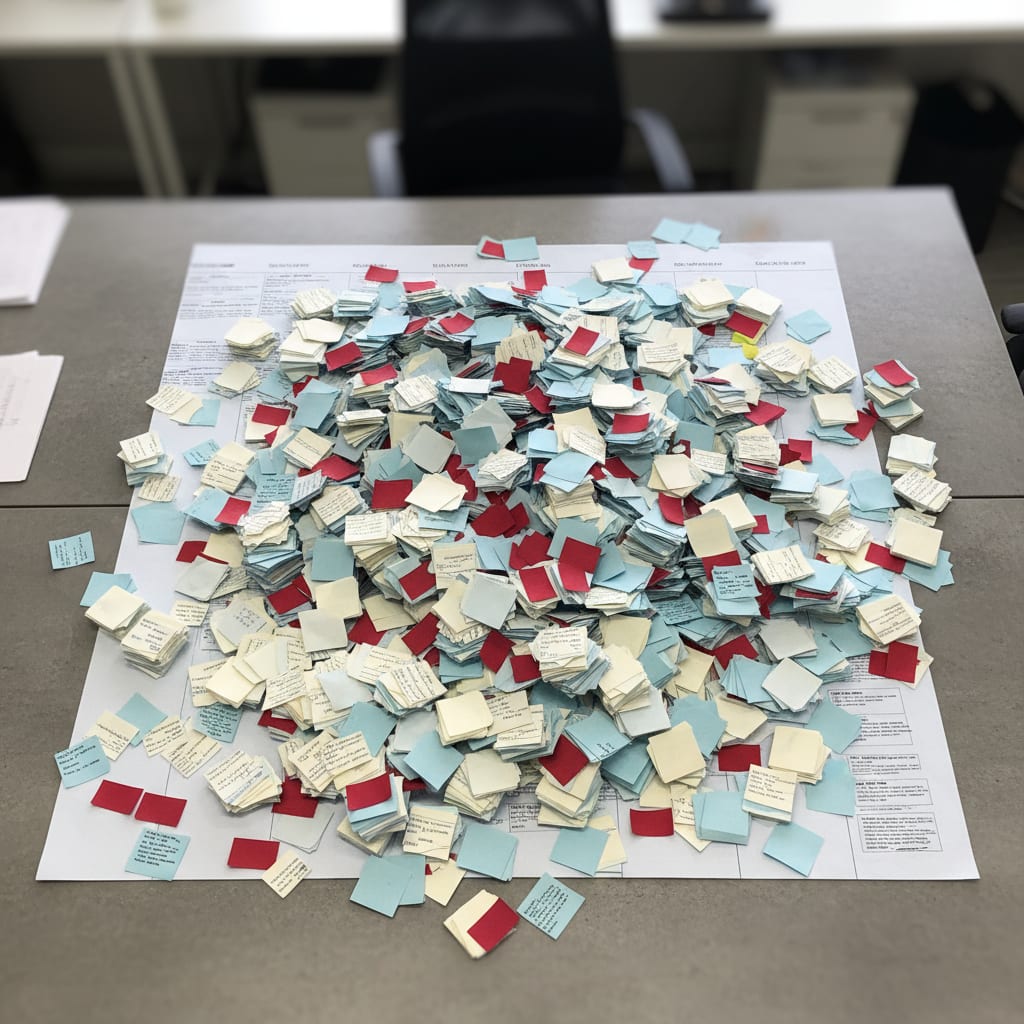
Sprint 14. Someone slaps a sticky note on the wall: "Frontend and Backend communication." You instantly remember–wasn"t that a problem in Sprint 10? And Sprint 7? Come to think of it, it cropped up in Sprint 4 too, just under a different label. Still, your team debates it for 20 minutes like it"s the first time. You jot down an action item that"s bound to be forgotten. By Sprint 17, the sticky"s back–different handwriting, same issue.
Sound familiar?
Here"s the kicker: this isn"t a motivation problem. It"s a system memory glitch. Your team isn"t forgetful–your tools are.
But the good news? You don"t need to add yet another SaaS tool to your already-overstuffed stack. Two practical, zero-new-tool methods will make recurring topics in your retrospectives visible: a tagging system you can set up in 15 minutes, or a single AI prompt that analyzes your last few retros. No vendor lock-in, no more "yet another app."
Key Takeaways
- Recurring retro issues are topics appearing in 3+ sprints, indicating structural problems, not just discipline issues.
- Most tools lack persistent, sprint-spanning memory, making patterns invisible.
Operations teams in SaaS companies (50-200 employees) juggle an average of 87 different tools. Furthermore, 70-80% of all retrospective action items are never implemented. Manual tagging takes 15 minutes for setup and 5 minutes per retro; AI analysis takes 30-60 minutes for data gathering and 60 seconds per prompt.
Why Do the Same Issues Keep Coming Up in Retrospectives?
Ever notice the same themes reappearing in your retros again and again? You"re not alone. But before you chalk it up to team dysfunction, let"s dig deeper.
Here"s the real culprit: Most retrospective tools just aren"t built for tracking issues across sprints. They lack persistent, sprint-spanning memory. So, when a problem comes back with a new name, the system simply treats it as new–leaving patterns invisible.
Trello, Miro, EasyRetro? Great for snapshots. Useless for long-term pattern detection.
A "recurring retro issue" is any topic that shows up in 3 or more team retrospectives–no matter how it"s phrased. These repeat themes point to unresolved, structural problems, not just a lack of discipline.
After each retro, the board dies. Some Scrum Masters try to manually move cards between boards, but let"s be real–after Sprint 3, almost nobody keeps up. And our brains? They only spot repetition if it"s in the exact same visual context. "Frontend–Backend communication" in Sprint 14 and "Missing alignment" in Sprint 10? To us, they"re different. To a well-designed system, they"d be the same.
But there"s an even bigger force at work: tool sprawl. Operations teams in SaaS companies (50–200 employees) juggle an average of 87 different tools (SaaS Operations). Not a typo. And not a single one connects retro topics across sprints.
Even worse, 37% of companies lack a single source of truth for their data (Profisee). Your hard-won retro insights? They"re left stranded on a Miro board or buried in a Trello card that no one opens again.
A frustrated comment from r/SaaS with 57 upvotes says it all:
"Feeling overwhelmed by our over-dependence on SaaS." – Reddit, r/SaaS
The issue isn"t just the sheer number of tools. It"s that none of them talk to each other. Retro data gets stuck in its silo–meaning no context for velocity, cycle time, or capacity planning.
And the business impact? It"s massive. 70–80% of all retrospective action items are never implemented (Dejan Majkic, Substack). Not because your team is lazy, but because nobody knows if a given problem is new or a recurring pain. A fresh issue deserves an action item. But a stubborn topic that"s survived five sprints? That"s a backlog item–a totally different beast.
This is the notorious Retro-to-Sprint Gap: there"s no automatic bridge between the insights you find in retros and the work that actually happens in sprints. And no standard tool is going to build that bridge for you.
Here"s the pattern you know too well:
Retro board → sticky note → action item → Trello card → never seen again → next retro: same sticky, different day
So, how do you break the cycle? Let"s find out.
What Do You Need Before Getting Started?
Before you dive in, take a quick audit. Do you have past retro data? Or are you starting fresh?
You"ll need one of two things:
- Existing retro notes from at least 4 sprints, in any format, or
- A commitment to start documenting from now on.
Method 1 (manual tagging) can start right away–even with zero historical data. Method 2 (AI analysis) works best if you"ve got notes from 4+ sprints.
Here"s what to check before you pick a method–this will take less than two minutes but could save you hours later.
Option A – You have retro data: Maybe you"re sitting on notes from your last 6–8 sprints. They"re scattered across Miro, Notion, Confluence, a Google Doc, or even screenshots with text recognition. Good news: the format doesn"t matter.
Option B – No archive yet: If you"re just starting to document, that"s fine. Manual tagging works from Sprint 1. AI analysis becomes powerful from Sprint 4–5 onward.
Realistic time commitment:
- Method 1: 15 minutes for initial setup, then 5 minutes right after each retro
- Method 2: 30–60 minutes to gather past data, then 60 seconds for the AI prompt
Worried about "adding another system"? You"re not alone:
According to research, 60% of knowledge workers" time is spent on "work about work"–chasing status, switching apps, duplicating data (Asana). Half of teams spend at least a full day every month manually merging project status info (ProProfs Project). Additionally, 75% of project managers say they"re overwhelmed–too much work, not enough resources (Plaky).
So, adding a new tool won"t solve your retro déjà vu. But a workflow that fits into your existing tools? That"s a game-changer.
Ready? Let"s get tactical.
Method 1: How to Spot Recurring Retro Issues With Manual Tagging–No New Tools Needed
Imagine seeing sprint-long patterns emerge–without a dashboard, a plugin, or another SaaS login. That"s what a simple tagging system can do.
Here"s how it works: You set up 8 fixed categories in a Notion or Confluence table. After each retro, you spend 5 minutes tagging the topics discussed. After 4–6 sprints, the patterns jump out at you–no analytics required.
A "retro tagging system" is a lightweight categorization framework. It lets you persist and compare retro topics across sprints. All you need are 8–10 stable categories, a simple table, and a quick 5-minute update after every retro.
Step 1: Define Your Categories (15–20 Minutes, Once)
Let"s start with a common pitfall: too many categories. Start with 15, and you"ll quit by Sprint 3. Limit yourself to no more than 8–10–that"s a structural necessity, not just advice.
You might have heard of affinity mapping from UX research or design thinking (IDEO Design Kit). The trick here is to actually use it across sprints, not just in a single workshop.
Here are proven categories for Ops/PM teams in SaaS:
| # | Category | Typical Sticky Notes |
|---|---|---|
| 1 | Communication | "Lack of alignment", "Frontend ↔ Backend unclear" |
| 2 | Process / Workflow | "Deployment takes too long", "Blocked by reviews" |
| 3 | Tooling | "No single source of truth", "Context switching sucks" |
| 4 | Capacity | "WIP too high", "Sprint overloaded" |
| 5 | Priority Conflicts | "Stakeholder requests override sprint priorities" |
| 6 | External (Stakeholders/Clients) | "Requirements arrive late" |
| 7 | Quality | "Not enough testing time", "Bugs in production" |
| 8 | Culture / Team | "Retro feels slow", "Decisions take too long" |
Feel free to adjust, but keep your categories stable. Don"t tweak them after every retro, or your data will be useless.
Step 2: Set Up Your Tagging Table (Notion or Confluence)
Keep it simple. Here"s all you need for columns:
Sprint | Date | Category | Topic (Short) | Intensity (1–3) | Action Item? | Done?
That "Intensity" column is gold.
- 1: Brief mention
- 2: In-depth discussion
- 3: Emotional, heated, or escalated
Why bother? Because three mentions at intensity 1 are NOT the same as three at intensity 3. You need both frequency and weight.
Step 3: Enter the Data–Immediately After Each Retro
This is the step where most systems fail. If you say, "I"ll do it later," you never do. Make this a fixed extension of your retro–5 minutes, right after you finish, while the conversation is fresh.
⚠️ If tagging takes more than 5 minutes, your categories are too granular. Simplify. Otherwise, you"ll drown in "work about work"–the very thing you"re trying to escape.
Before: Retro ends. Board sits untouched. Action items go to Trello and are never seen again. By Sprint 11, you"re debating the same issue as Sprint 8, but no one remembers.
After: 5 minutes of tagging. By Sprint 6, a tally shows "Capacity" was discussed in 5 out of 6 retros, always with high intensity. Clearly, it"s no longer just a retro topic–it"s a backlog item demanding real action.
Step 4: Review Every 3 Sprints–The 5-Minute Ritual
Every three sprints, quickly tally each category. No dashboards, no charts. Just count.
Sprints 1–3 → Review (5 min) → first patterns appear → Sprints 4–6 → Review → trend confirmed → create backlog item
Manual tagging beats most dedicated retro tools–especially if your team uses a patchwork of platforms–because it works regardless of format. The downside? Consistency. If the one person doing the tagging is out, your system has a gap. The fix: bake the tagging step into your actual retro meeting, not as an afterthought.
SwiftRun automates repetitive workflows with AI agents – so your team can focus on what matters.
Method 2: How to Uncover Recurring Retro Issues With AI–No Export Required
Let"s say you"ve got notes from 4+ sprints. You can surface hidden patterns in under a minute–using a single AI prompt.
All you do is copy your retro notes into a text doc, paste in the prompt, and let AI cluster, count, and prioritize your persistent issues. Formatting doesn"t matter. Even text recognized from sticky note photos works.
Step 1: Gather Your Retro Data
Open your boards, notes, or docs from previous sprints. Copy everything into one text document. Don"t worry about formatting. Even screenshots with OCR (iPhone Camera, Google Lens) are fine.
Here"s how your raw data might look:
Sprint 10: Frontend-backend communication. Deployment too slow.
Sprint 11: Too many parallel WIP items. Stakeholder requests override priorities.
Sprint 12: Again, frontend↔backend communication. Sprint overloaded. Quality suffers.
Sprint 13: Capacity bottleneck. Release pressure. Communication issue escalated again.
Step 2: Run the AI Analysis Prompt
This prompt is designed specifically for surfacing recurring issues in retros. Just drop it into Claude or ChatGPT–right after your data block.
Analyze the following sprint retrospective notes for recurring themes.
Tasks:
- Identify all topics that appear in multiple sprints–even if worded differently.
- Count how often each topic shows up (absolute and percent of total mentions).
- Flag topics with emotional intensity–look for phrases like "always", "again", "for the third time", "nobody cares", "escalated".
- Distinguish: (a) topics that led to action items, and (b) topics with no follow-up.
- Provide a prioritized list: What are the top 3 persistent issues that should become backlog items, with owner and deadline?
Output format: summary table (Topic | Frequency | Intensity | Action Item?) + brief explanation of the top 3 persistent issues.
[INSERT YOUR RETRO NOTES HERE]
Step 3: Interpret and Prioritize the Output
The AI will spit out a prioritized list of patterns–complete with frequency, intensity, and whether action has been taken.
But here"s a critical caveat: AI can recognize patterns, but it can"t diagnose root causes. For example, "Capacity came up in 5 out of 6 sprints" is an observation, not an explanation. Whether that"s due to scope creep, poor sprint planning, or stakeholder overload? That"s still up to you and your team to untangle.
Scrum.org talks about data-driven retrospectives as a smart approach–but doesn"t actually spell out how to do it. The prompt above fills that gap, giving you a ready-to-run workflow.
And if you think "AI retrospectives" are still science fiction, think again. According to Gartner (Gartner, August 2025), 40% of all enterprise apps will feature task-specific AI agents by the end of 2026–up from less than 5% in 2025. That means what you"re doing with this prompt is future-proofed, but also available right now, for free, in any browser.
Once you"ve surfaced the patterns, what"s next? Let"s compare both methods to help you decide.
Manual Tagging vs. AI Analysis: Which Retro Pattern Detection Method Is Right for You?
Imagine you"re standing at a crossroads. Your choice depends on your team size and the data you have.
Manual tagging is dead simple–start today, no history needed, 5 minutes per sprint. AI analysis needs a bit of retro history (4+ sprints), but then delivers prioritized patterns in 60 seconds flat. For larger teams, AI is the only scalable option.
And here"s another hidden cost: context switching. The average employee toggles between apps 33 times a day (Lokalise). If manual tagging becomes just another thing to remember, it could backfire. AI analysis minimizes this overhead to just one minute every 4–6 sprints.
Let"s see how they stack up:
| Criterion | Method 1: Manual Tagging | Method 2: AI Analysis |
|---|---|---|
| Team size | From 3 people | Recommended for 8+ people |
| Data needed | None–start right away | 4+ sprints as text input |
| Initial setup | 15–20 minutes | 30–60 minutes to gather data |
| Ongoing effort | 5 min per retro | 60 sec every 4–6 sprints |
| Accuracy | Depends on categories | High, even with messy data |
| Tools required | Notion / Confluence / table | Claude, ChatGPT (free works) |
| Single source of truth? | 🟡 Can maintain manually | 🟢 All-in-one text doc |
| Scales across teams? | 🔴 No | 🟢 Yes |
| Team A (<8 people) | 🟢 Primary | 🟡 Add after Sprint 5 |
| Team B (8–20 people) | 🟢 Ongoing | 🟢 For historical review |
| Team C (20+ people) | 🔴 Not scalable | 🟢 Mandatory |
Team A (under 8 people, no retro history): Start with manual tagging. Layer in AI after Sprint 5, once you have enough data.
Team B (8–20 people, existing retro notes): Use both. Tagging for new sprints, AI prompt for a one-time deep dive on past data.
Team C (20+ people, multiple teams): AI analysis is essential. Manual tagging doesn"t scale across team boundaries–the effort outweighs the benefit. You"ll need the AI prompt on aggregated data, or a tool that does cross-sprint analysis automatically.
Want to automate even further? Tools like SwiftRun.ai can read your Trello boards directly and spot recurring issues across all sprints–no exporting, no copy-paste, 60 seconds flat. It gives you a true single source of truth for retro data, velocity trends, and sprint health–minus the manual overhead. For teams looking to make AI analysis seamless, that"s the systemic solution.
What to Do When a Pattern Emerges
Recognizing a pattern isn"t the finish line–it"s just Step 1.
When a topic pops up in 3 or more sprints, the next move is crystal clear–and it happens outside the retro:
Recurring issue identified → Create a ticket → Assign an owner → Add a checkpoint to sprint review
At this point, it"s not a retro topic anymore. It"s real work, to be prioritized just like any other backlog item. If you keep treating recurring issues as "just retro stuff," you"re doomed to keep discussing the same sticky note in Sprint 21, as if it"s brand new.
Remember: 75% of project managers say they"re overloaded with too much work and too few resources (Plaky). Unassigned, deadline-free action items that linger in retro boards become invisible alignment overhead. Without a clear owner and timeline, they vanish into the ether.
Pattern detection is Step 1. Consistent follow-up on action items across sprints is Step 2. Closing the Retro-to-Sprint Gap is Step 3.
Most teams skip Step 1 and end up circling the same issues forever.
Want to go deeper? Curious about how Agentic AI could automate project management–and what it actually delivers? Check out: [What Is Agentic AI in Project Management, and What Can It Really Automate?]
Ready to stop reliving the same retro? Start with Step 1. Your team will thank you.
Ready to identify and tackle your team's recurring issues? SwiftRun.ai offers AI-powered analysis to uncover hidden patterns in your retrospectives. Start free – no credit card required.
Related Articles:
retrospective recurring issuessprint retrospective analysisidentifying retro patternsretro action item trackingrecognizing persistent problems
Related Articles

Operations & PM Teams
GTM Misalignment: How to Spot Early Warning Signs in SaaS
GTM misalignment is the #1 reason B2B SaaS companies miss revenue targets, according to Forrester (2025). But Ops PMs see the signals first. Here"s how to recognize, diagnose, and act before the problem hits your bottom line.
Jun 12, 2026·14 min read·Georg Singer

Operations & PM Teams
WIP Limits: Why Ops Teams Ignore Them at Their Peril
23 tasks 'In Progress', only one finished. That"s not bad luck–it"s Little"s Law in action. Here"s why WIP limits are the most important (and ignored) concept for Ops teams drowning in SaaS tools.
Jun 11, 2026·12 min read·Georg Singer
Operations & PM Teams
How to Fix Product and Sales Alignment in SaaS–Without New Tools
Product and Sales misalignment is the #1 reason SaaS revenue targets fail–according to Forrester. It"s a system problem, not a people problem. Here"s a four-part framework to sync Product and GTM, boost adoption, and eliminate wasted launches. No new tools required.
Jun 10, 2026·13 min read·Georg Singer