Build a Single Source of Truth for Your Ops Team
37% of companies lack a single source of truth–costing Ops teams a full day every month. Here"s an 8-week roadmap to fix it, from audit to tool choice, migration, and ownership rules. No more chaos. No more guessing games.
Georg Singer··15 min read

Ever asked a colleague, "Where"s the latest onboarding process?" and gotten a shrug, a Notion link, a Confluence hint, and a Slack thread from last week–all pointing to different versions? By the time you've checked them all, you still don't know which is current.
If that sounds familiar, you're not alone. According to Profisee, 37% of companies don"t have a unified data source. In SaaS Ops teams, the number may be even higher. Why? Because operational information is structurally messier than dev tickets–and that mess costs you a full day of productivity every month.
But here"s the good news: this isn"t a discipline problem. You"re not lazy, your team isn"t careless. It"s a structure problem. And you can fix it–in just 8 weeks–if you follow the right sequence.
TL;DR – What You Need to Know
- A Single Source of Truth (SSOT) isn"t a tool. It"s a decision about where information lives and who owns it.
- The #1 mistake: picking a tool first and never setting process rules. Six months later, you"re back to chaos.
- The 8-Week Plan: Weeks 1–2 Audit → Weeks 3–4 Tool Choice → Weeks 5–6 Batch Migration → Weeks 7–8 Ownership Matrix & Governance.
- No Ownership Matrix, no SSOT–doesn"t matter what tool you buy.
Now let's dig into why Ops teams struggle with SSOT more than anyone else–and what you can do about it.
Why Ops Teams Struggle to Build a Single Source of Truth
Dev Teams Have Jira. Ops Teams Have... Chaos.
Imagine joining a dev team: everyone knows tickets are in Jira, code"s on GitHub, chat"s in Slack. The conventions are set–you just follow them. But step into Ops, and it's a choose-your-own-adventure: process docs in Notion, ancient SLA files in Google Drive, live projects tracked in Asana, vendor decisions buried in an email chain only the CEO can find, and the real answers in Sandra"s head from Customer Success.
Ops information is fundamentally more diverse: process docs, SLAs, project statuses, vendor data, decision logs. Getting all of that under one roof? Way harder than wrangling developer tickets. That"s not an excuse–it"s the reality you"re up against.
But why do Ops teams face this pain more than dev teams?
No Standard Path Means More Chaos
Dev teams have Jira as the industry standard. Ops? No such luck. Add in the wildly different types of info–processes, contracts, decisions, vendor lists–and you hit a wall: no single tool fits all. The average SaaS Ops stack now includes 87 different tools (saasoperations.com). That"s not just overkill–it structurally amplifies the chaos.
Why Buying a New Tool Won"t Save You
On Reddit, a SaaS founder admits:
"We"re overwhelmed by our overdependence on SaaS tools." – r/SaaS, 57 Upvotes
It hits home. Because every Ops PM knows the cycle: information chaos erupts, someone suggests a shiny new tool, and a few months later... chaos is back, just with a bigger bill.
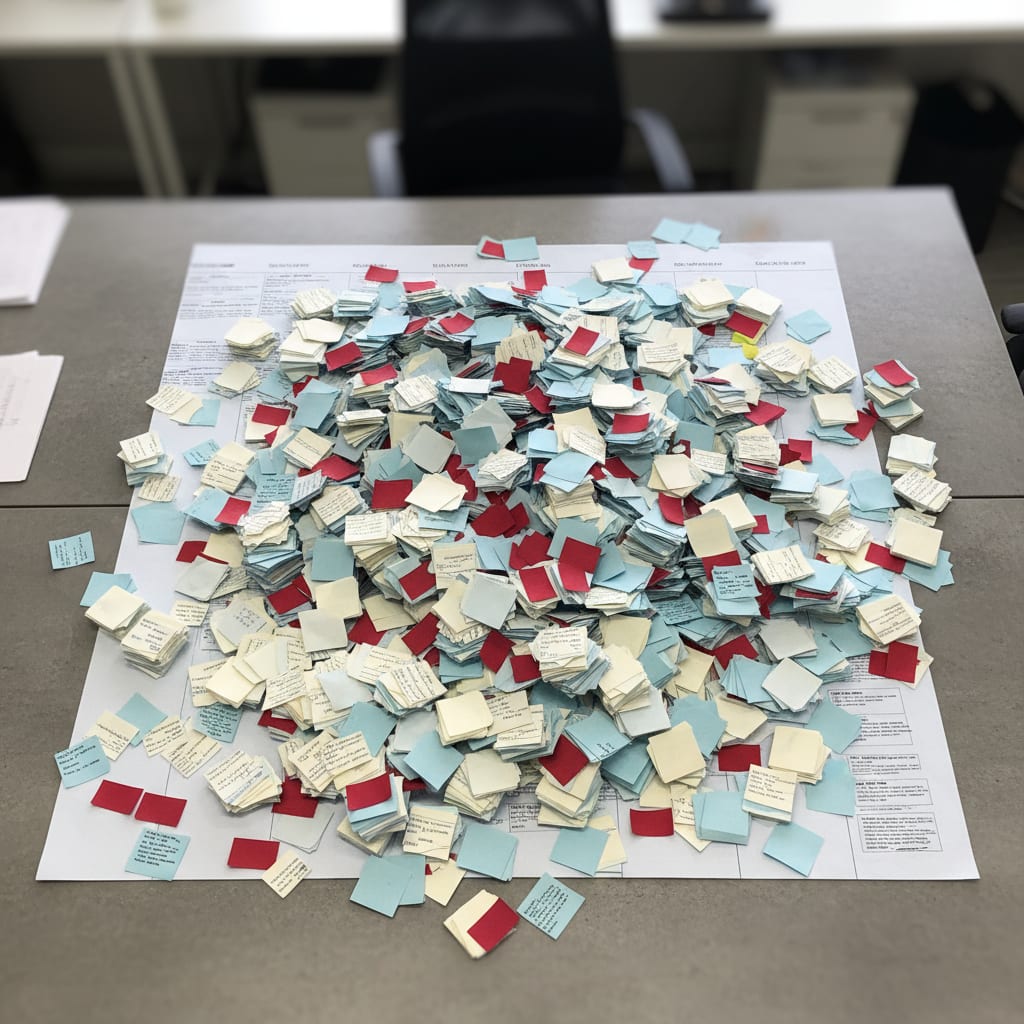
You"ve seen it: action items from retros land in Trello, never to be seen again. 70–80% of retro tasks are never completed (Dejánje Majkić, dejanmajkic.substack.com). That"s not a motivation issue–it"s an SSOT issue. If you don"t have clear rules about where decisions go, and who owns them, you"ll repeat yourself sprint after sprint, sticky note after sticky note.
Even with 87 tools, none have fixed the underlying information problem. Why? Because information chaos isn"t a tool problem. It"s a governance problem.
What looks like a discipline issue ("nobody updates Confluence!") is really a structure issue: no rules for what goes where, who keeps it up to date, or when to archive it.
Single Source of Truth (SSOT) means every piece of information lives in one place–everywhere else just points to it. For Ops, that requires a defined structure and explicit ownership. The opposite of SSOT isn"t chaos, it"s well-intentioned tool sprawl.
Now, let"s get practical. The first step isn"t picking a tool–it"s figuring out where your information really lives.
Weeks 1–2: The Information Audit–Discovering Where Your Knowledge Actually Lives
Here"s the trap: skip the audit, and you"ll just migrate chaos into a new system.
An information audit is a systematic check–where your team actually looks for information (not just where it"s supposed to be). It takes 30–45 minutes per person. This isn"t busywork–it"s the only reliable foundation for building your SSOT.
The Three Types of Ops Information
Not all info is created equal. Understanding these three categories will help you choose the right tools–and set the right rules:
- Reference Information: Things like process docs, SOPs, and decision histories. They rarely change, but always need to be findable.
- Active Information: Live projects, open tasks, current vendor contracts. These change frequently and need clear ownership.
- Communication Information: Slack threads, meeting notes, email chains with decisions. This is the "shadow knowledge" that seeps out of workflows and is almost never formally documented.
Picture this: a Trello board nobody checks, status updates cobbled together from three tools, or velocity metrics nobody tracks because the data"s scattered. These are real-life examples of all three info types–showing exactly why the audit will surface some uncomfortable truths.
The third type–communication info–is the real villain. Half of all teams spend at least a full workday each month manually compiling project status from scattered sources (ProProfs Workflow Automation Statistics 2025). Most of the time, that"s because decisions are lost in Slack threads nobody remembers.
How to Run an Information Audit for Your Ops Team
Ask every team member to name the top three places they search for information–not just where they store it. Categorize each source as reference, active, or communication info. Schedule 30–45 minutes per person, and you"ll quickly see where knowledge gaps and duplicate structures lurk.
Audit Checklist: 45 Minutes Per Person
Run through this in a 1:1 chat (not as a boring survey):
- Where do you look for info on a current process?
- Where do you check for a decision made three months ago?
- What three tools do you open first when a new teammate asks how something works?
- Where are active projects and their current statuses tracked?
- Which information have you looked for recently and couldn"t find?
- What info do you know by heart, because it"s never reliably documented?
- Where do action items from the latest retro end up? Who checks if they"re done?
Audit Output: A list of all information sources, each tagged as Reference / Active / Communication, their freshness, and how often they"re used.
You"ll be shocked: 60–70% of actively used info lives in Slack threads or personal notes–not in any "official" tool. It"s uncomfortable, but it"s the only honest starting point for change.
Now that you know where your information actually lives, you"re ready to choose the right tool (and structure) to bring order to the chaos.
Weeks 3–4: Choosing Your Tool–But Only After Mapping Your Information
Ever asked, "What are other teams using?" That"s the wrong question.
Tool choice must follow your information categories–not the other way around. If you pick the tool first, you let the software dictate your structure. That"s a recipe for a system nobody wants to use.
Which Tool Is Best for SSOT in Ops?
It depends on your team"s size and complexity. Here"s the breakdown:
- Under 10 people: Notion or Linear work well–simple, flexible, and easy to search.
- 10–30 people: Confluence (paired with Jira), or Notion with database structures. You"ll need some access control and a clear logic for organizing pages.
- 30+ people: Dedicated Ops platforms or SharePoint integrations may be worth it. The bigger the team, the more you need granular rights management. But remember: the tool only works if ownership is clear.
The Five Criteria That Actually Matter
Score every tool candidate against these questions:
- Can it handle all three info categories (Reference, Active, Communication) in a meaningful way?
- What"s the realistic weekly maintenance effort (not just in demo mode)?
- Is there a search function that actually works–full text, filters, links?
- Can you give external stakeholders targeted access, without exposing everything?
- How easy is it to export your data if you switch tools in 18 months?
Tool Selection Table–What Works for Teams Your Size
| Team Size | Recommended Setup | Weekly Maintenance | Stakeholder Access | Export Flexibility | Typical Pitfall |
|---|---|---|---|---|---|
| < 10 people | Notion or Linear | 1–2 hrs | Easy via link | High (Markdown, CSV) | Too many databases, no logic |
| 10–30 people | Confluence + Jira or Notion w/ DBs | 3–5 hrs | Needs granular rights | Medium | Page structure grows wild |
| 30+ people | SharePoint + Jira or Ops platform | 5–8 hrs | Enterprise rights | Varies | Adoption fails without rollout plan |
A quick note: Atlassian"s guide for enterprise teams is solid–but of course, it assumes you"ll use Confluence. For teams under 20, the enterprise overhead is usually overkill.
87% of companies say tool sprawl has moderate to severe financial impact (Spendflo SaaS Sprawl Report). The next tool probably isn"t your answer. The right tool–plus clear governance–might be.
⚠️ Heads up: Governance and tool choice must happen together. If you pick your tool and leave governance for "later," you"ll repeat the very mistake those 87 tools didn"t solve. Later never comes.
With your tool and structure mapped, there"s a massive pitfall left–treating the tool as the SSOT, rather than the underlying governance.
SwiftRun automates repetitive workflows with AI agents – so your team can focus on what matters.
The #1 Mistake: Treating Your Tool as the SSOT (and Neglecting Governance)
Confluence without ownership rules will look as messy as your last system–just give it six months.
Here"s the pattern: the system launches tidy, pages duplicate after three months, and by month six, nobody knows which version is right.
60% of SaaS IT teams report growing manual work despite more tools (BetterCloud State of SaaS 2025). Employees now switch between apps 33 times a day. Chronic context switching burns up to 40% of productive hours (Lokalise Tool Fatigue Productivity Report 2025). A new tool that nobody uses consistently just makes things worse.
Field note: In almost every failed SSOT project, the same thing happens: a clean system at launch, two onboarding docs three months later (one "official," one maintained by someone who knows the official one is out of date), and an ownership matrix that says "everyone"s responsible." In practice, that means nobody is.
Governance means: For each info category, there"s a single owner, an update interval, and a rule for archiving outdated stuff. Without these three elements, you don"t have an SSOT–no matter what software you use.
Now you"ve got your tool and rules. But how do you migrate all your existing chaos into this new structure–without making things worse?
Weeks 5–6: Batch Your Migration–Don"t Move Everything at Once
Classic blunder: moving all your info at once. The result? Two weeks of chaos, everyone reverts to old habits, and your shiny new system is stale from day one.
Here"s the smart way: batch migration–move the most used, most critical info first.
- Batch 1 – Most Frequent Searches: The info your audit showed is used constantly–active processes, live projects, current decisions.
- Batch 2 – Medium Frequency: Reference docs needed monthly or quarterly.
- Batch 3 – Archive: Old projects, historic decisions, anything infrequently accessed.
Batch-20 Rule: No more than 20 information units per week, per owner. Experience shows: more than that, and ownership quality drops; less, and the process drags on with no extra benefit.
Knowledge workers estimate they could reclaim 4.9 hours a week with better processes (Asana Anatomy of Work Index). That"s over six workweeks a year. Think of migration as an investment, not a distraction.
Before & After: What a Migrated SSOT Really Looks Like
Before: The onboarding process is in a Google Doc (last updated 8 months ago), a Slack thread (Maria posted something in March), a Confluence page (only used for dev onboarding), and the head of whoever onboarded last. Which is correct? Ask Maria.
After: A linked entry in the reference database. Owner: Sarah (Ops). Created: 2025-09-01. Last updated: 2026-02-14. Next review: 2026-06-01. Link to latest process. Archived versions with date and reason for change.
The difference isn"t the tool. It"s the structure.
Migration Rule: Every migrated info item must have four fields: owner, creation date, last update, and expected archive date. No exceptions–if it"s missing, it doesn"t go in.
The last big piece? Making sure your new system stays clean–by locking in clear ownership and regular reviews.
Weeks 7–8: Introduce the Ownership Matrix & Governance Rules
Did you know 75% of project managers say they"re asked to do too much with too few resources (Plaky PM Statistics 2026)? The ownership matrix is your only real lever to fight back.
60% of knowledge workers" time goes to "work about work"–status tracking, app switching, duplicate effort. Only 27% is spent on actual skilled work (Asana Anatomy of Work Index). A working ownership matrix is the fastest way to reclaim lost time.
What Goes Into an Ownership Matrix for SSOT?
An ownership matrix lists all your info categories (columns) and all your team members (rows). Each cell defines the role: owner, editor, reader, or not involved. Only one person can own each category–shared ownership just means nobody takes responsibility.
Ownership Matrix–Plug-and-Play Template
| Reference Info (SOPs) | Active Info (Projects) | Vendor Data | Meeting Notes | Stakeholder Decisions | |
|---|---|---|---|---|---|
| Ops Lead | ✅ Owner | ✅ Owner | Editor | Reader | ✅ Owner |
| PM | Editor | Editor | Reader | Editor | Editor |
| Team Member A | Reader | Editor | – | Editor | Reader |
| Team Member B | Reader | Editor | Reader | Editor | Reader |
| External Stakeholders | Targeted Read | – | – | – | Targeted Read |
Governance Rules That Actually Work
Golden Rule – Single Ownership: Each info item has a single owner. No exceptions. "Everyone owns it" means nobody does.
Two more rules to keep your SSOT from decaying after six months:
- Archive, Don"t Delete: Outdated info is archived, not erased–with date and reason. This builds an audit trail, which is gold for compliance or team changes. Plus, it lowers the anxiety of cleaning up, since nothing"s lost forever.
- Mandatory Review Date: Every new info item gets a review date on creation–no review date, no entry. It may sound bureaucratic, but it"s the only way to prevent instant decay.
SSOT isn"t a destination–it"s a process. Monthly 15-minute reviews (what"s changed, what"s stale, what"s missing) keep it alive without making it your full-time job.
SwiftRun.ai helps Ops teams automatically aggregate scattered information from existing tools–no more copy-pasting. Try it out and see how your Ops dashboard can finally show a unified view.
FAQ: The Most Common SSOT Questions (And Real Answers)
What if my team ignores the new system?
If adoption stalls, it"s almost always because searching is too hard or categorization is too complex. Simplify–don"t double down on rules. If it takes three clicks to find info, your team will default to Slack. Your SSOT must be faster than the alternative–not perfect, just easier. Adoption is a usability problem, not a discipline problem.
How long does the 8-week plan really take?
Realistically: 2–3 hours a week for the responsible owner, plus 30 minutes per team member during batch migration weeks. If you don"t block out calendar time, weeks 5–6 will slip into month 3. Then it"s not an 8-week plan anymore. Remember, knowledge workers estimate they can reclaim 4.9 hours/week with better processes (Asana Anatomy of Work Index)–the ROI is there from quarter one.
Does all Ops info have to live in a single tool?
Nope. The goal isn"t one tool–it"s a central index linking all your sources, so everything"s discoverable. This "Master Index" lets you use specialist tools (Jira for tickets, Notion for processes), without leaving people in the dark. Fun fact: software complexity costs companies 7% of annual revenue, and 53% never see the expected ROI from their tools (Freshworks Cost of Complexity Report 2025). More tools are rarely the answer.
Does leadership have to be on board?
Absolutely. Governance fails if it"s bottom-up only. This isn"t just politics–it"s the hard truth from failed SSOT projects. If leadership keeps making decisions in private emails that never hit the system, your ownership matrix will be irrelevant in three months.
Ready for your first step? It"s smaller than you think: message your team five of the audit questions above. In just an hour, you"ll see the biggest knowledge gaps. From there, you can tackle the rest–one structure at a time.
Want to know why this problem exists in the first place? Tool sprawl isn"t the root cause–but it makes everything worse. And when information management fails, you get "shadow processes"–invisible workflows that hide problems for years.
Further reading: What are shadow processes, and why do they thrive in Ops teams? (See: Shadow Processes and How They Take Root in Ops Teams)
Related Articles:
- What Is Operational Intelligence–and Why Are SaaS PM Teams Making Bad Calls Without It Every Single Day?
- Agile Capacity Planning for Ops Teams: The 45-Minute Sprint Guide (Not for Scrum Masters)
- How to Slash Context Switching for Your PM Team: The 5-Step System Fix
Ready to streamline your ops and finally get everyone on the same page? Check out SwiftRun.ai to start building your single source of truth today.
single source of truth operations teamssot for opsbuilding ssotinformation management opsops knowledge basessot step by step
Related Articles

Operations & PM Teams
GTM Misalignment: How to Spot Early Warning Signs in SaaS
GTM misalignment is the #1 reason B2B SaaS companies miss revenue targets, according to Forrester (2025). But Ops PMs see the signals first. Here"s how to recognize, diagnose, and act before the problem hits your bottom line.
Jun 12, 2026·14 min read·Georg Singer

Operations & PM Teams
WIP Limits: Why Ops Teams Ignore Them at Their Peril
23 tasks 'In Progress', only one finished. That"s not bad luck–it"s Little"s Law in action. Here"s why WIP limits are the most important (and ignored) concept for Ops teams drowning in SaaS tools.
Jun 11, 2026·12 min read·Georg Singer
Operations & PM Teams
How to Fix Product and Sales Alignment in SaaS–Without New Tools
Product and Sales misalignment is the #1 reason SaaS revenue targets fail–according to Forrester. It"s a system problem, not a people problem. Here"s a four-part framework to sync Product and GTM, boost adoption, and eliminate wasted launches. No new tools required.
Jun 10, 2026·13 min read·Georg Singer